
Merge Multiple PDF Files by Name Using Python
Merging PDFs into groups based on a shared prefix in their filenames, rather than combining everything into one. The script groups the files by that prefix, sorts each group, and writes one merged PDF per group.
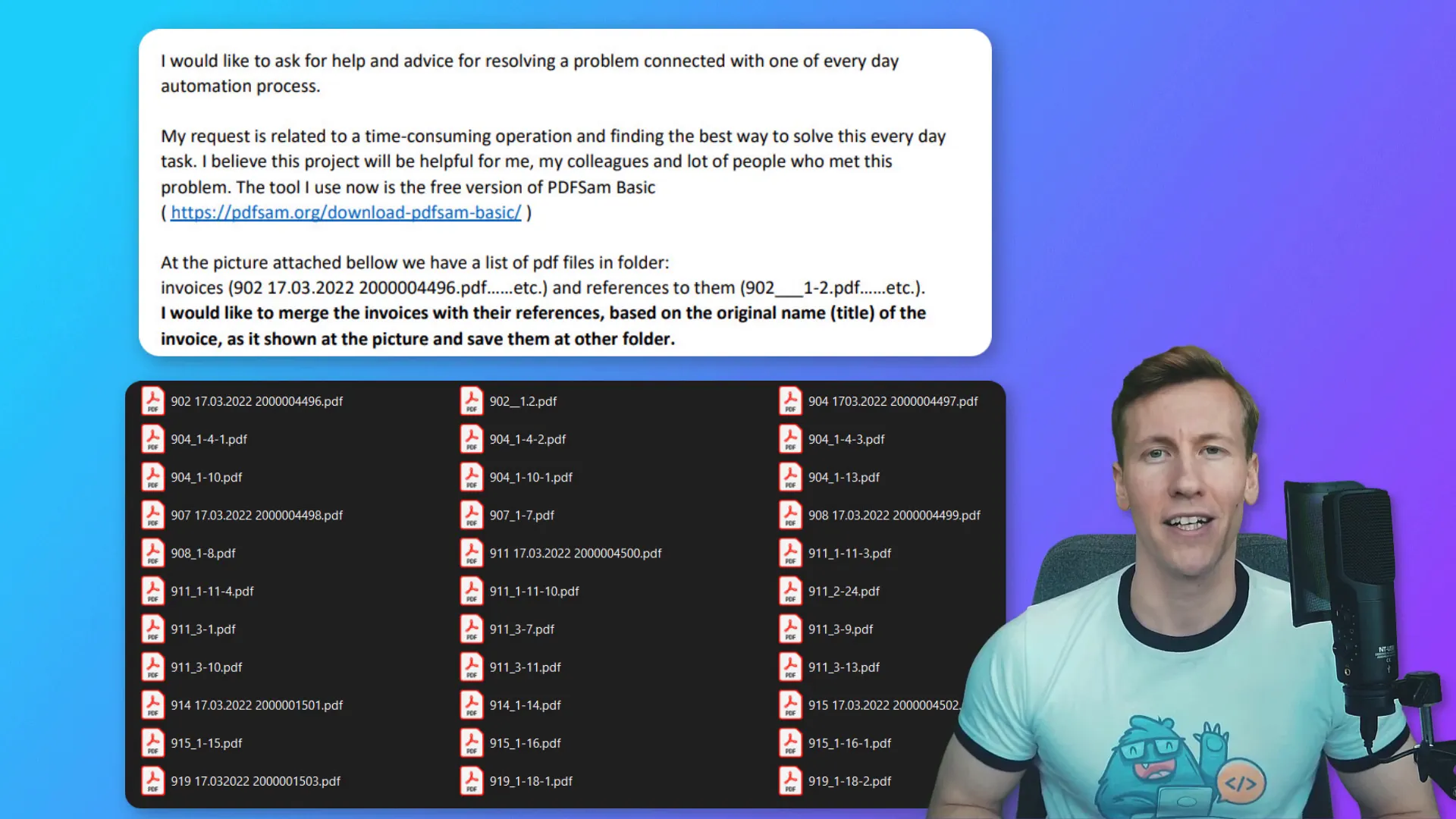
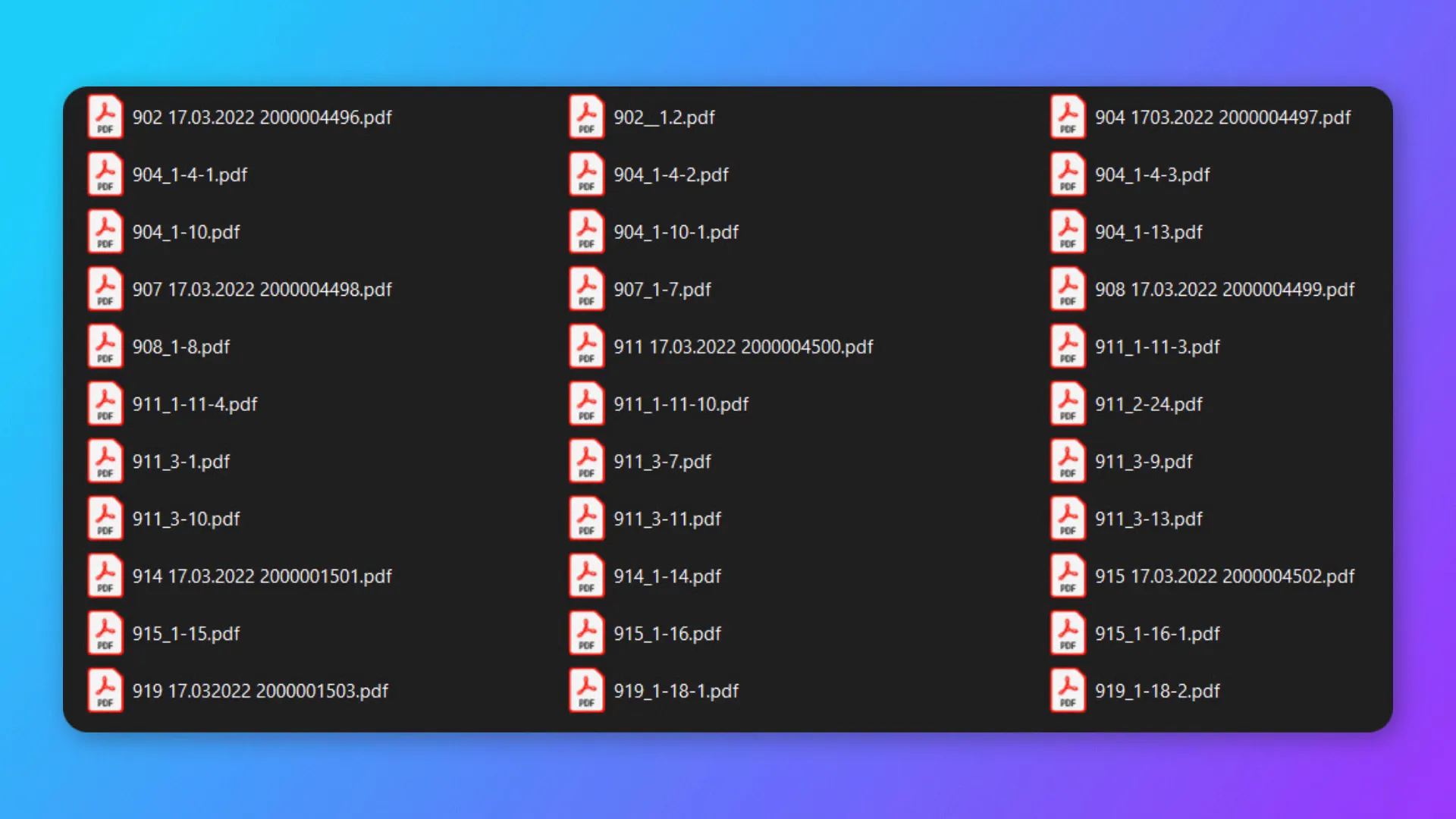
Explanation of the task
The goal is to combine PDF files that share a common prefix in their names. For instance, if we have multiple files starting with “902”, we want to merge them into a single PDF file named after the longest file name. The same goes for any other prefixes present in the folder. This not only saves time but also keeps the files organized.
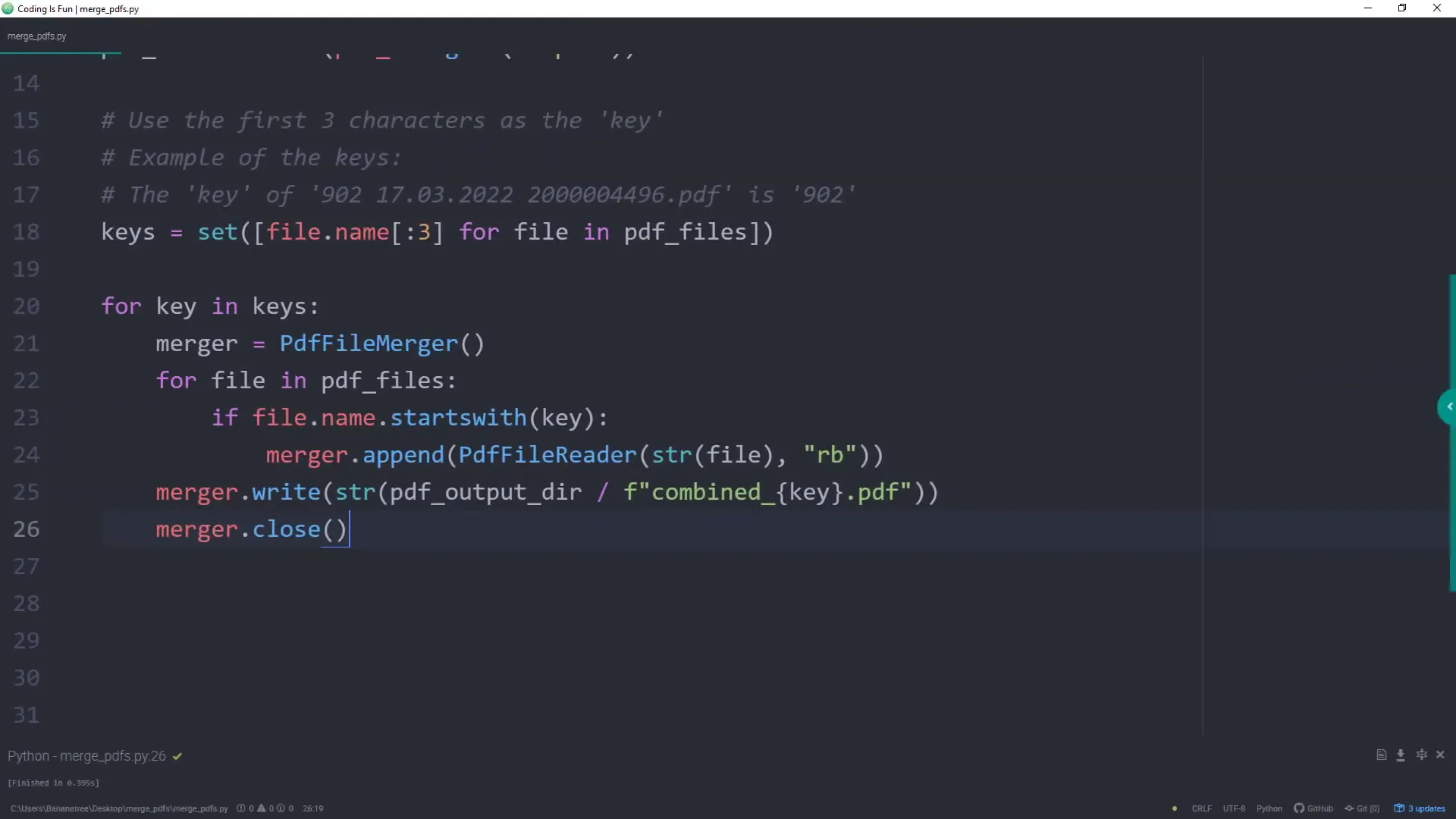
Coding out the solution
To start, you need to install the required library. Open your terminal or command prompt and run:
pip install PyPDF2Once that’s done, let’s dive into the code. I’ll be using the Path class from the pathlib module to handle file paths. Here’s a brief overview of the steps involved:
- Import necessary libraries.
- Define the input directory where the PDF files are stored.
- Create an output directory for the merged files.
- List all PDF files in the input directory.
- Identify the unique prefixes for merging.
- Merge files with the same prefix and save them accordingly.
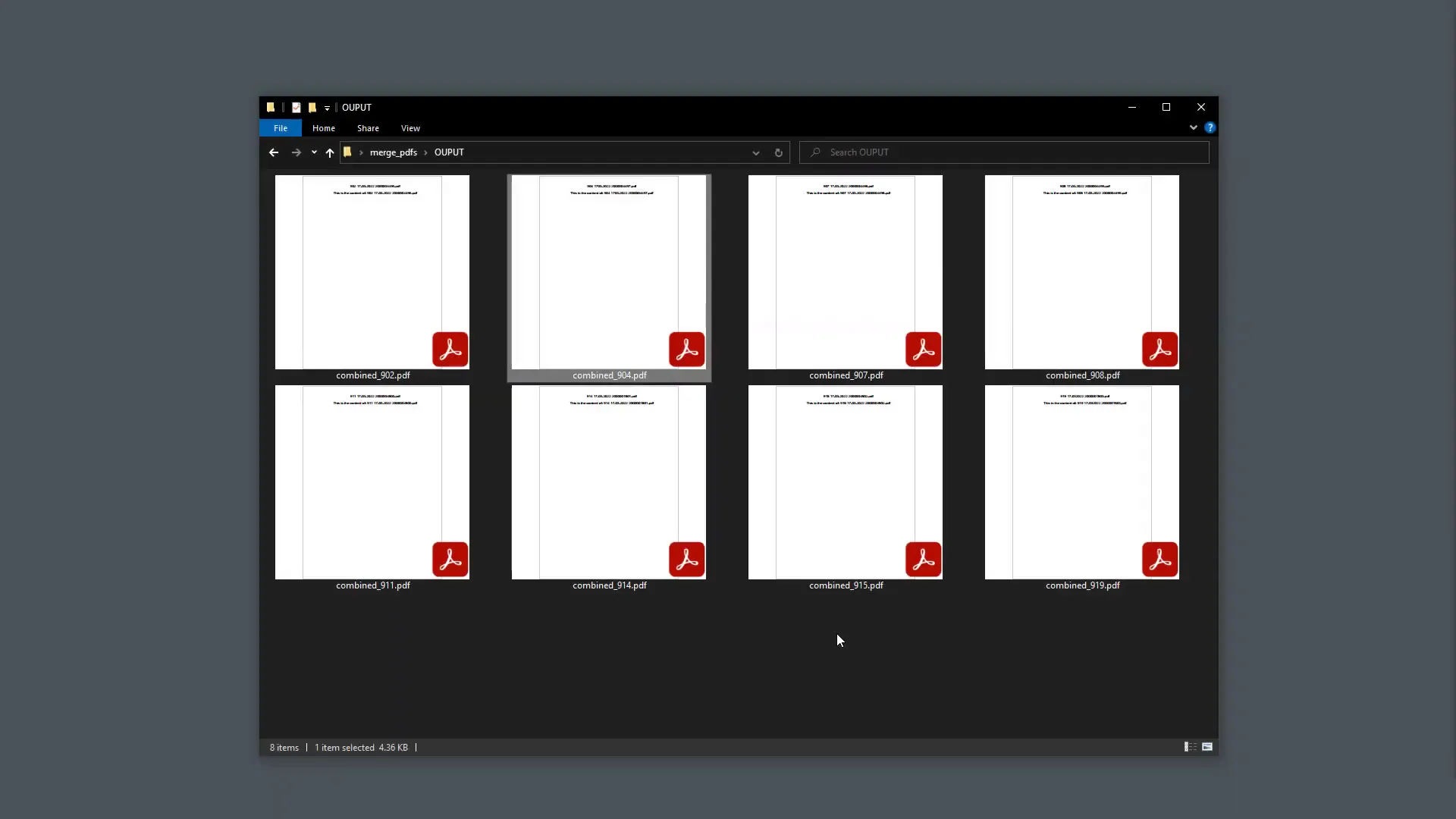
After running this script, you should find a new folder named ‘OUTPUT’ containing the merged PDF files. To verify the results, check the contents of the merged files to ensure they only include the PDFs that share the same prefix.
Conclusion
In summary, I’ve shown you how to merge multiple PDF files based on their names using Python. This approach not only streamlines a potentially tedious task but also helps keep your files organized. I hope you found this tutorial helpful and learned something new!