
Clean, Format & Validate Any Address in Excel (With 1 Click)
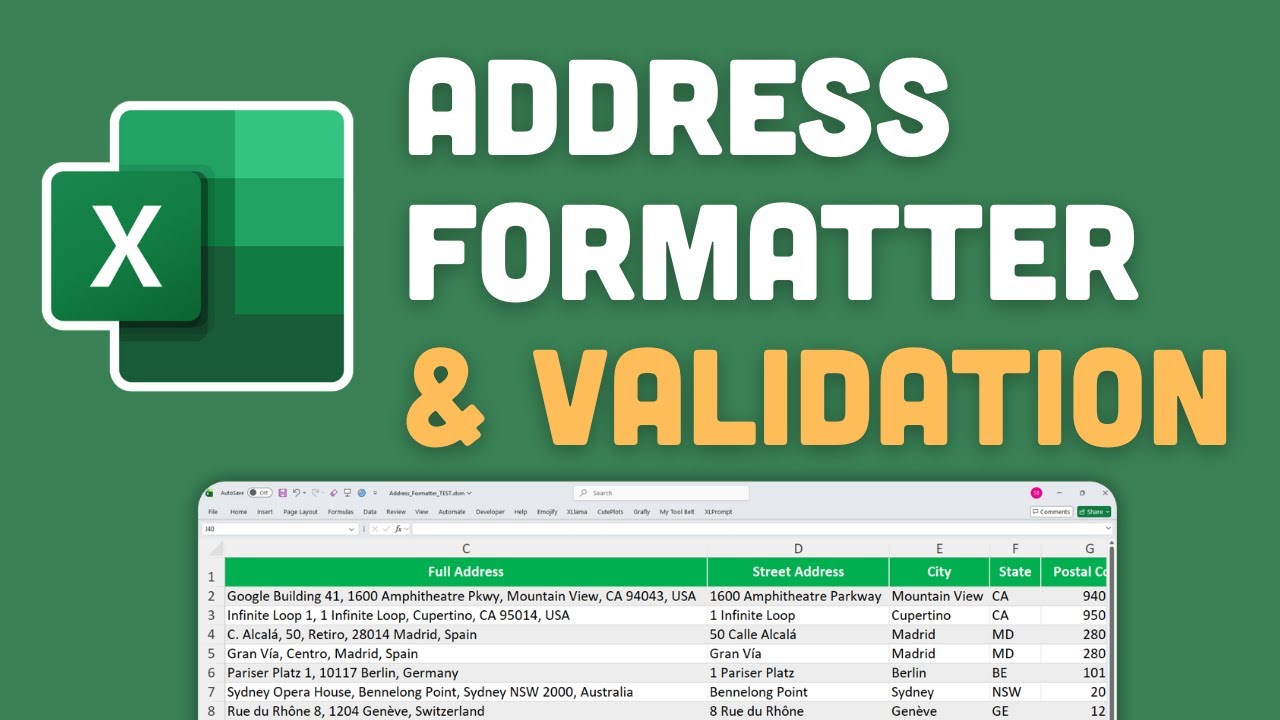
Clean and Validate Addresses in Excel: The Excel Address Formatter
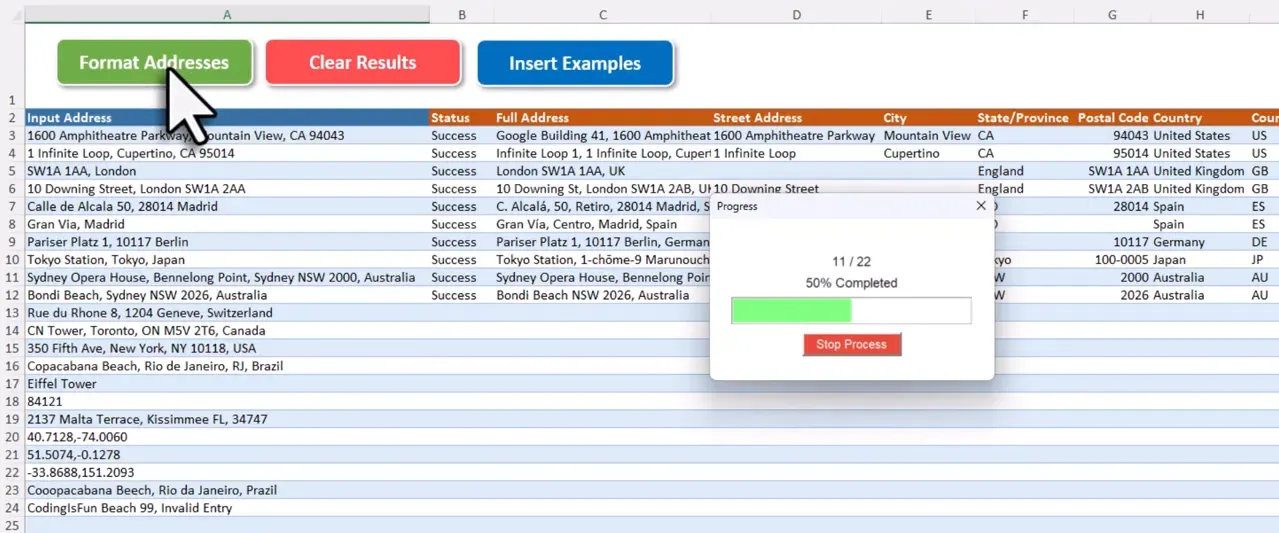
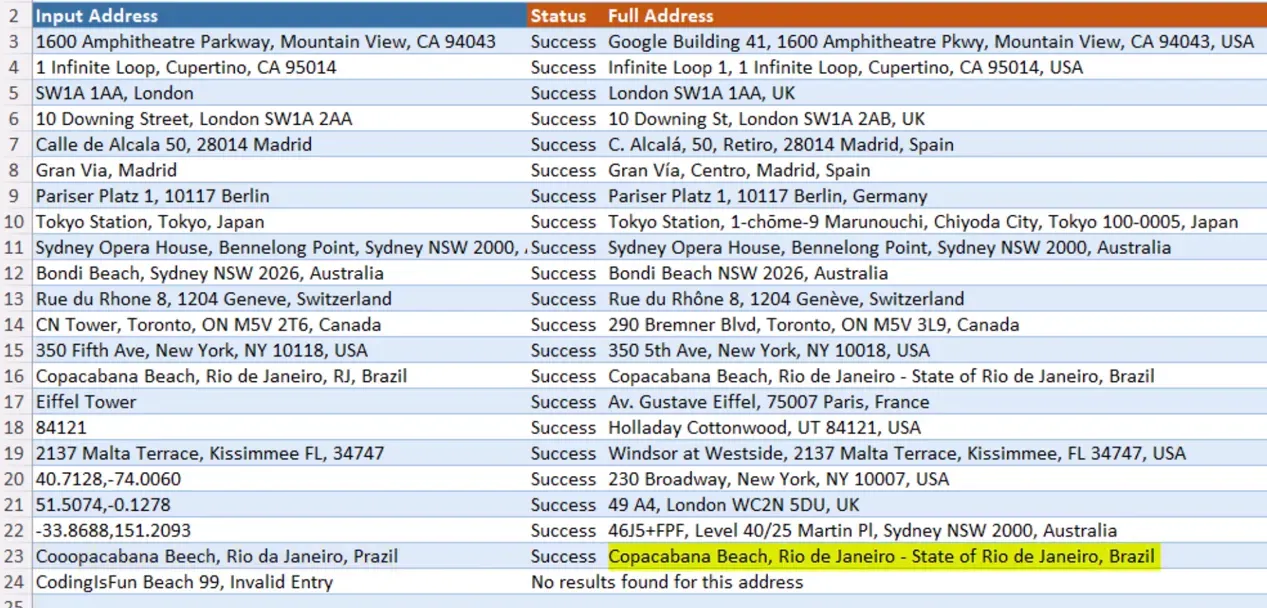
Imagine being handed a contact list full of half-typed addresses, lone postal codes, and a smattering of GPS coordinates. You need clean, consistent address data fast, but fixing each row by hand would take forever. That is where the Excel Address Formatter comes in. It turns messy location data into structured, accurate records with a single button click. It works worldwide, corrects typos, and handles raw GPS coordinates too. If you need to clean and validate addresses in Excel, this is the fastest path from chaos to clean data.
Once your addresses are clean, you can feed them directly into an Excel distance matrix to compare pairwise distances across your entire location list.
Why Address Hygiene Matters
Bad address data breaks workflows. A mistyped postal code can route a delivery to the wrong suburb, adding 40 minutes of travel and a failed delivery attempt. Misspelled street names cause delivery errors. Missing postal codes make segmentation unreliable. In short, messy addresses cost time and money. A tool that handles cleaning, formatting, and validation removes that friction and gives you a single source of truth for location data.
What the Excel Address Formatter Does
The template automates address cleaning so you can focus on analysis, not data wrangling. Key outputs include:
- Full standardized address in a single field
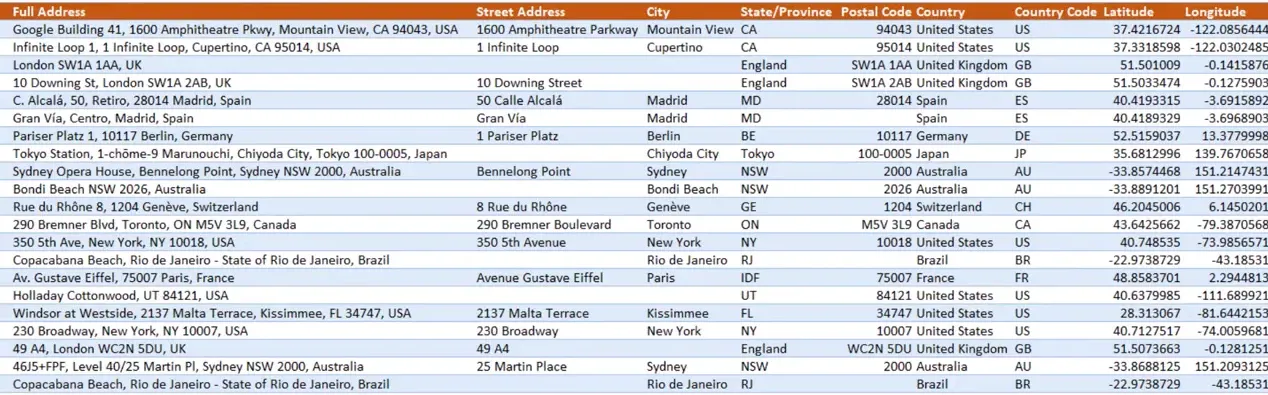
- Street, city, state or province, postal code, and country code as separate fields
- Country name and geographic coordinates, latitude and longitude
- Automatic correction of common typos and formatting inconsistencies
- Flags invalid or unmatchable inputs so nothing slips through silently
What You Get Back: Input and Output at a Glance
| Input | What the formatter returns |
|---|---|
| Full address (“1600 Pennsylvania Ave NW, Washington DC”) | Standardized full address, all component fields, coordinates |
| Partial or postal code only (“SW1A 1AA”) | Full expanded address with city, country, and coordinates |
| City name only (“Paris”) | Country, postal district, and coordinates for the city center |
| GPS coordinates (“48.8566, 2.3522”) | Full street address, all component fields, coordinates confirmed |
| Typo-filled input (“main st new yrok”) | Corrected address if a match is found; flagged as invalid if not |
To put that concretely: if column A contains “main st new york”, “1600 Pennsylvania ave”, and “48.8566, 2.3522”, after one click column B shows the full standardized addresses, column C the country code, and columns D/E the coordinates.
Accepts Partial or Unusual Input
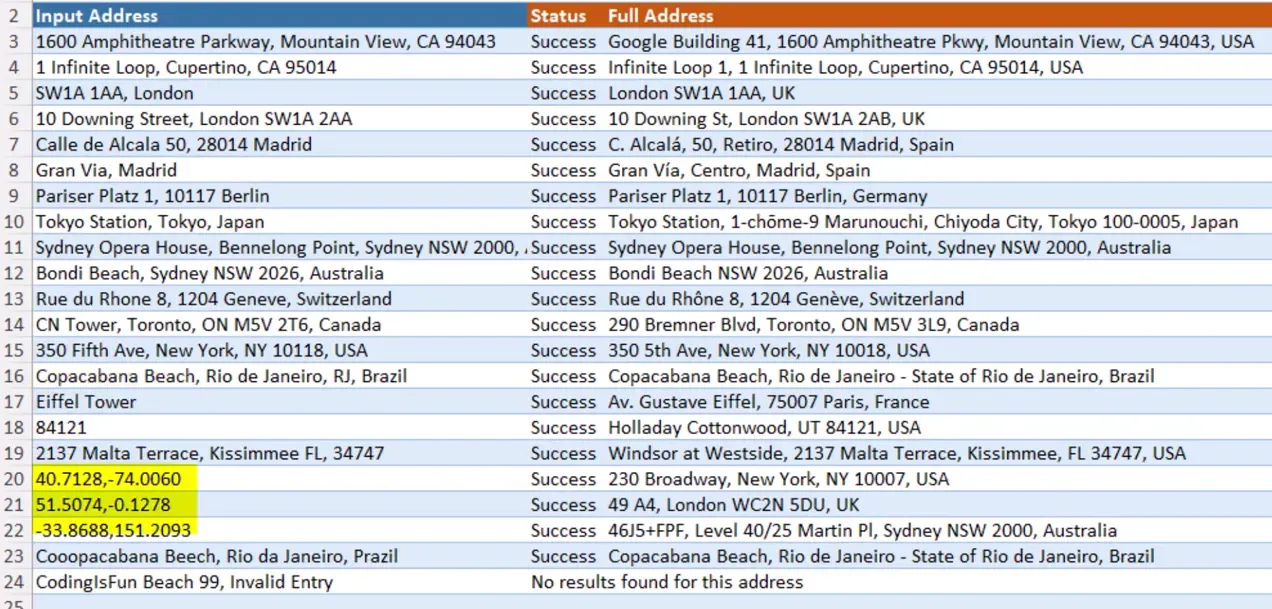
You do not need to supply a perfect, full address. The template accepts building names, landmarks, postal codes, plain city names, or raw GPS coordinates. Feed it whatever you have and the tool will try to expand and standardize it. (Yes, it even handles that mysterious entry that says just “Main St”.)
Tolerant of Typos and Variations
If an input contains a spelling error or odd abbreviation, the template attempts to correct it and return a clean result. When it cannot confidently match a location, it marks the row as invalid so you can review it manually. If a row is flagged as invalid, try providing more context. Adding a city name or country to an otherwise ambiguous input often resolves it.
How It Works: Google Maps + Excel
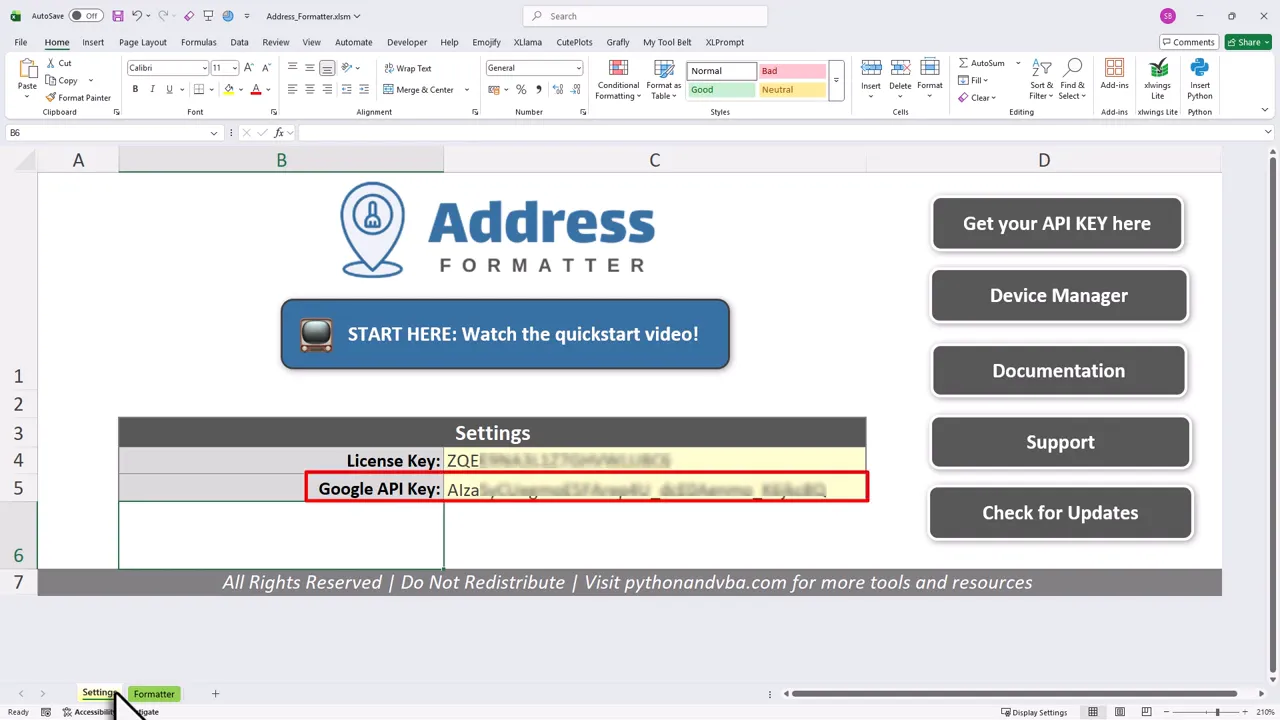
The template uses Google Maps for geocoding and place data, which is why it returns full addresses and coordinates with high accuracy. Google’s geocoder is significantly more accurate than free alternatives like Nominatim or OpenStreetMap, especially for partial or ambiguous inputs. To enable that, you will need a Google Maps API key. Getting the key is free and only takes a couple of minutes to set up.
The template also handles the reverse: paste GPS coordinates and get the full street address back. That means one tool covers a mixed list of text addresses and raw coordinates, all cleaned and standardized in a single run. For a full walkthrough of the GPS input workflow, see the guide on converting GPS coordinates to readable addresses in Excel.
API Limits and Pricing
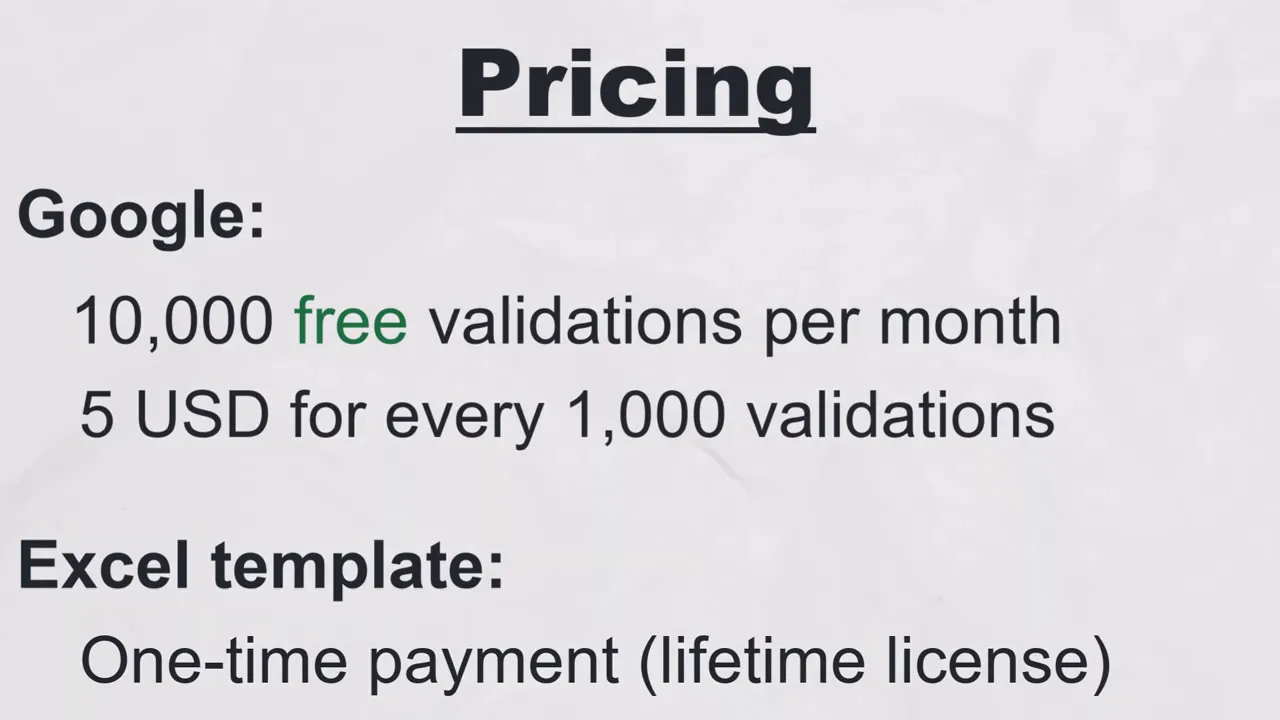
Google provides 10,000 address validations per month free with the API key. If your usage goes beyond that, the cost is modest: about $5 for each additional 1,000 validations. For most small to medium datasets this is plenty, and the paid rate is predictable if you need to scale up.
Requirements and Compatibility
The template runs in the desktop version of Excel. Compatible releases include Excel 365 and older versions back to Excel 2007. This includes macOS, not just Windows. No cloud subscription or specialist software is required. Web-based Excel and mobile Excel are not supported because the template uses VBA macros.
How to Get Started
Getting from messy list to clean dataset takes just a few steps:
- Purchase the template once. No subscription needed: it is a one-time buy and yours to use indefinitely.
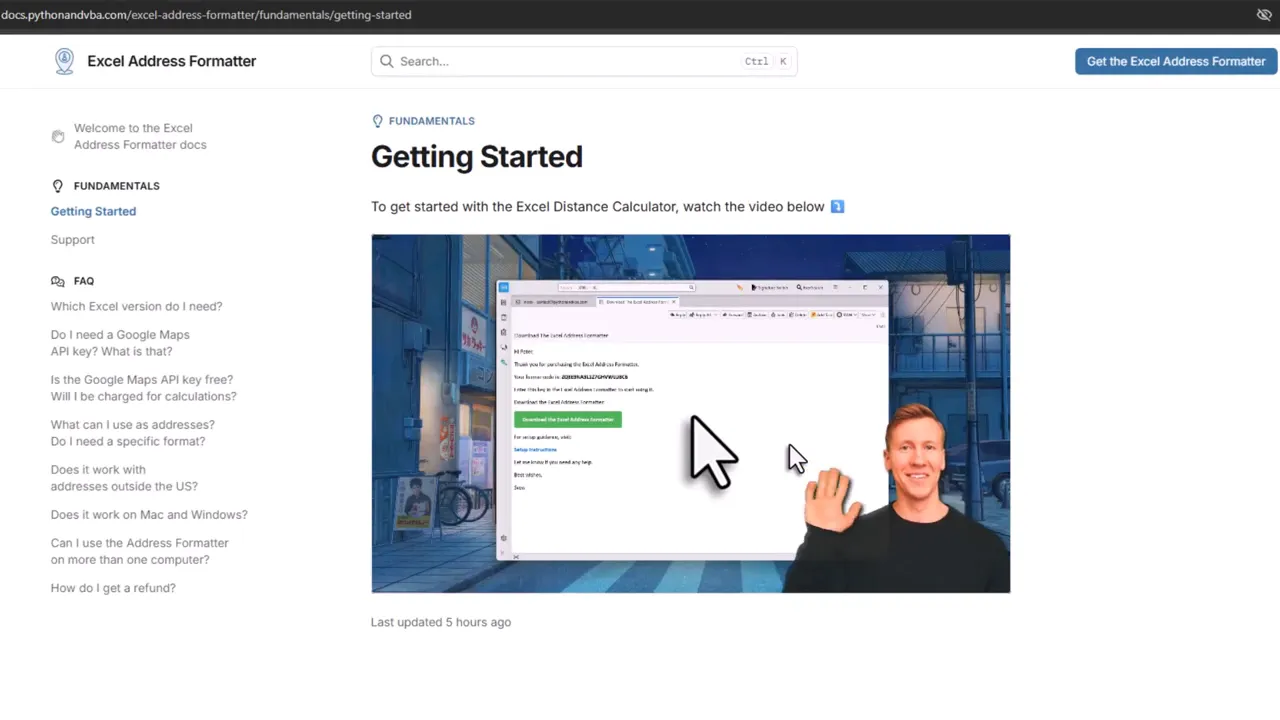
- After purchase you will receive a welcome email with the download link, your license key, and a link to the getting started video, where I walk you through setup step by step. You can also jump straight to the getting started guide to follow along at your own pace.
- Create a Google Maps API key and enable the geocoding or Places API as directed.
- Open the template in desktop Excel, import your address list, and press the validation button.
- Review the output. Clean results will include standardized fields and coordinates, while any unmatchable rows will be flagged for review.
Frequently Asked Questions
Does the Excel Address Formatter work worldwide?
Yes. The formatter uses Google Maps, which covers addresses in virtually every country. You can mix inputs from different countries in the same list and the tool handles each row independently. It accepts a wide range of formats, local address conventions, and even scripts from non-Latin alphabets where Google Maps has coverage.
What happens if an address cannot be matched?
The row is flagged as invalid in the output so nothing silently slips through. Try adding more context: a city name or country code often resolves an ambiguous input. A vague entry like “Main St” becomes much easier to match when you append “, London, UK” or a postal code. The formatter will retry the improved input automatically on the next run.
Can the formatter handle GPS coordinates as input?
Yes. Paste decimal-degree coordinates such as “48.8566, 2.3522” into the input column and the tool returns the full standardized address for that location. The same template also works in the other direction: paste an address and get coordinates back. For a step-by-step walkthrough of the GPS input workflow, see the guide on converting GPS coordinates to addresses in Excel.
Final Thoughts
Cleaning and standardizing addresses should not be a manual slog. This approach to clean and validate addresses in Excel combines the power of Google Maps with a familiar Excel interface, so you get accurate, structured location data with minimal effort. Think of it as hiring a diligent assistant who never sleeps and always uses the post office rulebook. (And yes, that assistant has perfect spelling.)
Ready to stop wrestling with messy address lists and get back to the work that matters most? A one-time setup, a few clicks, and your addresses are tidy and trustworthy.
—Sven
👉 Get the Excel Address Formatter here: Excel Address Formatter
