
Python Excel Data Entry Form Builder
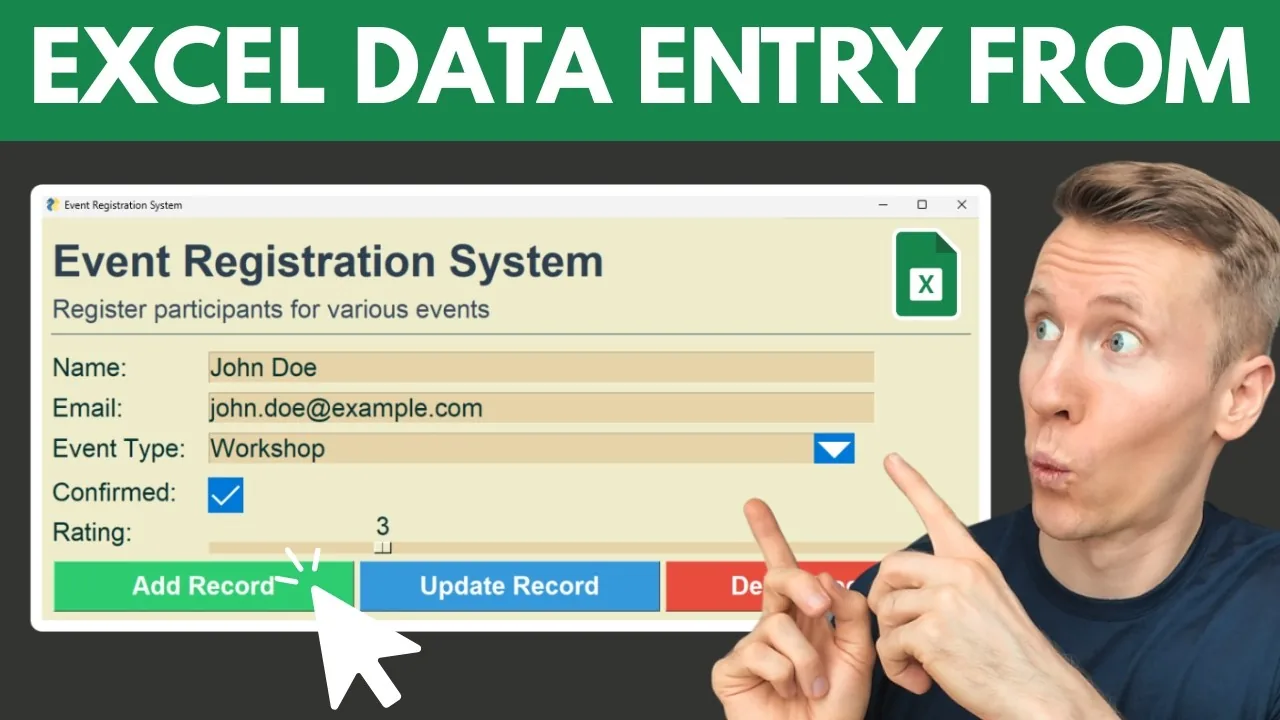
Configure your form fields, pick a theme, and generate a complete Python desktop app that saves data directly to Excel. Search, edit, and delete entries built in. Download the source code and run it locally. Free, no sign-up.
Form fields
Drag the handle to reorder
Generating your application…
Live preview
A drawing of the window your app opens. Real theme colours, not a running app.
- 10 field types including dropdowns, sliders, and date pickers
- Search, edit, and delete entries built in
- Free, no sign-up, runs locally on your machine
See How It Works
How Does It Compare?
| Feature | VBA UserForms | Python from Scratch | This Tool |
|---|---|---|---|
| Coding Required | Yes (VBA) | Yes (Python) | No (generates code for you) |
| Custom Field Types | Full control | Full control | 10 types |
| Desktop App | Excel-embedded | Standalone | Standalone |
| Themeable | Manual styling | Manual styling | 18 built-in themes |
| Saves to Excel | Yes | Yes (openpyxl) | Yes |
| Search / Edit / Delete | Manual | Manual | Built in |
| Compile to .exe | N/A (runs in Excel) | Manual PyInstaller setup | Included (PyInstaller + auto-py-to-exe) |
| Setup Time | Hours | Hours | Minutes |
| Cost | Free (DIY) | Free (DIY) | Free |
TL;DR: VBA UserForms and hand-written Python both give you full control but take hours to build. This tool generates a complete, themeable desktop app with search, edit, and delete in minutes. You get the full source code to customize, and you can compile it to a standalone .exe with the included PyInstaller setup.
Frequently asked questions
Yes. You need Python installed on your machine to run the generated app. The ZIP includes a requirements.txt with all dependencies. Run pip install -r requirements.txt and then run the Python script. If you want to share the app with someone who does not have Python, you can compile it to a standalone .exe using the included PyInstaller instructions.
No. The tool generates all the code for you. You just need Python installed to run the app. If you want to customize the code later, basic Python knowledge helps, but it is not required to use the generated app as-is.
Yes. The tool is completely free. No sign-up, no credit card, no hidden fees. If you find it useful, you can buy me a coffee to support future development.
No. The generated app runs entirely on your machine and saves data to a local Excel file. No data is sent to any server. The form configuration is sent to our API only to generate the Python code, and it is not stored.
Yes. You can configure the Excel filename during setup. The generated app will create the file if it does not exist, or append to it if it does. Existing data in the file is preserved.
For data entry forms, yes. Python with FreeSimpleGUI and openpyxl can do everything VBA UserForms can. The generated app runs as a standalone desktop window and can even be compiled to a .exe that runs without Python installed.
The generated app uses FreeSimpleGUI for the desktop interface and openpyxl for Excel file handling. The ZIP also includes pyinstaller and auto-py-to-exe for compiling your app into a standalone .exe. All dependencies are listed in the included requirements.txt.
Yes. You get the full Python source code. You can modify the form layout, add custom validation, connect to databases, or integrate with APIs. The code is clean and well-structured.
Try the no-code drag-and-drop form builder instead. It works in your browser and generates a standalone HTML form. No Python, no installation needed.
Honest Feedback from Real Users
Responsive and open to feedback
“Impressed with both the products and the support. Very responsive to questions and open to improvement suggestions. I've purchased several tools and been happy with all of them.”
Fantastic support
“Had a question and got a helpful reply within hours. Really solid support. Highly recommend.”
An awesome program and creator
“Not only does the developer respond directly to your questions, he actually acts on them. I made a feature request and it was implemented the next day. That kind of dedication is rare.”
Not a Python User?
The no-code version works in your browser and generates a standalone HTML form. No Python, no installation needed.
Try the No-Code Version