
Share an Excel table as a web page. Not as the file.
Somebody asks for the list, so you send the workbook, and now there are four copies of it and two of them are edited. One click turns the same table into a web page instead.
- Free version, no time limit
- Works on Windows and Mac
- Nothing leaves your computer
Excel 2010 or later. No credit card.
From Excel table to web page in one click
See it in action
From an Excel table to a web page anyone can open.
Why people use it
No more formatting by hand
Select the table, click export, done. What used to be an hour of tidying is a few seconds.
People find what they need
Every page has search, sorting and filters built in. Nobody has to ask you for the file or scroll through 500 rows.
Your data stays on your PC
TablePop runs inside Excel. Nothing is uploaded, there is no account, and the page works offline too.
Who it is for
Anyone who needs to show Excel data to people without handing them the spreadsheet.
HR and admin teams
Staff directories and schedules
Inventory managers
Stock lists and product catalogs
Researchers
Survey results and datasets
Analysts
Data tables and summary reports
Teachers
Grade books and class lists
Small businesses
Price lists and service tables
Compared with sending the file
| Sending the spreadsheet | TablePop | |
|---|---|---|
| What they get | A screenshot or the raw file | A page that works in any browser |
| Sorting and filtering | Only if they know Excel | Built in, one click |
| Searching | Ctrl+F in a static file | A search box on the page |
| Your branding | A header you add by hand | Logo, colour and title built in |
| Downloads | The whole file | CSV, Excel and PDF buttons |
| On a phone | Spreadsheets break | Fits the screen |
| Your original data | Anyone can change it | Read-only by design |
| Time per export | Minutes to hours | Seconds |
From Excel to web page in one click
Select the table, click export, and the page is ready. Search, sorting and filters are already in it. Nothing to configure, nothing to learn.
Downloads in the format they want
Every page has CSV, Excel and PDF buttons. Wide tables can be set to landscape for the PDF.
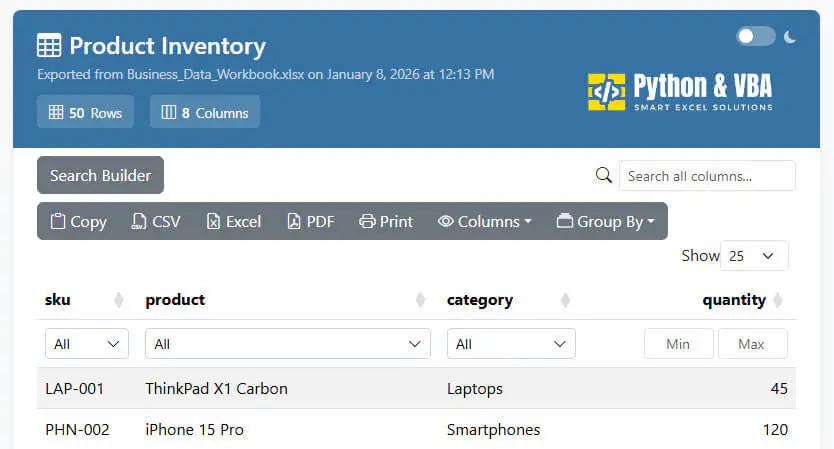
Looks like it came from you
Add your logo, a colour and a title. Placeholders like {WorkbookName} or {Date} fill themselves in, so every export is consistent.
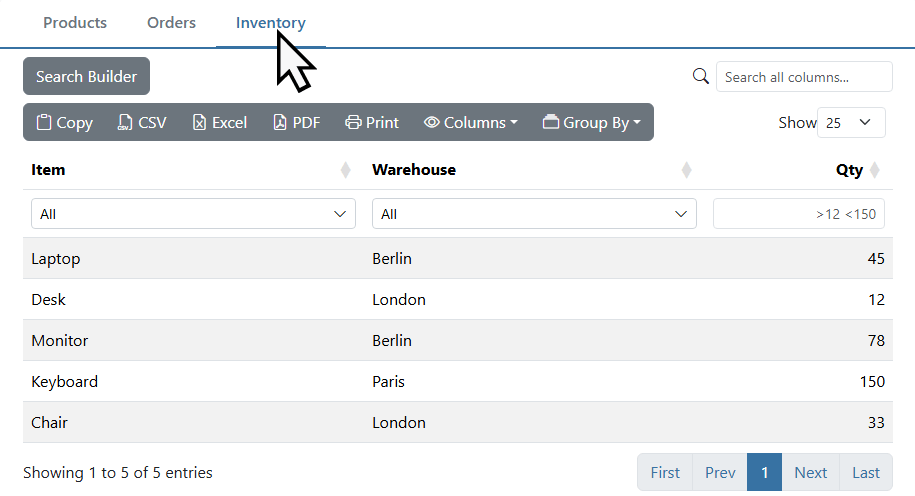
All your tables in one file
Export several tables, or all of them, into one page. Each table gets its own tab with its own search, filters and downloads. One file to share.
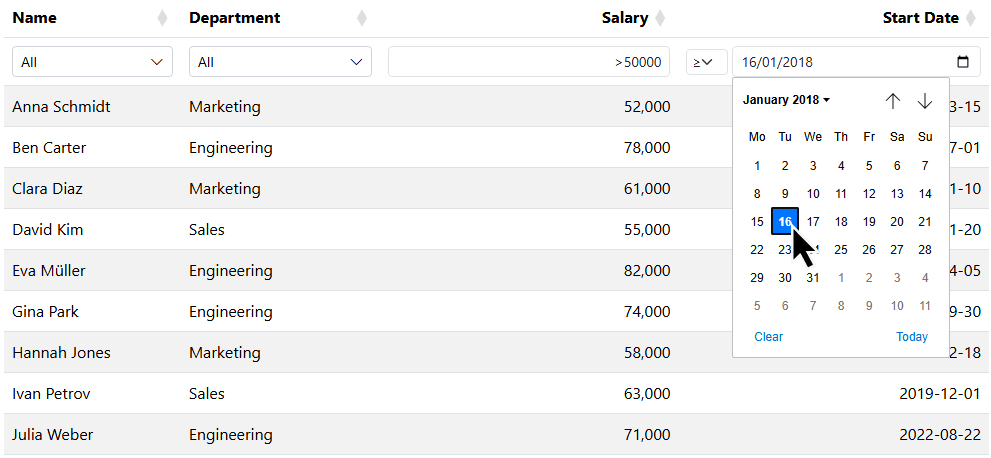
The right filter for every column
TablePop looks at each column and picks the filter that fits. Text gets checkboxes, numbers get a range, dates get a date picker.
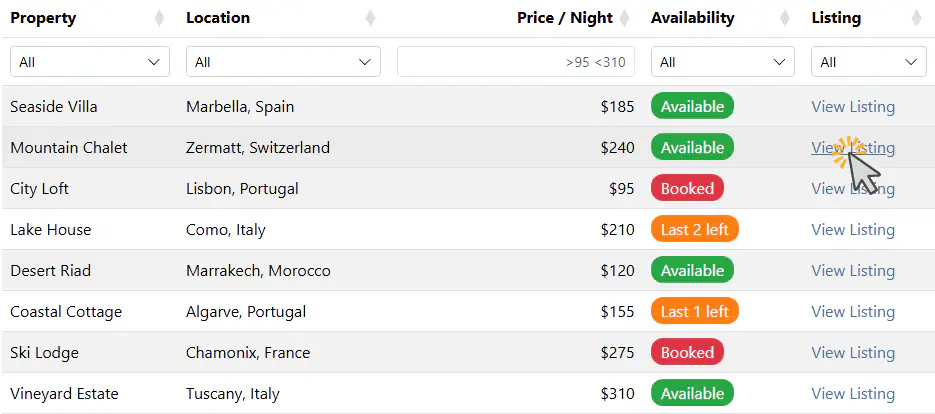
Colour badges and labels
Write a bit of HTML in a cell, say a green Done badge, and it shows up styled on the page. Handy for status columns.

Nothing leaves your computer
TablePop runs on your PC. No cloud, no upload, no account. The page it makes works offline in any browser, on any device.
What users say
Simply use it. Simple.
“Excel table export to HTML is easy with TablePop. This isn't the same as a PDF export by Microsoft's built-in tool. In HTML it preserves a lot of the functionality as in Excel itself.”
A top of the bill Excel add-in
“What an amazing tool to export and present your file without having to share the raw data. It is very customizable and can be presented in many ways. It is very useful for distribution to the people before a meeting about some forecasts and decisions.”
A real time-saver for reporting
“I’ve been using [TablePop] in Excel, and it’s been a real time-saver. It makes importing and organizing data effortless, and the tables are clean, easy to read, and ready to share.”
Best add-in in years
“After installing the Addin [TablePop] I immediately started exploring it. And I must say it was quite easy and intuitive… I can only highly recommend this Addin; give it a try and you’ll know why.”
Awesome add-ins
“Awesome Add-ins, making life in Excel just that much faster and more fun. Sven was quick to respond to some issues I was having, and we got them resolved without a hitch.”
He acts on what you ask for
“Not only does he respond directly to your questions, he acts on them! I made a request yesterday, and today he made it happen.”
Free to start. One payment for everything.
Prices in USD. No subscription.
- Interactive page with search, sorting and filters
- CSV, Excel and PDF downloads
- Your logo, colour and title
- Dark mode and row grouping
- HTML formatting and links in cells
- Several tables in one file
- No “Powered by” badge
- Interactive page with search, sorting and filters
- CSV, Excel and PDF downloads
- Your logo, colour and title
- Dark mode and row grouping
- HTML formatting and links in cells
- Several tables in one file
- No “Powered by” badge
14-day refund, no questions asked. If it is not for you, email me and you get your money back.
One license covers 3 of your own computers. Need more? Email me for team pricing.
Frequently asked questions

Still have a question?
I’m Sven, the developer, and I usually reply within a day.
Share your first table today
They get the data in their browser. Your spreadsheet stays yours.
Get TablePop freeTablePop is an independent product by Bosau Digital LLC. It is not affiliated with, endorsed by or sponsored by Microsoft. Microsoft, Excel and Microsoft 365 are trademarks of the Microsoft group of companies.
Get TablePop, free
Tell me where to send it and the add-in lands in your inbox. No credit card, no time limit.