
Turn your Excel task list into a professional Gantt chart
Your plan already exists: it is the task list sitting in Excel. What you do not have is a way to show it to anybody. SimpleGantt turns that same table into an interactive Gantt chart in one click.
- Free version, no time limit
- Works on Windows and Mac
- Nothing leaves your computer
Excel 2010 or later. No credit card.
From task list to Gantt chart in one click
See it in action
From a task list to a finished, interactive Gantt chart.
Why people use it
Hours of formatting, gone
Select your table, press one button, done. No colouring cells by hand, no formulas that break when you add a task.
A chart your team can actually use
You get one HTML file. Open it in any browser, zoom in, scroll, hover over a task to see its details. No software needed on their side.
Your plan stays on your PC
SimpleGantt runs inside Excel. Nothing is uploaded anywhere. Your project data never leaves your machine.
Who it is for
Anyone who plans in Excel and needs to show the plan to others.
Project managers
Timelines for client deliverables
Operations teams
Rollout and launch schedules
Construction planners
Build phases and milestones
Event coordinators
Conferences and agendas
Consultants
Branded timelines for proposals
Team leads
Sprint and workload overviews
Compared with templates and online tools
| Templates & online tools | SimpleGantt | |
|---|---|---|
| Making the chart | Formulas or a complex template | One click from Excel |
| Dependencies | Rarely supported | Drawn for you |
| Sharing | A screenshot or PDF | An interactive file |
| Hour-level plans | Rarely possible | Built in |
| Cost | GanttPRO from $7 per user per month | Free, or $49 once |
| Learning it | Hours of setup | Under 5 minutes |
| Your data | Uploaded to their cloud | Stays on your machine |
From Excel to Gantt in one click
Select your table and click export. That is the whole job. The chart looks professional without you touching a single format setting.
Send it to anyone
The chart is one HTML file. Email it, put it on your intranet, or embed it on a page. Your team opens it in a browser and can zoom, scroll and hover.
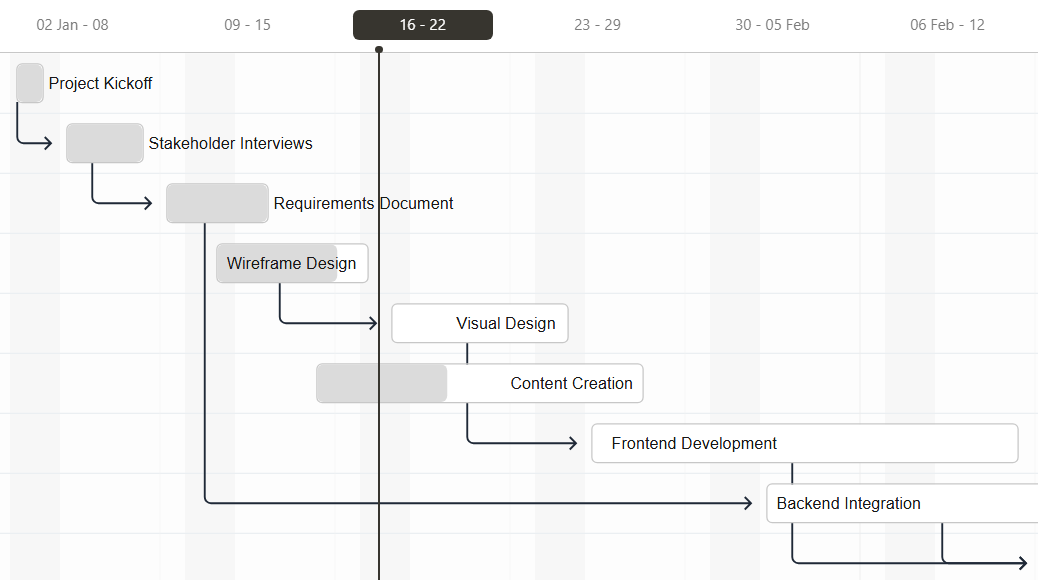
See what depends on what
Link tasks together and the chart draws the connecting lines. Hover over any task to see its dates, progress and notes.
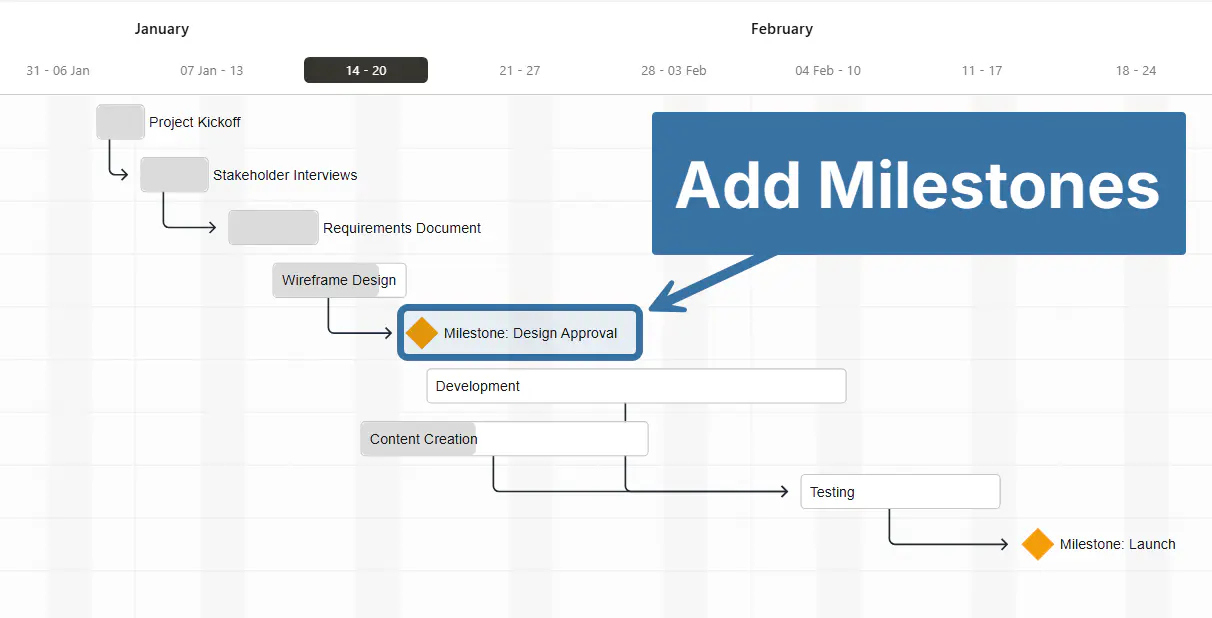
Key dates stand out
Mark a task as a milestone and it shows as a clear marker on the timeline. Kickoffs, deliveries and approvals are easy to spot.
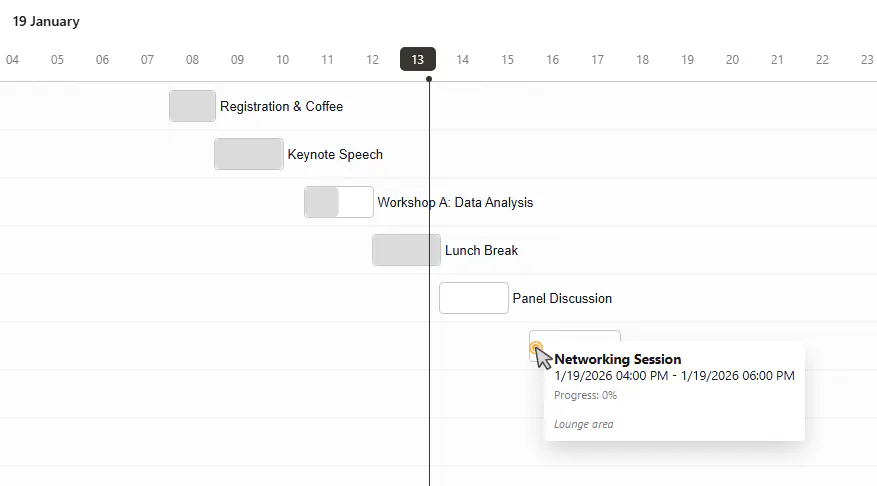
Plan by the hour when you need to
A workshop, a conference day, a meeting agenda: switch the timescale to hours and plan a single day in detail.
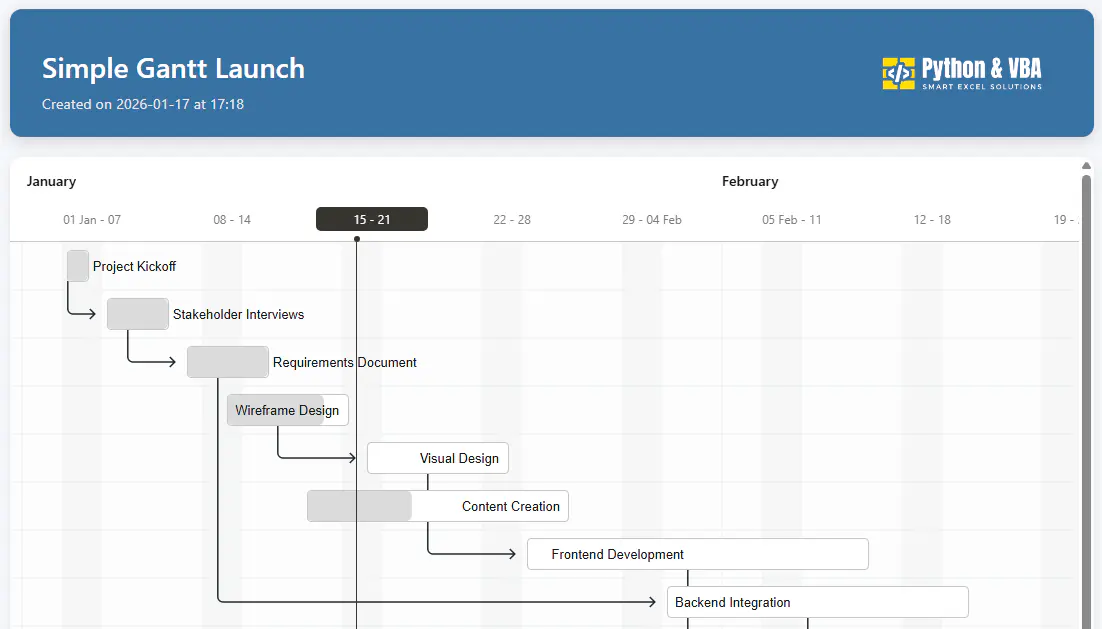
Your logo, your colours
Add your company colours, logo and title. Every chart you export looks like it came from you, which matters in client work.

Nothing leaves your computer
Everything happens inside Excel on your PC. No cloud, no upload, no account. Your project data stays with you.
What people say about my add-ins
Fantastic support
“Fantastic support. Have an issue? Within a few hours You are emailed back with the solution. Highly recommend using Python & VBA apps.”
Awesome add-ins
“Awesome Add-ins, making life in Excel just that much faster and more fun. Sven was quick to respond to some issues I was having, and we got them resolved without a hitch.”
Fantastic customer service
“I recently purchased the ExcelToWord tool and the Excel2PPT tool. Both worked exactly as described and when I had questions Sven was super responsive and helpful.”
Free to start. One payment for everything.
Prices in USD. No subscription.
- Up to 10 tasks per chart
- Interactive HTML export
- Dependencies and milestones
- Your logo and colours
- No SimpleGantt branding on the chart
- Priority support
- Unlimited tasks
- Interactive HTML export
- Dependencies and milestones
- Your logo and colours
- No SimpleGantt branding on the chart
- Priority support
14-day refund, no questions asked. If it is not for you, email me and you get your money back.
One license covers 3 of your own computers. Need more? Email me for team pricing.
Frequently asked questions

Still have a question?
I’m Sven, the developer, and I usually reply within a day.
Make your first Gantt chart today
Your task list, as a chart you can hand to anyone. Free version, no time limit.
Get SimpleGantt freeSimpleGantt is an independent product by Bosau Digital LLC. It is not affiliated with, endorsed by or sponsored by Microsoft or GanttPRO. Microsoft, Excel and Microsoft 365 are trademarks of the Microsoft group of companies.
Get SimpleGantt, free
Tell me where to send it and the add-in lands in your inbox. No credit card, no time limit.
