
Extract Tables from PDFs to Excel. Offline. Accurate. In Bulk.
PDF2Excel pulls the tables out of PDFs and saves them as clean Excel workbooks, on your own PC. Nothing is uploaded. One file or a whole batch.
- Typed PDFs, scans and photos, one app
- Real Excel tables you can sort and filter right away
- Your files never leave your PC
No credit card, no sign-up. Windows 10 & 11.
See PDF2Excel in action
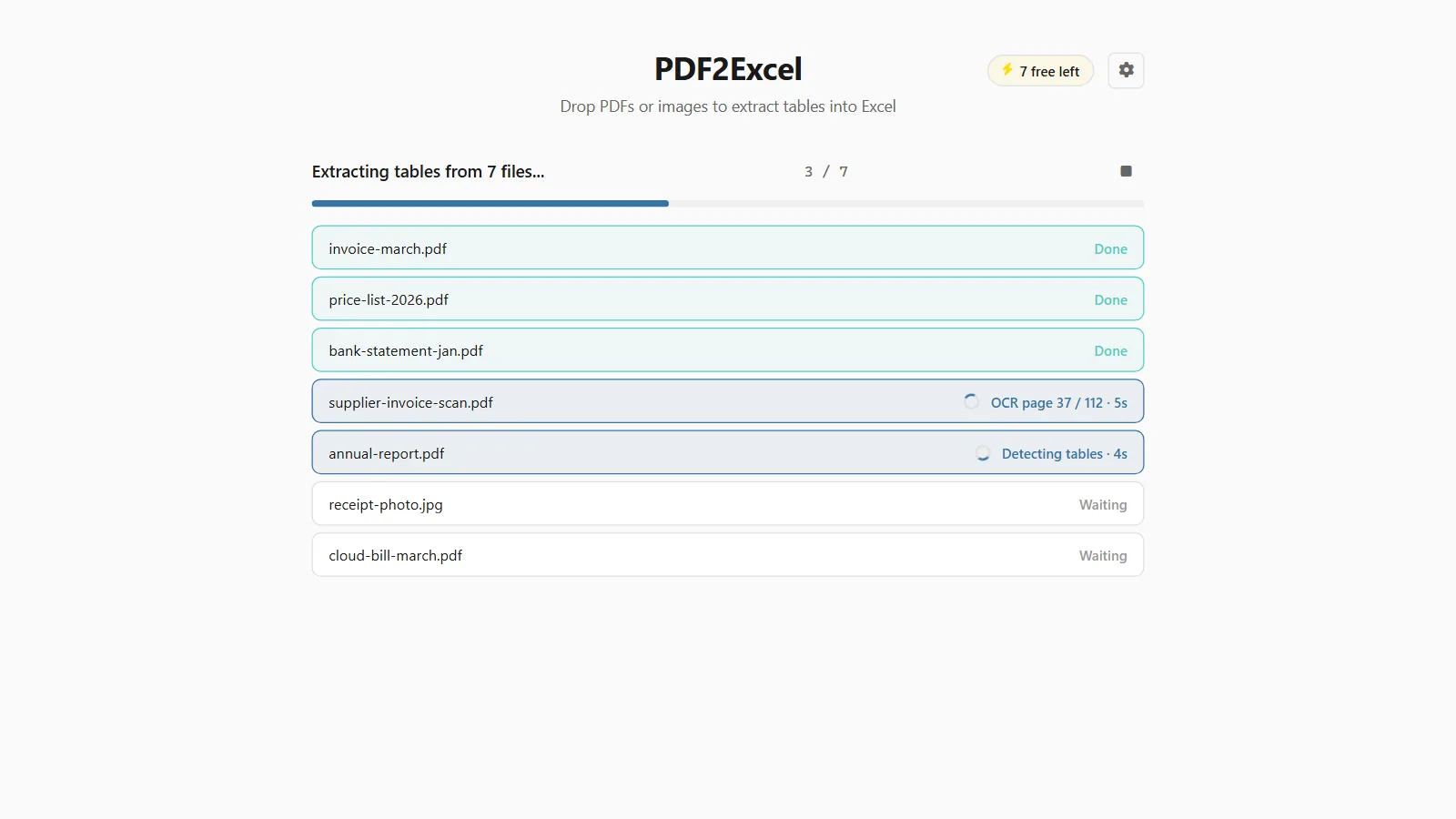
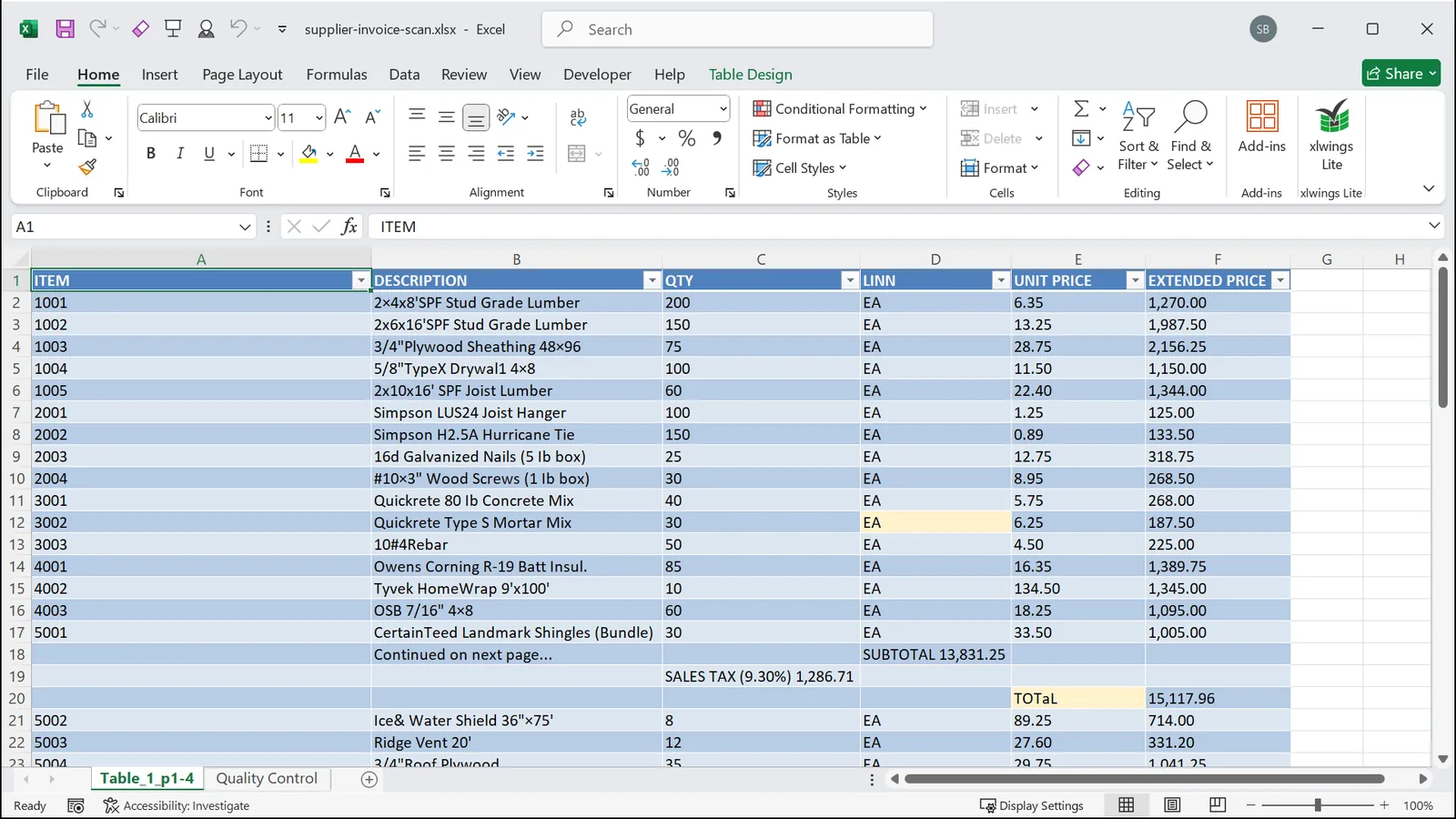
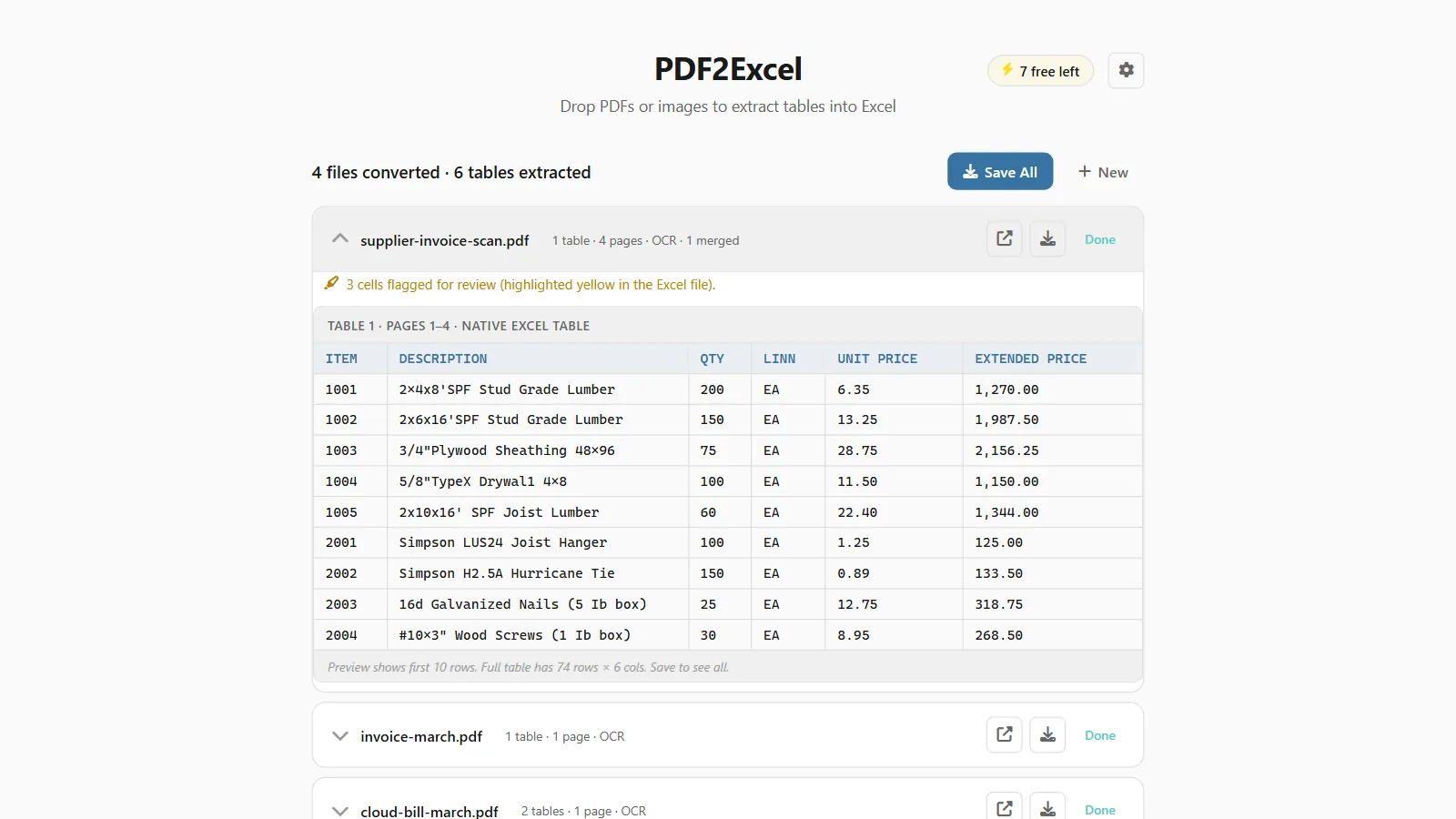
Drop in PDFs, scans and photos, watch the tables come out, and see the Excel workbook you get, multi-page tables merged. 48 seconds.
How it compares
Excel has a built-in PDF import, and this site has a free online extractor. Both are fine at their job. This is where each one stops.
| Excel's built-in import | Free online tool | PDF2Excel | |
|---|---|---|---|
| Scanned PDFs | No, there is no OCR | Up to 3 pages | Yes, unlimited |
| File size limit | None | 5 MB | None |
| Page limits | None | 30 typed, 3 scanned | None |
| Conversions per day | Unlimited | 3 | Unlimited |
| Batch conversion | One PDF at a time | One at a time | Whole folders at once |
| Needs Excel installed | Excel 2019 or newer | No | No |
| Effort per PDF | Power Query editor, every file | Upload, wait, download | Drop it, done |
| Works offline | Yes | No | Yes |
| Where scans are read | Not supported | On a remote server | On your PC |
What you need
What it reads
Typed PDFs, scanned PDFs, photos and screenshots. Every page is checked and gets the right engine on its own.
- Invoices
- Statements
- Reports
- Exports
PDFs with real text are read straight from the text layer. The fast path: a file takes seconds.
- Scans
- Faxes
- Paper archives
No text inside? The built-in AI vision model finds the tables and reads them, page by page, on your PC.
- PNG
- JPG
- TIFF
- BMP
- WEBP
A photo or screenshot of a table counts too. Multi-page TIFFs stay multi-page.
Mixed documents are fine. A report where page 3 is a pasted scan? Each page gets the right engine automatically.
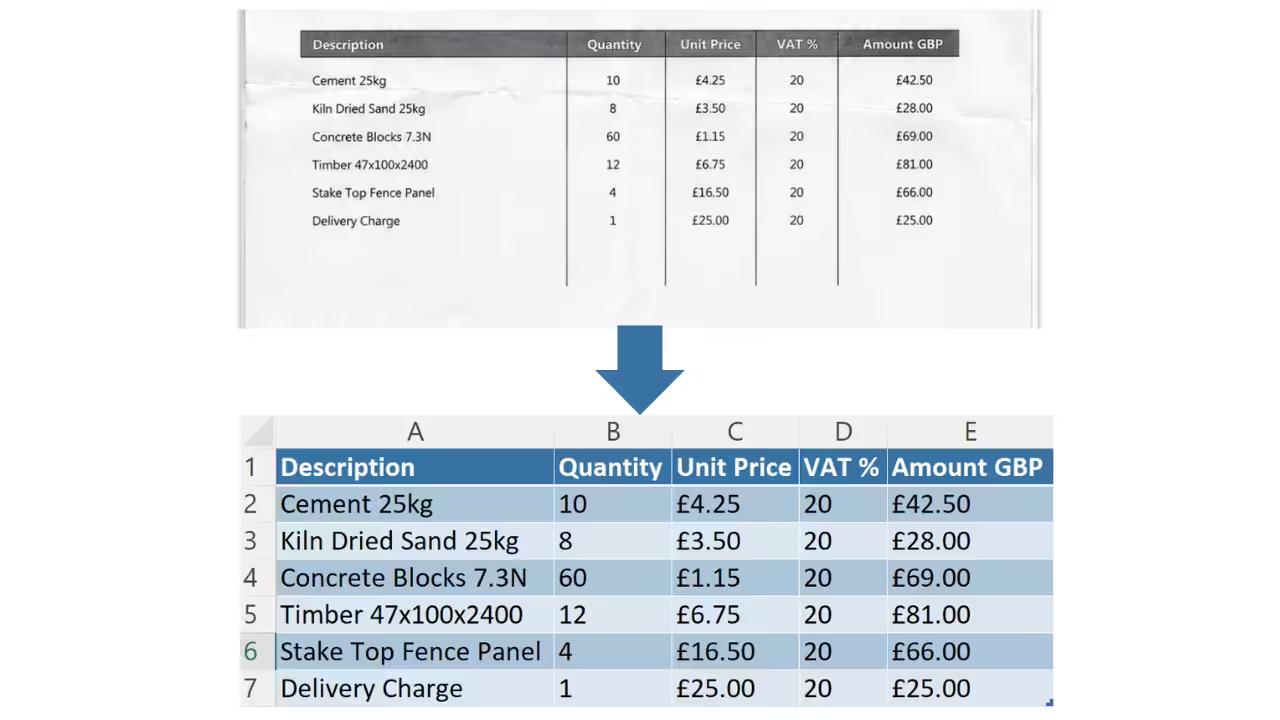
A scan goes in, a spreadsheet comes out
The whole product in one picture. On top, a photographed paper table. Below, the Excel Table that PDF2Excel builds from it: same rows, same columns, nothing retyped.
- Headers, rows and columns land where they belong
- A real Excel Table, ready to sort, filter and sum
- Numbers come from the page, never invented
What you can do
Your files never leave your PC
Most PDF converters are websites: you upload a bank statement and hope. PDF2Excel is a program on your computer. There is no upload, because there is no server.
-
Nothing is uploadedEvery extraction, the AI included, runs on your computer. Not even I can see your files.
-
No account, no trackingInstall it and use it. The free conversions need no sign-up, and nothing of yours is sent anywhere.
-
Works with the cable pulledExtract offline if you like. It only goes online to activate a license key.

What people extract
Anything with rows and columns trapped in a PDF. Somebody usually retypes it; PDF2Excel exists so that somebody is not you.
Honest feedback from real users
Responsive and open to feedback
“Impressed with both the products and the support. Very responsive to questions and open to improvement suggestions. I've purchased several tools and been happy with all of them.”
John
See reviewFantastic support
“Had a question and got a helpful reply within hours. Really solid support. Highly recommend.”
Gary S.
See reviewAn awesome program and creator
“Not only does the developer respond directly to your questions, he actually acts on them. I made a feature request and it was implemented the next day. That kind of dedication is rare.”
Rob
See reviewPay once, use it forever
Try it free on your own PDFs. When you want more, one payment unlocks unlimited extractions. No subscription, ever.
- 10 conversions, everything unlocked
- Typed and scanned PDFs, photos too
- Offline AI extraction included
- No account, no sign-up
- Updates through the Store

- Unlimited conversions
- Typed and scanned PDFs, photos too
- Offline AI extraction included
- 1 user, up to 3 PCs
- All future updates, priority support
- Unlimited conversions
- Typed and scanned PDFs, photos too
- Offline AI extraction included
- As many users as you need, one key
- All future updates, priority support
14-day refund, no questions asked. If it is not for you, email me and you get your money back.
Frequently asked questions

Still have a question?
I’m Sven, the developer, and I usually reply within a day.
Extract your first table in a minute
Nothing to configure. Drop a PDF, get a workbook. 10 conversions on the house.
Try PDF2Excel for freePDF2Excel is an independent product by Bosau Digital LLC. It is not affiliated with or endorsed by Microsoft. Microsoft, Windows and Excel are trademarks of the Microsoft group of companies.
PDF2Excel is a Windows app
The Microsoft Store opens next, but the app installs on a Windows 10 or 11 PC, not on a phone. Have a read here, then grab it on your PC. Need one small file converted right now? The free online table extractor works on your phone.