Create a Word Data Entry Form With Python (PySimpleGUI and docxtpl)
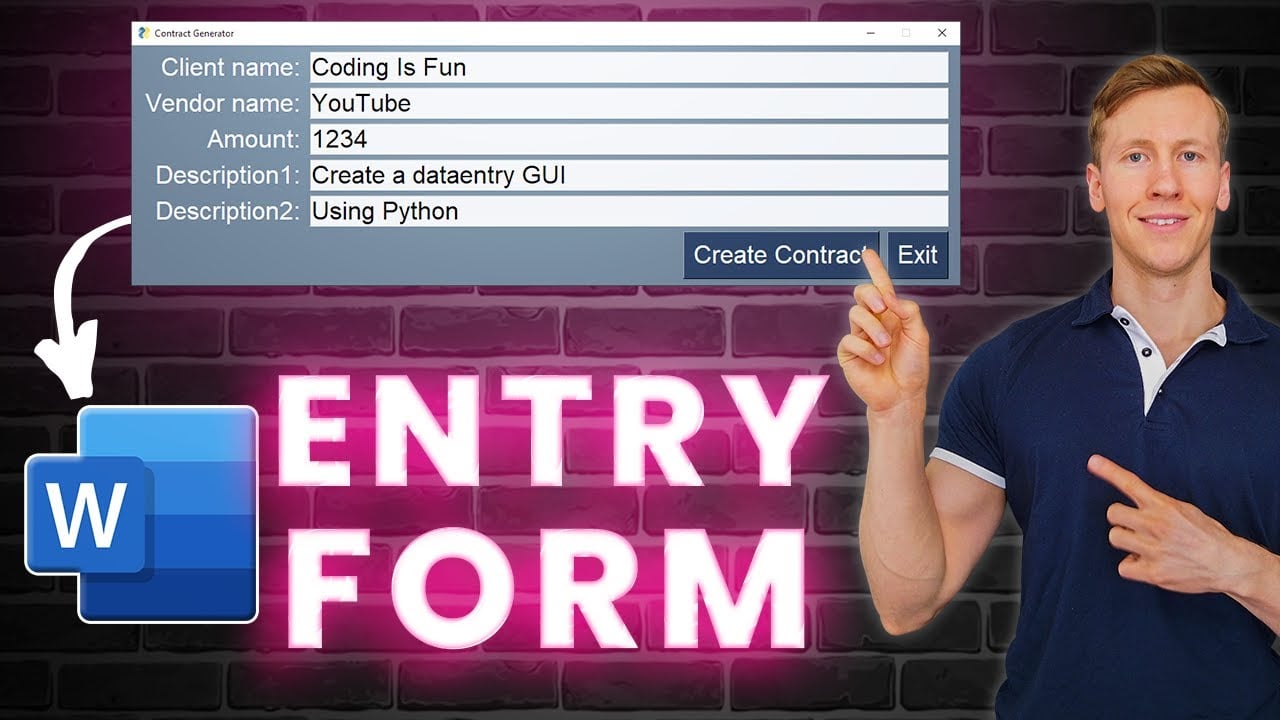
A small PySimpleGUI form collects a client name, a vendor name and an amount. docxtpl drops those values into the placeholders of a Word template and saves a finished contract. Python fills the computed fields, such as a 20% fee and a date one week out, and psgcompiler packages the script as an exe.
Update (November 2026): PySimpleGUI is free and open source again since version 6 (LGPL), so pip install PySimpleGUI works as shown, and pip install PySimpleGUI==4.60.5.1 pins the release used in the video.
Fill a Word template with docxtpl
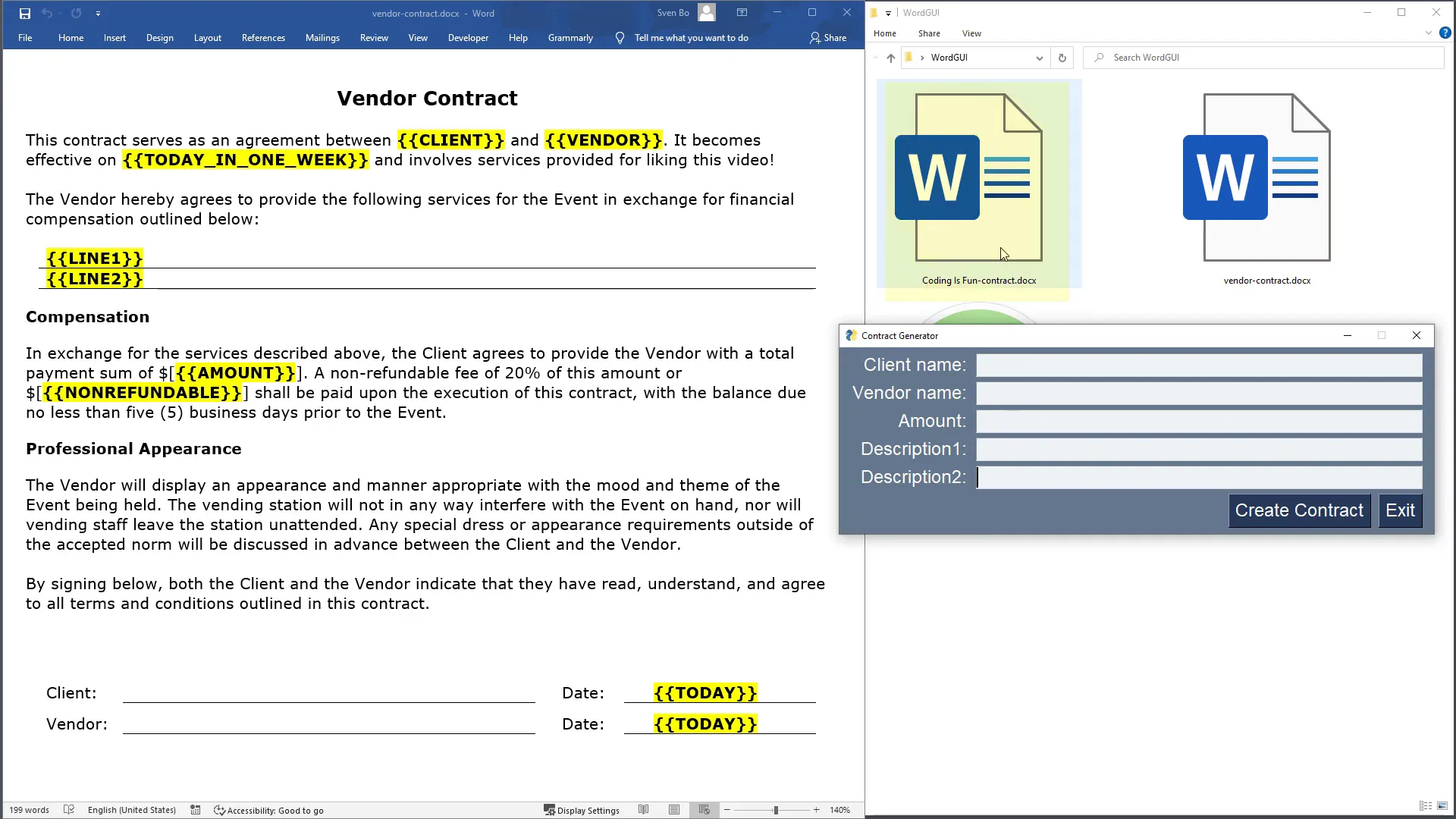
docxtpl opens a Word file, replaces every placeholder in double curly brackets with a value from a Python dictionary, and saves the result as a new document. The formatting of the template stays as it is.
Start with a Word document called my_word_template.docx that contains one line: Hello, my name is {{NAME}}. Install the library with pip install docxtpl, then import Path from pathlib and DocxTemplate from docxtpl.
from pathlib import Path
from docxtpl import DocxTemplate
Point DocxTemplate at the template, map the placeholder NAME to a value in a dictionary, render it and save the document under a new name. Run the script and generated_doc.docx says Hello, my name is Sven.
from pathlib import Path
from docxtpl import DocxTemplate

document_path = Path(__file__).parent / "my_word_template.docx"
doc = DocxTemplate(document_path)
context = {"NAME": "Sven"}
doc.render(context)
doc.save(Path(__file__).parent / "generated_doc.docx")
When you need one document per row of an Excel list rather than one form entry at a time, the same idea runs in a loop, as in generating Word documents from Excel with docxtpl.
Add calculated fields
Values that depend on other values belong in Python, not in the form. Here the user enters only the amount; the script works out the non-refundable fee (20% of the amount), today’s date and the date one week from today.
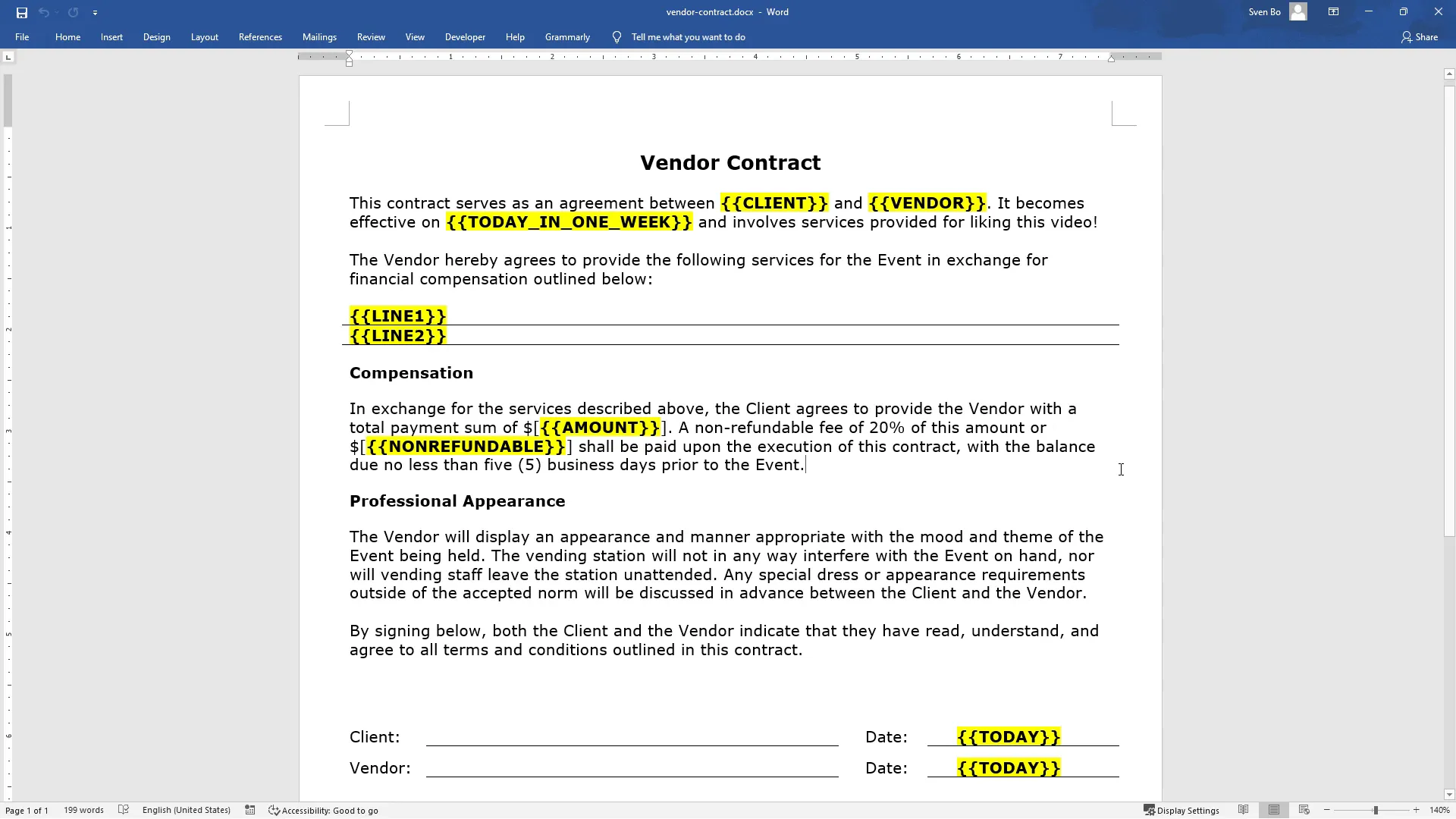
The template is a vendor contract with placeholders for the client, the vendor, two description lines, the amount and the computed fields. The datetime module handles the dates, and every value goes into the context dictionary.
from pathlib import Path
import datetime
from docxtpl import DocxTemplate

document_path = Path(__file__).parent / "vendor-contract.docx"
doc = DocxTemplate(document_path)

client = "Sven"
vendor = "Tutorial Ltd."
amount = 2105
non_refundable = round(amount * 0.2, 2)
line1 = "Some text goes here"
line2 = "...and here goes some more text"
today = datetime.datetime.today()
today_in_one_week = today + datetime.timedelta(days=7)

context = {
    "CLIENT": client,
    "VENDOR": vendor,
    "LINE1": line1,
    "LINE2": line2,
    "AMOUNT": amount,
    "NONREFUNDABLE": non_refundable,
    "TODAY": today.strftime("%Y-%m-%d"),
    "TODAY_IN_ONE_WEEK": today_in_one_week.strftime("%Y-%m-%d"),
}

doc.render(context)
doc.save(Path(__file__).parent / f"{vendor}-contract.docx")
The Word template holds the matching placeholders:
Build the input form
PySimpleGUI builds a desktop window from a layout written as a list of lists, where each inner list is one row. Install it with pip install PySimpleGUI. This first window has two input fields and two buttons.
import PySimpleGUI as sg

layout = [
    [sg.Text("First Name"), sg.Input(key="FIRST_NAME")],
    [sg.Text("Last Name"), sg.Input(key="LAST_NAME")],
    [sg.Button("Read"), sg.Exit()],
]

window = sg.Window("My first GUI", layout)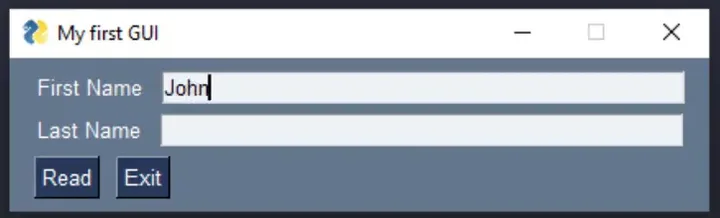
An event loop keeps the window open and reacts to clicks. When the user clicks Read, the script prints the values of the input fields to the console; Exit or the close button ends the loop. For settings, a menu bar and input validation, see my advanced PySimpleGUI tutorial.
import PySimpleGUI as sg

layout = [
    [sg.Text("First Name"), sg.Input(key="FIRST_NAME")],
    [sg.Text("Last Name"), sg.Input(key="LAST_NAME")],
    [sg.Button("Read"), sg.Exit()],
]

window = sg.Window("My first GUI", layout)

while True:
    event, values = window.read()
    if event == sg.WIN_CLOSED or event == "Exit":
        break
    if event == "Read":
        print(event, values)

window.close()
Connect the form to the template
The trick that keeps the final app short: give every input the same key as its placeholder in the Word template. window.read() then returns a dictionary that docxtpl can render directly.
The script adds the calculated fields to that dictionary, renders the template, saves the contract under the vendor’s name and shows a popup with the file path. do_not_clear=False empties the fields after each contract.
import datetime
from pathlib import Path

import PySimpleGUI as sg
from docxtpl import DocxTemplate

document_path = Path(__file__).parent / "vendor-contract.docx"
doc = DocxTemplate(document_path)

today = datetime.datetime.today()
today_in_one_week = today + datetime.timedelta(days=7)

layout = [
    [sg.Text("Client name:"), sg.Input(key="CLIENT", do_not_clear=False)],
    [sg.Text("Vendor name:"), sg.Input(key="VENDOR", do_not_clear=False)],
    [sg.Text("Amount:"), sg.Input(key="AMOUNT", do_not_clear=False)],
    [sg.Text("Description1:"), sg.Input(key="LINE1", do_not_clear=False)],
    [sg.Text("Description2:"), sg.Input(key="LINE2", do_not_clear=False)],
    [sg.Button("Create Contract"), sg.Exit()],
]

window = sg.Window("Contract Generator", layout, element_justification="right")

while True:
    event, values = window.read()
    if event == sg.WIN_CLOSED or event == "Exit":
        break
    if event == "Create Contract":
        # Add calculated fields to our dict
        values["NONREFUNDABLE"] = round(float(values["AMOUNT"]) * 0.2, 2)
        values["TODAY"] = today.strftime("%Y-%m-%d")
        values["TODAY_IN_ONE_WEEK"] = today_in_one_week.strftime("%Y-%m-%d")

        # Render the template, save new word document & inform user
        doc.render(values)
        output_path = Path(__file__).parent / f"{values['VENDOR']}-contract.docx"
        doc.save(output_path)
        sg.popup("File saved", f"File has been saved here: {output_path}")

window.close()
The Amount field has no validation. Text that is not a number makes float() fail, so add a check before you hand the tool to someone else.
Turn the script into an exe
psgcompiler turns the script into a standalone exe, so colleagues without Python can use the form. Install it with pip install psgcompiler and start it with the psgcompiler command; it is a small window on top of PyInstaller.
Select the script, keep the default settings and click Convert. The exe appears next to the script.
One catch: the script finds the template through Path(__file__), and inside a one-file exe that points to a temporary folder. If the exe cannot find vendor-contract.docx, bundle the template with PyInstaller’s –add-data option, or build the path from sys.executable so the exe looks in its own folder.