
Personal WhatsApp messages from your Excel contact list
Write one message with fields like {Name} and {Amount}. Chat Merge fills it in for every row and opens a ready chat for each person, one click at a time. You read it and press Send.
Free, with no account, no license key and no limits. Excel on Windows, Mac and the web.
How it works
Your contacts are already in Excel. Three steps turn them into personal chats.
-
Click your contact table
Open Chat Merge from the Home tab and click any cell in your list. It finds the table, the phone column and the fields by itself.
-
Write one message
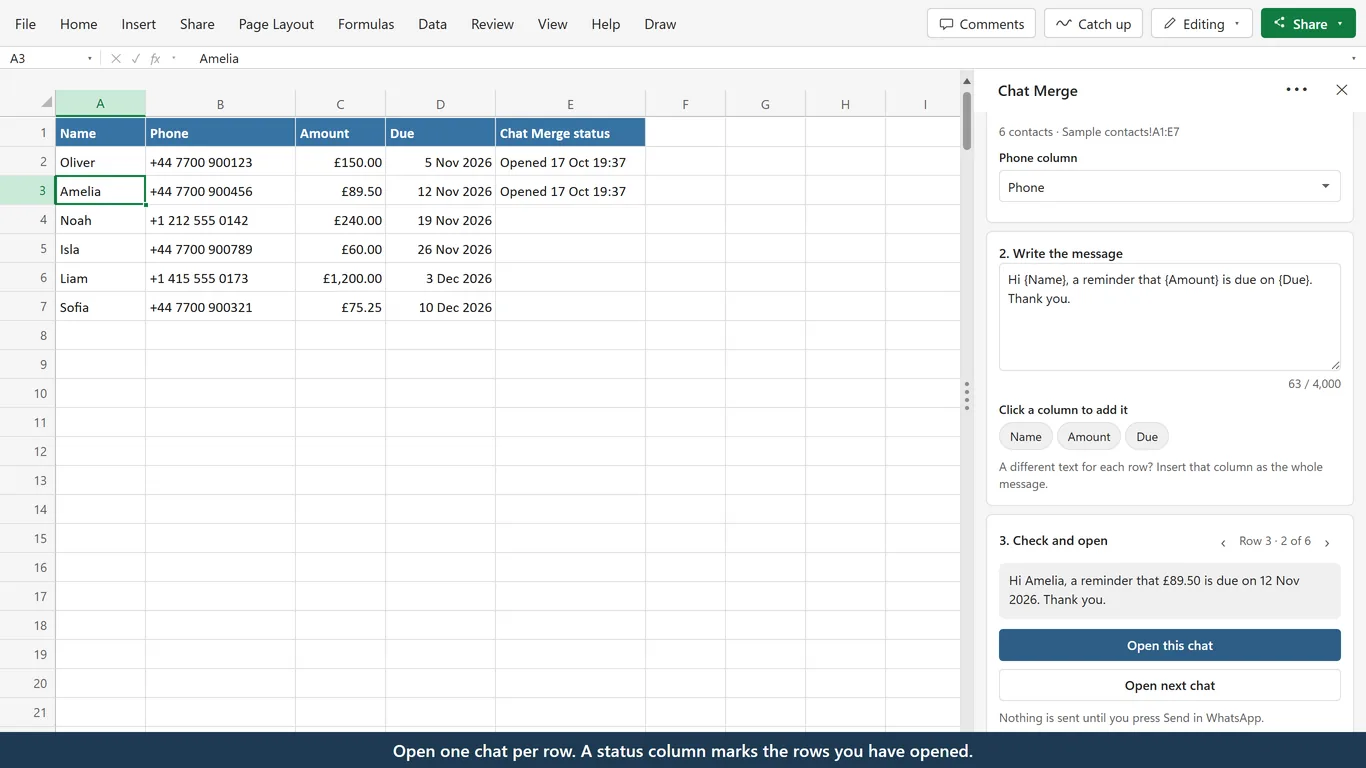
Click a column name to add it to the message, for example {Name}. The preview shows the message for each row before anything opens.
-
Open this chat, press Send
Open this chat opens a ready chat with the message filled in. Read it, press Send in WhatsApp, then click Open next chat for the next person.
One message, a personal chat for every row
Fields from your columns, a preview per row
Click a column name such as Name, Amount or Due to put that column into your message. The preview shows the message for the selected row as the cells display it, so £150.00 and 5 Nov 2026 look the way you formatted them.
The arrows step through the rows, so you see every message before it opens.
Numbers checked before you start
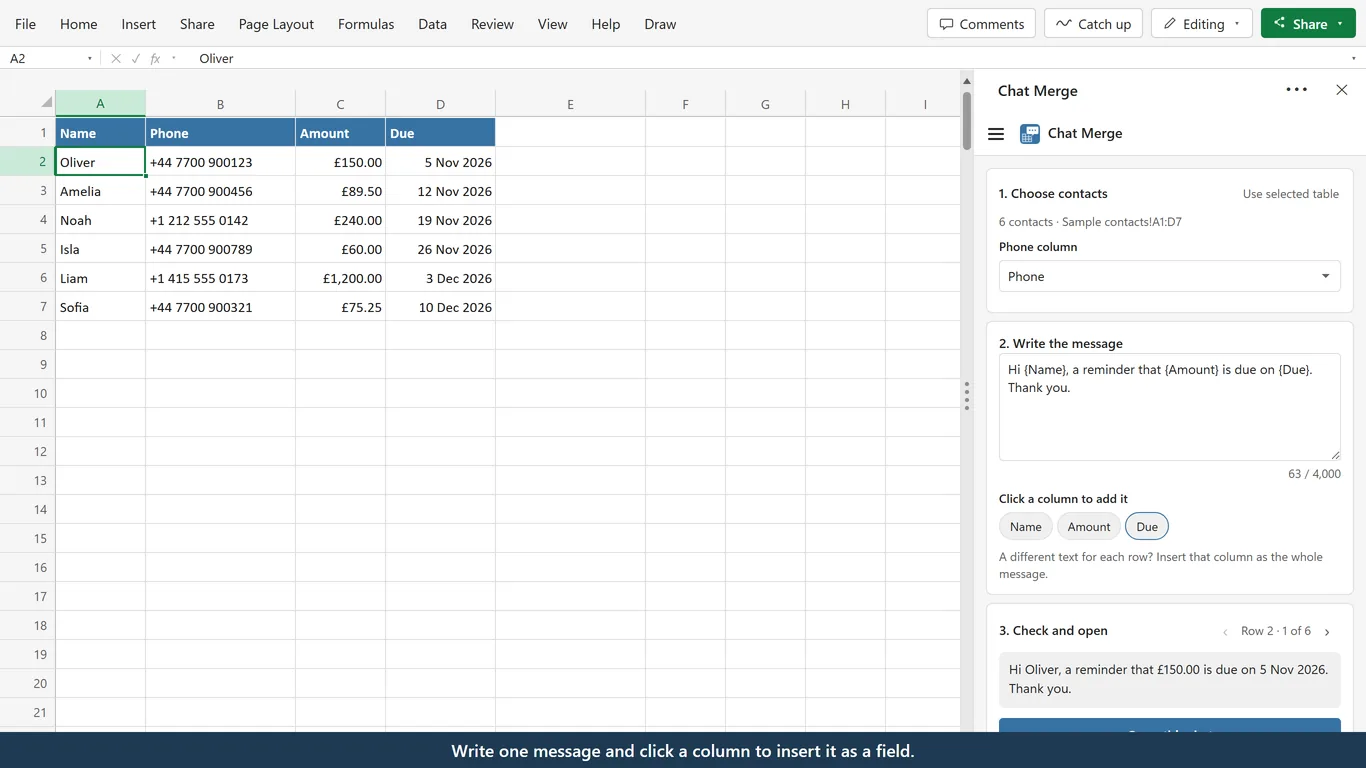
Rows with a phone number that cannot be used are listed with the reason, for example Row 5: number too short, so you fix them in Excel first.
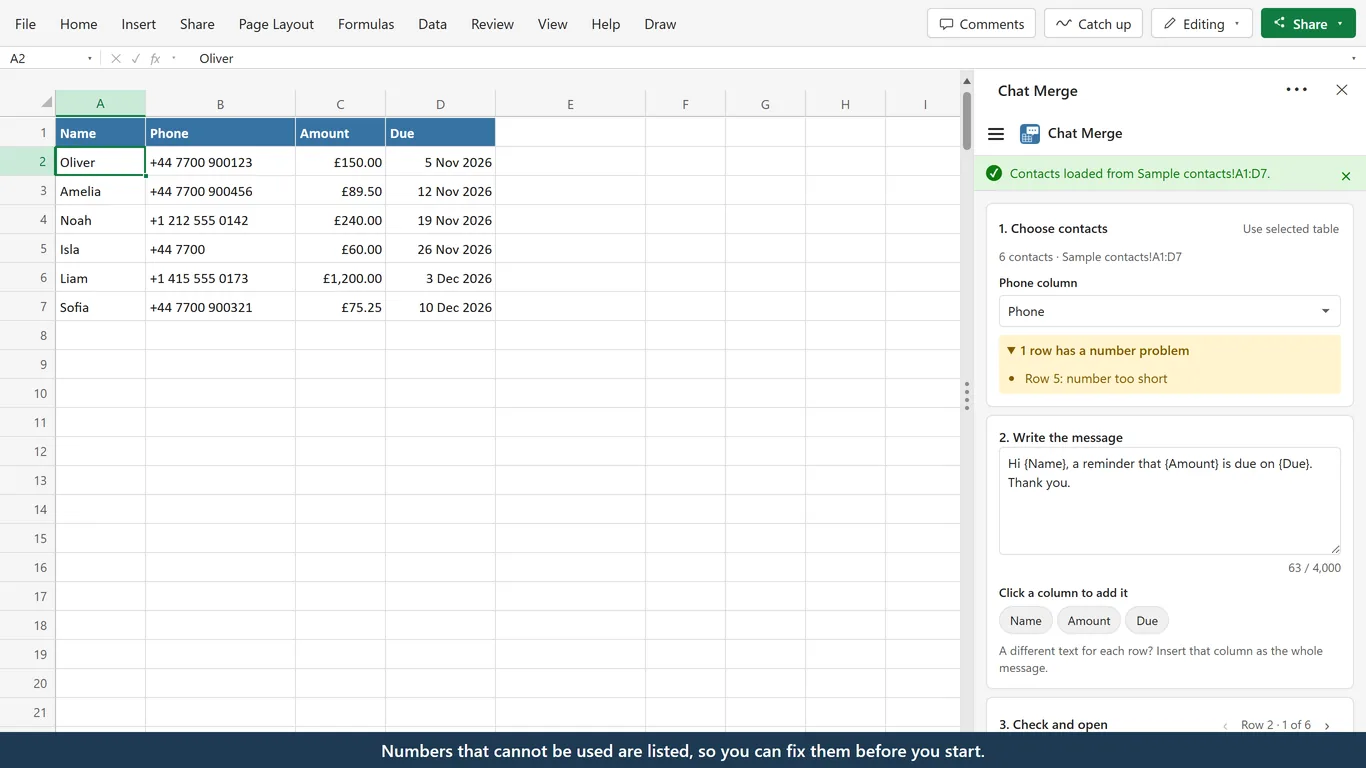
For local numbers written without + or 00, choose a default country once in Settings. Chat Merge adds the country code and drops the national prefix the way that country needs it. Every country is in the list.
Choose where chats open
The default is WhatsApp's chat page in your browser. It needs nothing installed and offers the app or WhatsApp Web from there.
If you are logged in to WhatsApp Web, open chats there directly. On Windows you can also open them in the WhatsApp desktop app.
-
Status column and Open next chat
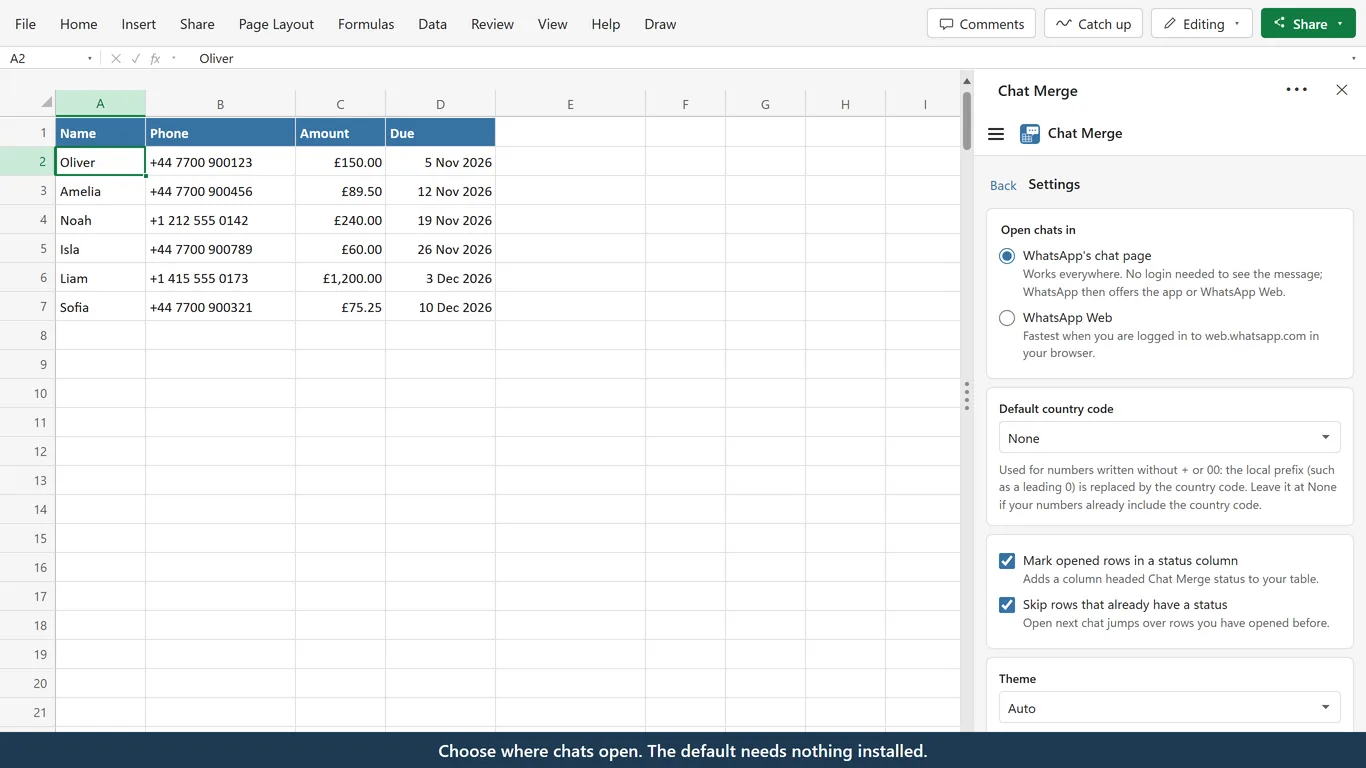
Each opened row gets the date and time in a Chat Merge status column. Open next chat skips rows that already have one, so you can stop and continue later.
-
Nothing to install
No installer and no macros. The add-in runs inside Excel, and the default chat page opens in your browser.
-
Windows, Mac and the web
Works in Excel with Microsoft 365, or Excel 2021 and later.
-
Try it with sample contacts
Insert sample contacts adds a small table of six made-up people, so you can try every step first.
You stay in control
Chat Merge prepares the chats. Sending is up to you, and your list stays where it is.
-
You press Send
The add-in opens the chat with the message filled in. It never sends a message itself.
-
Contacts stay in your workbook
No account, no analytics and no cookies. Nothing from your list is sent to us.
-
One chat at a time
When you open a chat, the chat page receives that person's number and message, and nothing else from your list.
Frequently asked questions
Your contact list, ready to message
Chat Merge is a free Excel add-in, with no account and no license key.
Chat Merge is an independent product by Bosau Digital LLC. Not affiliated with WhatsApp or Meta. WhatsApp is a trademark of its owner. Microsoft and Excel are trademarks of the Microsoft group of companies. Privacy policy · Terms of use