
The date picker Excel never had
Click a cell, pick a date. True Excel dates, week numbers and holidays, on Windows, Mac and the web.
Coming soon to Microsoft Marketplace
Excel on Windows, Mac and the web.
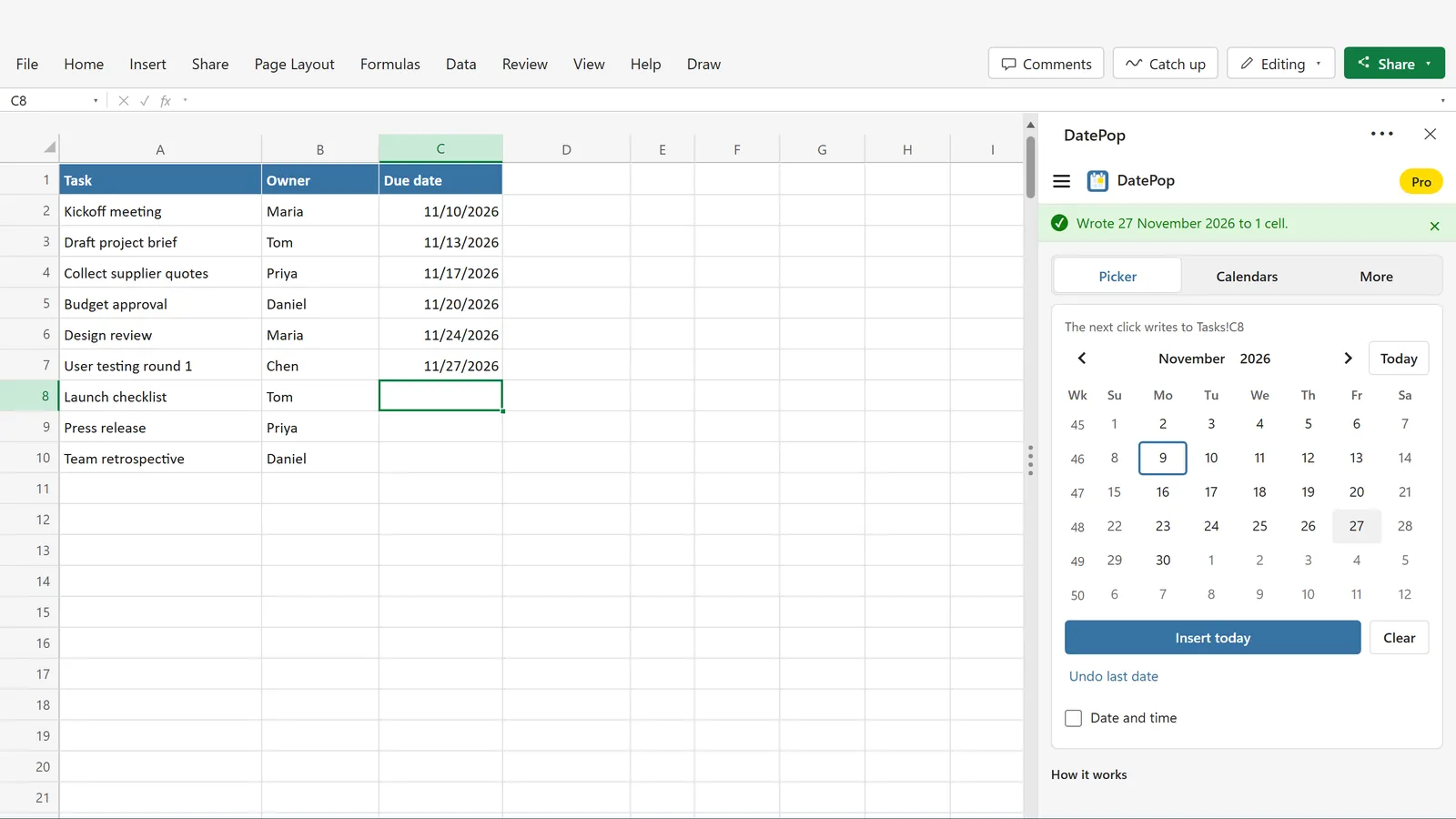
A task list and six clicks: the Due date column is filled with real Excel dates, and the pane has moved on to the next cell.
Click a cell, click a date
A task list with the DatePop pane beside it. Six clicks filled the Due date column, and every one of them is a real Excel date.
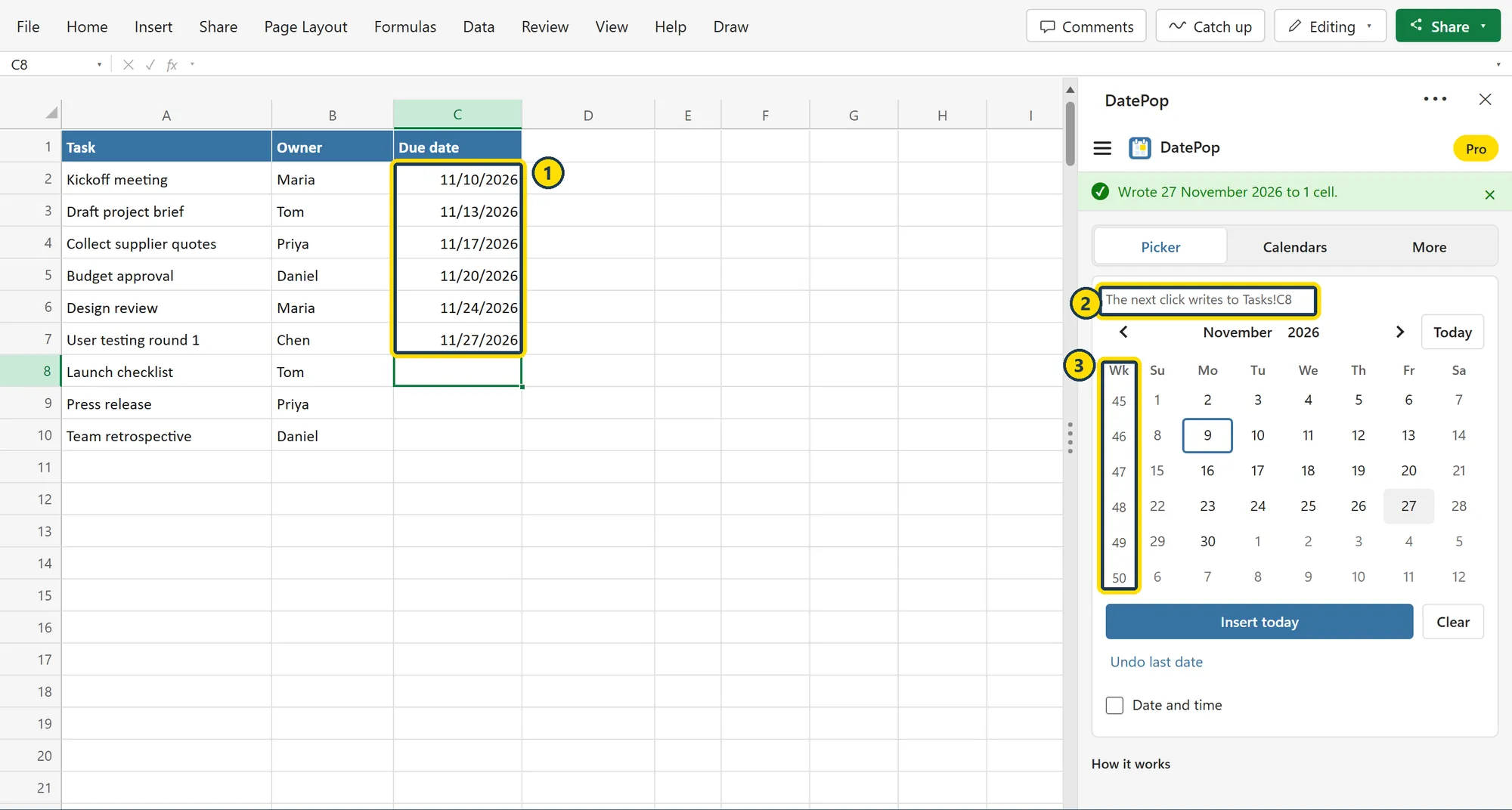
- Real dates, not textEach cell holds an Excel date, a serial number with a date format, so sorting, filters and formulas work.
- The pane follows your selectionIt shows where the next click writes, and the selection moves down after each date, so a column fills with one click per date.
- Week numbers in the pickerThe Wk column shows the week number of every row, and the week starts on the day your region uses.
The pane speaks English, German, Spanish, French and Portuguese (Brazil), in a light or a dark theme.
A date picker without the usual workarounds
Excel has no calendar control of its own, and the old fixes come with their own trouble. DatePop is an ordinary Excel add-in.
No ActiveX
The old calendar controls work only in 32-bit Excel for Windows. DatePop does not depend on them.
No VBA, no macros
Nothing to paste into your workbook and no yellow security bar to click away. Your file stays an ordinary .xlsx.
No wrong dates
DatePop writes the date itself, so Excel never has to guess whether 3/4 means March or April.
Mac and the web too
The same pane in Excel for Windows, Excel for Mac and Excel on the web, with Microsoft 365, Excel 2021 and Excel 2024.
A free picker that is complete
Pick into one cell or many, with week numbers and a monthly calendar. No account and no time limit.
Pro stays in sight
Pro features are marked in the pane, and you can preview a Pro calendar before you buy. No nag screens, and no watermark in your workbook.
Week numbers and your region's conventions
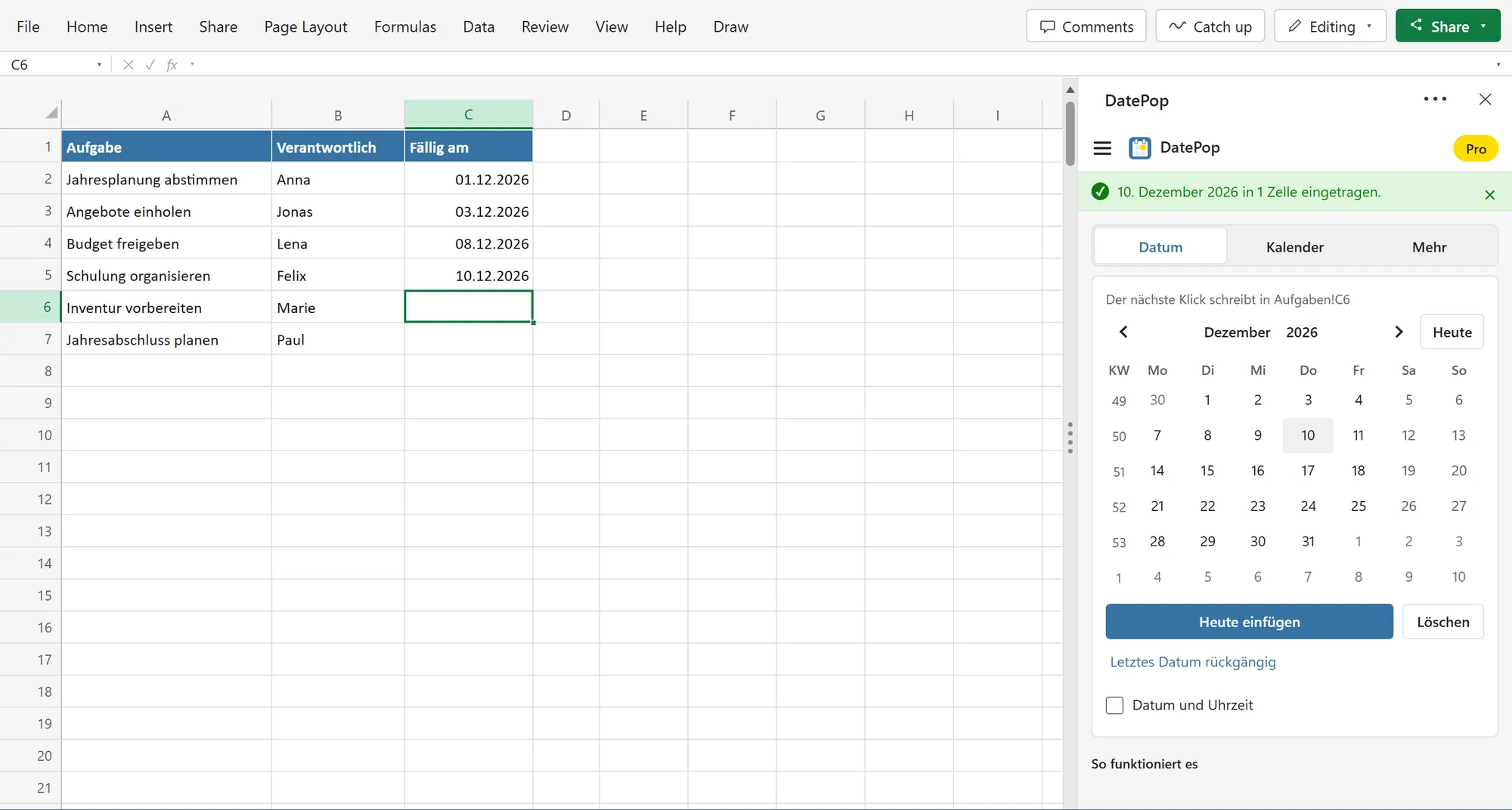
FreeThe picker shows week numbers, starts the week on the right day for your region and writes dates in your format. Here it runs in German on a German workbook: Monday first, KW for the week numbers, and dates written as 10.12.2026.
Rules for shared workbooks
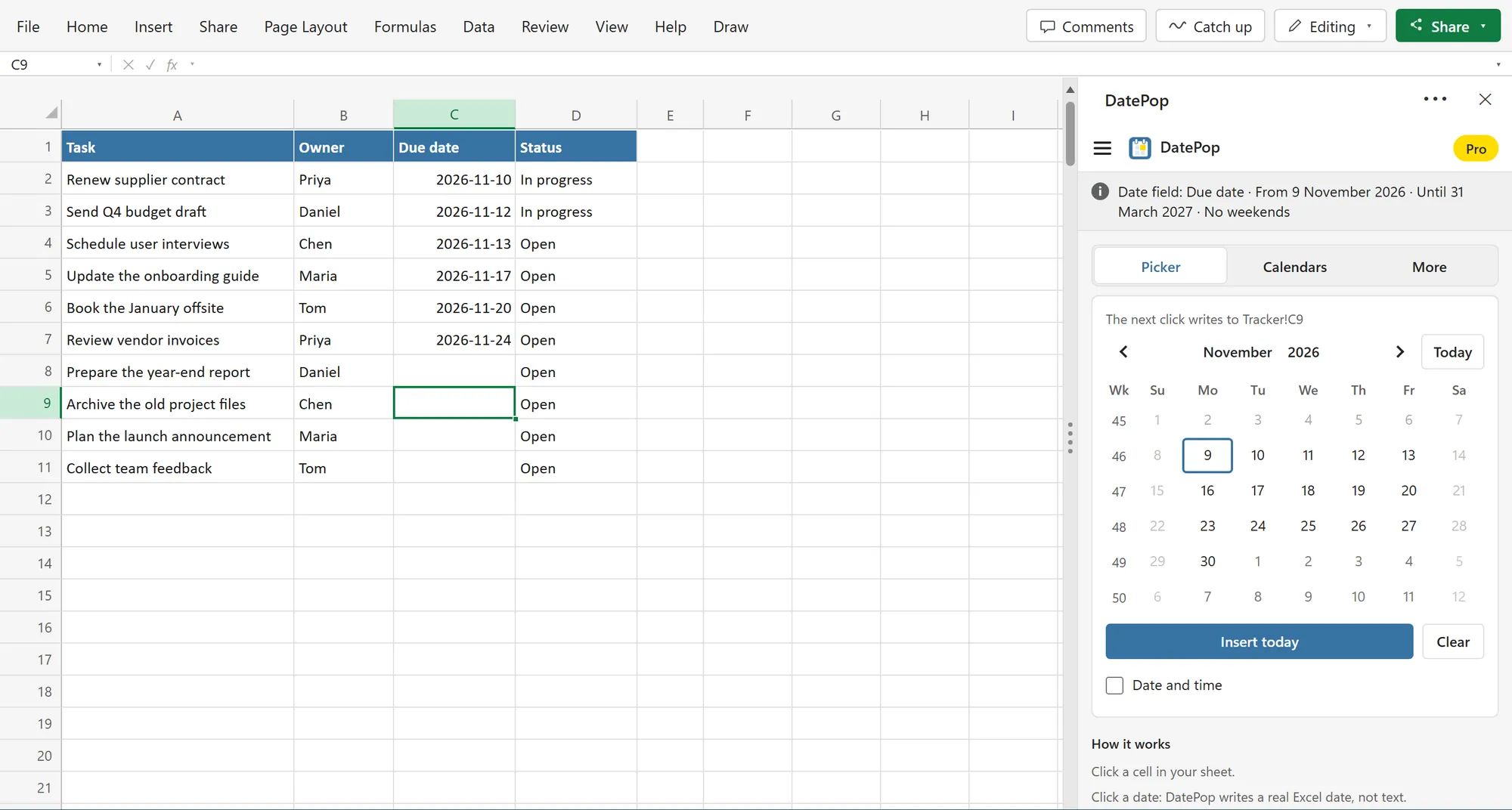
ProA date field gives a column its own rules: an earliest and a latest date, no weekends, no public holidays. Everyone who fills in the tracker sees the same rules, and the picker greys out the days that are not allowed. Colleagues on the free version can pick dates into the field too.
How to use it
Open the pane once. After that, it is a click on a cell and a click on a date.
Open the pane
On the Home tab, click Date picker. The pane opens beside your sheet and stays open.
Click a cell
Select one cell, or a whole range. The pane follows your selection and shows where the next click writes.
Click a date
DatePop writes a real Excel date and, by default, moves the selection down to the next cell.
Calendars you can print
The same pane builds calendars on a new sheet, as plain cells you can edit afterwards.
Monthly calendar Free
Any month on a new sheet, with week numbers if you like and weekends shaded, set up to print on one page.
Export to Outlook or Google Calendar Pro
Turn the rows of an events table into an .ics file that Outlook and Google Calendar can import.
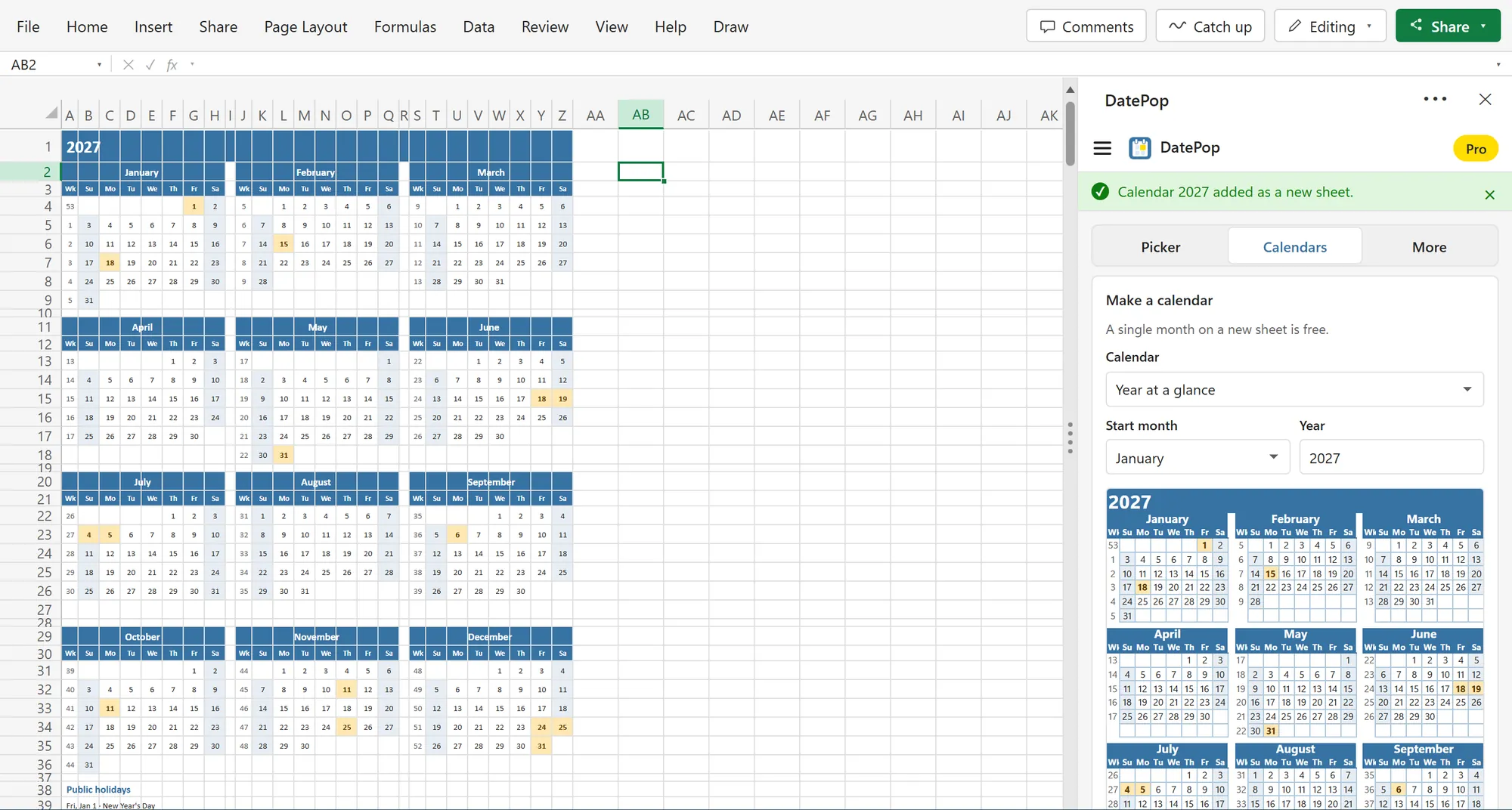
Year at a glance, with public holidays
ProTwelve months on one printable sheet, starting in the month you choose, so a school or fiscal year works too. Public holidays for 34 countries are highlighted and listed below the months, and the pane previews the calendar before you insert it.
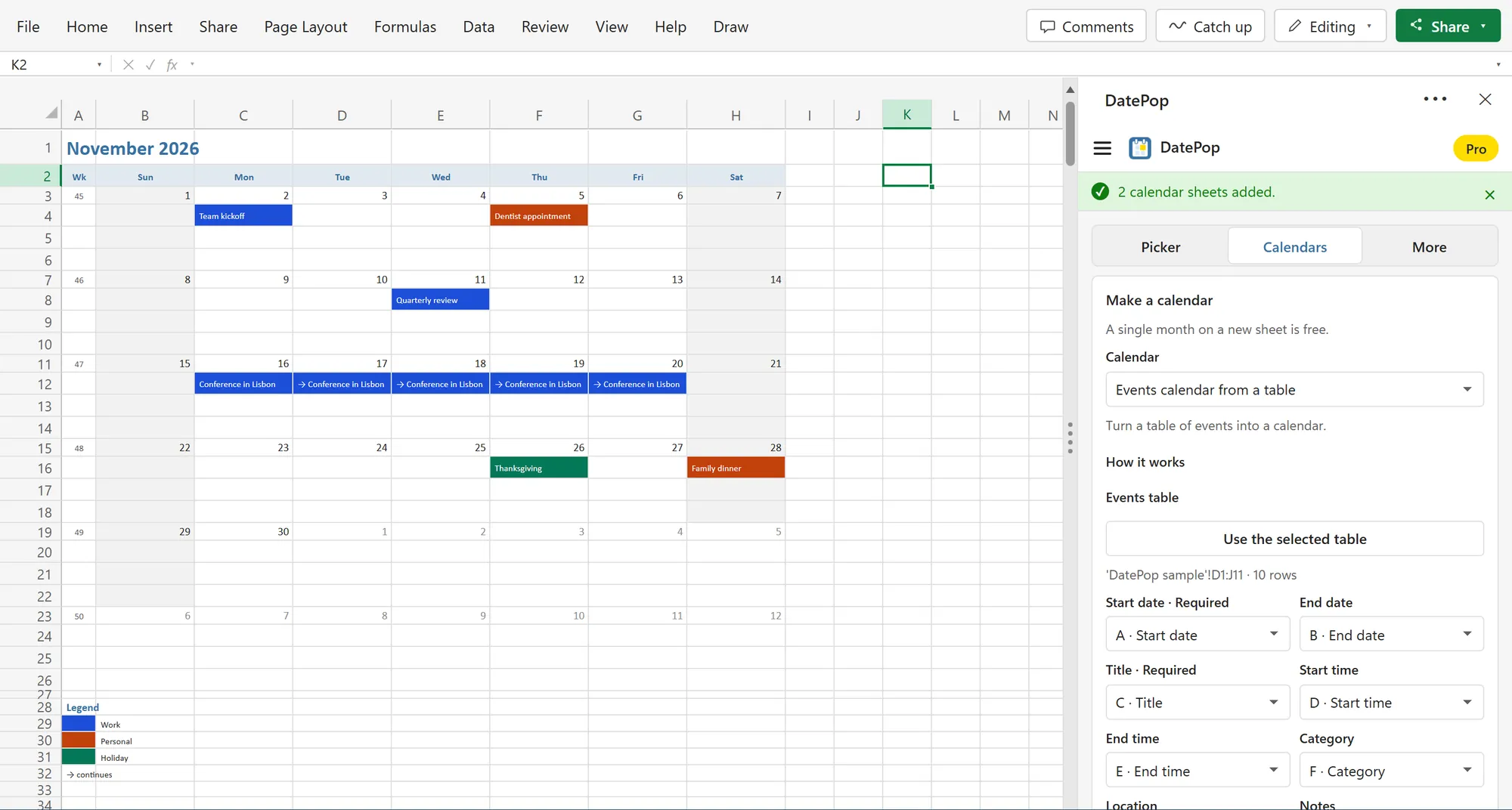
An events calendar from a table
ProSelect your table of events, and DatePop builds a month calendar colored by category, with a legend and a marker for events that continue over several days. Change the table and refresh the calendar in place.
Coming to Microsoft Marketplace
DatePop installs from Microsoft's add-in store, inside Excel. It is on its way and not listed yet.
Once it is listed, this is the whole install:
- 1In Excel, go to Home → Add-ins → More Add-ins.
- 2On the Store tab, search for DatePop by Bosau Digital.
- 3Click Add, open DatePop from the Home tab, then click a cell and a date.
Depending on your Excel version, look under Insert → Get Add-ins instead.
- Windows, Mac and the web
- No macros, no account
- Your dates and tables stay in Excel
- Only the license check sends data
Pay once. No subscription.
The date picker is free. Pro is a lifetime license: you pay once and keep every future update.
A complete date picker, free no account, no card, no time limit
- A complete date picker: one cell or many selected cells
- Real Excel dates that keep your cell's date format
- Today, Insert today, month, year and decade views, keyboard
- Week numbers, first day of the week, 5 languages
- A monthly calendar sheet for any month
- Excel on Windows, Mac and the web, light and dark theme
- One license key for 3 devices
- Everything in Free, plus Pro:
- Date and time, fill series (workdays, every Monday, skip holidays)
- Public holidays for 34 countries in the picker and the calendars
- Year at a glance, twelve months, weekly planners and styles
- Events calendar from a table, and .ics export for Outlook or Google
- Date fields with rules for shared workbooks
- Free updates, 14-day money-back guarantee
- One license key for 15 devices
- Everything in Free, plus Pro:
- Date and time, fill series (workdays, every Monday, skip holidays)
- Public holidays for 34 countries in the picker and the calendars
- Year at a glance, twelve months, weekly planners and styles
- Events calendar from a table, and .ics export for Outlook or Google
- Date fields with rules for shared workbooks
- Free updates, 14-day money-back guarantee
- Excel on Windows
- Excel on Mac
- Excel on the web
- Microsoft 365, Excel 2021 and Excel 2024
Frequently asked questions

Still have a question?
I’m Sven, the developer, and I usually reply within a day.
Fill a column of dates in a minute.
DatePop is on its way to Microsoft Marketplace. The free version will be a complete date picker, with no account.
DatePop is an independent product by Bosau Digital LLC. It is not affiliated with, endorsed by or sponsored by Microsoft. Microsoft and Excel are trademarks of the Microsoft group of companies.