
Plan and Build Python Projects With ChatGPT

ChatGPT is more useful for planning a Python project than for writing it. Ask for project ideas at your level, narrow them to a domain you care about, then use it as a mentor while you build, asking it to explain choices rather than hand over finished code.
Ask for project ideas
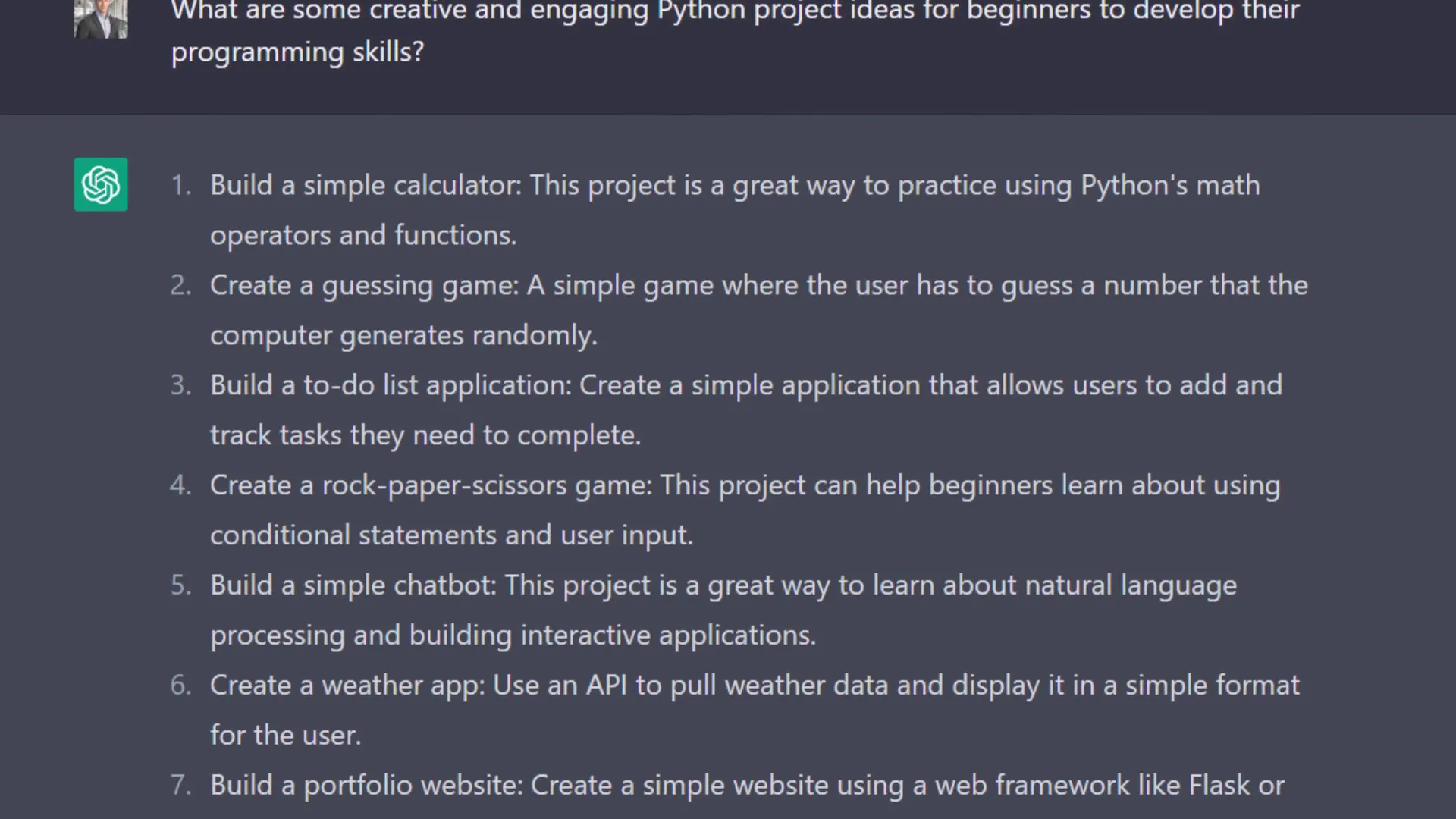
A general request gets general ideas. When I asked ChatGPT for “creative and engaging Python project ideas for beginners to improve their programming skills”, the list started with the usual calculator and guess-the-number game.
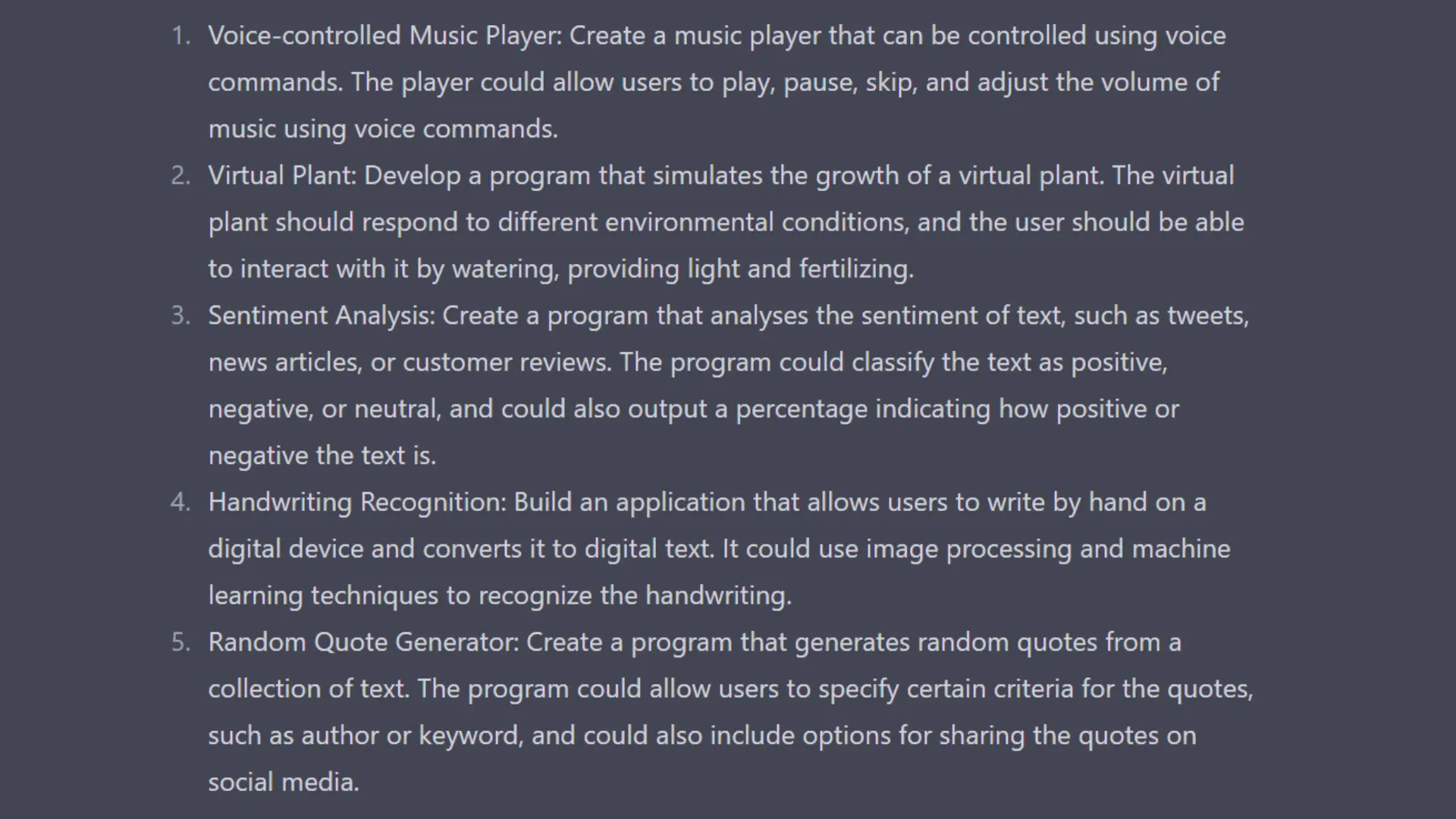
Asking again for five more unusual ideas gave better results. The one that caught my eye was a virtual plant: a plant you water, fertilize and give light so that it grows. ChatGPT suggested modelling it as a class with properties and methods, and drawing it with Pygame.
Get starter code
Once you have picked a project, ChatGPT can write the skeleton so you do not start from an empty file. Treat that code as a first draft to extend and understand, not as the finished project.
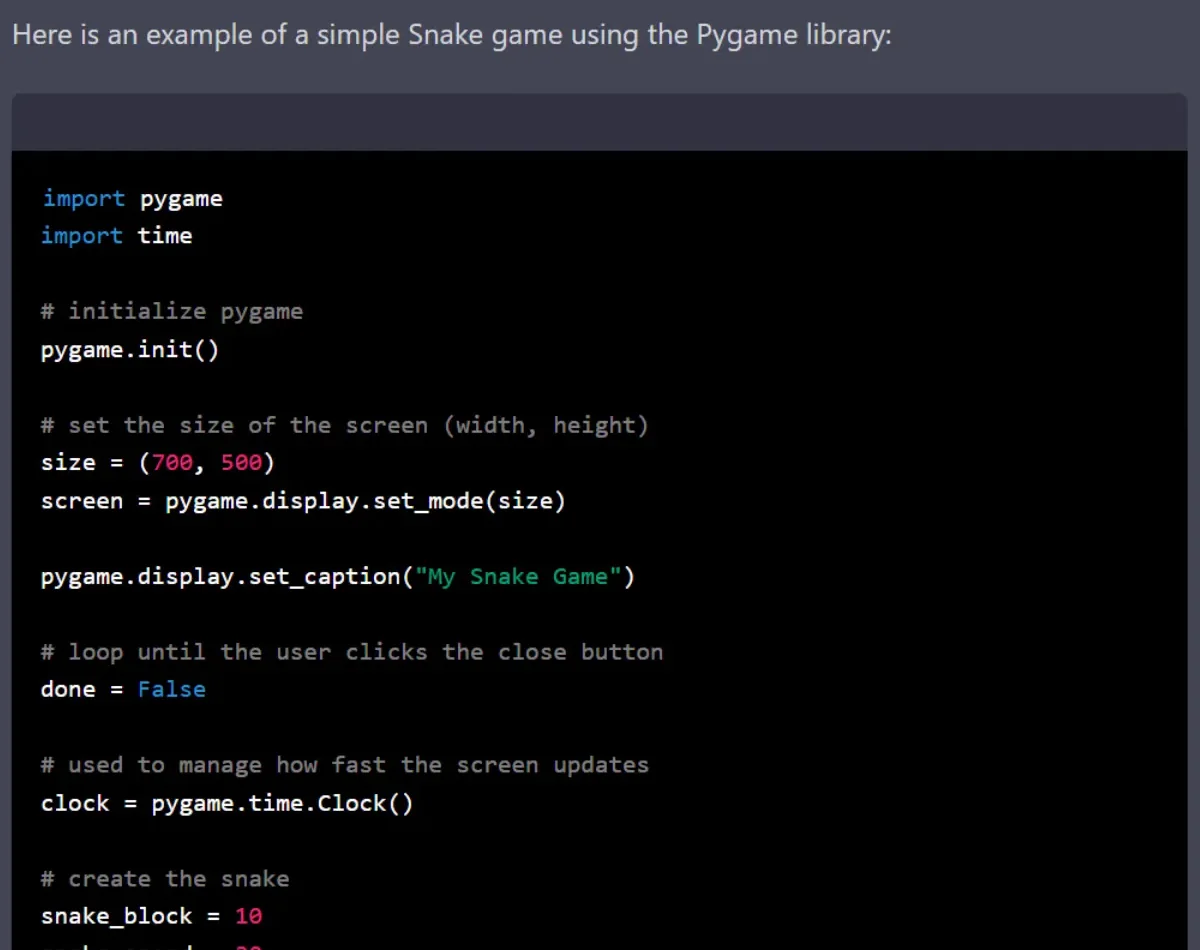
For a Snake game, it returned working boilerplate in Pygame within seconds. From there the learning starts: adding food for the snake, growing it, and handling collisions with the walls and its own tail.
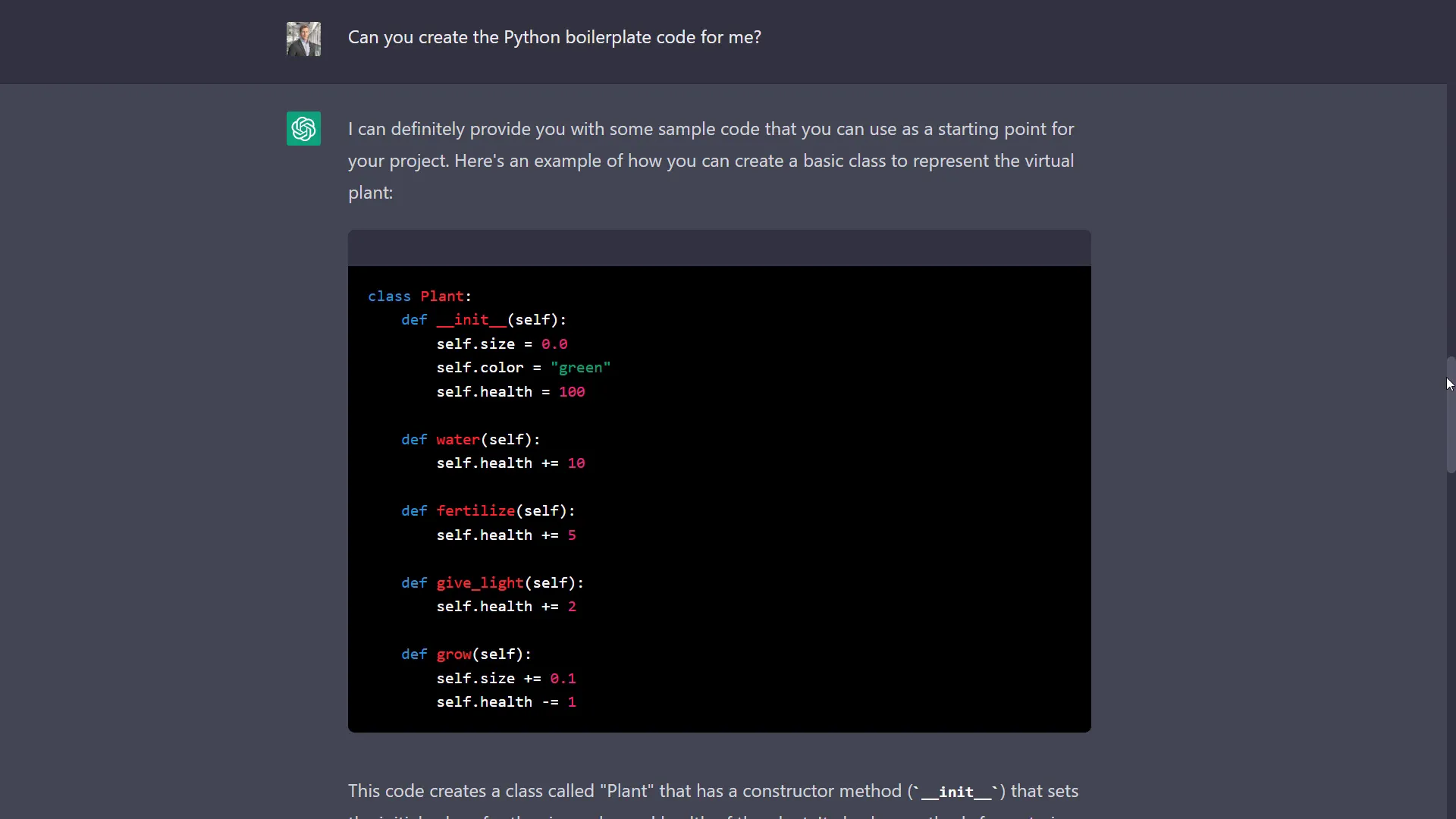
For the virtual plant, I asked what the plant class could look like. The answer was a Plant class with methods such as water, fertilize, give_light and grow, a good outline to fill in yourself.
Ask where to start
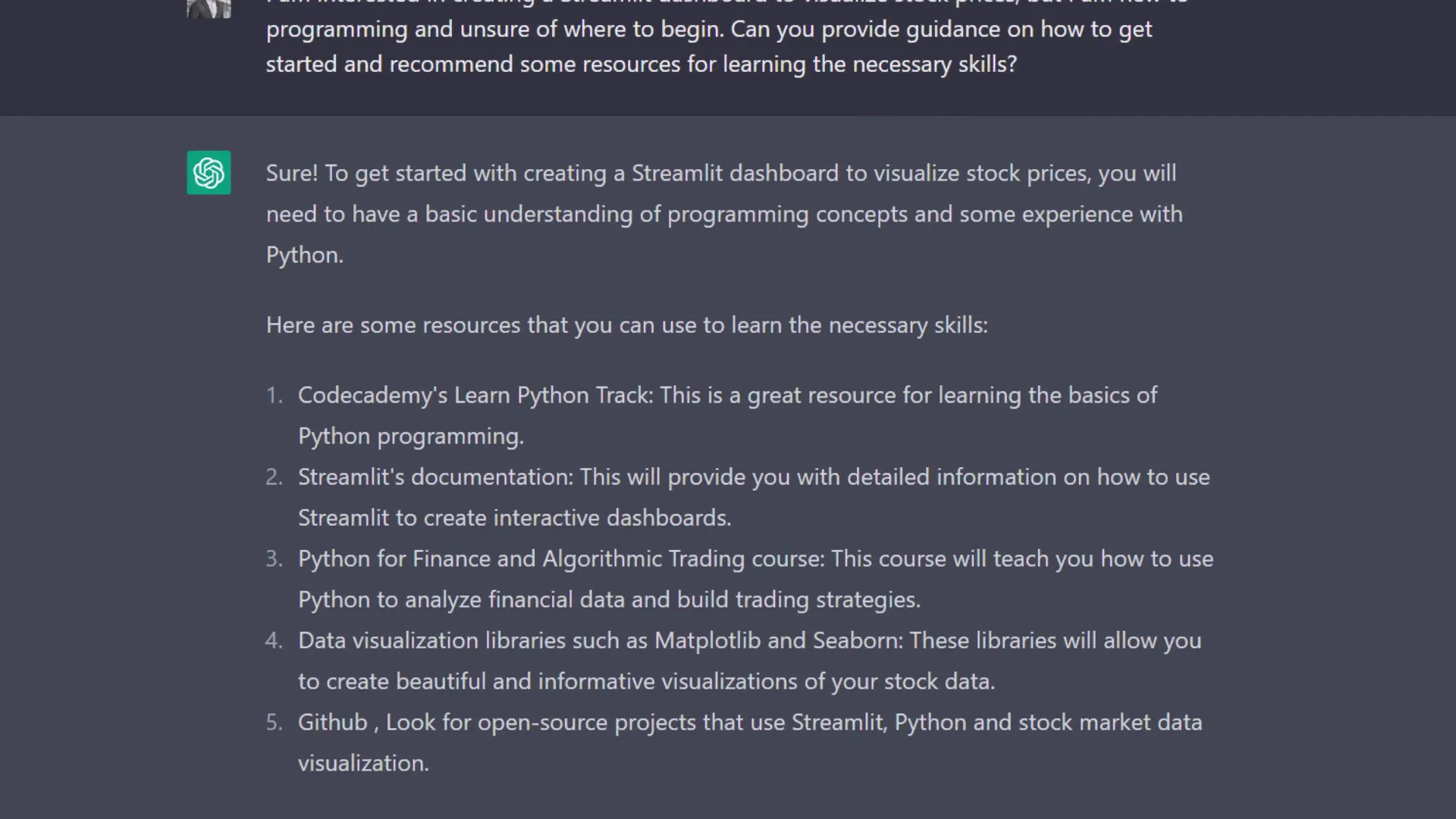
When you know what you want to build but not how, ask for a starting point instead of code. For a Streamlit dashboard of stock prices, ChatGPT listed the pieces I would need and pointed me to the Streamlit documentation, which is where I start any new project anyway.
Prompts that work
Prompts that state your level, your interest and the result you want work best. A vague request returns the same calculator and guessing game everyone gets; a specific one returns ideas you will actually finish.
- State your level: “I know loops, functions and lists, but no classes yet.”
- Name a domain you care about: plants, football statistics, your budget, your Excel reports at work. I used ChatGPT this way to build an Excel data entry form in Python.
- Ask for a plan, not the code: “Break this project into five small steps I can finish in an evening each.”
- Ask it to explain: “Explain why you used a dictionary here instead of a list.”
- Paste your own error messages: ChatGPT is good at explaining a traceback, and you learn more than from a finished script.
If you are looking for project ideas that pay off at work, automating a spreadsheet task is a good first one. My favorite Python project idea and six office tasks I automated with ChatGPT are two places to start.
Limits
ChatGPT can give answers that sound right and are wrong. It does not run or understand your code; it predicts what good code usually looks like. Test everything it gives you, and rephrase the question when the answer misses the point.
That is also why asking it to explain beats asking it to write. An explanation you can check against the documentation teaches you something, and a finished script you do not understand breaks at the first change. If your first project is a web app, building a website with Streamlit gets you from zero to a running page.
Resources
- Every prompt and answer from this project, on a Streamlit site I also built with ChatGPT’s help