
How to Merge Excel Files with Different Headers in Python

Merging Excel files whose headers differ, for example the same employee data exported from Germany, Spain, Italy and the US in four languages. You build a mapping from each file’s headers to a common set, rename the columns on load, then concatenate.

Understanding the Challenge
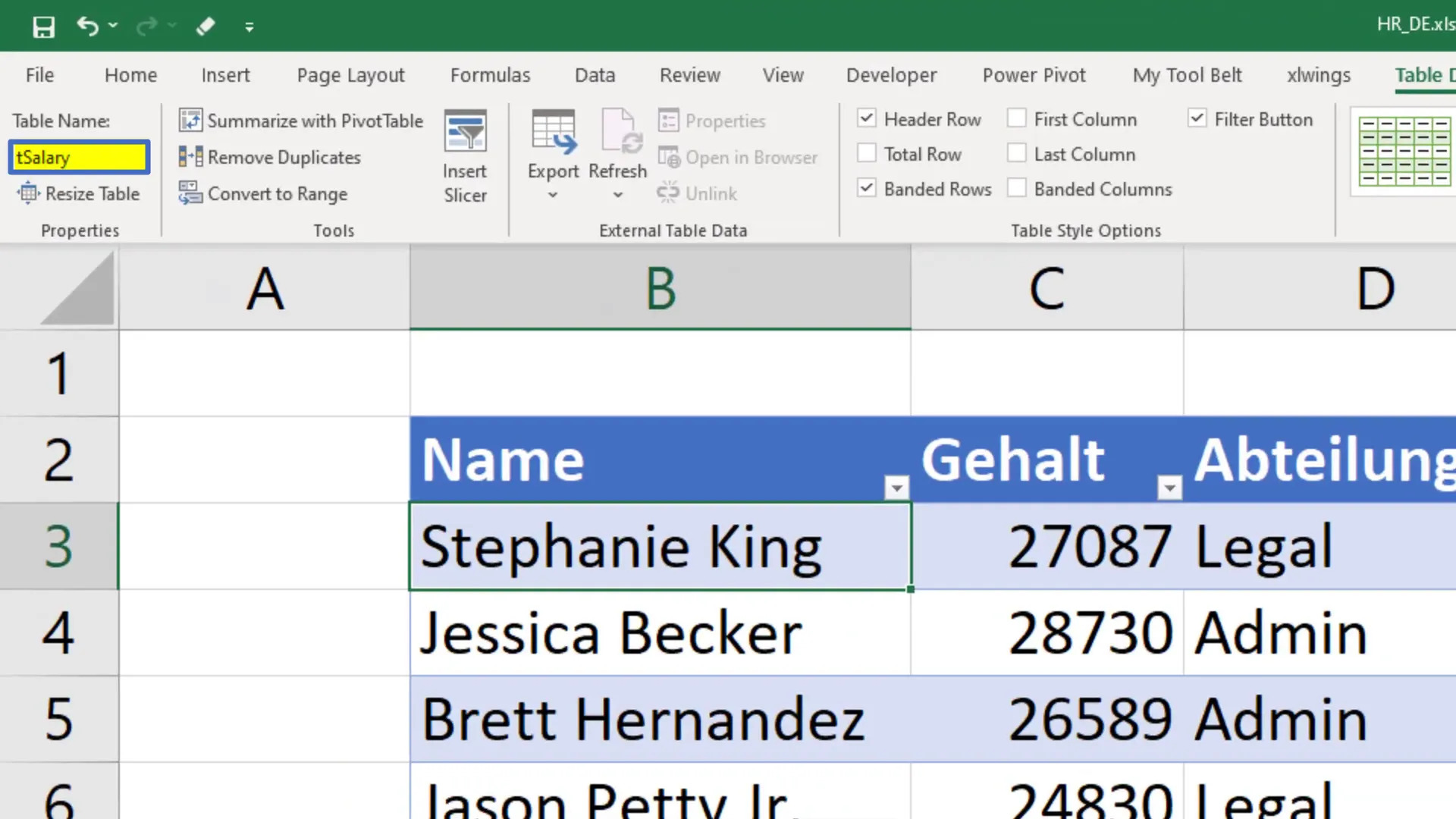
Imagine having four Excel files containing employee data for Germany, Spain, Italy, and the US. Each file has a table named ‘tSalary’, but the headers differ based on the language. For instance, in the German file, ‘Gehalt’ means Salary, and ‘Abteilung’ means Department. The goal here is to unify all these tables into one master file, translating the headers into English.
Setting Up the Environment
To tackle this task, I’ll be using Python with the pandas and xlwings libraries. If you haven’t installed these yet, you can do so via your command prompt:
pip install pandas xlwingsImporting Necessary Libraries
After setting up your environment, the first step is to import the required libraries:
from pathlib import Path
import pandas as pd
import xlwings as xw
Defining the Input Directory
Next, specify the input directory where your Excel files are stored. In this example, the folder is named ‘INPUT’ and is located in the same directory as my Python file:
input_directory = Path('INPUT')Creating a List of Excel Files
Using the glob module, I’ll create a list that contains the paths of all Excel files in the input directory:
excel_files = list(input_directory.glob('*.xlsx'))Mapping Table for Different Headers
Before merging, I need to set up a mapping table to translate the headers. For example:
header_mapping = {
    'Gehalt': 'Salary',
    'Abteilung': 'Department',
    # Add other translations as needed
}
Reading and Transforming the Excel Files
With the mapping in place, I’ll initialize an empty list to store the dataframes:
dataframes = []Now, I’ll loop through each file, open it, and convert the data table into a pandas dataframe:

Merging Dataframes
Once all individual dataframes are prepared, I can merge them into a master dataframe:

Exporting the Master Dataframe
Finally, I’ll create a new Excel workbook and export the combined dataframe to it.
Conclusion
By following these steps, I successfully merged multiple Excel files with different headers into one cohesive dataset. This process not only streamlines data management but also enables better analysis across different regions. If you have more use cases or ideas for future projects, feel free to share them in the comments!