Skip to content

Clean Your Phone List in Seconds

Bulk Phone Validator checks every number in your Excel or CSV file, right on your PC: valid or invalid with the reason in plain English, the standardized +E.164 format, country, line type and duplicates.

  • Reads .xlsx, .xls, .xlsm, .xlsb, .csv and .txt
  • 240+ countries, checked with Google's libphonenumber
  • 100% offline. Your numbers never leave your PC

No signup, no license, no row limits. Windows 10 or 11.
$0
No license, no account, no caps
100%
Offline. Validation never touches the internet
240+
Countries and territories covered
6
File formats, from .xlsx to .txt

Drop a file, get a clean list

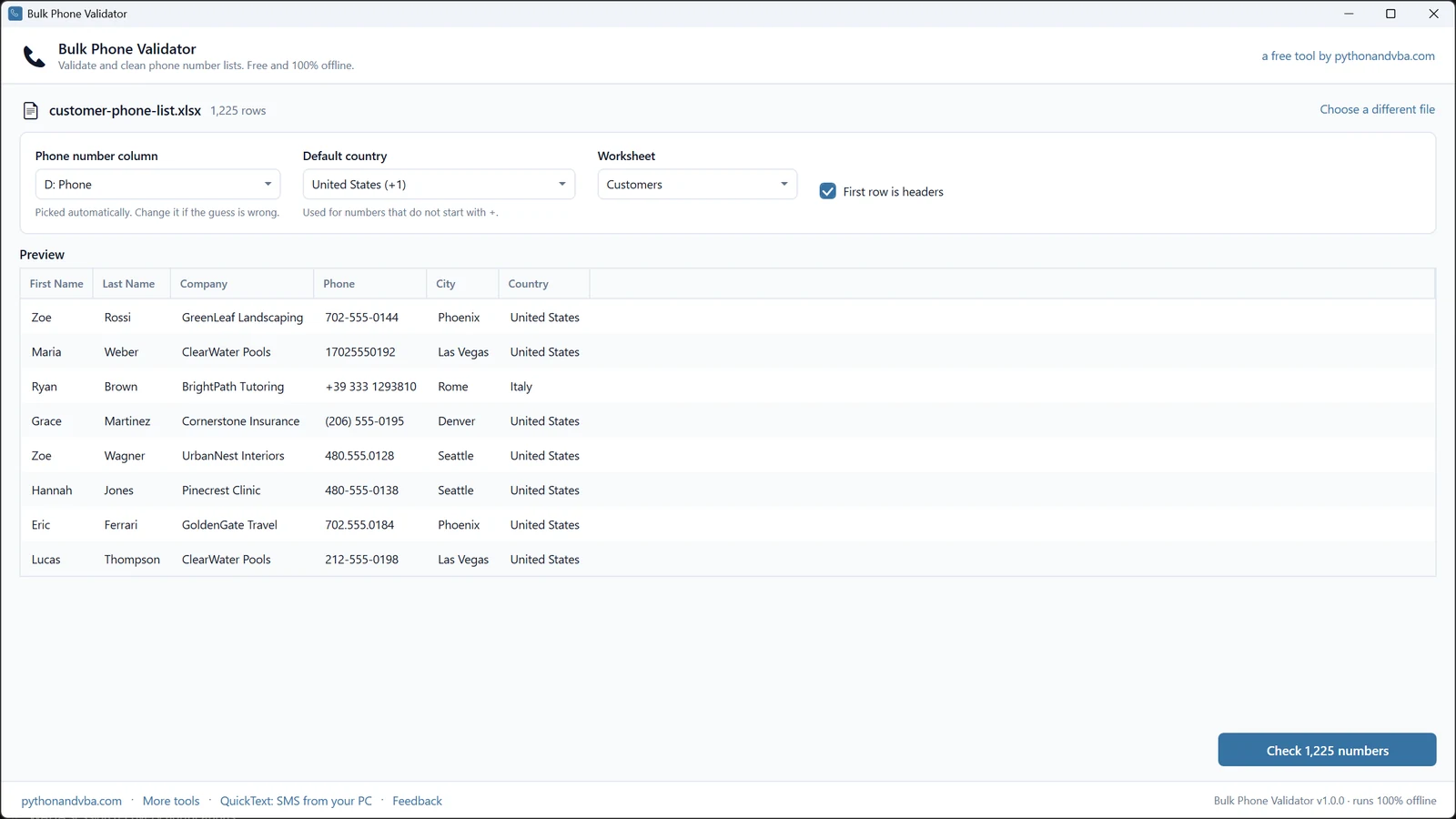
No wizard, no column mapping, no manual. The app guesses the setup and shows you a preview before anything runs.

1
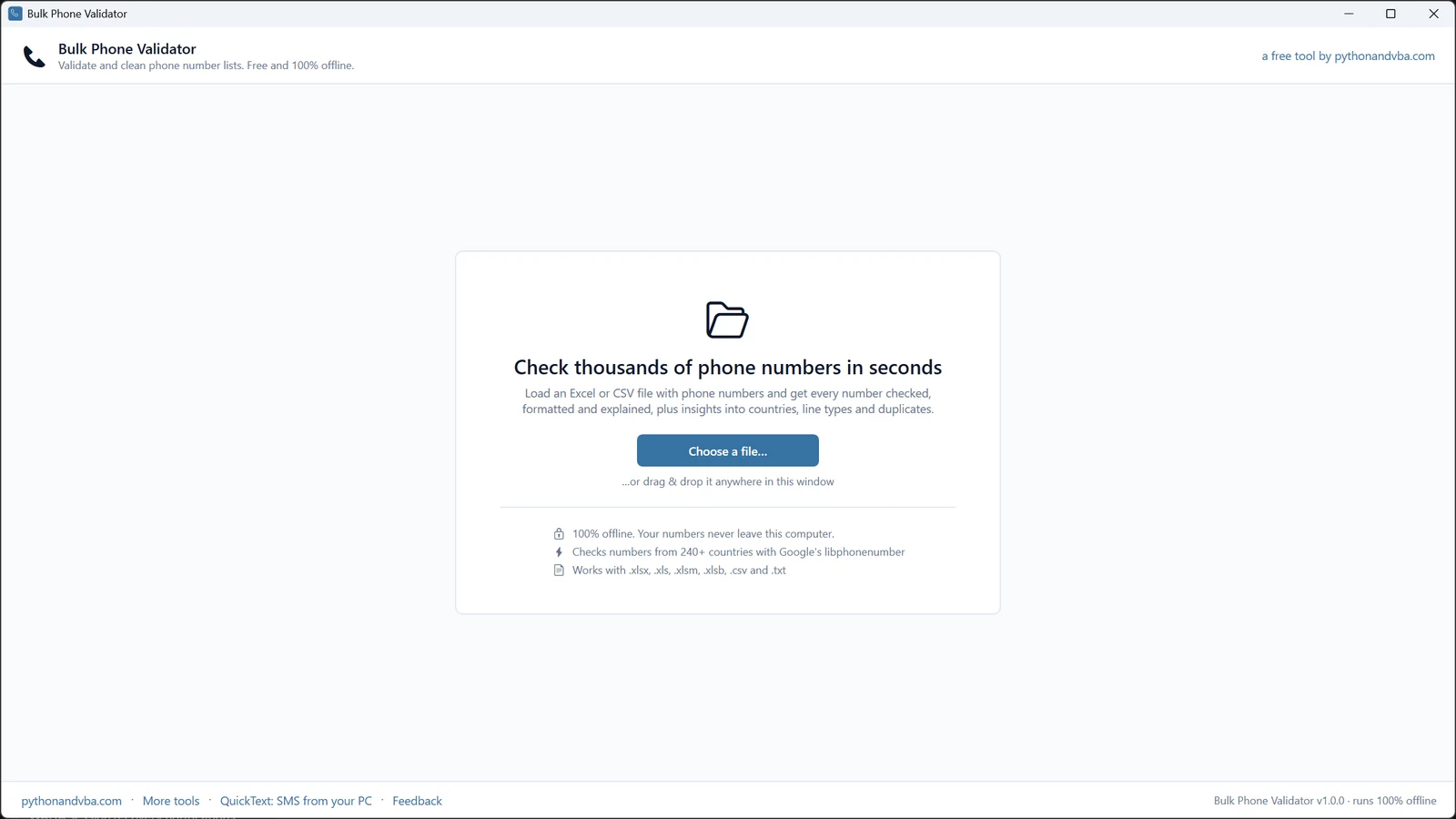
Load your file Browse or drag and drop. Workbooks with several sheets get a sheet picker, and the CSV delimiter and encoding are detected for you.
2
Check the guesses The phone column and the headers switch are pre-selected, with a live preview. Pick a default country for numbers that do not start with +.
3
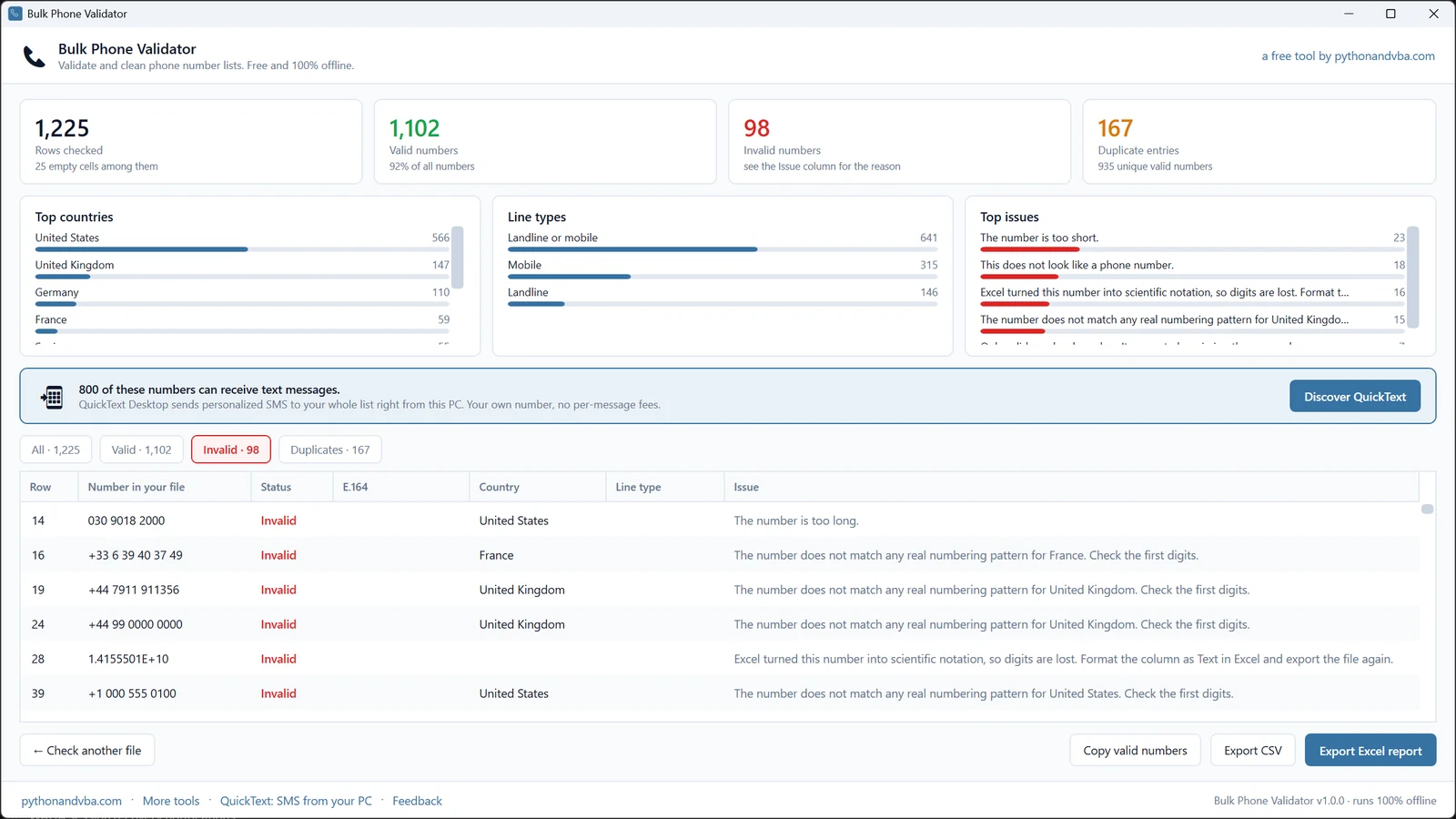
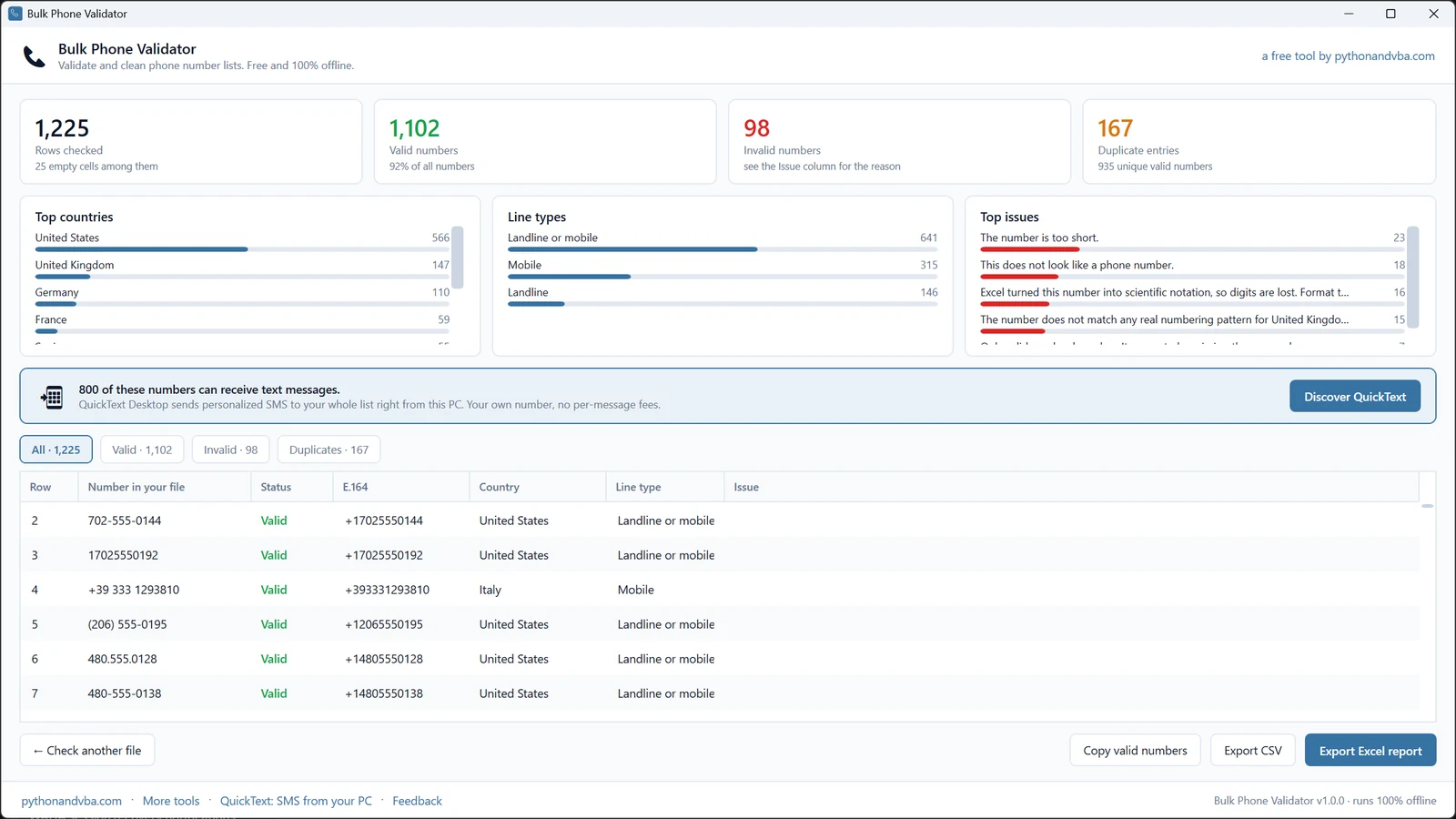
Validate and export Thousands of rows checked in seconds. Export an Excel or CSV report, or copy every unique valid number in +E.164 to the clipboard.

What you can do

Your customer list stays your customer list

Most bulk validators are websites: you upload your numbers to someone else's server and pay per check. This one is a small Windows app. Same cleanup, minus the upload and the bill.

Online bulk validators
  • Your customer list uploaded to their server
  • Priced per number, so a big list is a bill
  • Free tiers capped at a few hundred checks
  • Email signup before the first check
  • Useless the moment your internet is down
Bulk Phone Validator
  • Your file never leaves your PC
  • Free for any list size, every feature included
  • No account, no signup, nothing to cancel
  • A plain-English reason for every invalid number
  • Works with the Wi-Fi off, start to finish

The honest trade-off: an offline check confirms a number is real and correctly formed, not whether it is switched on right now. What that means in practice.

Your numbers never leave your PC

A phone list is customer data. This app validates it with Google's libphonenumber library, locally. There is no server side at all.

Nothing is uploaded Load, validate and export with the Wi-Fi off. Your files and results exist on your computer and nowhere else.
No account, no signup Install it and open it. No registration, no license key, no password to forget.
No tracking No analytics, no ads, no telemetry. The only network call is the feedback form, and only if you press Send.

The full detail, in plain language: the Bulk Phone Validator privacy policy.

Clean list? Now you can text it.

The results screen counts how many of your numbers can receive SMS. QuickText Desktop, the paid big brother of this tool, sends personalized texts to that exact list from your PC: your own number, replies on your phone, no per-message fees.

20 real texts on the house, every feature included.

800 of these numbers can receive text messages. The line the validator shows once your list is checked. Copy the valid numbers, paste them into QuickText, and the follow-up is one send away.
  • Sends through the Android phone you already own
  • Every text personalized, no two identical
  • Replies land next to what you sent, answered from your keyboard

Frequently asked questions

Really free: no license, no account, no ads, no row limits, and every feature is included. I also make QuickText Desktop, the paid app that texts your list once it is clean. Some validator users get curious about that; that is the whole business model. The validator itself never asks you for anything.
Yes, completely. Validation runs 100% on your PC; you can load, check and export with the Wi-Fi off. The only thing that ever uses the network is the feedback form in the footer, and only when you press Send.
Excel workbooks (.xlsx, .xls, .xlsm, .xlsb), CSV and plain text files. Workbooks with several sheets get a sheet picker, and the CSV delimiter (comma, semicolon or tab) and encoding are detected automatically. Browse for the file or drag it anywhere into the window.
No, and no offline tool can. Bulk Phone Validator checks every number against its country's numbering plan: a real prefix, the right length, a line type that exists. That catches everything that could never ring: typos, truncations, Excel damage, made-up entries. Whether a valid number is switched on right now, only the carrier knows, and services that check it make you upload your list and pay per number. Clean the list offline first and there is far less left to pay for, whatever you do next.
A plain-English reason for every invalid number: too short, too long, no real numbering pattern for its country, does not look like a phone number at all, or damaged by Excel's scientific notation. "Invalid" alone fixes nothing; the reason turns a broken list into a to-do list.
It catches it. When a phone number arrives as scientific notation, digits have usually been rounded away, and no tool can invent them back. The validator flags exactly which rows are affected and tells you the fix: format the column as Text in the original file and export it again.
240+ countries and territories, using Google's libphonenumber, the library big tech uses for exactly this job. Numbers starting with + are recognized on their own; for local numbers you pick a default country during setup.
There is no row limit. Thousands of numbers validate in a few seconds, locally, with live progress. If your machine can open the file, the validator can check it.
Everything you loaded, unchanged, plus five new columns per row: Status, E.164, Country, Line type and Issue. Save it as an Excel or CSV report, or skip the file and copy every unique valid number to the clipboard in +E.164 format, ready to paste into any other tool.
No, it is a Windows app for Windows 10 and 11, installed from the Microsoft Store. It does run inside a Windows virtual machine on a Mac (Parallels, VMware Fusion, UTM).
Sven Bosau

Still have a question?

I’m Sven, the developer, and I usually reply within a day.

Please enter your first name.

Please enter a valid email address.

Please write a little more (at least 10 characters).

Your email is only used to reply. No newsletter.

Check your list now

Free, offline and ready in under a minute. No signup, no license, no row limits.

Download from the Microsoft Store

Windows 10 or 11 · installs and updates through the Microsoft Store