
Convert Office Files to Markdown. Offline. Private. In Bulk.
Office2MD turns PDFs, Word, Excel, PowerPoint and scanned files into clean Markdown, on your own PC. Nothing is uploaded. Convert one file or a whole folder.
- 30+ formats, one app
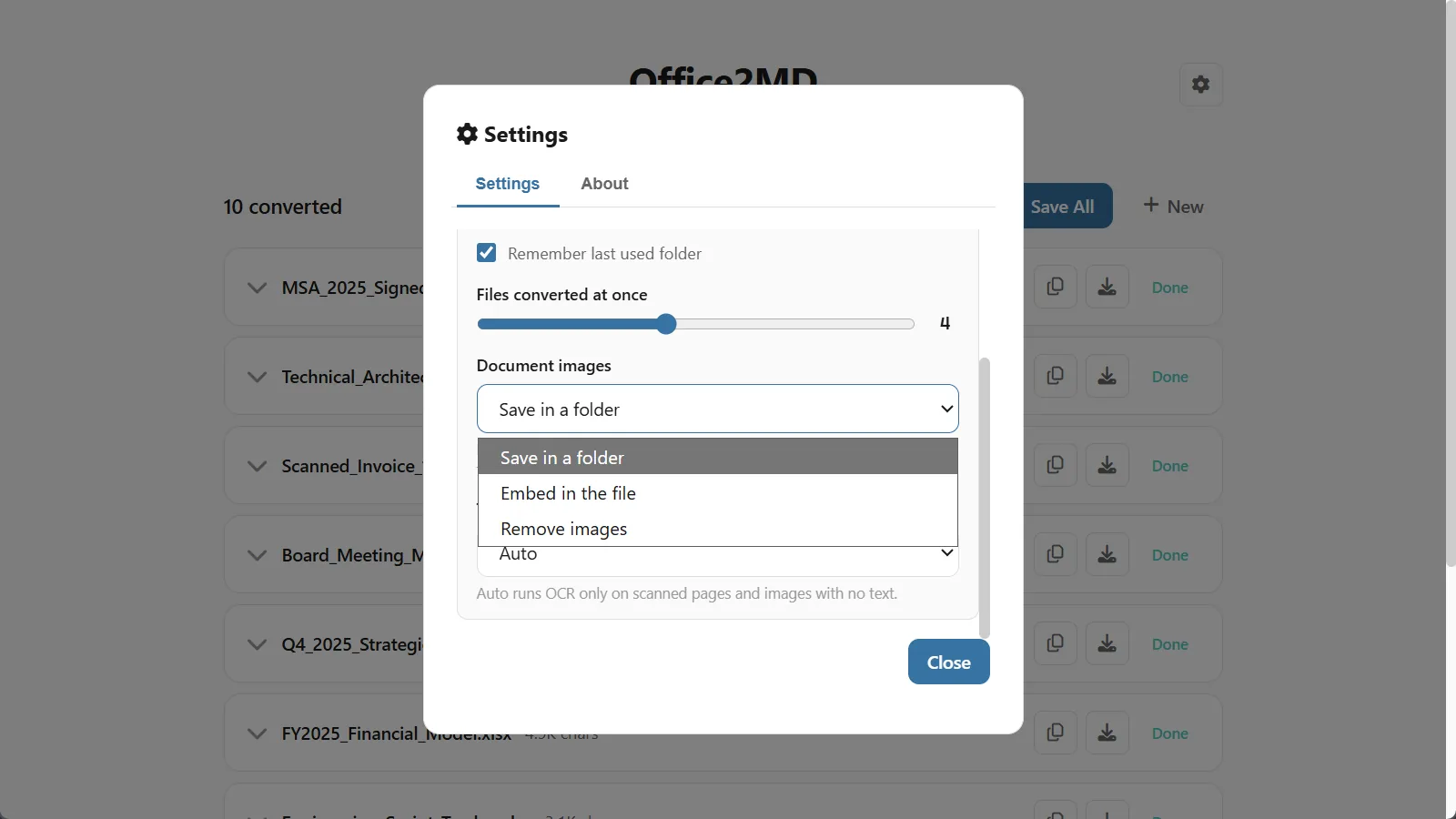
- Reads scans and photos too, with built-in OCR
- Your files never leave your PC
10 free conversions, everything unlocked. No credit card, no sign-up. Windows 10 & 11.
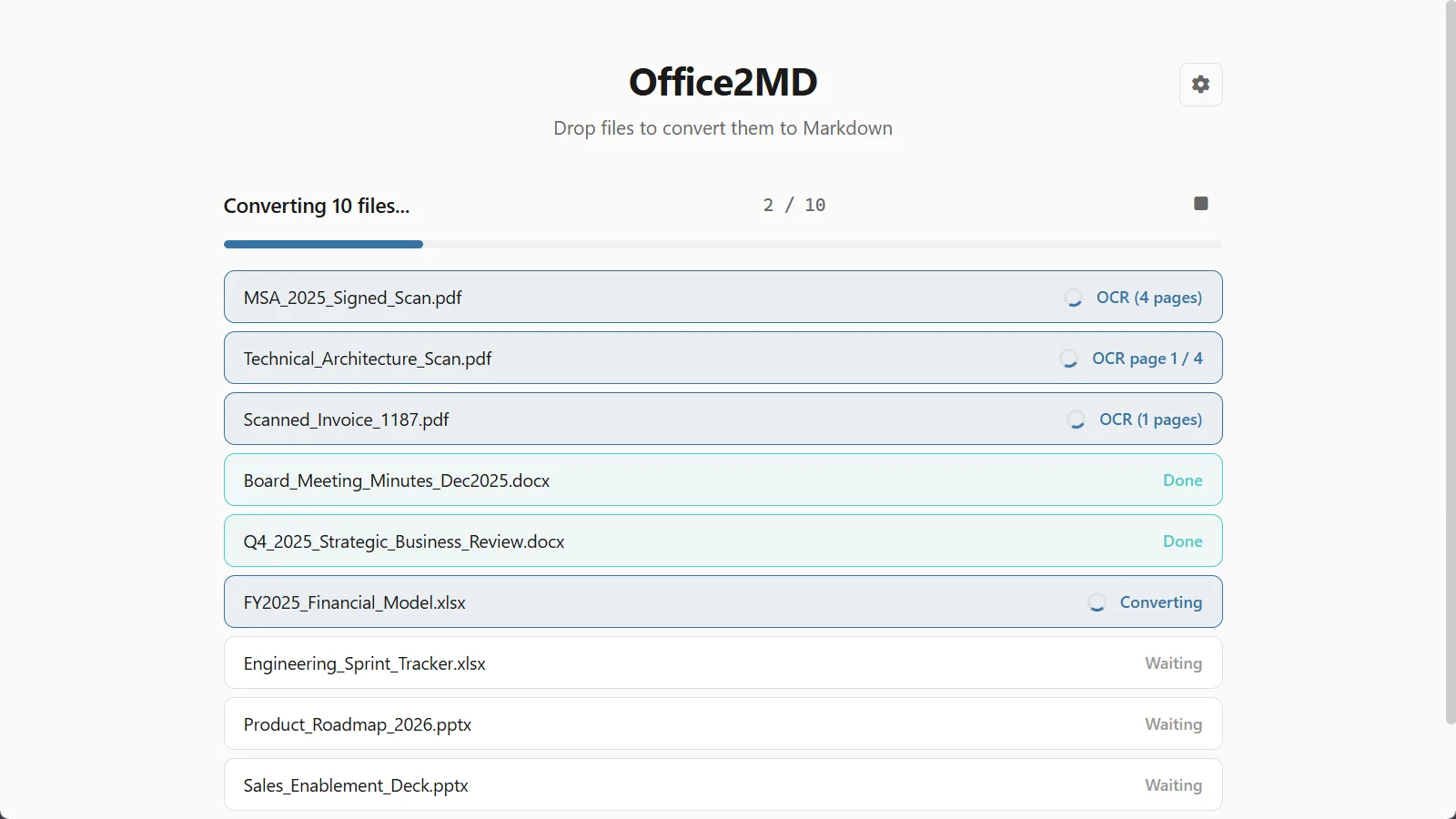
See Office2MD in action
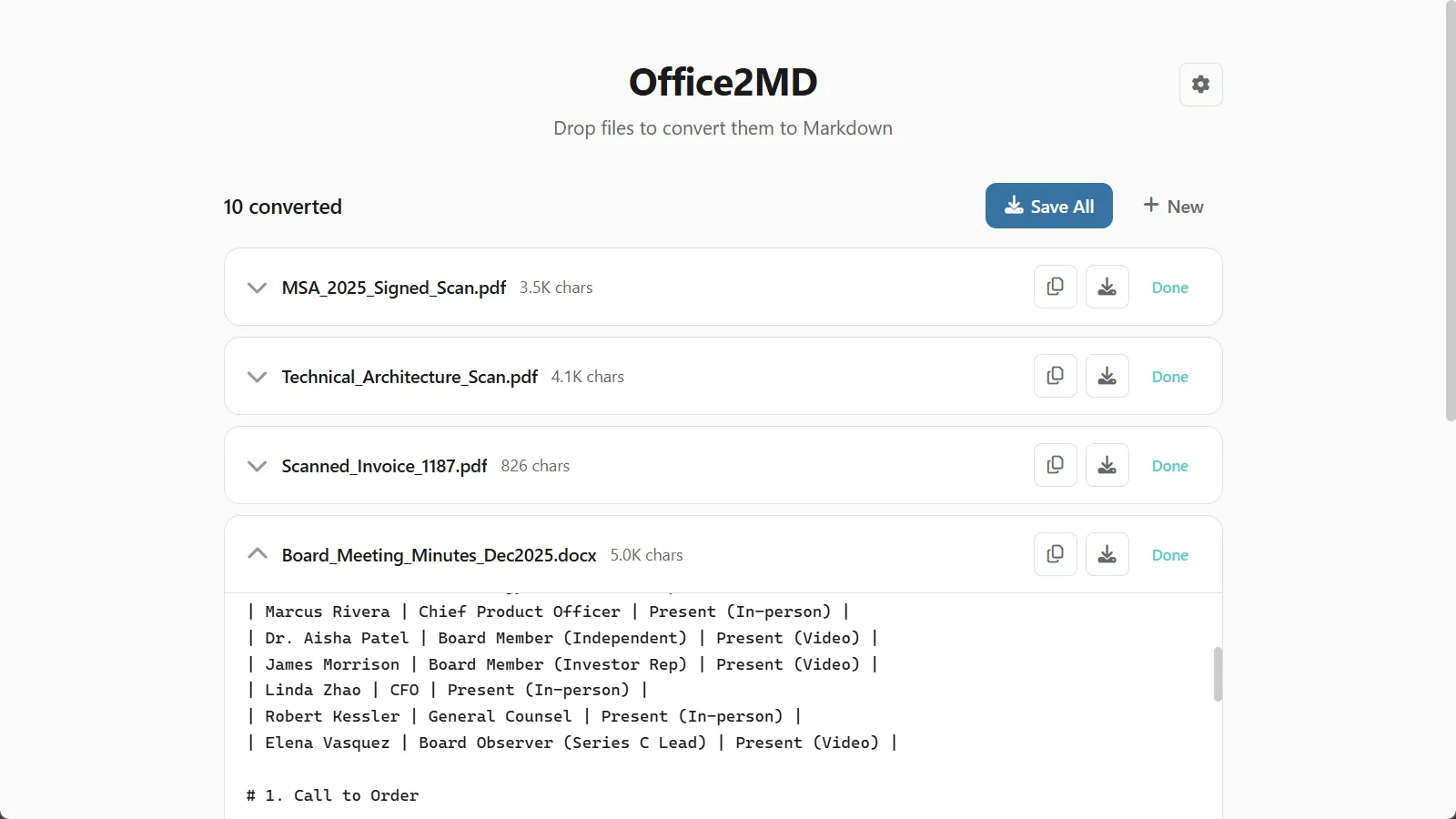
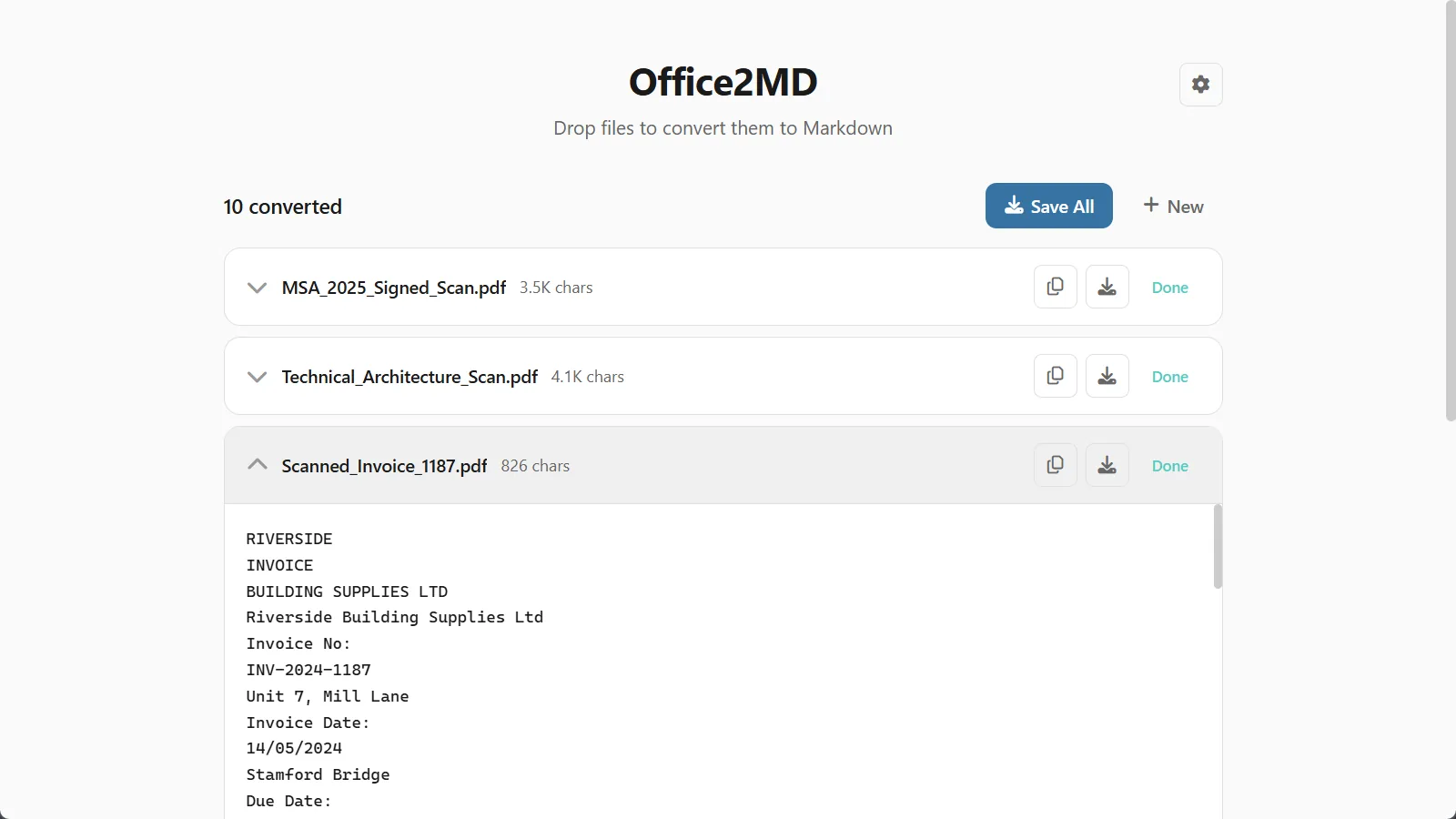
Drop in a folder of documents, watch them convert, and see the Markdown you get, scans included. 46 seconds.
Convert on your PC, not on someone's server
Online converters and AI chats want your files uploaded first. Office2MD does the work on your own computer, and it does all of it: scans, images and folders included.
- Your files go to a server you do not control
- One file at a time, often with a 5 to 10 MB cap
- Scans need a separate OCR tool
- Headings and tables get lost or skipped
- Free today, a subscription tomorrow
- Everything happens on your PC, even the OCR
- Drop a whole folder, files of any size
- Scans and photos become text, offline
- Headings, lists and tables survive
- Convert files on your own computer
What you need
What it converts
Over 30 formats, all to Markdown, all in one app. Drop a ZIP and everything inside gets converted too.
- DOCX
- DOC
- DOCM
- RTF
- TXT
- RST
- MD
- XLSX
- XLS
- XLSM
- CSV
Every sheet becomes a Markdown table.
- PPTX
- PPT
- PPTM
Slide by slide, speaker notes included.
- HTML
- HTM
- JSON
- XML
- MSG
- EML
- EPUB
- Scanned PDF
- PNG
- JPG
- GIF
- BMP
- TIFF
- WEBP
Read with built-in OCR, on your PC.
What you can do
Your files never leave your PC
Most converters are websites: you upload a confidential contract and hope. Office2MD is a program on your computer. There is no upload, because there is no server.
-
Nothing is uploadedEvery conversion, OCR included, runs on your computer. Not even I can see your files.
-
No account, no trackingInstall it and use it. The free conversions need no sign-up, and nothing of yours is sent anywhere.
-
Works with the cable pulledConvert offline if you like. It only goes online to activate a license key or check for an update.

What people convert for
Markdown is the format your second brain and your AI tools speak: plain text that Obsidian, Notion, wikis and LLMs all understand. Office2MD gets your existing documents into that shape, without retyping anything.
Honest feedback from real users
Responsive and open to feedback
“Impressed with both the products and the support. Very responsive to questions and open to improvement suggestions. I've purchased several tools and been happy with all of them.”
John
See reviewFantastic support
“Had a question and got a helpful reply within hours. Really solid support. Highly recommend.”
Gary S.
See reviewAn awesome program and creator
“Not only does the developer respond directly to your questions, he actually acts on them. I made a feature request and it was implemented the next day. That kind of dedication is rare.”
Rob
See reviewPay once, use it forever
Try it free on your own files. When you want more, one payment unlocks unlimited conversions. No subscription, ever.
- 10 conversions, everything unlocked
- All 30+ formats, any file size
- Offline OCR included
- No account, no sign-up
- Updates through the Store

- Unlimited conversions
- All 30+ formats, any file size
- Offline OCR included
- 1 user, up to 3 PCs
- All future updates, priority support
- Unlimited conversions
- All 30+ formats, any file size
- Offline OCR included
- Up to 15 devices
- All future updates, priority support
14-day refund, no questions asked. If it is not for you, email me and you get your money back.
Frequently asked questions

Still have a question?
I’m Sven, the developer, and I usually reply within a day.
Convert your first file in a minute
Nothing to configure. Drop a file, get Markdown. 10 conversions on the house.
Try Office2MD for freeOffice2MD is an independent product by Bosau Digital LLC. It is not affiliated with or endorsed by Microsoft. Microsoft, Windows, Word, Excel and PowerPoint are trademarks of the Microsoft group of companies.
Office2MD is a Windows app
The Microsoft Store opens next, but the app installs on a Windows 10 or 11 PC, not on a phone. Have a read here, then grab it on your PC. Need one file converted right now? The free online converter works on your phone.