
Excel add-in for Windows, Mac and the web
Turn an Excel table into a live, searchable web page in one click
Select a table in Excel and publish it in one click. You get a fast page with search, filters and sorting, a link to share and an embed code for your own site. When the workbook changes, the page follows.
Free plan · no credit card · readers need no account
Your Excel table turns into this
Loading the live table.
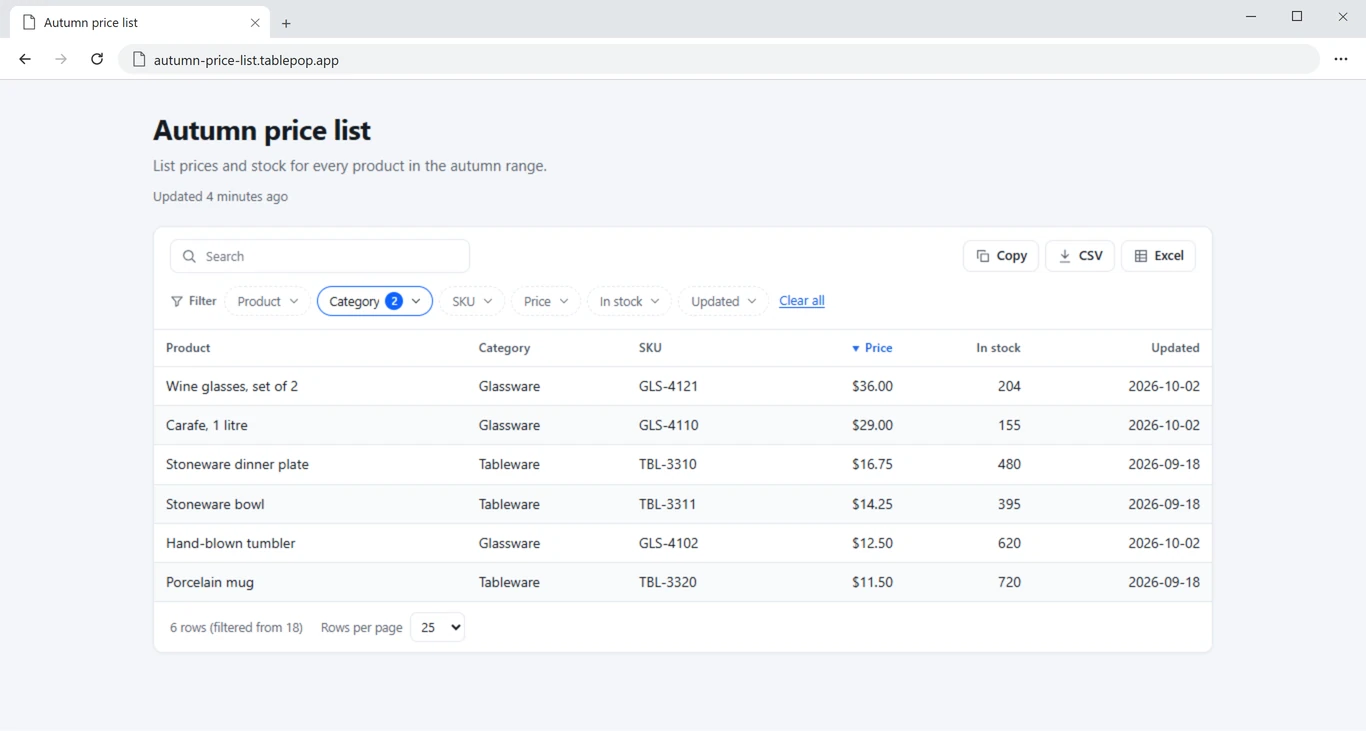
A live TablePop table, not a screenshot. Search it, filter it, sort a column.
Add it to Excel in a few clicks
TablePop is listed on Microsoft Marketplace, so you add it from the Office Add-ins store right inside Excel. No installer file to download.
From workbook to web page in three steps
No code. No hosting. It all happens in a pane next to your data.
Select your table
Click inside an Excel table or select a range. Give the page a title, pick a theme and choose who can see it.
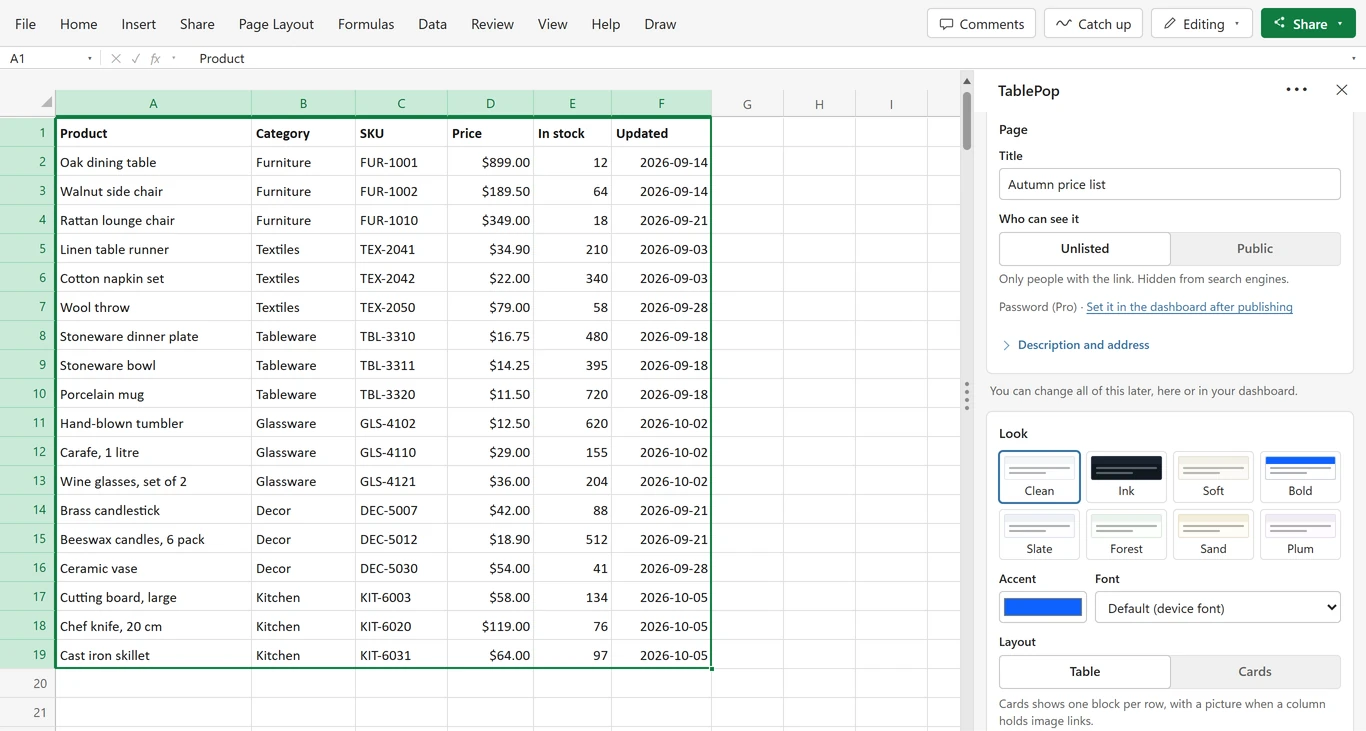
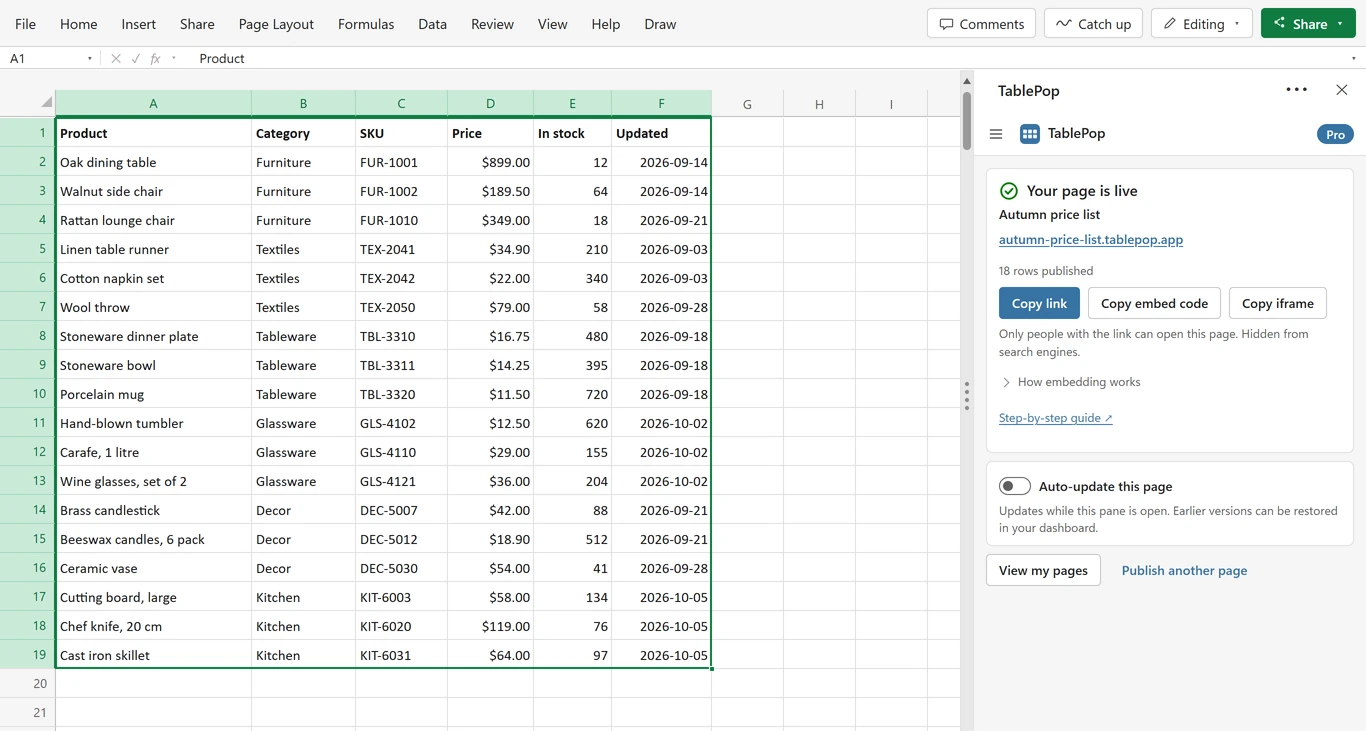
Publish and share
Press Publish page and the table is live at its own address. Copy the link, or paste the embed code into your website.
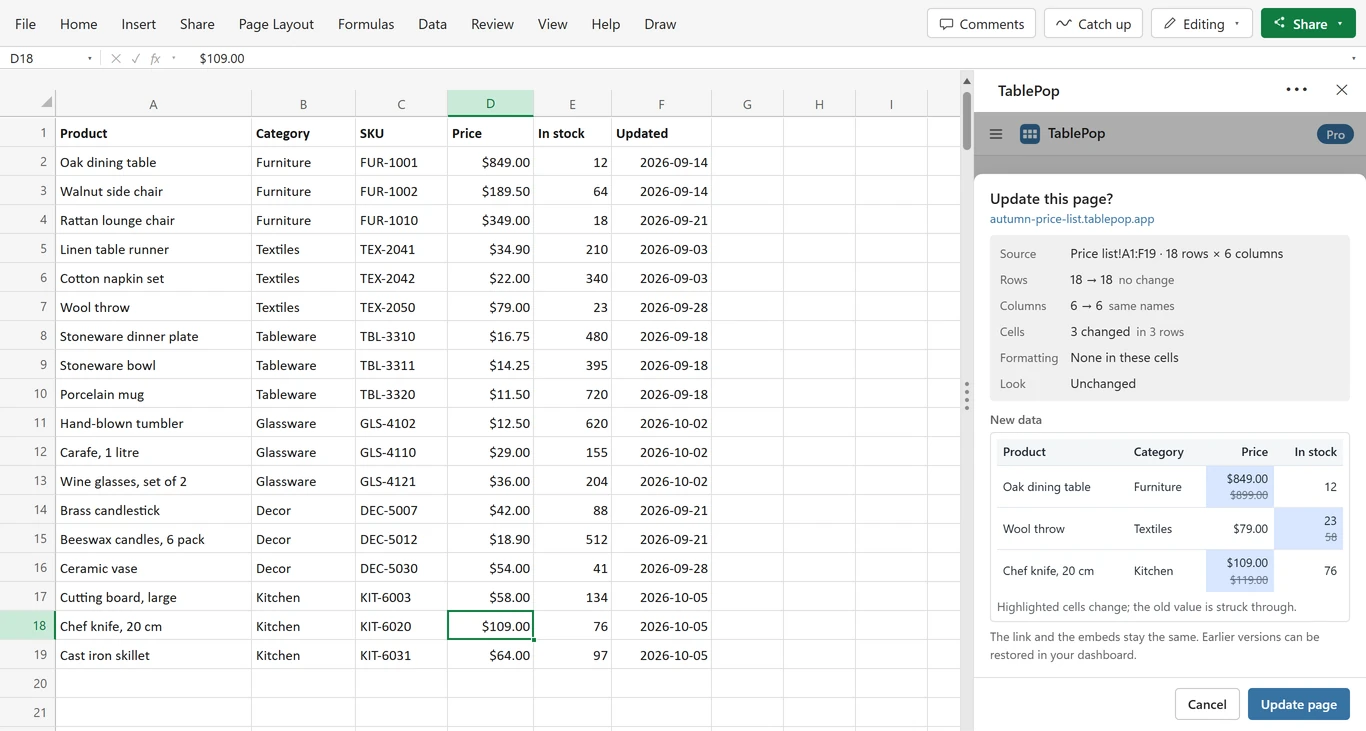
Update from Excel
Change the sheet and press Update. You see which cells changed, and the link and every embed show the new data.
Works where your website lives
Paste the embed code into the site builder you already use. No plugin needed.
- WordPress
- Wix
- Squarespace
- Webflow
- Shopify
- Google Sites
- Notion
- Any site that accepts HTML
No website? Share the link instead: your-table.tablepop.app
Notion takes the embed link rather than code. Email newsletters cannot show embeds, so send the link there.
Made for the tables people look up
Any table people need to look up but should not have to open in Excel. Every picture below is a real TablePop page.
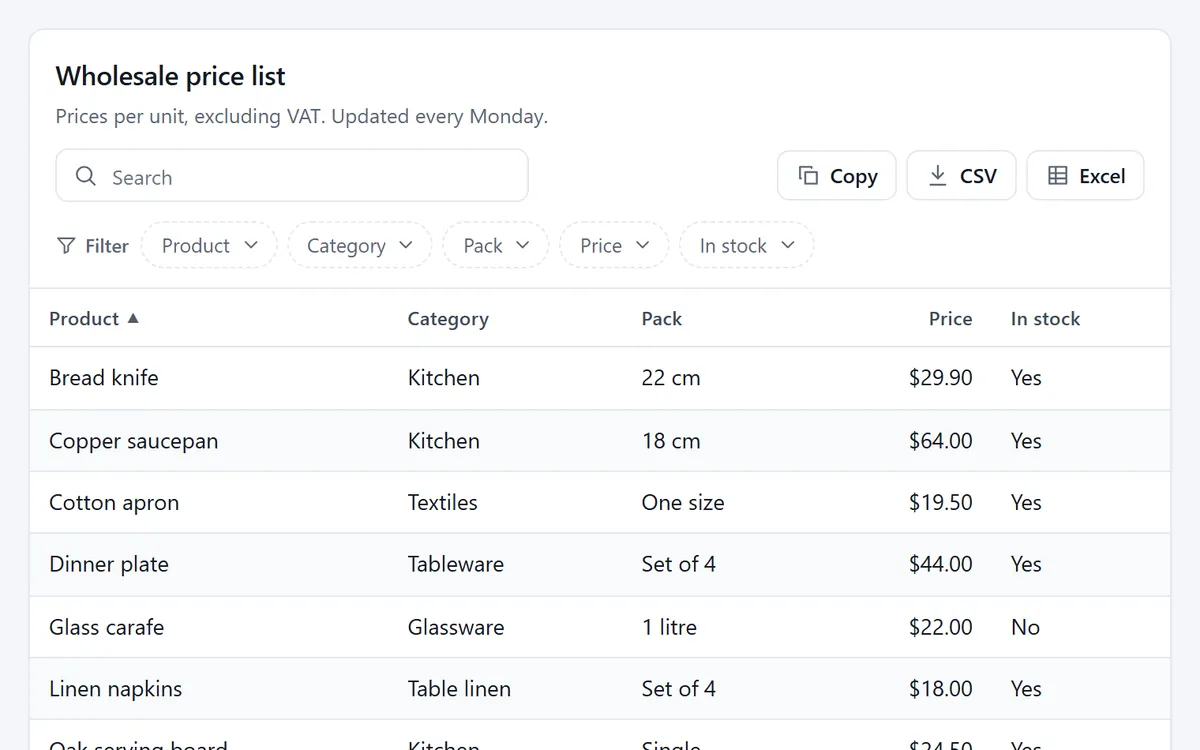
Price list for customers
Send one link to current prices and update it from the same workbook when they change.
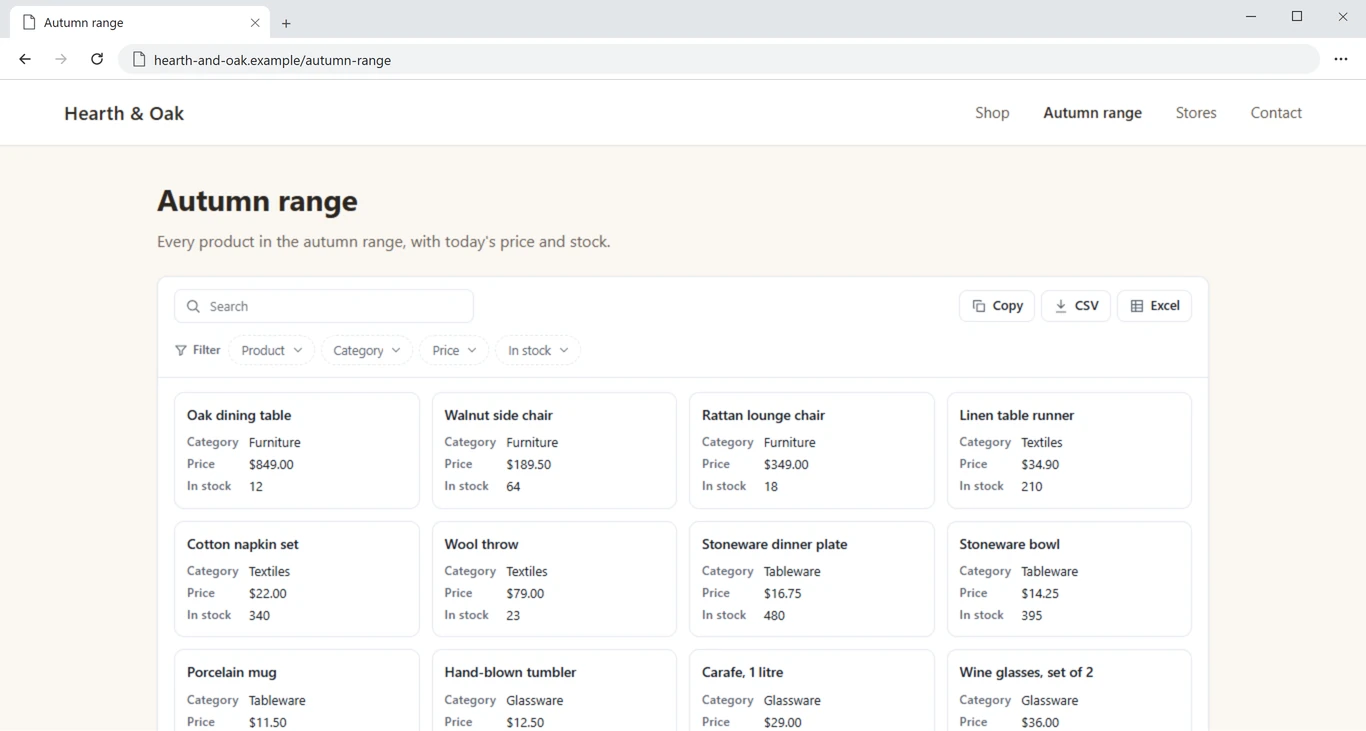
Product catalogue on your shop site
Show the same rows as cards and embed them in your own website.
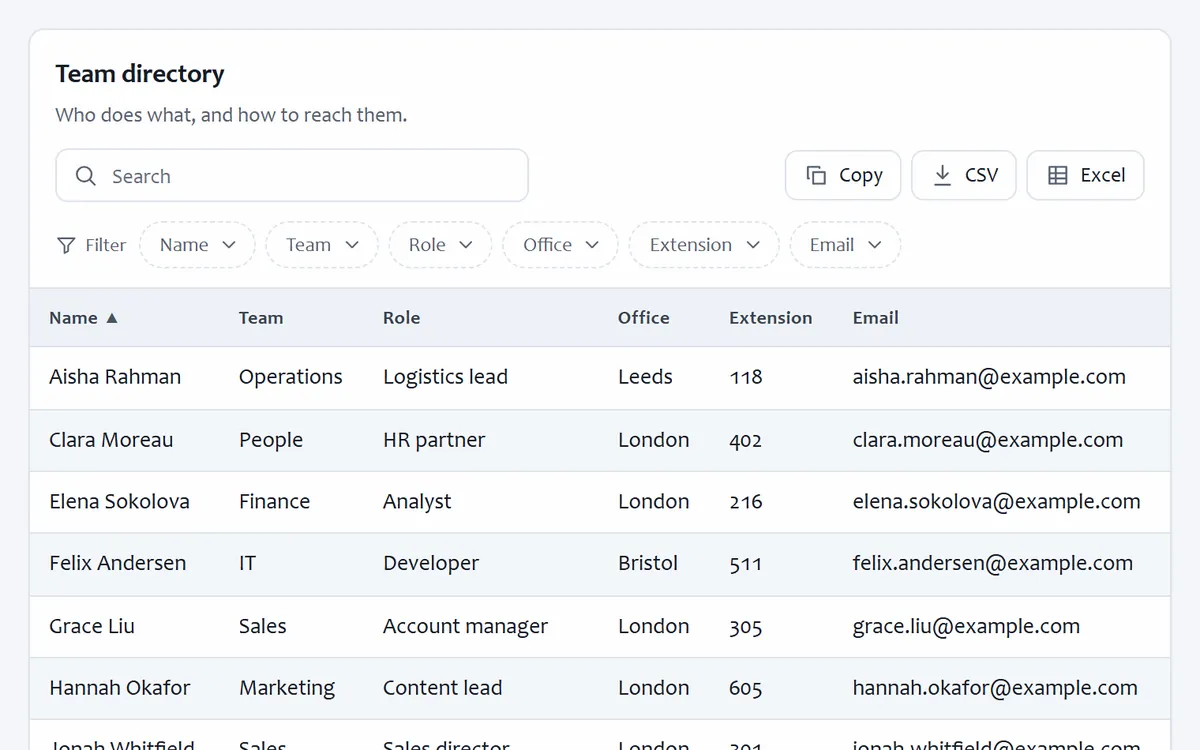
Staff or member directory
Names, teams and contact details people can search, on an unlisted page only they have the link to.
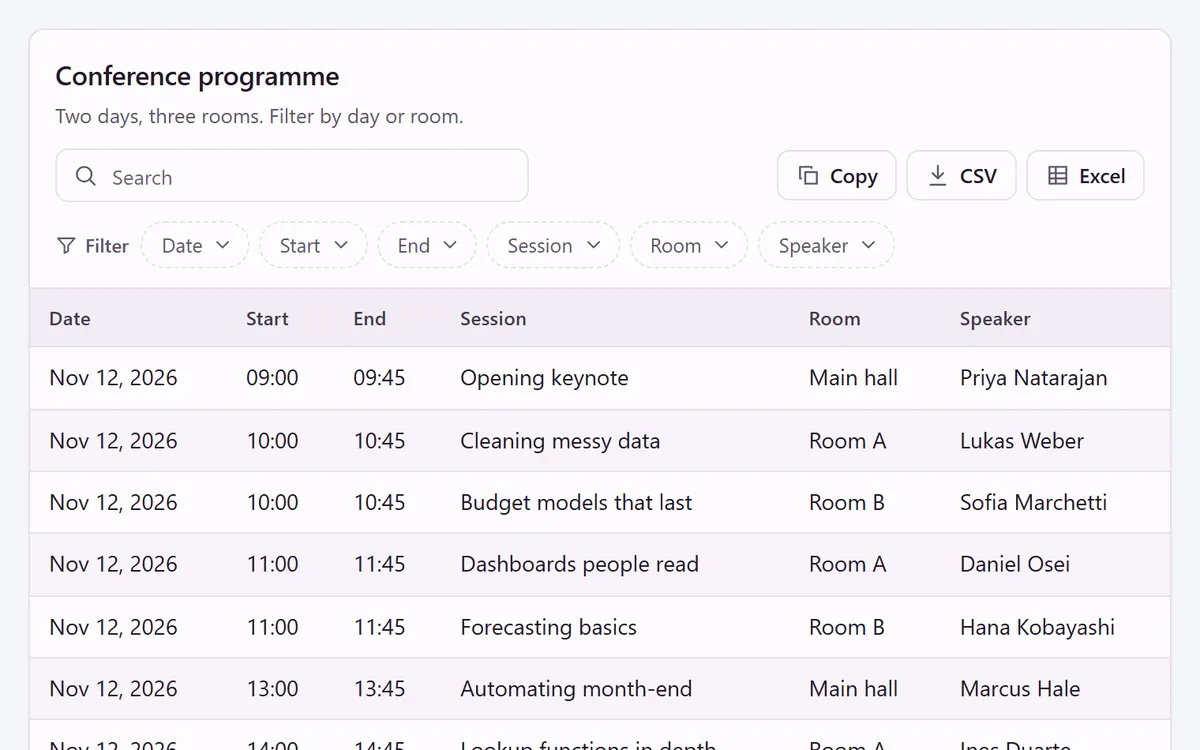
Event schedule
Sessions, times and rooms that attendees can search and filter on their phones.
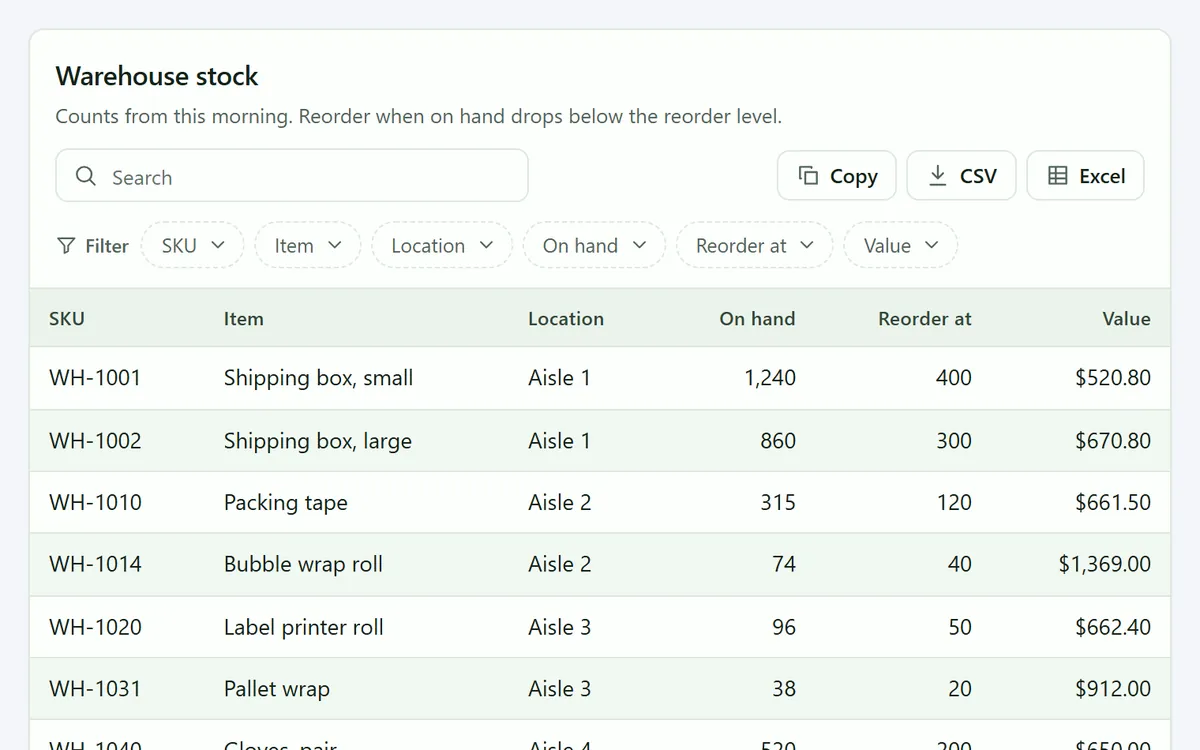
Stock list for your team
Current stock with totals, without opening the workbook. On Starter and Pro it updates while the TablePop pane is open.
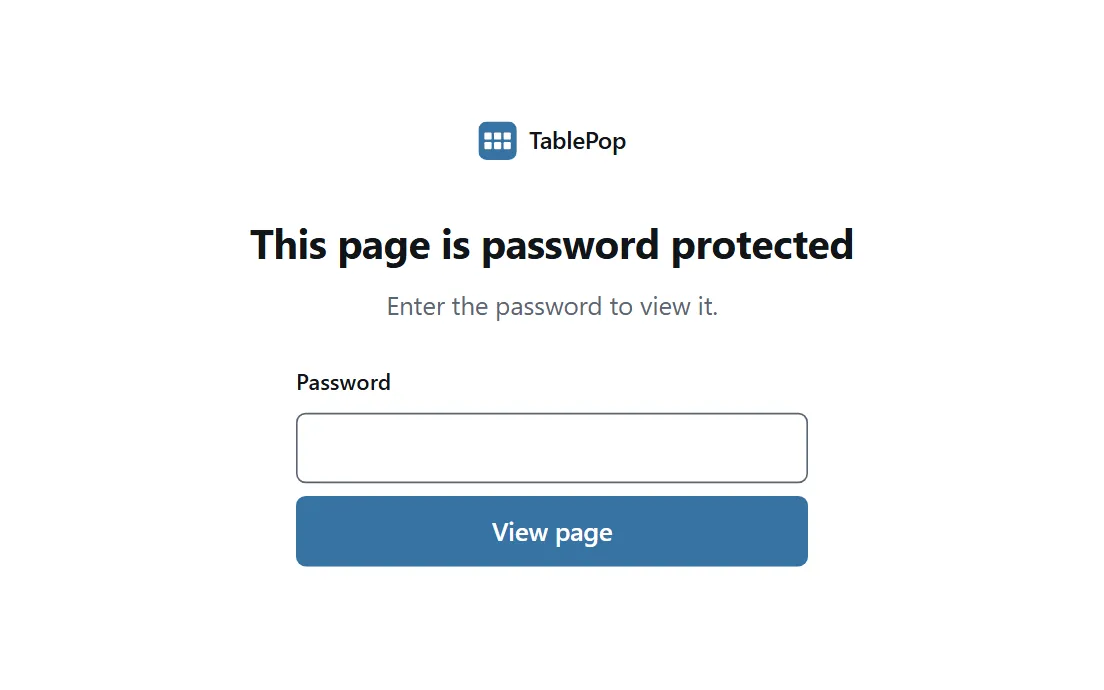
Client report behind a password
On Pro, readers see this lock screen until they enter the password you gave them.
Everything a shared table needs
Your readers get a fast, readable table on any device. You keep working in Excel.
Search, sort and filter
A proper data grid for your readers: instant search, multi-column sort, a filter for every column, pagination and a totals row.
Excel and CSV export
Readers download exactly what they filtered as an Excel file or a CSV, or copy it to the clipboard.
Embeds that fit any site
Script and iframe embeds that grow with the table. Use a card or a plain frame, light or dark, to match the page around it.
Themes, fonts and your logo
Eight themes, six font stacks and your own accent colour, plus a logo above the table and a footer line with a link.
Your own address
On Starter and Pro, choose the address of each page. On Pro, serve it from a domain you own, like table.yoursite.com. The certificate is handled for you.
Views and version history
See how often each page and each embed is opened, counted without cookies. Your dashboard keeps the last 10 versions of every page.
Still emailing spreadsheets? 😬
| Sending the spreadsheet | TablePop | |
|---|---|---|
| What they get | A copy of the workbook | A web page at its own address |
| Sorting and filtering | Only if they know Excel | Built in, one click |
| Searching | Ctrl+F in a file | A search box on the page |
| When the data changes | You send a new file | One click in Excel, same link |
| Downloads | The whole file | Excel or CSV of what they filtered |
| On a phone | Hard to read | Fits the screen |
| Your workbook | Every copy can be edited | Readers see only the table you publish |
| What they need | Excel or a viewer | A web browser, no account |

Why I built TablePop
Sharing Excel data always felt clumsy. Send the file and people scroll forever and break the filters. Export it as HTML and you upload it again every time a number changes.
So I built TablePop. Select a table in Excel, press Publish, and it becomes a page anyone can search and filter, on your own website or at its own address. When the data changes, one click and the page is up to date.
Sven Bosau, the developer
Don’t take my word for it
A top of the bill Excel add-in
“What an amazing tool to export and present your file without having to share the raw data. It is very customizable and can be presented in many ways. It is very useful for distribution to the people before a meeting about some forecasts and decisions.”
A real time-saver for reporting
“I’ve been using [TablePop] in Excel, and it’s been a real time-saver. It makes importing and organizing data effortless, and the tables are clean, easy to read, and ready to share.”
Best add-in in years
“After installing the Addin [TablePop] I immediately started exploring it. And I must say it was quite easy and intuitive… I can only highly recommend this Addin; give it a try and you’ll know why.”
Start free. Upgrade when you need more.
Every theme, layout and export is on every plan. You pay for more pages, more rows and a few extras.
Free
Try TablePop and share one table.
No credit card needed
Start freeWhat you get:
- 1 live page
- 500 rows per table
- All themes, layouts and exports
- Share a link or embed anywhere
- A small “Made with TablePop” badge
Starter
A handful of tables you share with customers or your team.
Billed monthly, or $60 a year
Get StarterEverything in Free, plus:
- 5 live pages
- 2,000 rows per table
- No TablePop badge
- Choose your own page address
- Auto-update from Excel
Pro
Tables you publish for clients, customers or your team.
Billed monthly, or $150 a year
Get ProEverything in Starter, plus:
- 25 live pages
- 10,000 rows per table
- Password-protected pages
- 3 custom domains
- 14-day money-back guarantee
- Cancel any time, your pages keep working
- Pay by card or PayPal
- Secure checkout in US dollars
Compare every feature
| Feature | Free | Starter | Pro |
|---|---|---|---|
| Limits | |||
| Live pagesPages that are online right now. Pause one to free a slot for another. | 1 | 5 | 25 |
| Pages you can keepLive pages plus paused ones. A paused page is offline but saved, so you can switch it back on any time. | 5 | 25 | 100 |
| Rows per tableThe header row does not count. A bigger table publishes its first rows up to your limit. | 500 | 2,000 | 10,000 |
| Size per page | 2 MB | 5 MB | 10 MB |
| Views per monthViews are never blocked. Free includes 10,000 a month; above that we let you know once a month. | 10,000* | Unlimited* | Unlimited* |
| Features | |||
| All themes, layouts and exports | Yes | Yes | Yes |
| Share a link and embed anywhere | Yes | Yes | Yes |
| Update from Excel in one click | Yes | Yes | Yes |
| “Made with TablePop” badgeA small link under pages on the Free plan. Paid plans show none. | Shown | None | None |
| Choose your page addressPick the address, like price-list.tablepop.app, instead of a generated one. | No | Yes | Yes |
| Auto-update from ExcelWhile the TablePop pane is open in Excel, changes go live by themselves. No Update click needed. | No | Yes | Yes |
| Download a page as HTMLSave a published page as an HTML file to keep or host yourself. | No | Yes | Yes |
| Password-protected pagesReaders enter a password before they see the table. | No | No | Yes |
| Custom domainsServe a page from your own subdomain, like table.yoursite.com. One DNS record, and the certificate is handled for you. | No | No | 3 |
* Views are never blocked. Fair use is set out in the Terms.
Questions, answered

Still have a question?
I’m Sven, the developer, and I usually reply within a day.
Publish your first table in two minutes
Install the add-in, select a table and press Publish. The free plan needs no credit card.
Get it freeTablePop is an independent product by Bosau Digital LLC. It is not affiliated with, endorsed by or sponsored by Microsoft. Microsoft, Excel and Microsoft 365 are trademarks of the Microsoft group of companies.