
Combine All Excel Files in a Folder into One Workbook

This Python script copies every worksheet from every Excel file in a folder into one new workbook, so each source sheet stays a separate sheet. It uses xlwings to drive Excel, saves the result with a timestamp in the file name and closes Excel cleanly afterwards. You need Excel installed.
What the script does
The script takes a folder of .xlsx files, some with one worksheet and some with several, and copies every worksheet into one new workbook. The data is not merged into one table: each sheet arrives as its own tab, with its formatting.
If you want the data stacked into one table instead, see how to merge Excel files with different headers.
Install xlwings
The script needs two libraries. pathlib finds the files and comes with Python. xlwings opens the workbooks in Excel and copies the sheets, so it has to be installed, and Excel has to be on the machine.
pip install xlwingsfrom pathlib import Path # Standard Python Module
import xlwings as xw # pip install xlwingsPoint it at your folder
SOURCE_DIR is the folder that holds the Excel files. Mine is called Files and sits next to the script. It is the only line you need to change.
SOURCE_DIR = 'Files'Collect the files and create the workbook
glob('*.xlsx') lists every .xlsx file in the folder, and xw.Book() opens a new, empty workbook that receives the sheets.
excel_files = list(Path(SOURCE_DIR).glob('*.xlsx'))
combined_wb = xw.Book()The pattern only matches .xlsx files directly in that folder. For .xlsm or .xls files add another pattern, and if your files sit in subfolders too, see how to loop through folders and subfolders in Python.
Copy every worksheet
The outer loop opens each file, the inner loop copies each of its worksheets into the new workbook right after the first sheet, and then the source file is closed again without changes.
for excel_file in excel_files:
wb = xw.Book(excel_file)
for sheet in wb.sheets:
sheet.api.Copy(After=combined_wb.sheets[0].api)
wb.close()Because every copy lands right after the first sheet, the tabs end up in reverse order. Use After=combined_wb.sheets[-1].api if you want them in the original order. When two files have a sheet with the same name, Excel adds a number to the second one, for example Sheet1 (2).
Delete the empty sheet and save
The new workbook started with one empty sheet. The script deletes it and saves the result as all_worksheets.xlsx in the folder you run the script from.
combined_wb.sheets[0].delete()
combined_wb.save('all_worksheets.xlsx')Close Excel properly
If Excel was not running when the script started, xlwings started it, and closing the workbook leaves that Excel instance running in the background. So the script checks how many workbooks are open: if the combined workbook is the only one, it quits Excel; otherwise it only closes the workbook.
if len(combined_wb.app.books) == 1:
combined_wb.app.quit()
else:
combined_wb.close()Add a timestamp to the file name
With a fixed file name, every run overwrites the last result. Adding the date and time to the name keeps each run as its own file, for example all_worksheets_2021-06-06_1706.xlsx. This save replaces the one from the previous step.
import time # Standard Python Module
t = time.localtime()
timestamp = time.strftime('%Y-%m-%d_%H%M', t)
combined_wb.save(f'all_worksheets_{timestamp}.xlsx')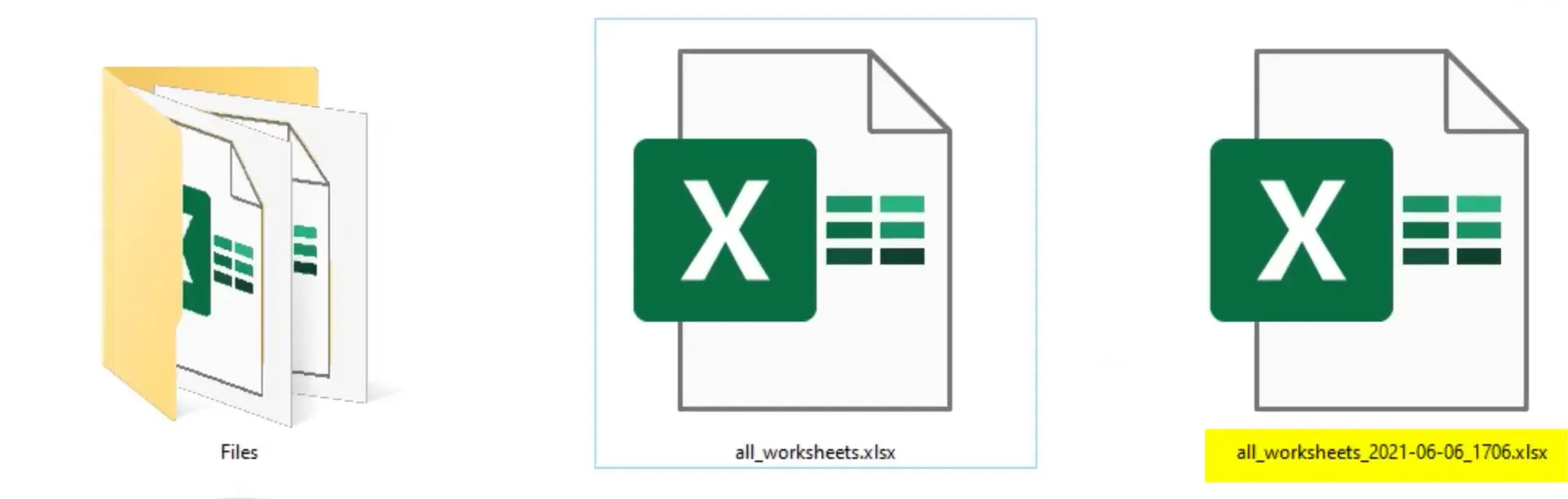
The complete script
Here are the steps in one file, with the timestamped save and the clean exit at the end.
import time # Standard Python Module
from pathlib import Path  # Standard Python Module
import xlwings as xw  # pip install xlwings
SOURCE_DIR = 'Files'
excel_files = list(Path(SOURCE_DIR).glob('*.xlsx'))
combined_wb = xw.Book()
for excel_file in excel_files:
    wb = xw.Book(excel_file)
    for sheet in wb.sheets:
        sheet.api.Copy(After=combined_wb.sheets[0].api)
    wb.close()
combined_wb.sheets[0].delete()
t = time.localtime()
timestamp = time.strftime('%Y-%m-%d_%H%M', t)
combined_wb.save(f'all_worksheets_{timestamp}.xlsx')
if len(combined_wb.app.books) == 1:
    combined_wb.app.quit()
else:
combined_wb.close()sheet.api.Copy calls Excel’s Windows API directly. On a Mac, use xlwings’ own sheet.copy(after=...) instead. If you would rather run this inside Excel without installing Python, consolidating files is one of the projects in my Excel Automation Course, built with xlwings Lite.