
Need help or have a question? Email contact@pythonandvba.com, name CardPop in your message, and I will get back to you, usually within a day.
Three things that speed every answer up:
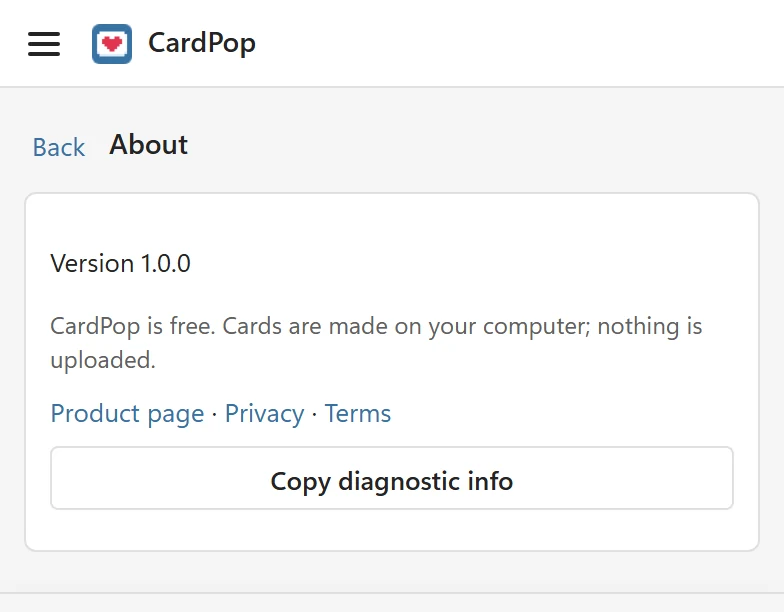
- In the pane, open the menu at the top left, choose About and click Copy diagnostic info. The pane says Diagnostic info copied. Paste it into your support request. Paste it into your email. It holds the add-in version, your Excel version and platform, and the add-in’s recent warning and error messages, which can name a sheet. It never holds the words of your cards or the contents of your workbook. If copying does not work, select the text shown below the button and copy it by hand.
- Say which Excel you were using (Windows, Mac or the web), what you did, what you expected, and what happened instead. The exact message from the pane helps most.
- If a saved file or a card link is the problem, say which format (PNG, GIF or video) and which browser opened the card.
Ideas and feature requests #
Missing an occasion, an icon or an effect? Tell me through the same address; it helps to describe the card you wanted to make.
Before you write #
Most messages are explained in An error message appears. The getting started guide covers the first steps.
Privacy and terms #
Read the privacy policy and the terms of use.