
Refresh your worksheet pictures #
- Change your source data in Excel.
- Open the CutePlots menu, then My inserted charts.
- Choose Update all charts, or Update charts on this sheet.
Each picture keeps its style, size, and position. Keep CutePlots open until the update finishes. If a chart cannot update, it is listed while the others continue.
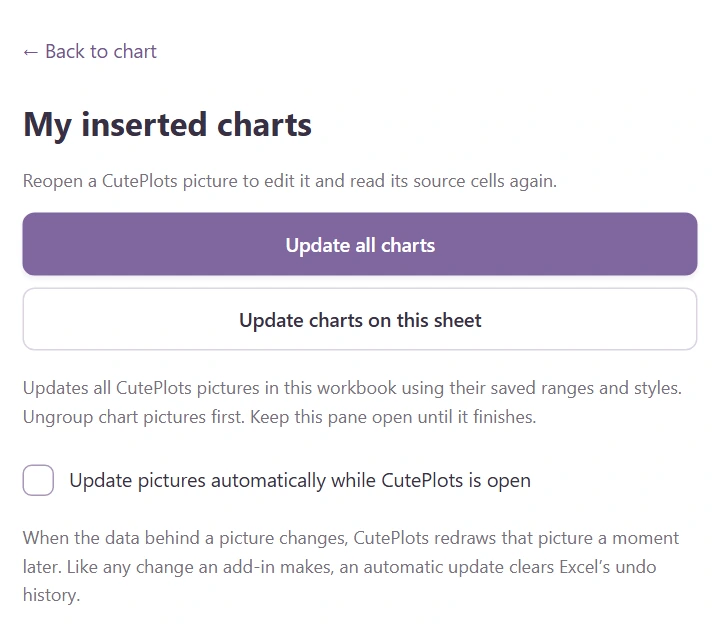
Update pictures automatically #
In My inserted charts, turn on Update pictures automatically. While CutePlots is open, a picture is redrawn a moment after the data behind it changes. Pictures whose data did not change are left alone, and the hand-drawn strokes stay the same. CutePlots remembers the setting.
Like any change an add-in makes, an automatic update clears Excel’s undo history. If you rely on Undo while editing numbers, leave the switch off and choose Update all charts when you are done.
Edit just one chart #
Reopen it from My inserted charts, make your changes, then choose Update this picture under Export.
If the source is missing #
Reopen the chart, select replacement cells in Excel, and press Reconnect data to selected cells. Then update the picture. Ungroup pictures and unprotect the destination sheet before updating.
The live preview updates inside the pane. Downloaded files and shared links remain snapshots; export or share again for the latest numbers.