
Turn Excel Into Clean JSON. Nested. Typed. Offline.
Sheet2JSON converts Excel and CSV files to developer-ready JSON on your own PC. Headers like customer.name become nested objects, not another flat dump. Nothing is uploaded.
- Nested objects and arrays, straight from your headers
- JSON-LD, NDJSON, JSON, CSV and more: 8 output formats
- Your files never leave your PC
10 free conversions, everything unlocked. No credit card, no sign-up. Windows 10 & 11.
![Sheet2JSON on Windows: an orders sheet with customer.name and items[0] headers on the left, the live nested JSON preview on the right](https://pythonandvba.com/images/pages/excel2json/hero-main-v2.webp)
See Sheet2JSON in action
Open a workbook or paste cells, select a range and watch clean JSON build live: nested objects from dot headers, column types, NDJSON, JSON-LD and CSV. 48 seconds.
Your headers describe the structure. Sheet2JSON builds it.
Every free converter dumps flat rows and leaves the real work to you. Put dots and brackets in your headers, and Sheet2JSON emits the JSON your code actually wants.
| id | customer.name | customer.city | tags[0] | tags[1] | active |
|---|---|---|---|---|---|
| A-101 | Alpenglow GmbH | Köln | retail | eu | TRUE |
| A-102 | Cobalt Retail | Wien | b2b | FALSE |
[
  {
    "id": "A-101",
    "customer": {
      "name": "Alpenglow GmbH",
      "city": "Köln"
    },
    "tags": ["retail", "eu"],
    "active": true
  },
  …
]
Output format
Options
Click any cell to change it. The output updates as you type.
Convert on your PC, not on someone's server
Web converters want your workbook uploaded first, and then hand back flat rows with the types guessed wrong. Sheet2JSON does the whole job on your own computer.
- Your workbook goes to a server you do not control
- Flat rows only: nesting is your problem
- Types guessed wrong: ID 007 becomes the number 7
- One small file at a time, one selected sheet
- Copy, paste, repeat, for every single export
- Everything happens on your PC, offline
- Nested objects and arrays from dot and bracket headers
- Per-column types: 007 stays "007", TRUE becomes true
- Combine worksheets in one file, or export a selected range
- JSON-LD with your context, NDJSON for pipelines
What you need
In and out
Every common spreadsheet format in, developer-ready data out. Or skip files entirely and paste copied cells from any spreadsheet app, Google Sheets included.
- XLSX
- XLSM
- XLSB
- XLS
- ODS
- CSV
- TSV
- TXT
- Pasted cells
Multi-sheet workbooks, semicolon CSVs, UTF-16, cached formula results: all handled.
- JSON objects
- Nested JSON
- JSON-LD
- NDJSON
- Arrays
- Headers+rows
- Cell map
- CSV
- TSV
Pretty or compact, copied to the clipboard or saved as a file.
- customer.name
- tags[0]
- camelCase
- snake_case
- Text
- Number
- Boolean
- Date
Nesting from headers, key transforms, and per-column type control.
What you can do
![The Orders sheet with customer.name, customer.city, customer.country, items[0] and items[1] headers marked, and the preview next to it showing customer as an object with name, city and country inside it, and items as an array.](https://pythonandvba.com/images/pages/excel2json/feat-nested.webp)
Nested JSON from your headers
Turn on Nested objects and headers like customer.name and tags[0] become real structure: objects inside objects, arrays with the blanks trimmed. The sample workbook shows it in one click.
![C1 to F7 drag-selected in the Sheet2JSON grid, and the preview holding only those four columns: customer.name, customer.city, customer.country and items[0].](https://pythonandvba.com/images/pages/excel2json/feat-select.webp)
Select exactly what you need
Your data appears in an Excel-style grid. Export a selected range, or choose Combine worksheets into one file and check the tabs you need. Combined exports include the full used range of each checked sheet.
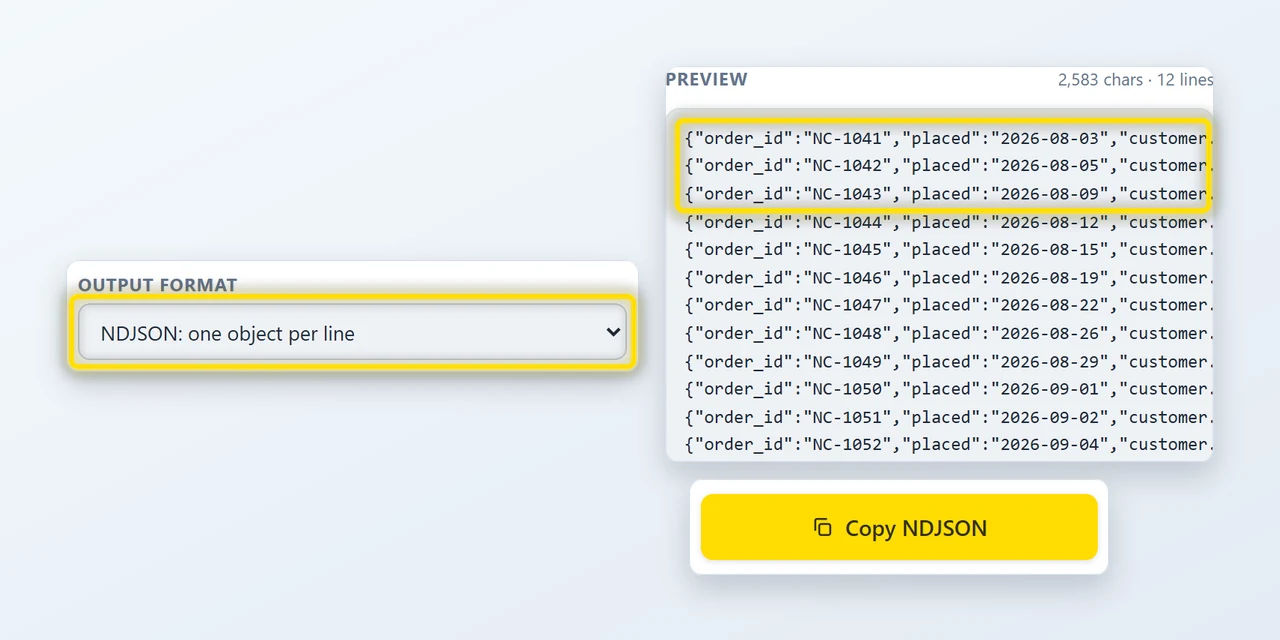
NDJSON for data pipelines
One compact object per line: the format bulk-import endpoints, log tools and streaming pipelines expect. Nested mode works here too.
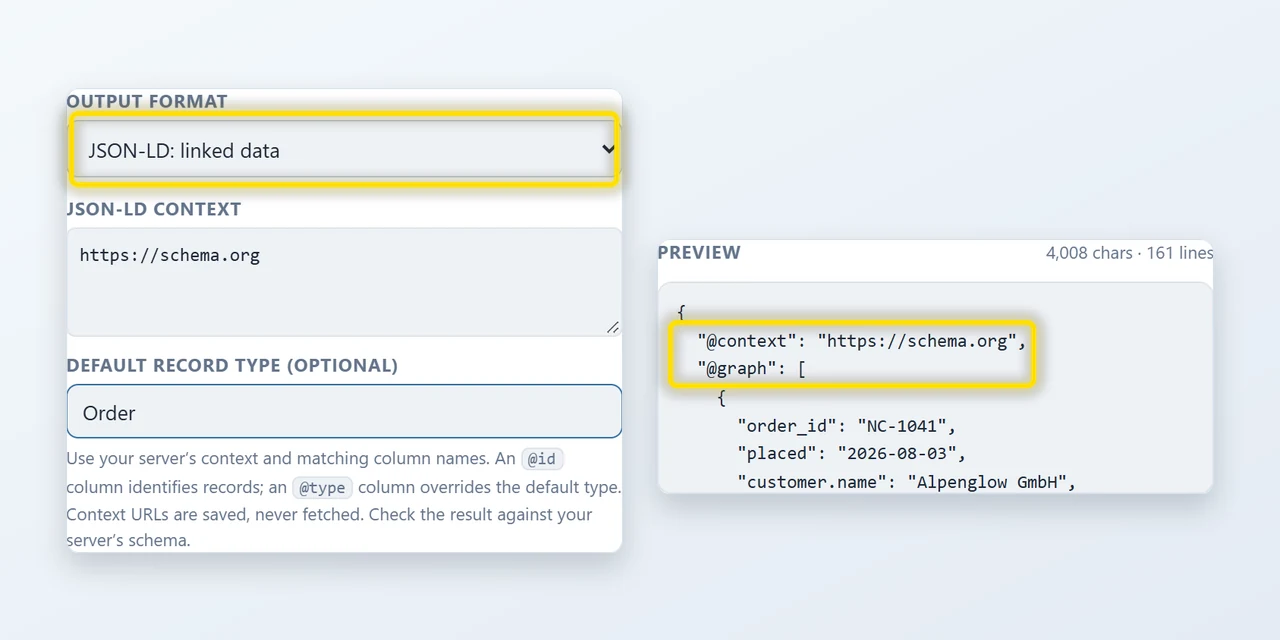
JSON-LD for linked data
Point it at your own context and name a default record type, and every row comes out as a node in an @graph. An @id column identifies a record, an @type column overrides the default. Context URLs are saved, never fetched.
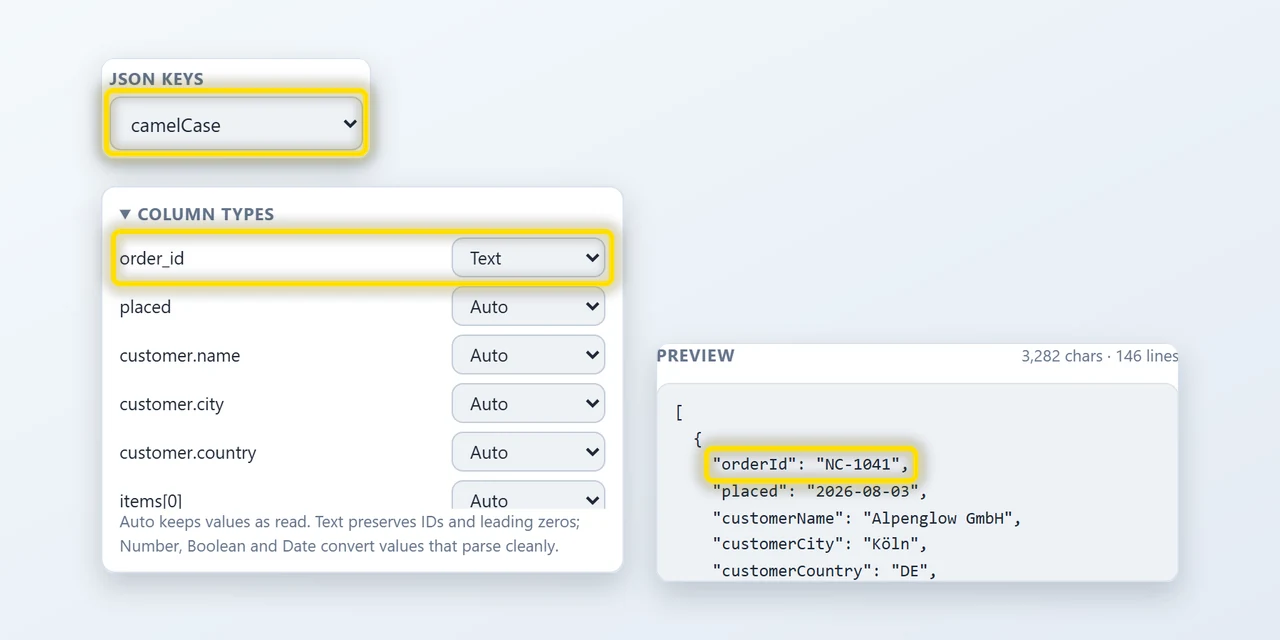
Types and keys, your way
Force a column to Text so IDs keep their leading zeros, or to Number, Boolean or ISO Date. Rewrite keys to camelCase or snake_case so the output drops straight into your codebase.
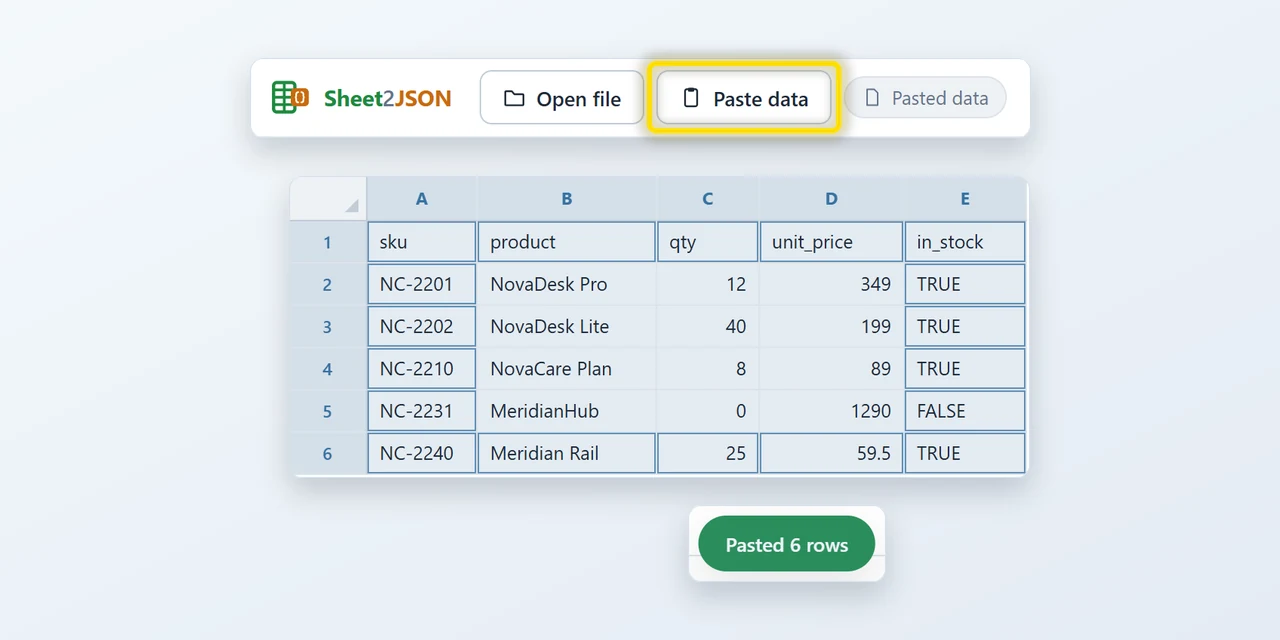
Paste cells straight from a spreadsheet
No file needed. Copy a range in Excel, Google Sheets or anywhere else, press Ctrl+V, and you get the same grid, the same options and the same JSON.
Your files never leave your PC
Most converters are websites: you upload the payroll workbook and hope. Sheet2JSON is a program on your computer. There is no upload, because there is no server.
-
Nothing is uploadedEvery conversion runs on your computer. Not even I can see your files.
-
No account, no trackingInstall it and use it. The free conversions need no sign-up, and your files are never sent anywhere.
-
Works with the cable pulledWith a license, convert offline if you like. The app goes online only to validate the key and to check the free conversions, and neither request contains your files.

What people convert for
JSON is the format your code, your API and your tools speak. The data, though, keeps arriving as spreadsheets. Sheet2JSON is the bridge, without a script and without an upload.
Honest feedback from real users
Responsive and open to feedback
“Impressed with both the products and the support. Very responsive to questions and open to improvement suggestions. I've purchased several tools and been happy with all of them.”
John
See reviewFantastic support
“Had a question and got a helpful reply within hours. Really solid support. Highly recommend.”
Gary S.
See reviewAn awesome program and creator
“Not only does the developer respond directly to your questions, he actually acts on them. I made a feature request and it was implemented the next day. That kind of dedication is rare.”
Rob
See reviewPay once, use it forever
Try it free on your own files. When you want more, one payment unlocks unlimited conversions. No subscription, ever.
- 10 conversions, everything unlocked
- JSON-LD, combined sheets, NDJSON, nested objects
- All formats, any file size
- No account, no sign-up
- Updates through the Store

- Unlimited conversions
- JSON-LD, combined sheets, NDJSON, nested objects
- All formats, any file size
- 1 user, up to 3 PCs
- All future updates, priority support
- Unlimited conversions
- JSON-LD, combined sheets, NDJSON, nested objects
- All formats, any file size
- Up to 15 devices
- All future updates, priority support
14-day refund, no questions asked. If it is not for you, email me and you get your money back.
Frequently asked questions

Still have a question?
I’m Sven, the developer, and I usually reply within a day.
Get clean JSON in a minute
Nothing to configure. Drop a file, select a range, copy JSON. 10 conversions on the house.
Try Sheet2JSON for freeSheet2JSON is an independent product by Bosau Digital LLC. It is not affiliated with or endorsed by Microsoft. Microsoft, Windows and Excel are trademarks of the Microsoft group of companies.
Sheet2JSON is a Windows app
The Microsoft Store opens next, but the app installs on a Windows 10 or 11 PC, not on a phone. Have a read here, then grab it on your PC. Need one file converted right now? The free online converter works on your phone.