
Compare two Excel tables by ID, not by row position.
The new version of the list arrived. Select the old and the new table, and Table Compare lists every changed cell, new row and missing row, even when rows were inserted or the list was sorted differently.
Listed on Microsoft Marketplace. Excel on Windows, Mac and the web.
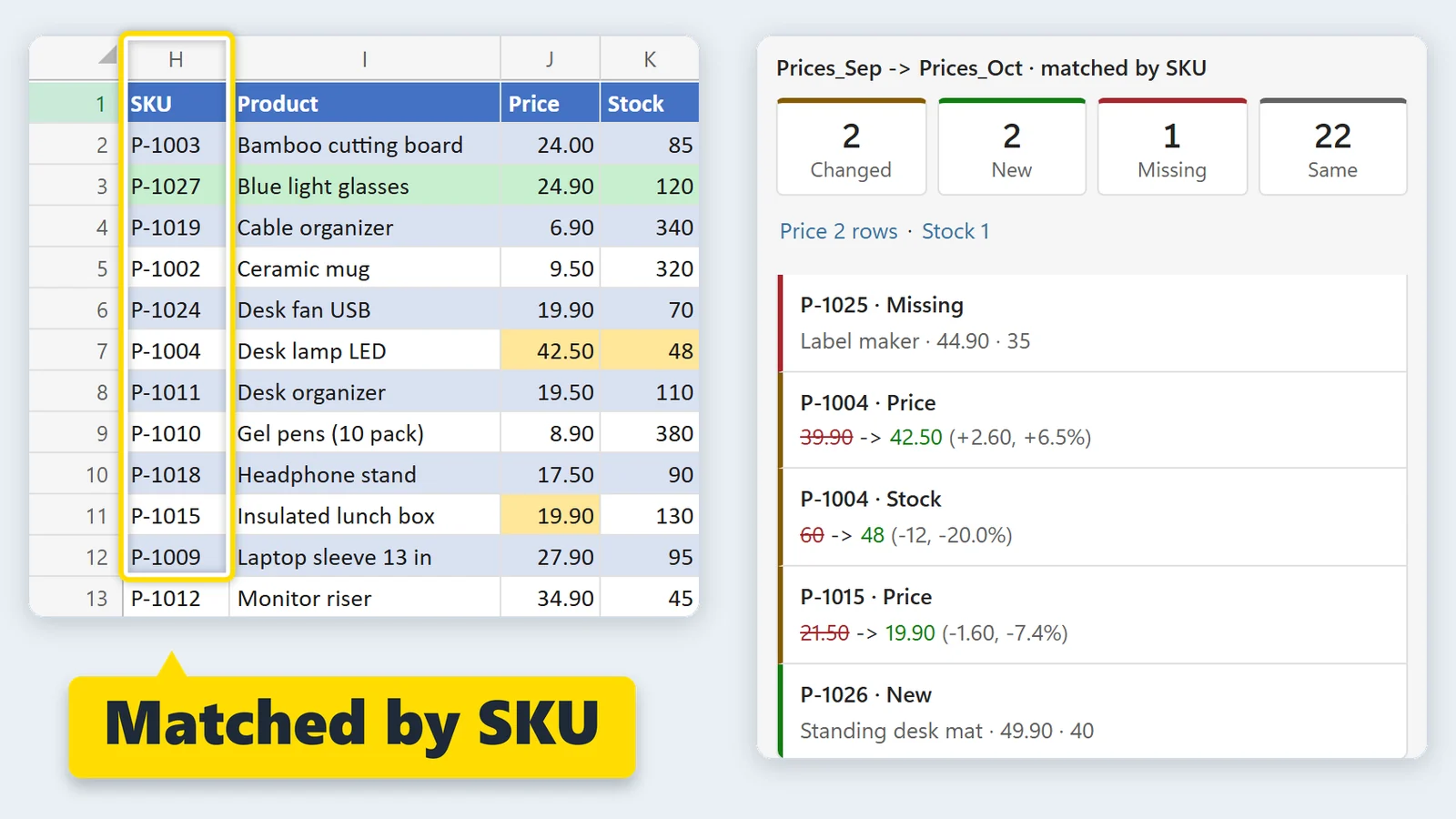
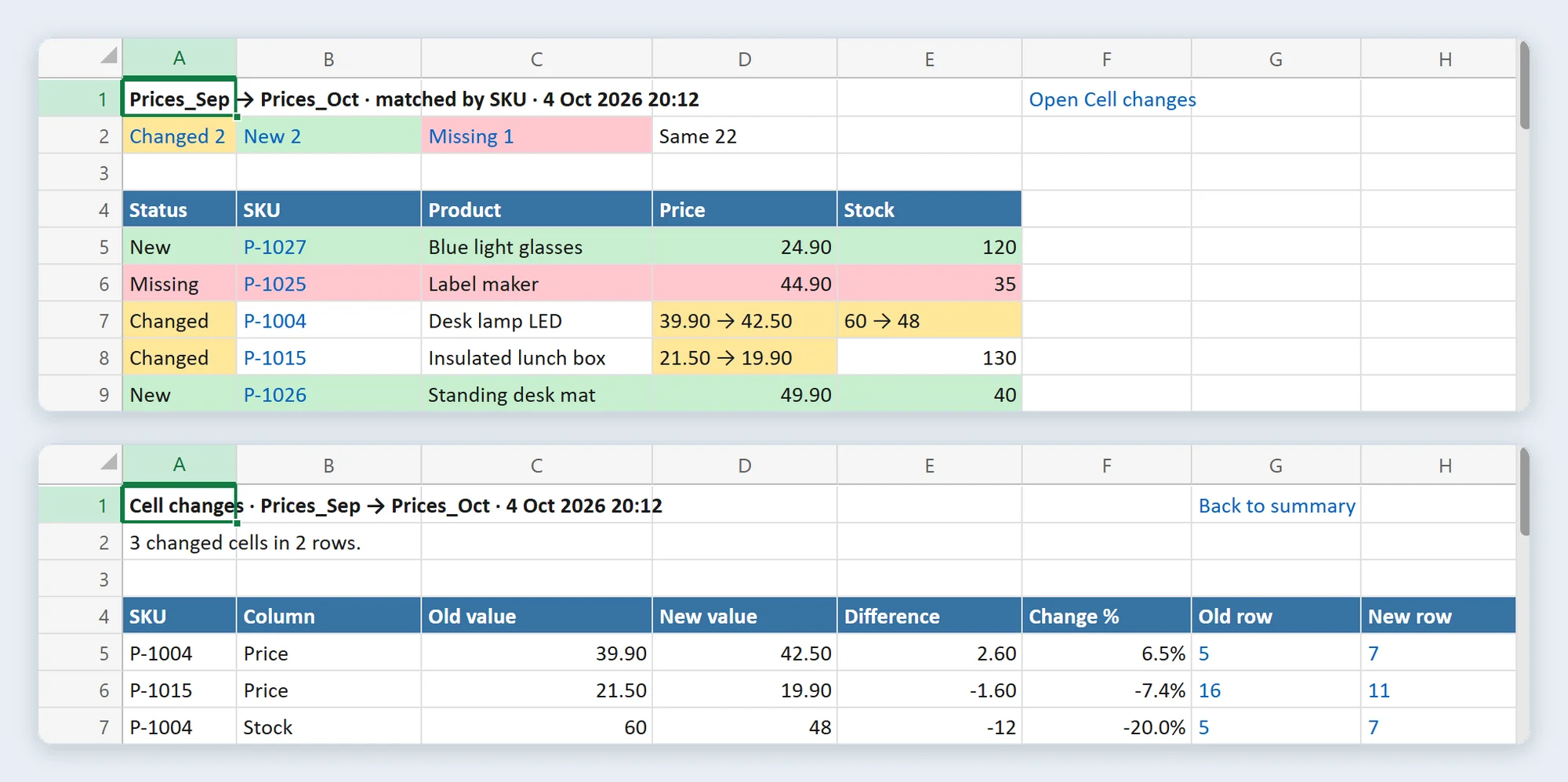
Prices_Sep against Prices_Oct: 2 changed rows, 2 new, 1 missing, 22 unchanged. Matched by SKU.
Row by row vs by ID
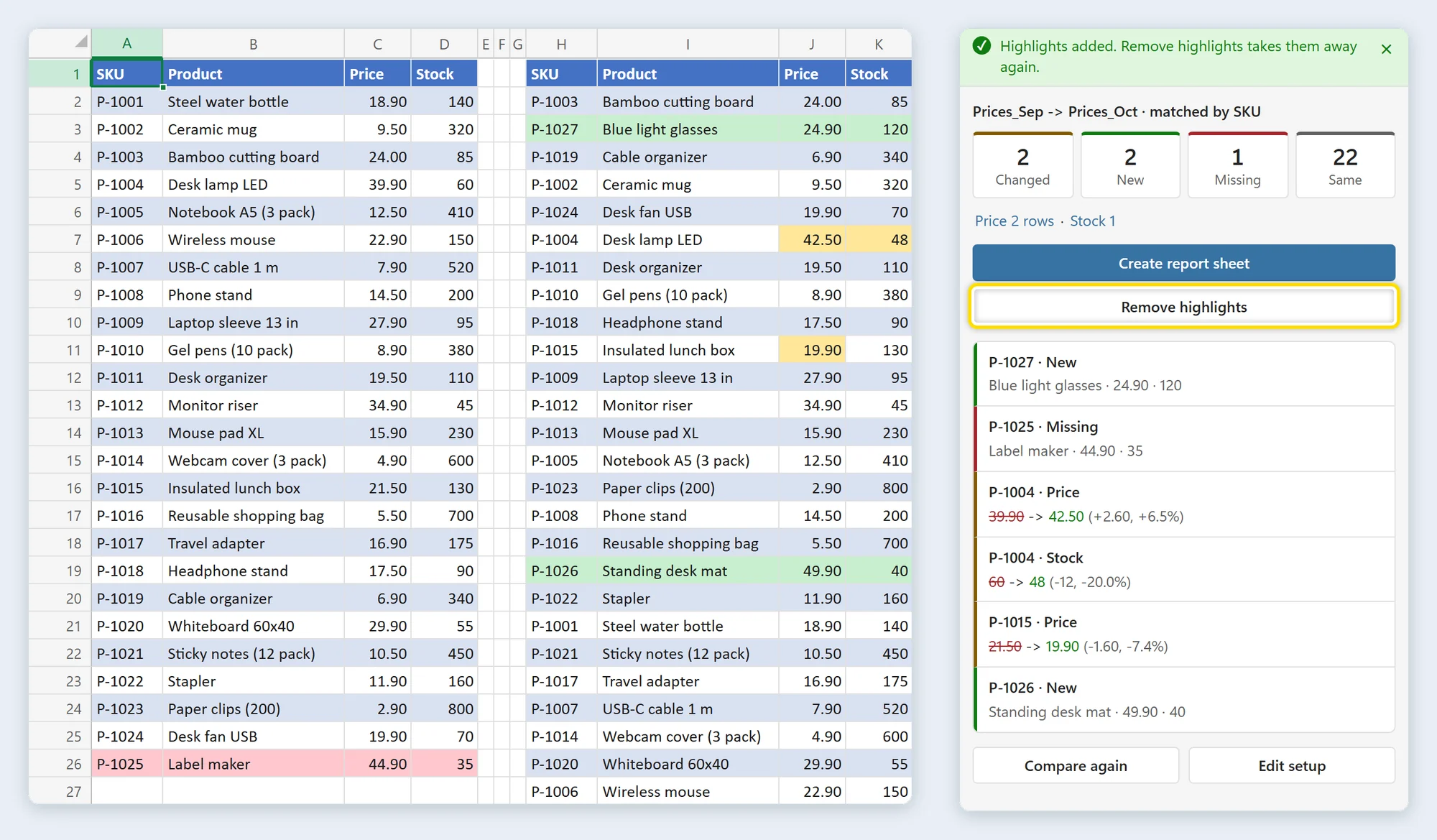
Prices_Oct is sorted by product name this time. A check that compares row with row calls almost every row different. Table Compare matches by SKU.
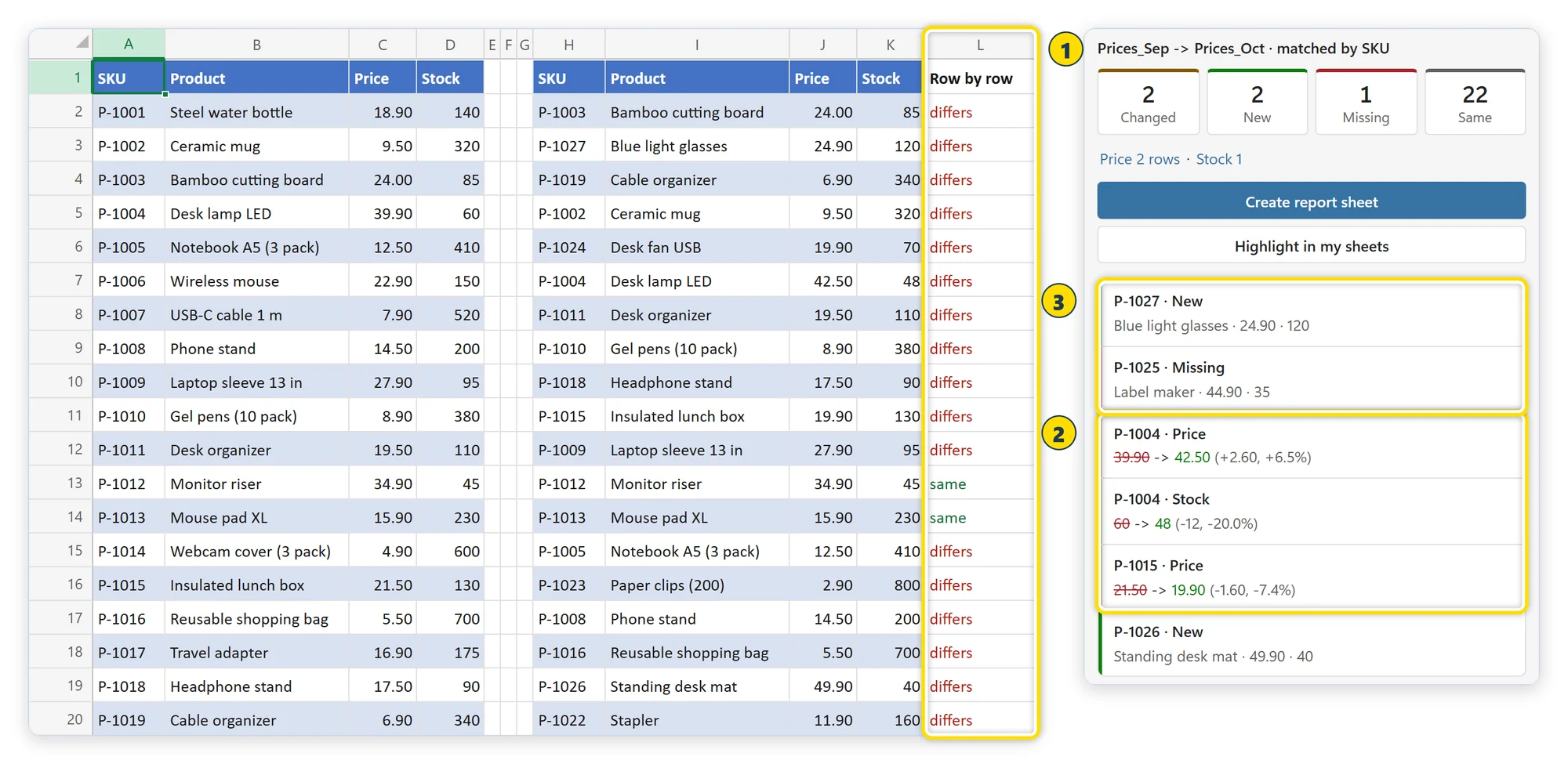
- Row by row flags rows that movedA formula that compares each row with the same row of Prices_Sep says differs for 23 of the 26 rows, because the list was sorted.
- Matched by SKU, two rows changedTwo rows changed, three cells, each with its old and new value, like 39.90 → 42.50 (+2.60, +6.5%).
- New and missing rows are listedP-1027 and P-1026 are new, P-1025 is gone. They are listed with their values, not lost between the differences.
Extra spaces, leading zeros in the ID (00123 and 123) and number formats (19.9 and 19.90) are not changes, and an option also ignores upper and lower case.
How to use it
The same two price lists: Prices_Sep is last month, Prices_Oct is this month. Pick both, press Compare, use the result.
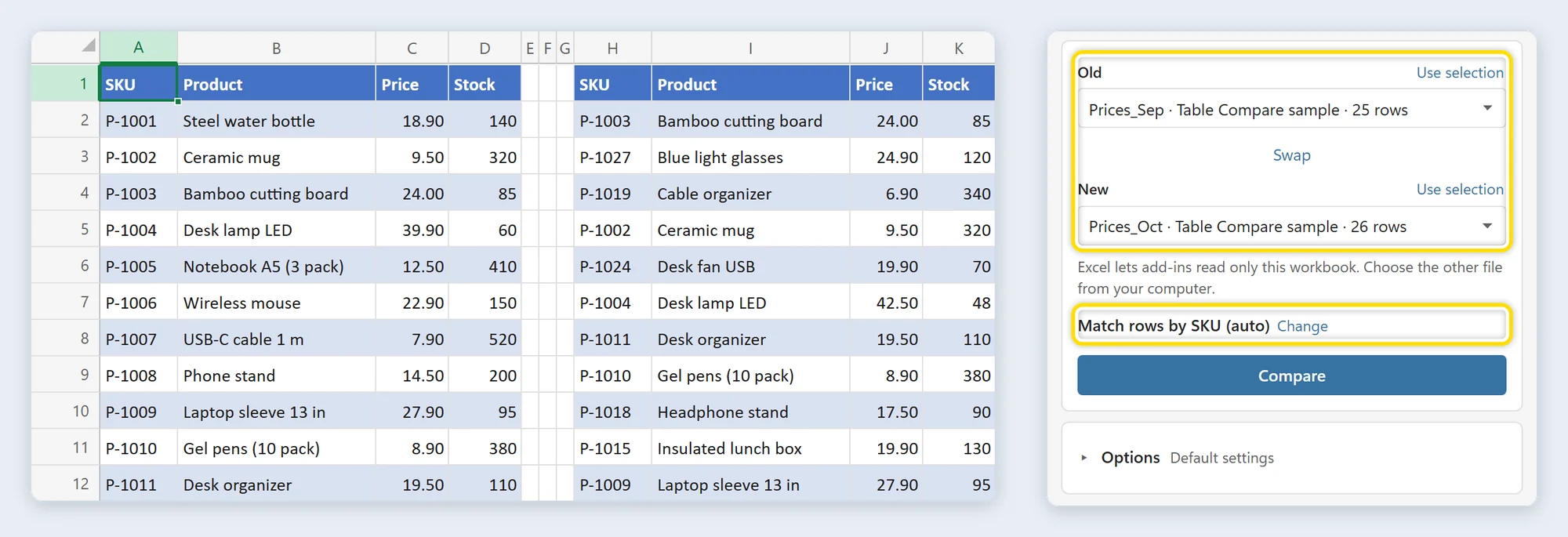
Pick Old and New
Choose the older and the newer version: an Excel table, a sheet, the current selection or a file. With exactly two tables in the workbook, both are chosen for you. The pane names the ID column it found: Match rows by SKU (auto).
Press Compare
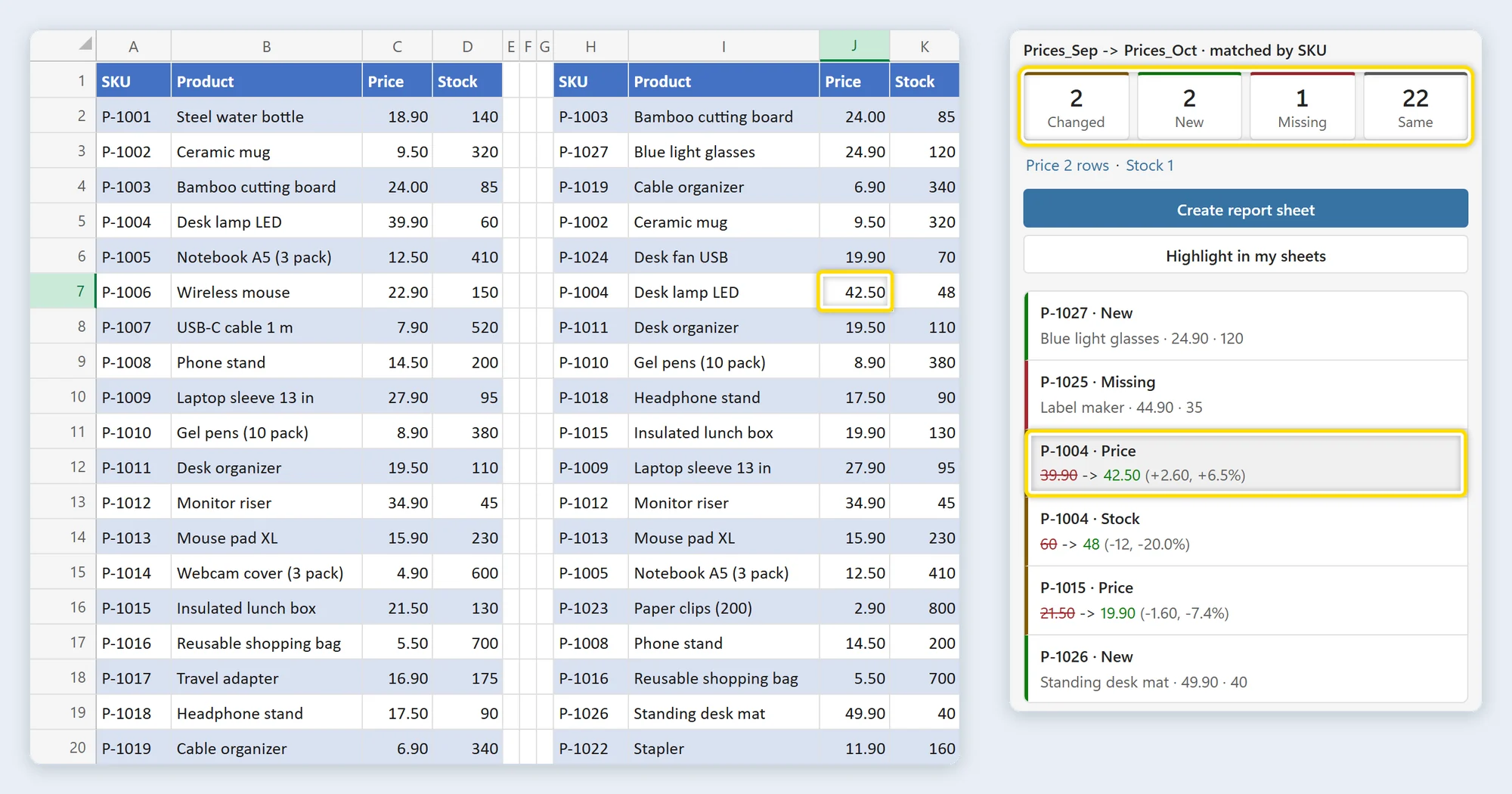
Click Compare. The tiles show Changed, New, Missing and Same and filter the list below. Click a difference and Excel selects the cell, here 42.50 in Prices_Oct.
Create the report or highlight the sheets
Click Create report sheet for a first sheet with one row per difference and a Cell changes sheet with one row per changed cell. Highlight in my sheets colors the differences where they are, and Remove highlights takes the colors away again.
Installed in about a minute
Straight from Microsoft's add-in store, inside Excel. No installer file, no macros and no account. The free version has every feature for tables of up to 200 rows each.
- 1In Excel, go to Home → Add-ins → More Add-ins.
- 2On the Store tab, search for Table Compare by Bosau Digital.
- 3Click Add, open Table Compare from the Home tab, and choose Sample data, Price list in its menu.
Listed on Microsoft Marketplace
Depending on your Excel version, look under Insert → Get Add-ins instead.
- Windows, Mac and the web
- No macros, no account
- Your cell values are never changed
- Only the license check goes online
Pay once. No subscription.
For a list you check every month, the time you save comes back every month. You pay for the license once.
Free for tables up to 200 rows every feature, no account, no card
- Every feature, tables up to 200 rows each
- Counts, the list of differences and a click to the cell
- Old and new values with the size of the change
- All options for spaces, case, leading zeros and tolerance
- Report sheet, highlights, Compare again, copy rows, keep a copy of a file
- Excel on Windows, Mac and the web
- One license key for 3 devices
- Tables up to 100,000 rows each, instead of 200
- Every feature of the free version, up to 200 columns
- Free updates and email support, usually within 24 hours
- One license key for 15 devices
- Tables up to 100,000 rows each, instead of 200
- Every feature of the free version, up to 200 columns
- Free updates and email support, usually within 24 hours
- Excel on Windows
- Excel on Mac
- Excel on the web
- Microsoft 365 or Excel 2021 and later
Frequently asked questions

Still have a question?
I’m Sven, the developer, and I usually reply within a day.
A new version of the list? Compare it by ID.
Add Table Compare to Excel from Microsoft Marketplace and see what changed between two versions of a table. The free version has every feature for tables of up to 200 rows each.
Table Compare is an independent product by Bosau Digital LLC. It is not affiliated with, endorsed by or sponsored by Microsoft. Microsoft and Excel are trademarks of the Microsoft group of companies.