
Send Bulk WhatsApp Messages. No API, No Per-Message Fees.
SendCommander sends from your own WhatsApp account, on your own PC. No Business API, no template approvals, no per-message fees. Set up in minutes.
- Sends from your own WhatsApp number
- Replies land in WhatsApp and on a Replies page
- Import contacts from Excel, CSV or vCard
Via Microsoft Store · Connect your WhatsApp account
No credit card. No sign-up.

See how it works
From setup to your first send, in 7 and a half minutes.
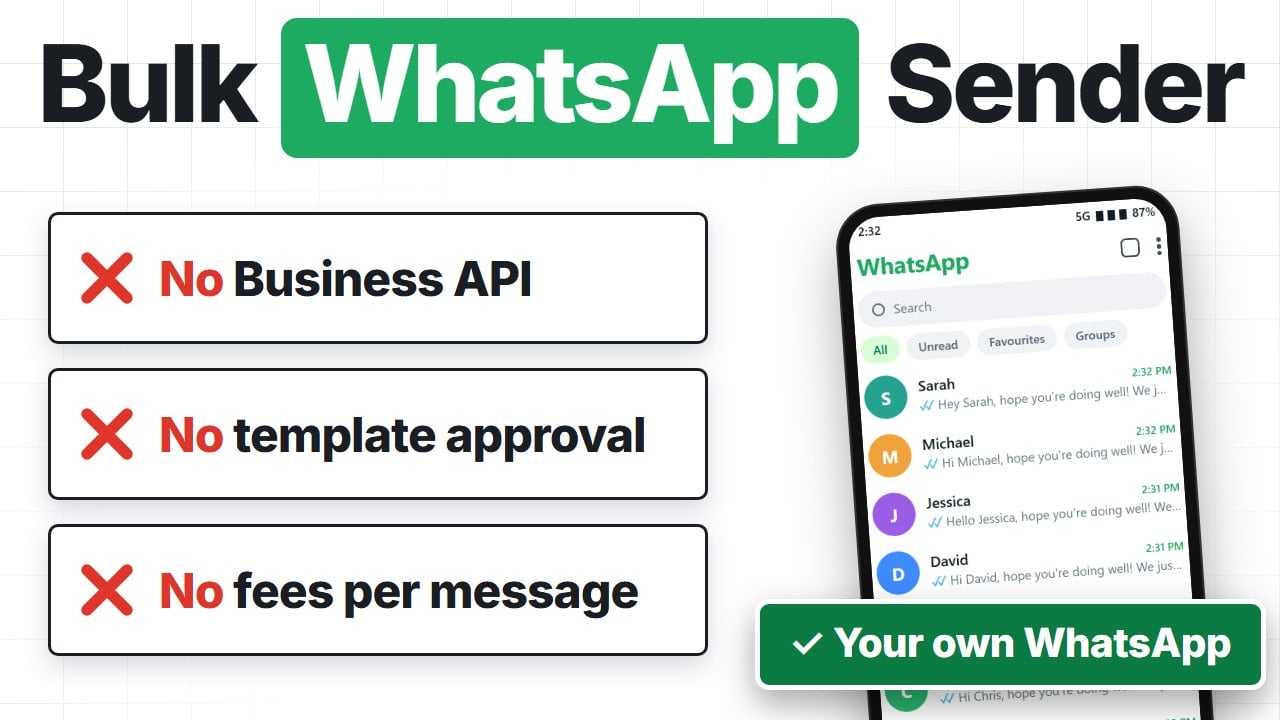
Your number. No API, no approvals.
The WhatsApp Business API is built for companies with a developer and a budget. SendCommander is built for someone with a list and a message to send.
- Business verification before you start
- A paid provider sitting in the middle
- Provider fees for every message
- Template approval for anything you want to say
- A separate business number, not the one people know
- Scan the QR code once and you are sending
- No middleman between you and WhatsApp
- One flat price, however many you send
- Write whatever you want, nobody approves it
- Your own number, the one your customers know
What you need
What you can do
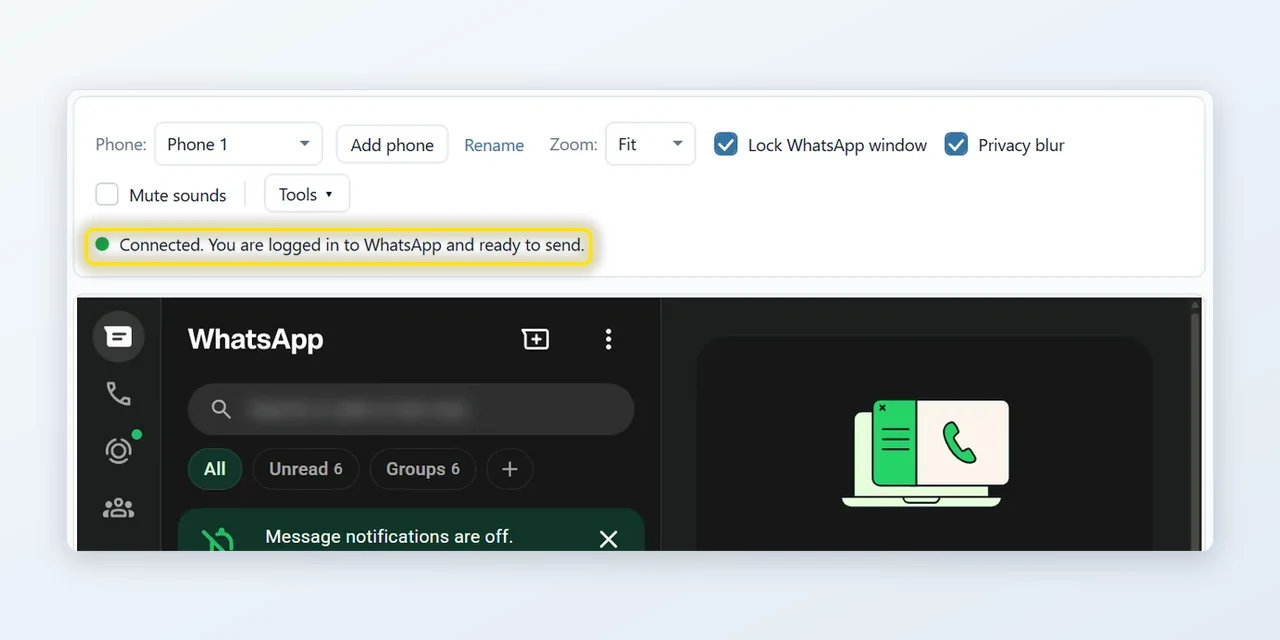
Send from your own WhatsApp
Scan the QR code once, exactly like WhatsApp Web. SendCommander sends through that session, so you can watch every message go out. Personal and Business accounts both work.
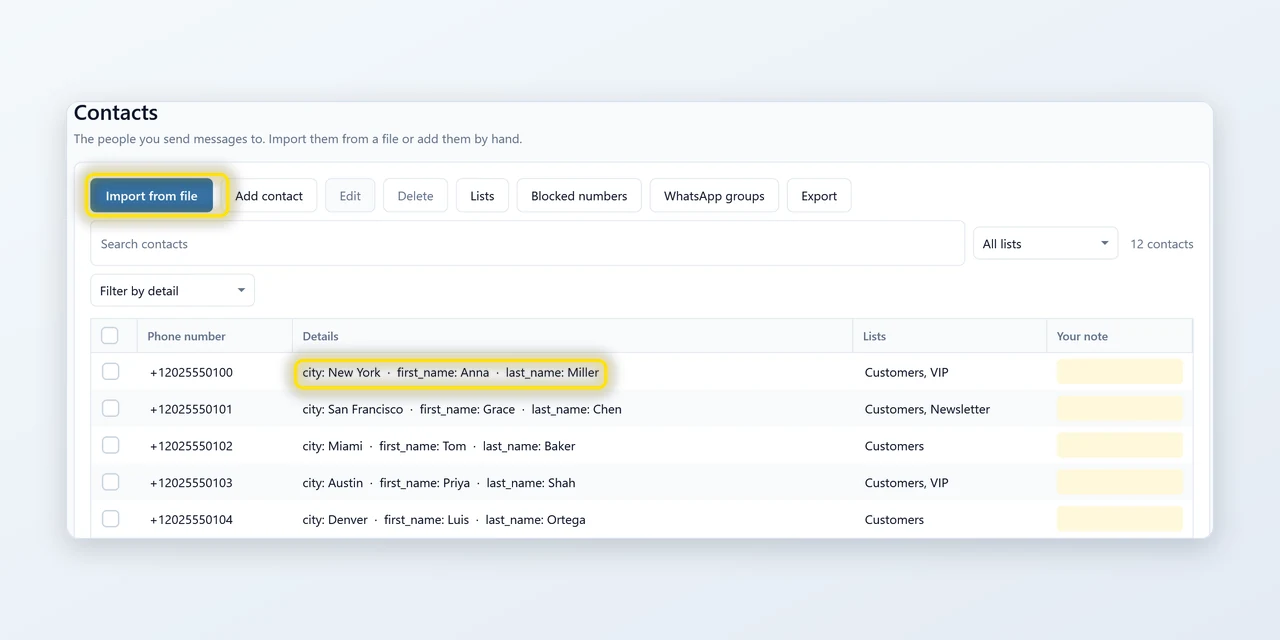
Easily import your contacts
Drag in an Excel, CSV or vCard file. Numbers are tidied up, duplicates caught, and lists keep the groups you message often together. A block list is respected on every send.
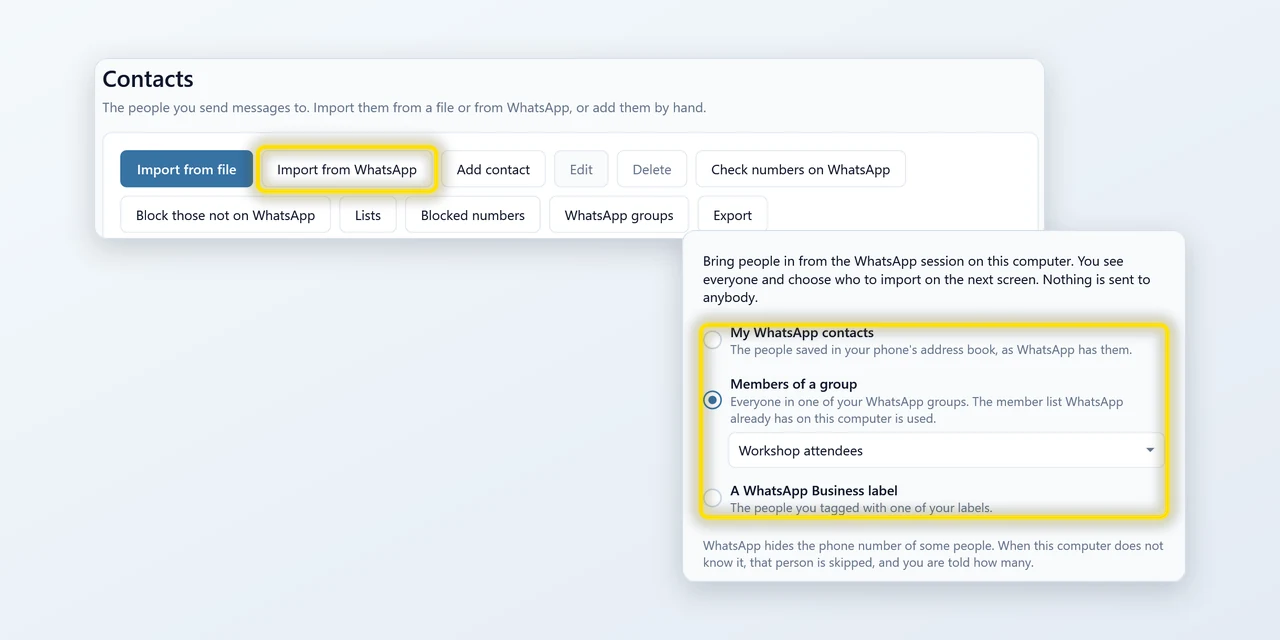
Import straight from WhatsApp
Bring in your saved WhatsApp contacts, the members of a group, or the people you tagged with a WhatsApp Business label, in a few clicks and with no file. You choose who comes in before anything is added, and nobody is messaged. Free on every plan.
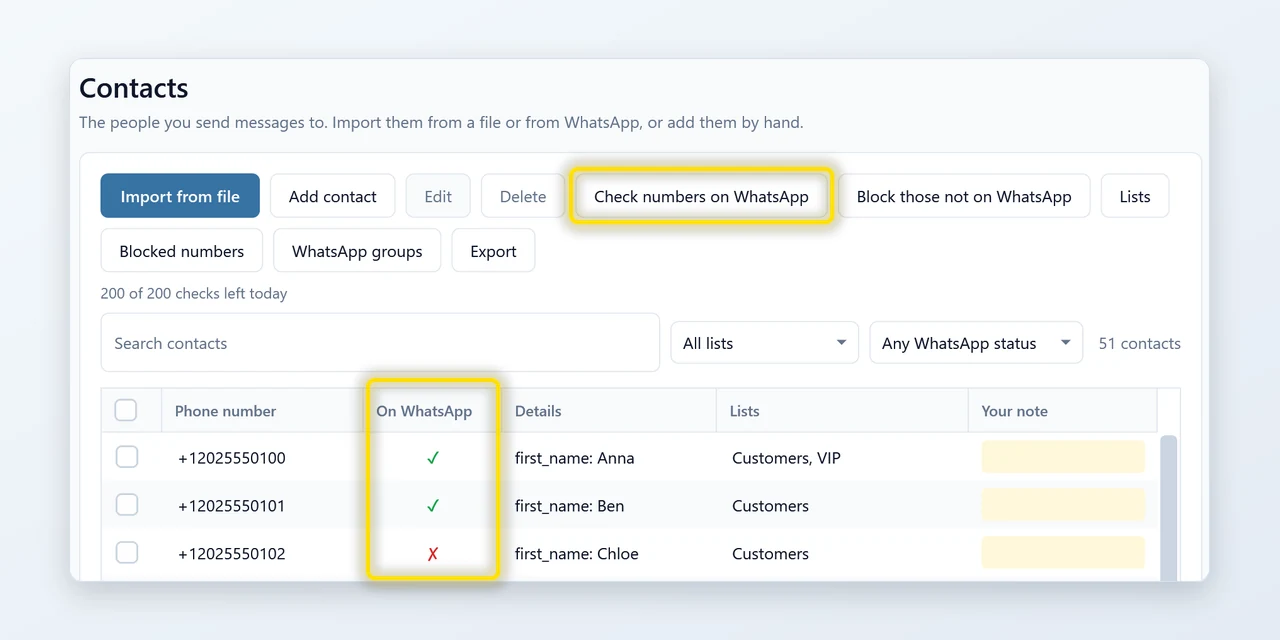
See who is on WhatsApp
Check numbers before you send. A tick or a cross shows in the On WhatsApp column, and you can block the numbers that are not on WhatsApp. It keeps running while you work, and answers are remembered for 30 days. The free plan includes 100 checks, once per computer.
![One message written as [[Hi|Hello]] {{first_name}}, your appointment is Friday at 10 am. Does that still work for you? Next to it the preview for Anna reads: Hello Anna, your appointment is Friday at 10 am. Does that still work for you?](https://pythonandvba.com/images/pages/sendcommander/feat-personal.webp)
Make each message personal
Choose recipients, write and preview each message in Compose. Send yourself a test, check the estimated local finish time, then review before sending.
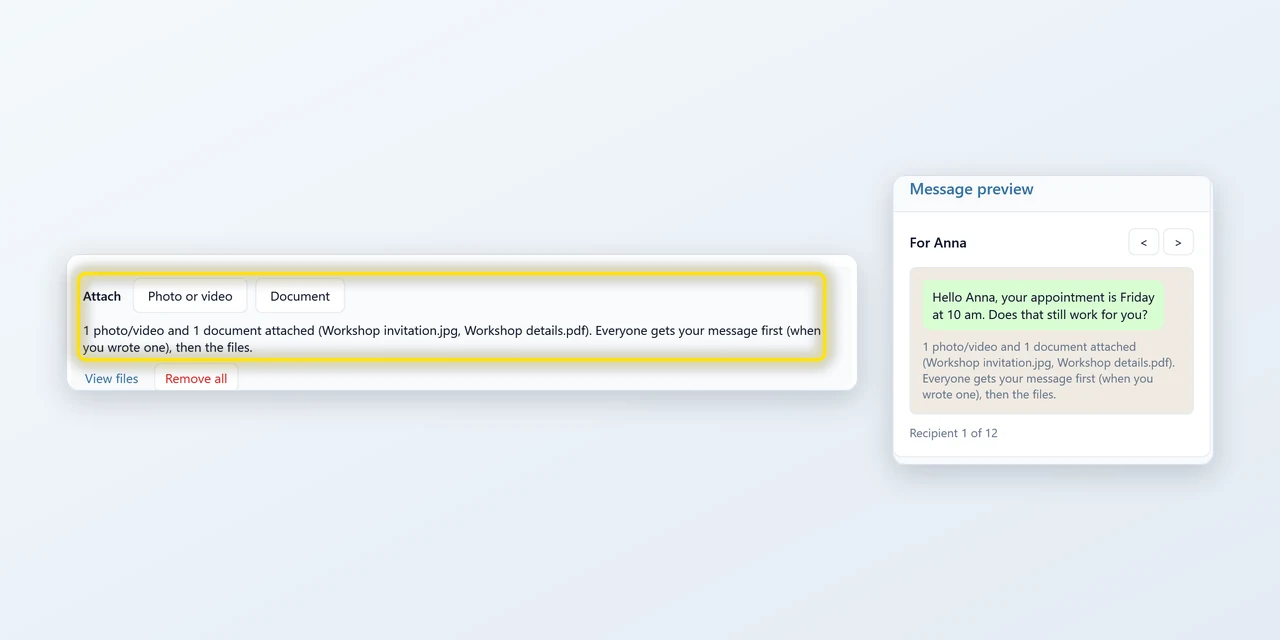
Add attachmentsPro
Attach a flyer, a catalogue or an invoice and it goes out with the message, to everyone on the list. Photos, videos and PDFs.
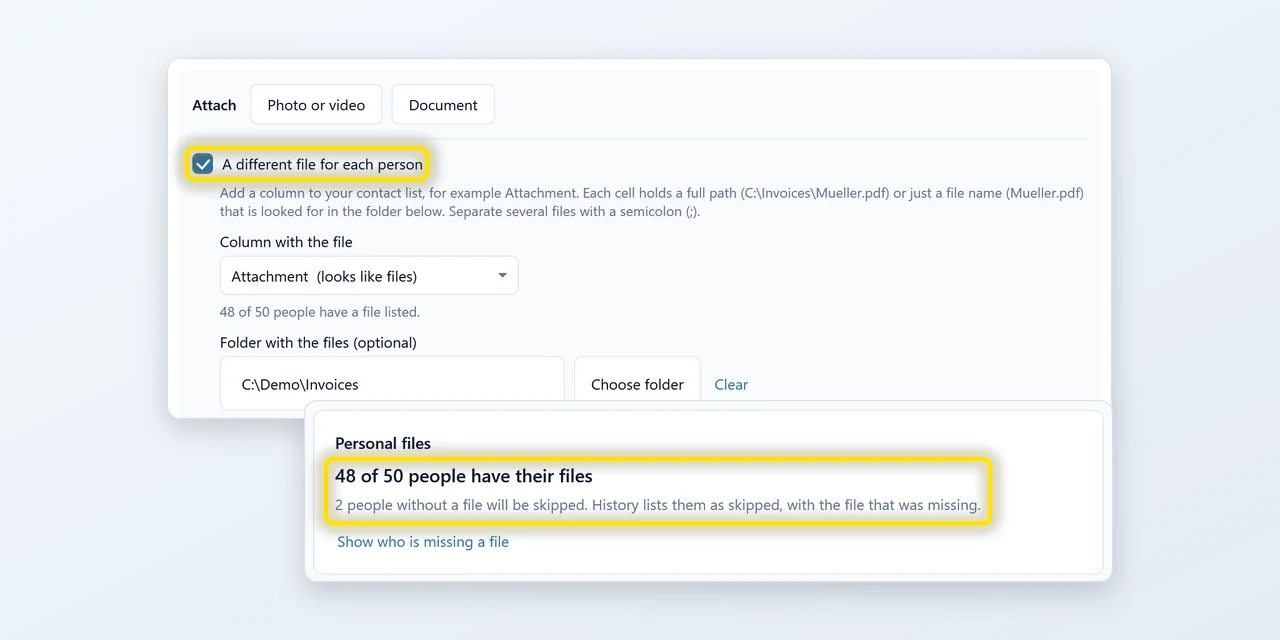
A different file for each personPro
Invoices, certificates, tickets: one file per person, taken from a column in your list. Anyone whose file is missing is skipped, so nobody gets a message without theirs. You see who is missing before you send.
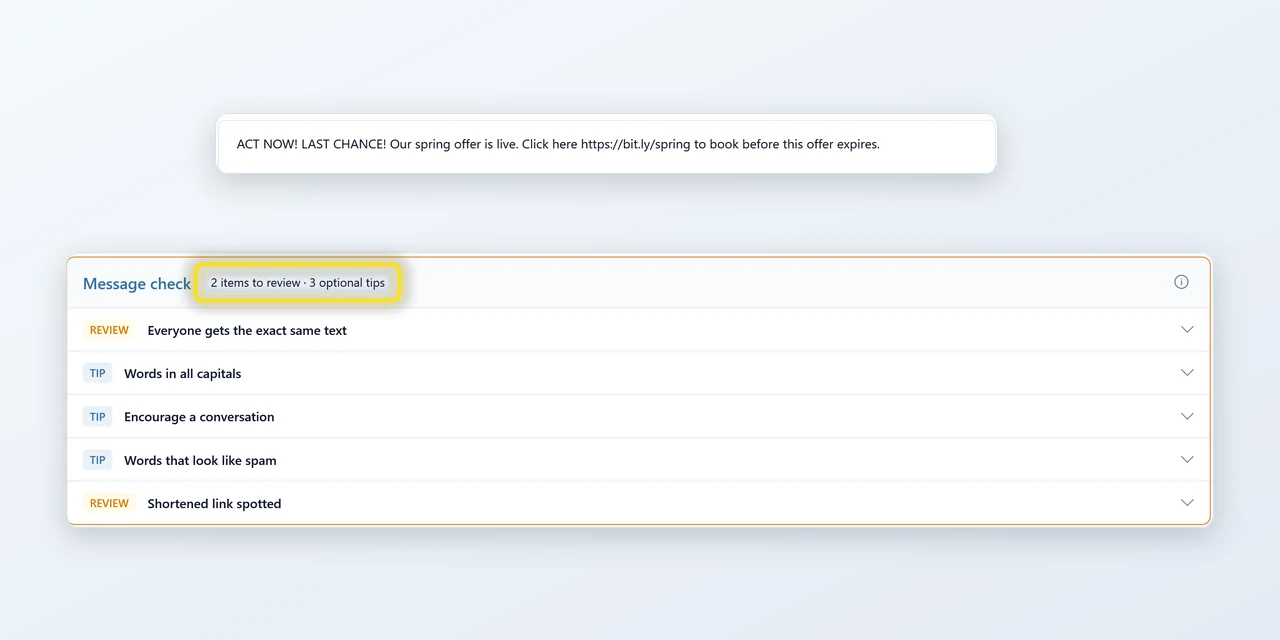
Fix what puts your number at risk
A quick check runs over your draft: shortened links, shouting capitals, spam phrases, everyone getting the exact same text, a pace that looks automated. Open a finding to read it and fix it. Nothing stops you sending anyway.
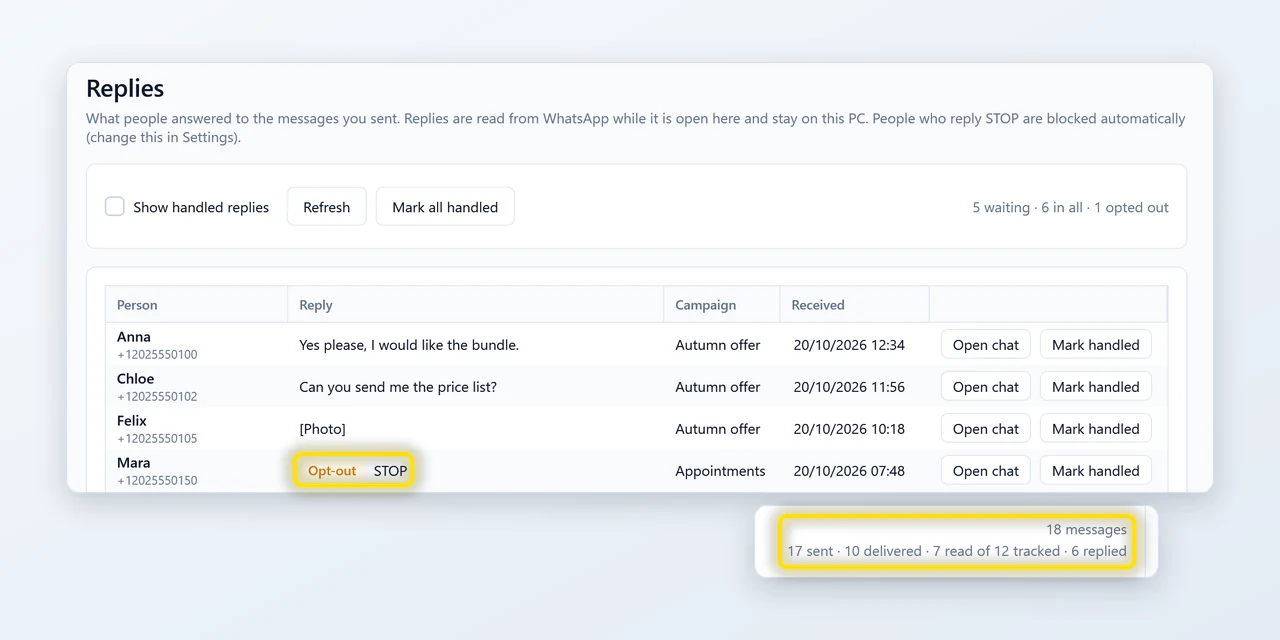
Replies, delivered and read
One page with what people answered, and History shows delivered and read totals for what you sent. Anyone who replies STOP is blocked automatically, and you can switch that off. Free on every plan.
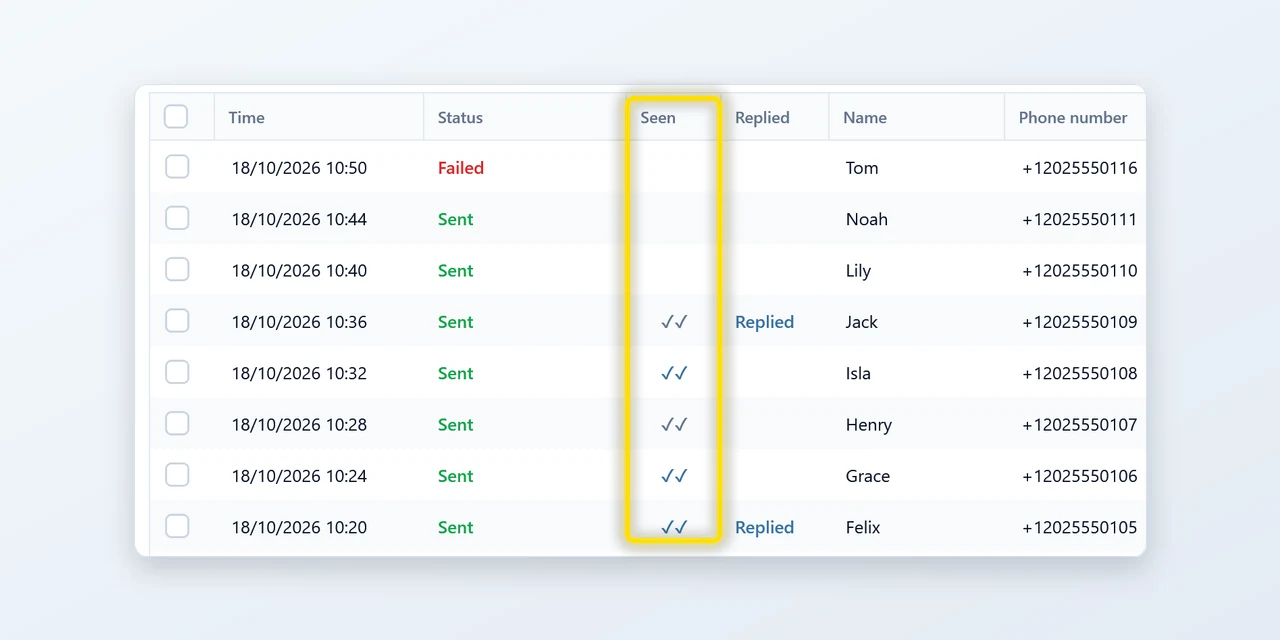
Know who got what
Every message is logged on your PC. With Pro, each row shows whether the message was delivered or read, when WhatsApp reports it. Look anyone up later, filter by campaign, export to Excel or CSV.
Your contacts never leave your PC
Most bulk-messaging tools are websites: you upload your customer list and hope. SendCommander is a program on your computer, sending through your own WhatsApp. There is no server in between.
Can WhatsApp restrict my number?
Yes. WhatsApp restricts automated and bulk messaging, and no sending mode guarantees protection from account restrictions. Who you contact, what you send and how people respond matter too.
Cautious sending is on by default, with pauses and rolling limits. You can lower the limits, spread a send over longer or choose custom timing. Pacing and personalization are included on the free plan.
Honest feedback from real users




Your campaigns. One flat price.
All features included. No per-message fees. Prices in USD.
- Unlimited messages
- Photos, videos, documents and a different file per person
- Saved templates and scheduling
- Number check, up to 200 new numbers a day
- 3 computers + the Excel version
- Priority email support
- Unlimited messages
- Photos, videos, documents and a different file per person
- Saved templates and scheduling
- Number check, up to 200 new numbers a day
- 3 computers + the Excel version
- Priority email support
— Sven, SendCommander developer
Try SendCommander for free
100 messages and 100 number checks, one time each. No card or sign-up.
Includes contact import (also from WhatsApp), personalized messages and Replies.
Attachments, a different file per person, templates and scheduling need a paid plan.
Frequently asked questions

Still have a question?
I’m Sven, the developer, and I usually reply within a day.
Send your first campaign in 3 minutes
No API, no approvals, no per-message fees. Just your number.
Download free for WindowsSendCommander is an independent product by Bosau Digital LLC. It is not affiliated with, endorsed by or sponsored by WhatsApp LLC or Meta Platforms, Inc. WhatsApp is a trademark of WhatsApp LLC.
SendCommander is a Windows app
SendCommander installs on a Windows 10 or 11 PC and connects to your WhatsApp account. Copy the download link and send it to your PC to get started.