
Replace VLOOKUP With a Pandas Merge in Python in Excel

VLOOKUP returns one column per formula and shows #N/A for every missing key. In Python in Excel, one pandas merge() joins whole tables, works with differently named key columns, and switches between left, right, inner and outer joins with one argument.
Where VLOOKUP falls short
VLOOKUP returns one column per formula, needs the key in the first column of the lookup range, and shows #N/A for every key it cannot find. The example has three tables: orders with an Order ID, returns with a return reason per ID, and shipping, which maps each ship mode to a number.
With VLOOKUP, I add the return reason and the ship mode number to the orders table with one formula per column:
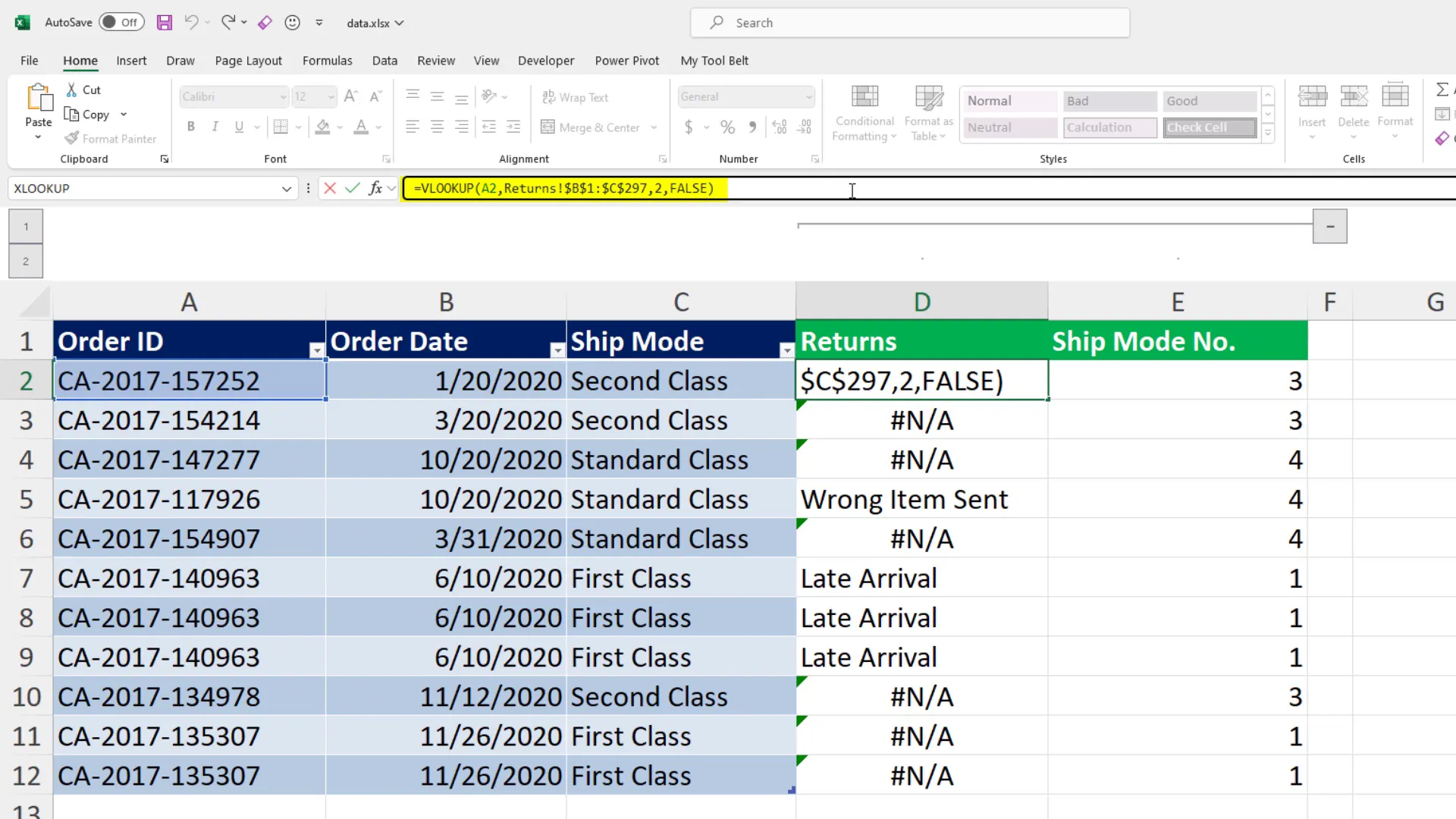
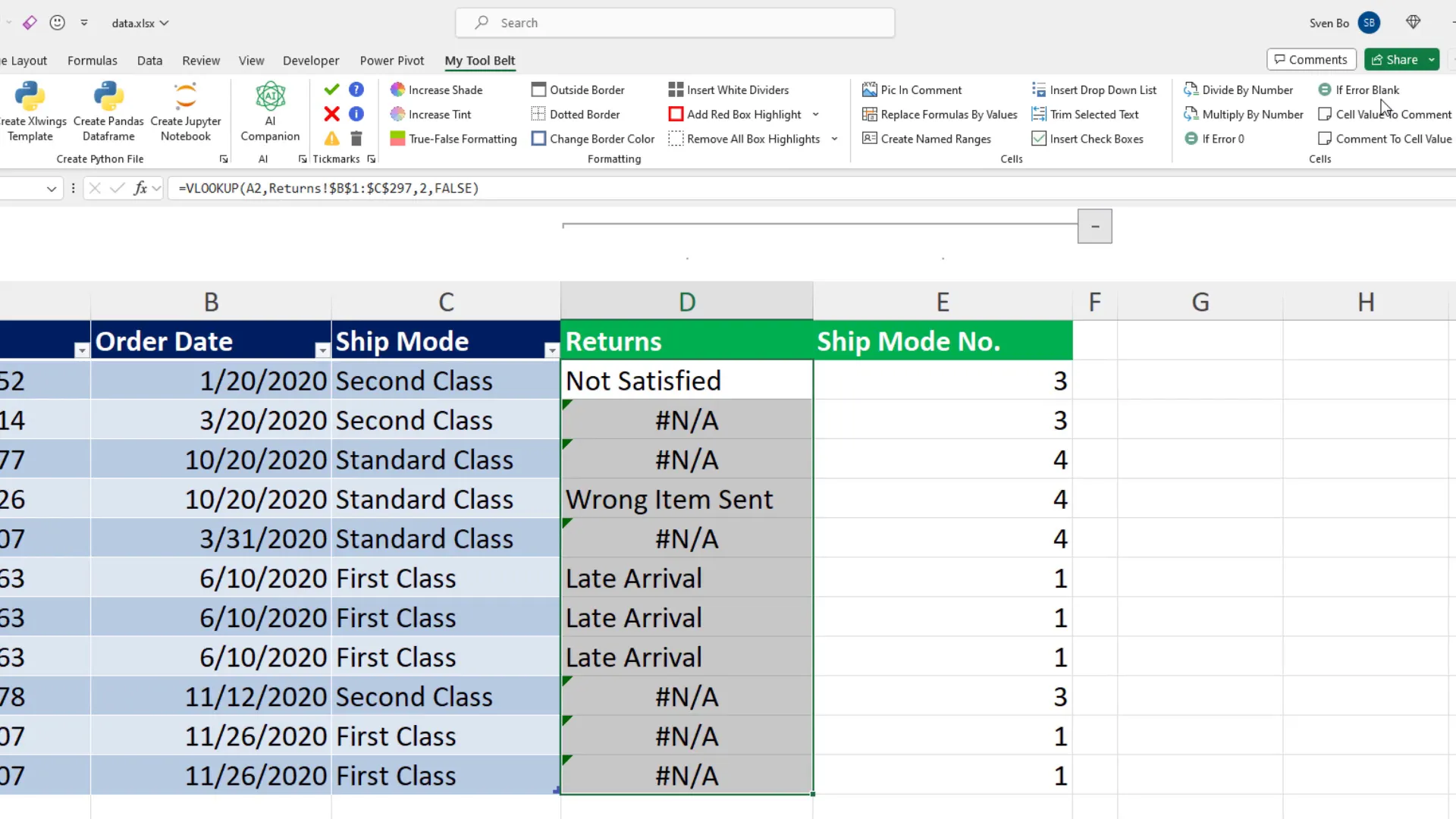
Every order without a return shows #N/A, so the formulas usually get wrapped in IFERROR. The same exact-match lookup is also how you compare two Excel files row by row: match each row on an ID, then compare the columns.
Load the tables
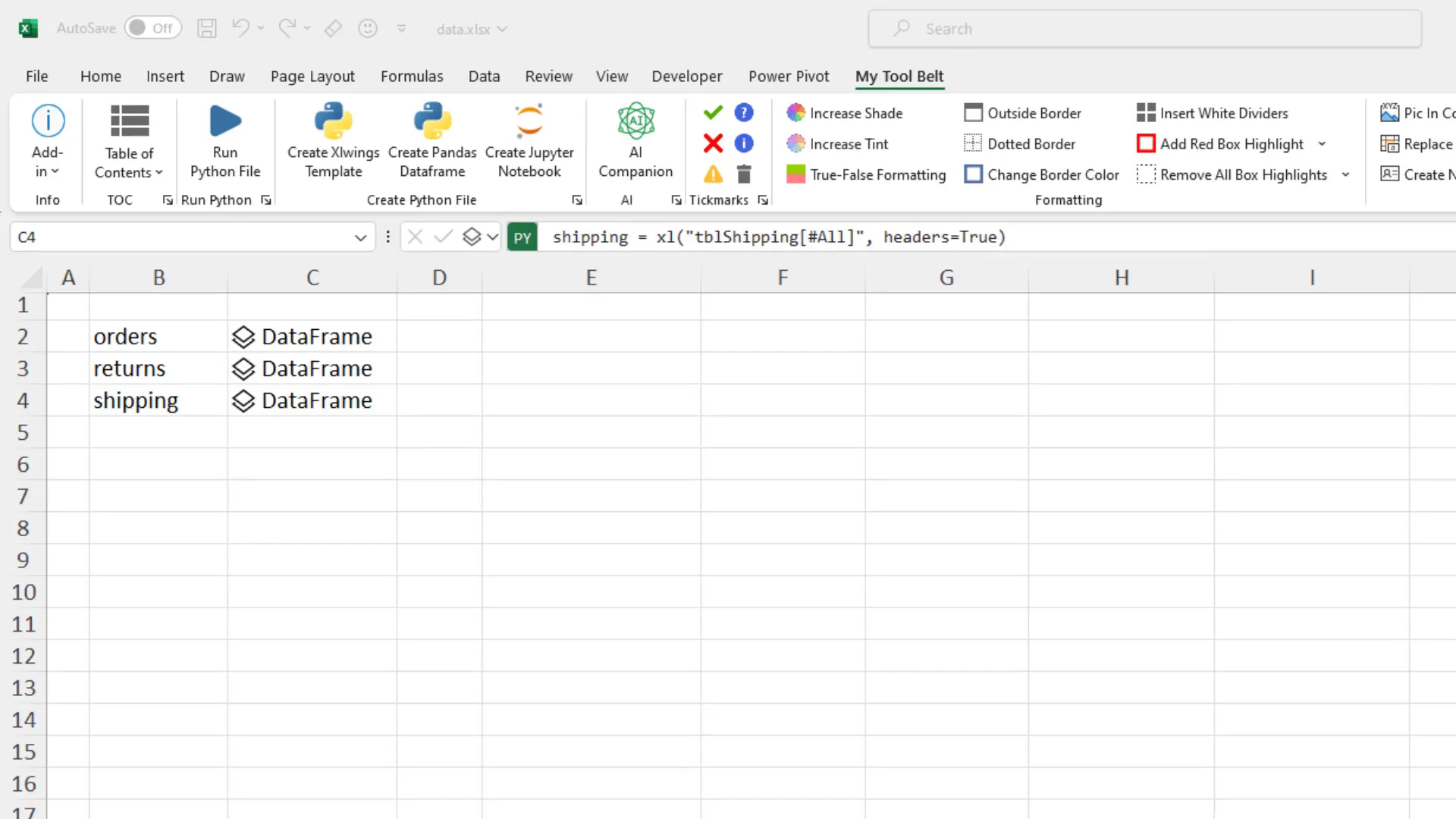
I run the Python part with Python in Excel, so the code sits in cells of the same workbook. Each table goes into its own pandas dataframe with the xl() function and the table name, which gives three dataframes: orders, returns and shipping.
Left merge
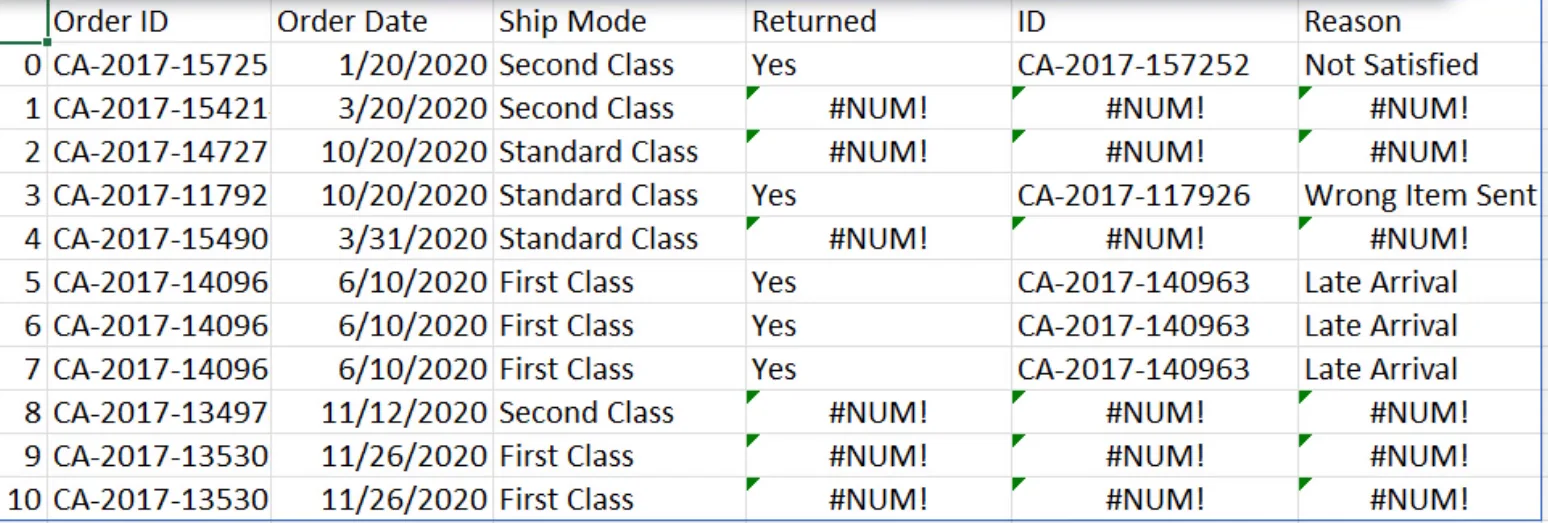
A left merge keeps every row of the orders table and adds the matching columns from the returns table, which is what VLOOKUP does. The key columns can have different names: “Order ID” in orders and “ID” in returns.
# Merge "Orders" with "Returns" based on "Order ID" and "ID"
merged_data_1 = orders.merge(returns,
                             left_on='Order ID',
                             right_on='ID',
                             how='left')
One merge brings over every column of the returns table at once. Orders without a return get an empty value (NaN) instead of an error; Python in Excel shows it as #NUM! when the result spills into the sheet. The pandas merge tutorial covers the function in a standalone script.
Other join types
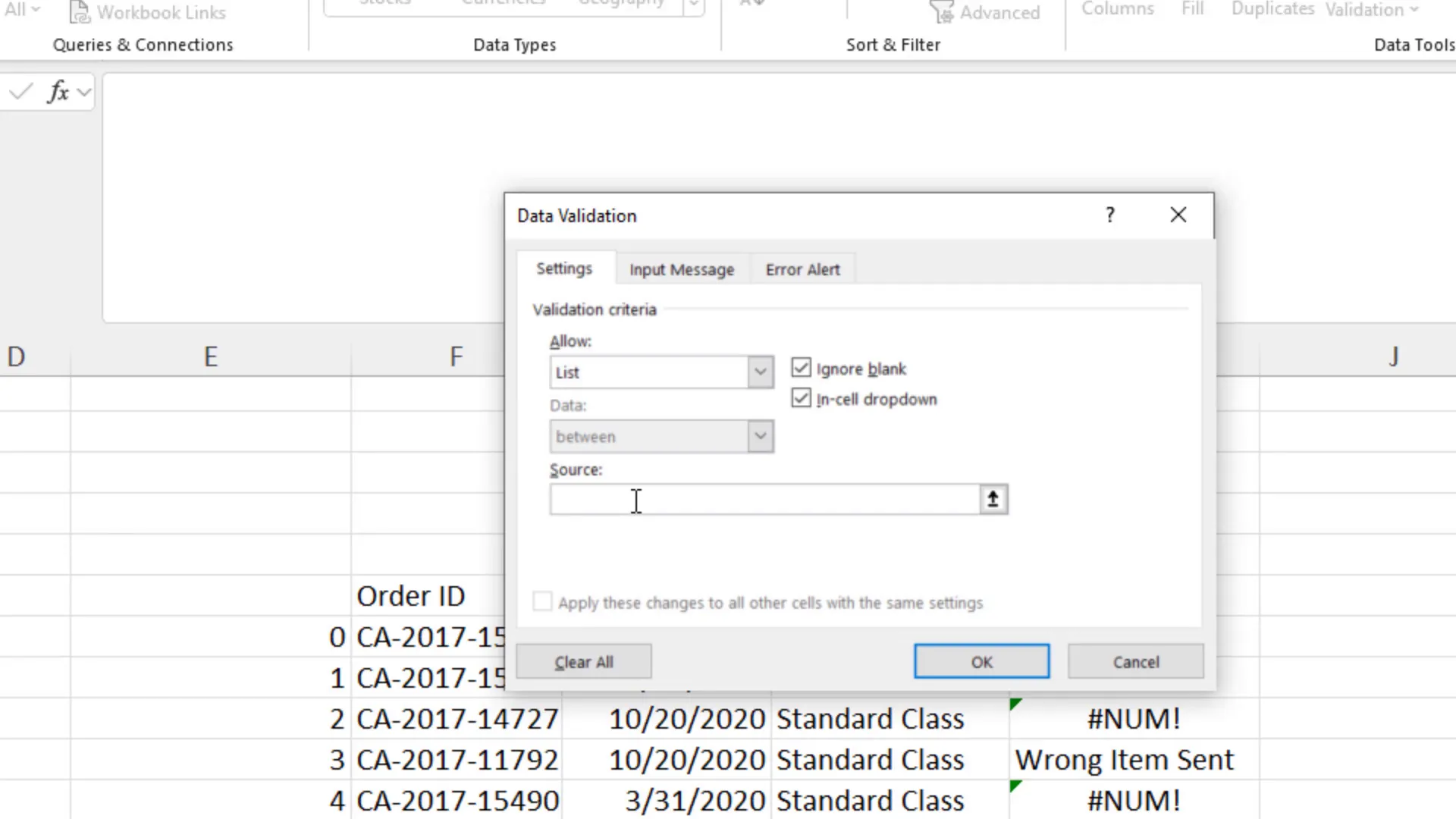
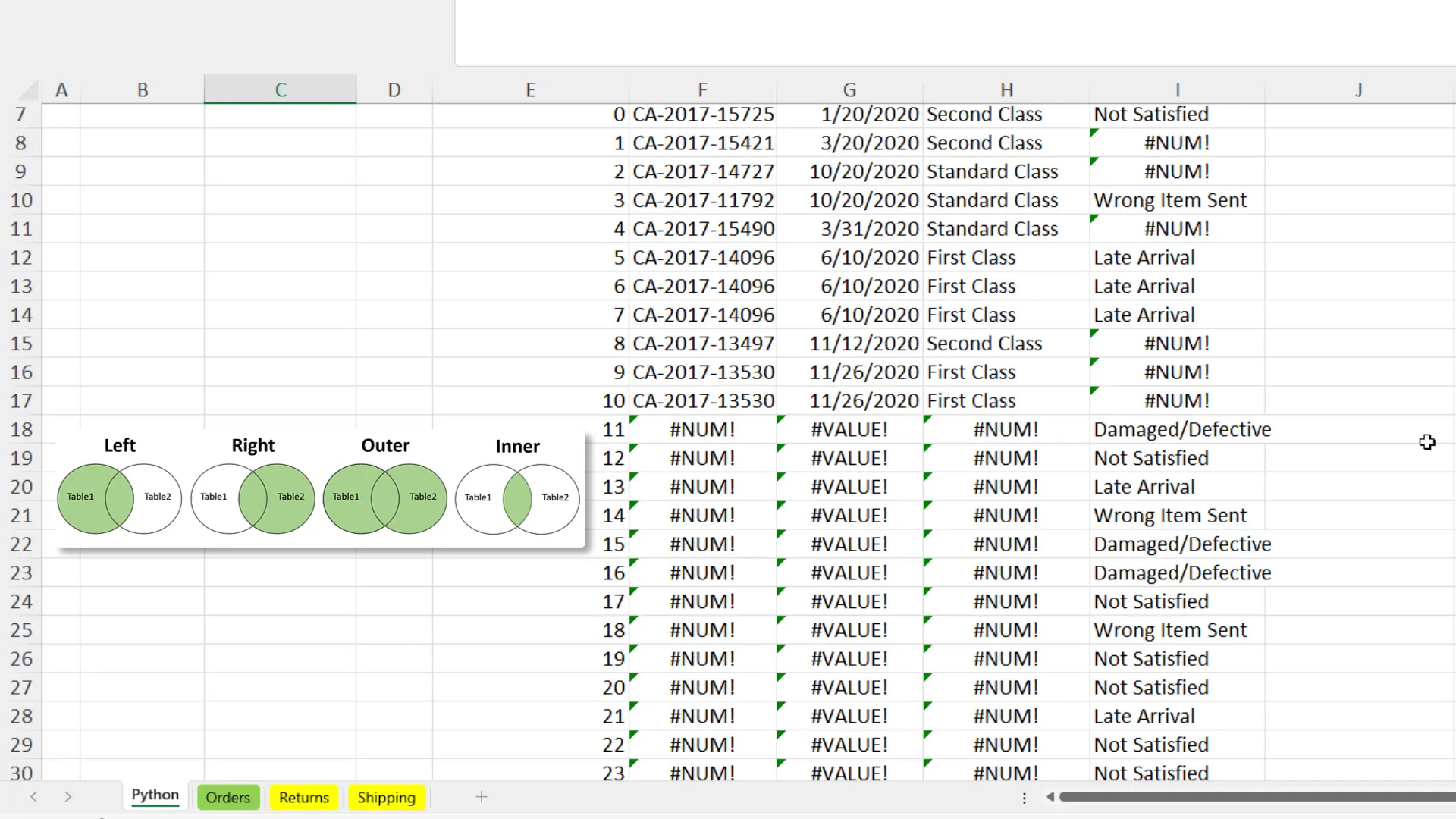
Changing how gives the joins VLOOKUP cannot do. I linked it to a dropdown cell made with Data Validation, so I can switch between left, right, outer and inner without touching the code.
- Right: every row of the returns table, with order details where they exist.
- Outer: every row from both tables. This finds returned Order IDs that are missing from the orders table.
- Inner: only the rows whose key exists in both tables.
Add the shipping data
A second merge on the Ship Mode column adds the ship mode number, and selecting a list of columns keeps only the ones I need. Both keys are called “Ship Mode”, so on= is enough here.
# Merge the resulting data with "Shipping" based on "Ship Mode"
final_merged_data = merged_data_1.merge(shipping, on='Ship Mode', how='left')

# Keep only specific columns
columns_to_keep = ['Order ID', 'Reason', 'Ship Mode No.']
final_merged_data = final_merged_data[columns_to_keep]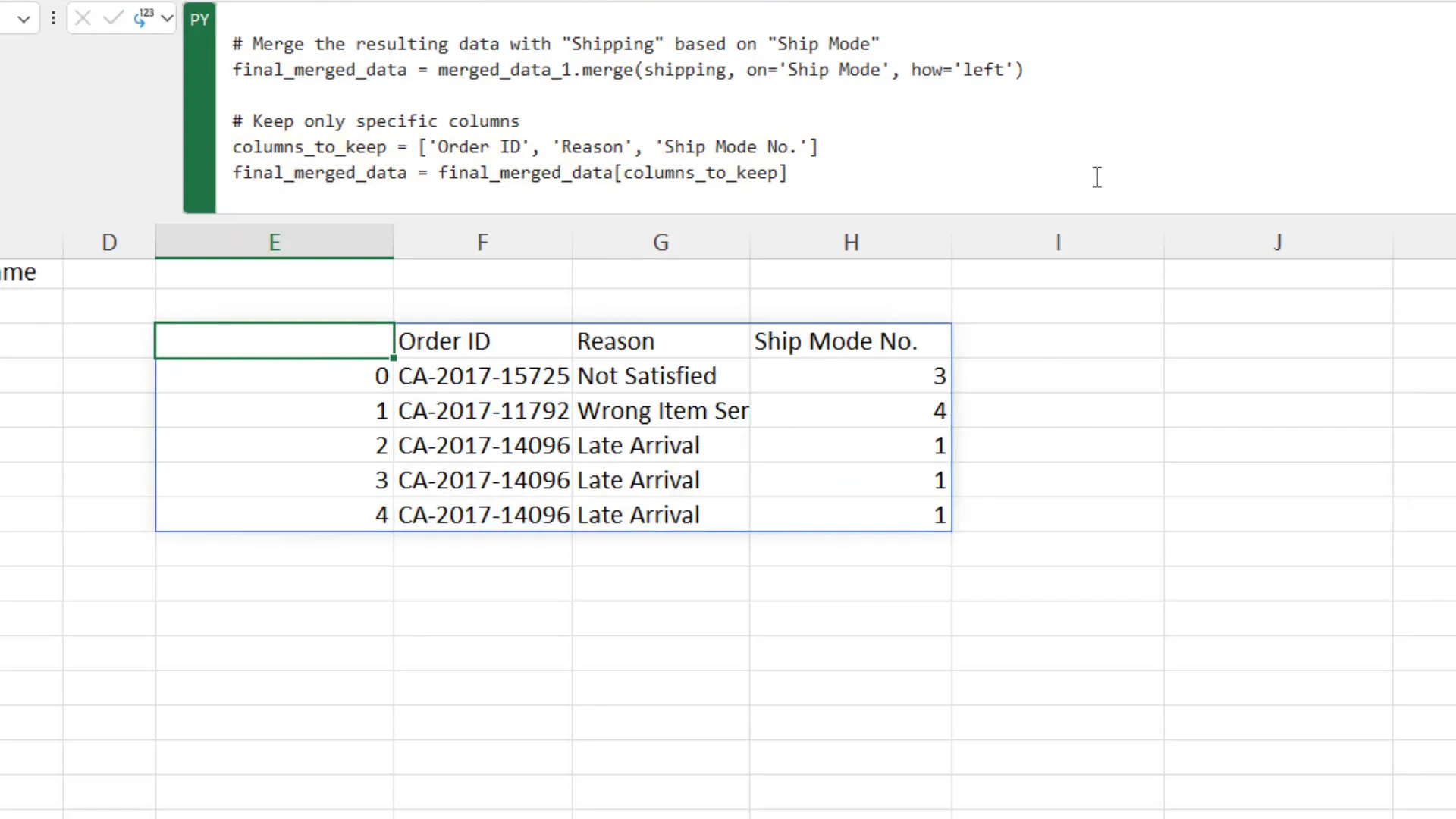
Both VLOOKUP and merge need keys that match exactly. When names in the two tables are spelled differently, see how to match names that are spelled differently. The other conditional formulas map over to pandas as well, as I show in SUMIFS, COUNTIFS and AVERAGEIFS in pandas.
Limits
A merge is not always the better choice. Python in Excel needs a Microsoft 365 plan that includes it, and the code runs in Microsoft’s cloud, so it needs an internet connection. For a single extra column in a small sheet, a lookup formula is simpler to share and to read.
If your Excel has XLOOKUP, it already fixes two VLOOKUP problems: it can return a column to the left of the key, and its if_not_found argument replaces the IFERROR wrapper. My guide to getting started with Python in Excel covers the setup if you want the merge route.
Learning Excel in German? Practise SVERWEIS (VLOOKUP) interactively on Tabellenfit.