
You can write your email content directly in the EMAIL_BODY sheet of Excel. Here’s how:
- Excel Formatting: You can use the normal Excel formatting options like:
- Bold
- Italics
- Underline
- Text color
- New Line: To insert a new line in the cell, press
Alt + Enter.
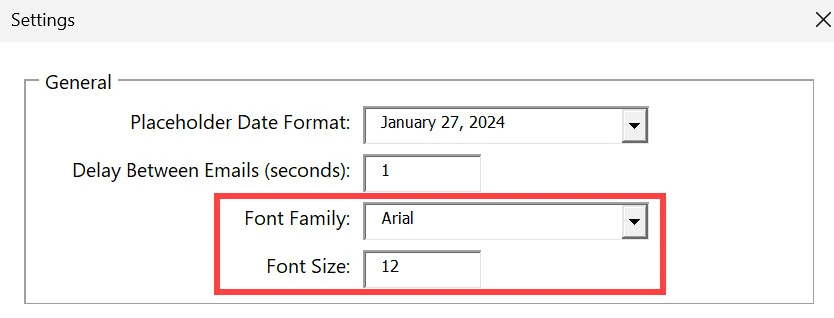
The font family and font size should be set in the SETTINGS sheet
Optional HTML tags #
If you want more control over your email’s layout, you can use HTML tags in the email body. Some common HTML tags you can use:
<p>: Paragraph<strong>: Bold text<em>: Italic text<u>: Underlined text<img>: Insert an image
Example email #
Here’s an example of an email with placeholders and an image (or in this case a gif):

What you input in the Gmail Blaster

What the receiver will see