
Calculate Distances for Hundreds of Addresses in Seconds, Not Hours
Paste your addresses into Excel, click calculate, and get driving distances and travel times powered by Google Maps. No coding, no formulas, no manual lookups.
- ✓ No coding required
- ✓ Pay once, use forever
- ✓ Works on Windows & Mac
See how it works in 2 minutes
Why Thousands of Professionals Use This Tool
Stop wasting hours copying distances from Google Maps one at a time.
SAVE TIME
Save Hours Every Week
Paste your addresses, click calculate, and get distances for hundreds of pairs in seconds. No more copying results from Google Maps one at a time.
ACCURACY
Accurate, Real-Time Data
Powered by Google Maps for driving distance, travel time, and multiple transport modes. The same results you’d get manually, delivered straight to Excel.
ONE-TIME PRICE
One Price, Yours Forever
$49 one-time payment. No subscriptions, no monthly fees. Google includes 10,000 free calculations per month. Updates are free for life.
How it Works
Three steps from addresses to distances. No formulas, no scripting.
-
1
Paste Your Addresses
Enter origin and destination addresses. Full addresses, zip codes, city names, or GPS coordinates all work.
-
2
Click Calculate
Hit the calculate button to batch-process all your address pairs through Google Maps at once.
-
3
Get Your Results
Distances and travel times appear in clean Excel columns, ready to sort, filter, or use in your reports.
Who Uses the Distance Calculator
From logistics to real estate, sales to research.
What You Can Do With It
Everything you need for distance calculations, built into one Excel file.

Driving, Walking, Cycling, or Public Transport
Switch between travel modes with a single setting. Get accurate distances and travel times for however your team actually gets around.
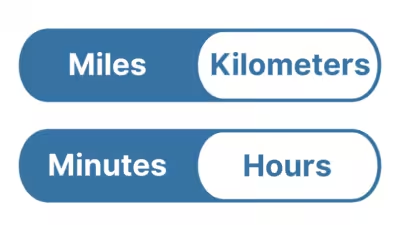
Miles or Kilometers, Minutes or Hours
Toggle between imperial and metric units anytime. Results update instantly so you can work in whatever format your team or clients prefer.

Hundreds or Thousands of Addresses at Once
Process as many address pairs as you need in a single run. No row limits in the tool. Google Maps handles the routing, Excel stores the results.
Manual Lookups vs. Distance Calculator
See how much time you save by letting Excel do the work.
Honest Feedback from Real Users
Responsive and open to feedback
“Impressed with both the products and the support. Very responsive to questions and open to improvement suggestions. I've purchased several tools and been happy with all of them.”
Fantastic support
“Had a question and got a helpful reply within hours. Really solid support. Highly recommend.”
An awesome program and creator
“Not only does the developer respond directly to your questions, he actually acts on them. I made a feature request and it was implemented the next day. That kind of dedication is rare.”
Simple, One-Time Pricing
One flat price in USD. No subscriptions.
one-time payment
Lifetime access, free updates included
one-time payment
Lifetime access, free updates included
Frequently Asked Questions
Everything you need to know before getting started.
Questions? Get in Touch.
If the FAQs missed a spot, I’m here to help. Ask away and get the answers you need, straight from the source!

Stop Wasting Time on Manual Lookups
Calculate distances and travel times for any route, all in one click right inside Excel.
