
Turn Your Excel Task List Into a Professional Gantt Chart
Select your Excel table, click export, and get an interactive Gantt chart with task dependencies, milestone markers, and hover details. Share it as a standalone HTML file that opens in any browser. No formulas, no monthly fees.
- ✓ Free version available
- ✓ Works on Windows and Mac
- ✓ No formulas or manual formatting
See how it works in 3 minutes
Why SimpleGantt
No formulas. No subscriptions. Just one click.
SPEED
One Click, Done
Select your task table, click export, and get a polished Gantt chart. What used to take hours of manual formatting takes seconds.
INTERACTIVE
Share With Anyone
Export as a standalone HTML file. Your team can zoom, scroll, hover for details, and interact with the timeline in any web browser.
PRIVACY
Your Data Stays Local
SimpleGantt runs entirely inside Excel. No uploads, no cloud services. Your project data never leaves your machine.
How it Works
Three steps from task list to interactive timeline.
Add Your Tasks
Enter task names, start dates, end dates, and optionally dependencies, milestones, and progress in your Excel table.
Configure Your Settings
Pick a color scheme, add your company logo, set the timescale, and choose your display options. Do this once and reuse it.
Click Export
Hit one button and get a standalone HTML Gantt chart with dependency lines, milestone markers, and hover details built in.
Who Uses SimpleGantt?
Freelancers, teams, and companies who plan projects in Excel.
Skip the Formulas and Subscriptions
INSTANT GANTT CHARTS
From Excel to Gantt in One Click
Select your table, click export, done. SimpleGantt generates a fully professional and interactive Gantt chart that impresses your manager and team. No setup, no learning curve.
EASY SHARING
Share Interactive Charts With Your Team
Export your Gantt chart as a standalone HTML file in seconds. Your team can view, zoom, and interact with the timeline in any web browser. No special software required.
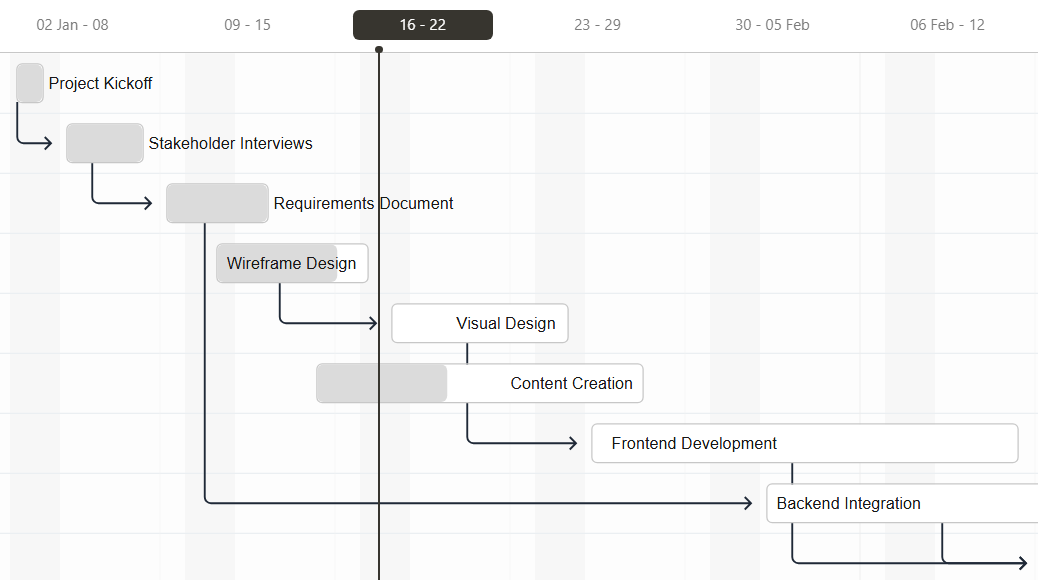
SMART DEPENDENCIES
Visualize How Tasks Connect
Link tasks together to show what needs to happen first. See the full dependency chain with clear connecting lines. Hover over any task to view progress, dates, and notes.
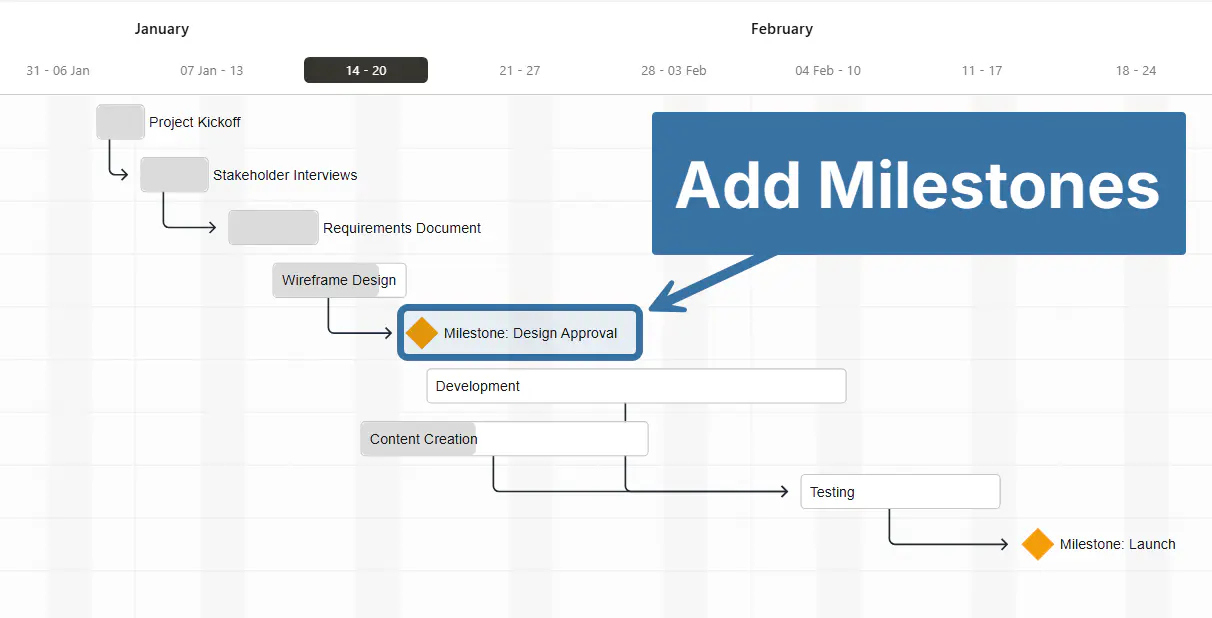
MILESTONE MARKERS
Spot Key Dates Instantly
Milestones highlight important deadlines on your timeline. Project kickoffs, deliverables, approvals – all clearly marked so nothing gets missed.
FLEXIBLE TIME SCALES
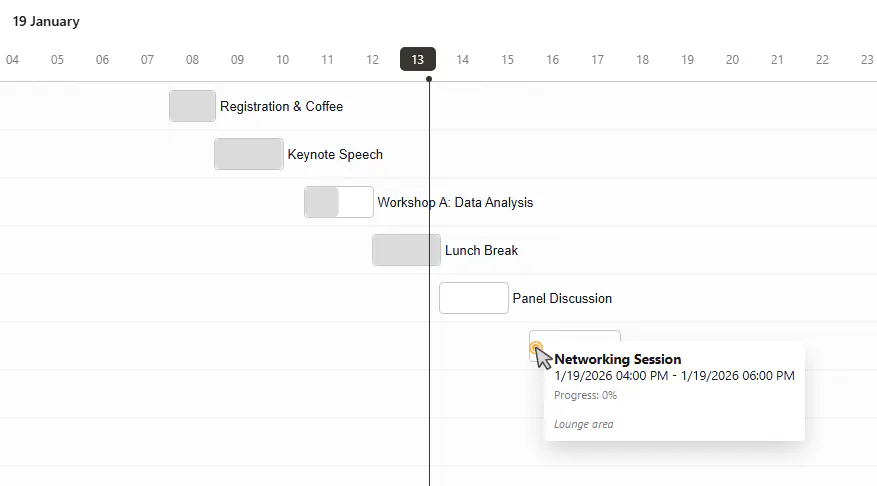
Plan Projects Down to the Hour
Need to schedule a workshop, conference, or meeting agenda? SimpleGantt handles hour-level timelines too. Perfect for detailed daily schedules where every hour counts.
CUSTOM BRANDING
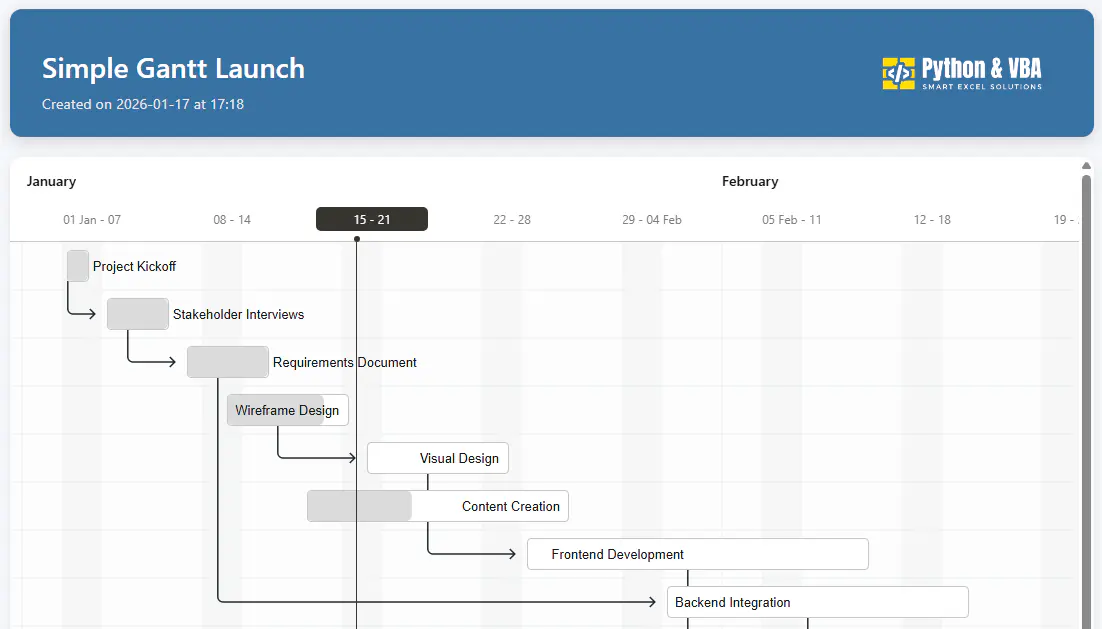
Make It Look Like Yours
Add your company colors, logo, and custom titles. Every exported chart can reflect your professional brand identity. Perfect for client presentations and stakeholder reports.

PRIVATE AND SECURE
Your Data Never Leaves Your Computer
Everything runs locally in Excel. No cloud uploads, no data sharing, no privacy concerns. Your project data stays exactly where it belongs: with you.
Honest Feedback from Real Users
Great support
“Reached out with a question and got a helpful reply within hours. Great support and solid tools.”
Awesome add-ins
“Really good Excel add-ins that make daily work faster and more enjoyable. Sven was quick to help whenever I had questions.”
Responsive and open to feedback
“Great products and the developer is very responsive to questions. Also open to suggestions for improvements, which I really appreciate.”
Simple, One-Time Pricing
One flat price in USD. No subscriptions. 14-day money-back guarantee.
forever
No credit card required
One-Time Payment
Lifetime License
Need multiple licenses for your team? Contact me for volume pricing.
Frequently Asked Questions
Questions? Get in Touch.
If the FAQs missed a spot, I’m here to help. Ask away and get the answers you need, straight from the source!

Start Creating Better Gantt Charts Today
Create professional Gantt charts from Excel in one click. No formulas. No complexity.
