
Bulk Distance Calculator: Calculate Distances Between Addresses for Free
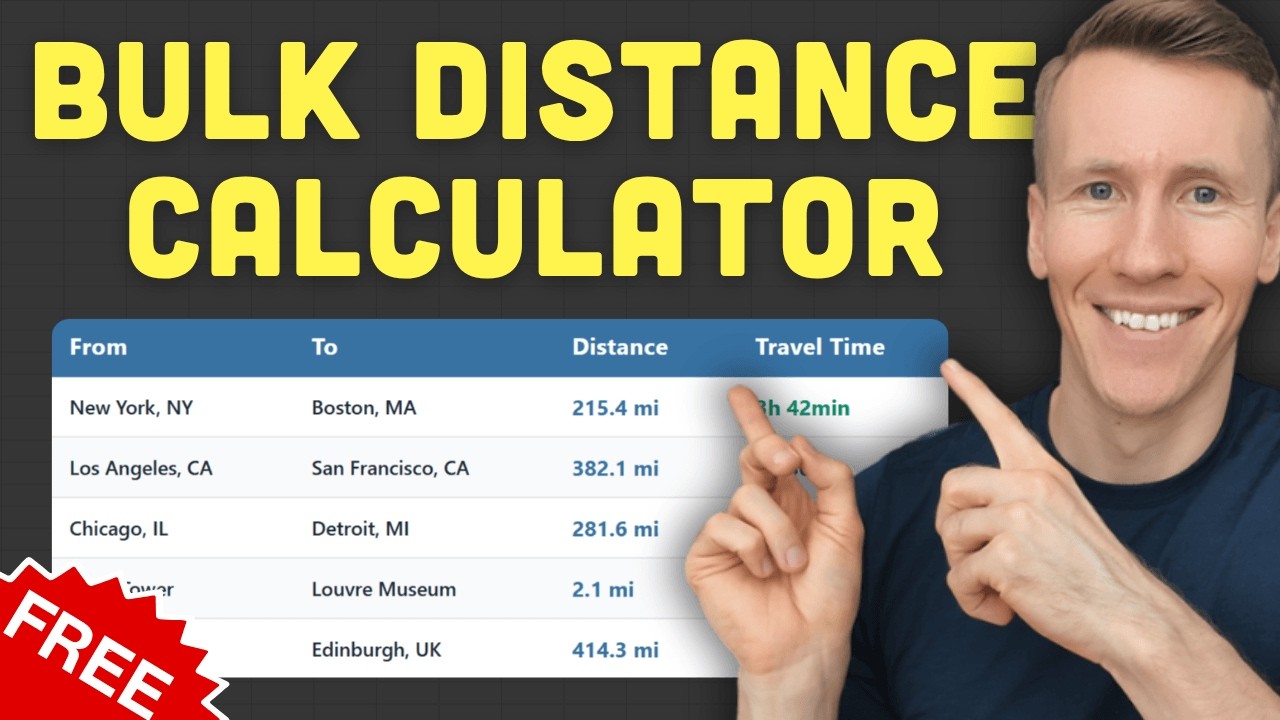
A free web tool that calculates driving, walking or cycling distances for up to 25 address pairs at once. Type them in or upload a CSV or Excel file, pick a travel mode, and export the results. No signup, no API key, nothing to install.
What is a bulk distance calculator?
A bulk distance calculator computes driving, walking, or cycling distances between multiple address pairs at once. Instead of looking up each route individually in Google Maps, you provide a list of origins and destinations and get all results in one batch.
The typical workflow is straightforward. You have a list of address pairs. Maybe it is customers and your warehouse, or listings and the nearest school. You feed them into the tool, and it returns the distance and estimated travel time for each pair. The output is usually a table you can export as CSV or Excel.
Most bulk distance tools use Google Maps or a similar mapping API under the hood. That means you get actual road distances, not straight-line calculations. The results account for highways, one-way streets, and real road networks.
Who needs a bulk distance calculator?
Anyone who regularly works with address lists benefits from bulk distance calculations. Common users include logistics teams, real estate agents, sales managers, and field service companies that need distances for planning, reporting, or cost estimation.
Logistics and delivery teams
Calculate delivery distances for cost estimates or compare route lengths across drivers. If you are quoting shipping costs or planning driver assignments, knowing the actual distance for each delivery saves time.
Real estate agents
Show commute distances from listings to schools, offices, or transit stations. When a client asks “how far is this house from downtown?”, you can answer that for every listing at once instead of checking them one by one.
Sales and field service teams
Plan territory coverage and estimate travel time between client visits. If you have 15 client meetings this week, knowing the drive time between each one helps you schedule your day.
Researchers and analysts
Academic studies and market analyses often involve geographic data. If distance is a variable in your research, calculating it manually for hundreds of data points is not practical.
How do I calculate distances between multiple addresses at once?
Use a free bulk distance calculator. Enter your addresses manually or upload a CSV/Excel file, choose your travel mode, and get results in seconds. No account or API key needed.
Here is how the free distance calculator works step by step.
Manual entry
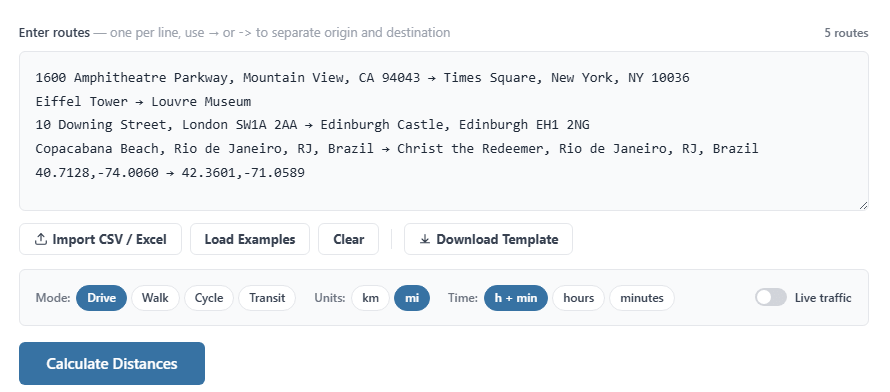
For smaller batches, you can type or paste your addresses directly. Each row takes a start address and an end address, separated by an arrow. The tool accepts pretty much any format: full street addresses, partial addresses, landmarks, postal codes, or even GPS coordinates. It does not matter if your addresses are formatted differently from each other.
Batch upload (CSV or Excel)
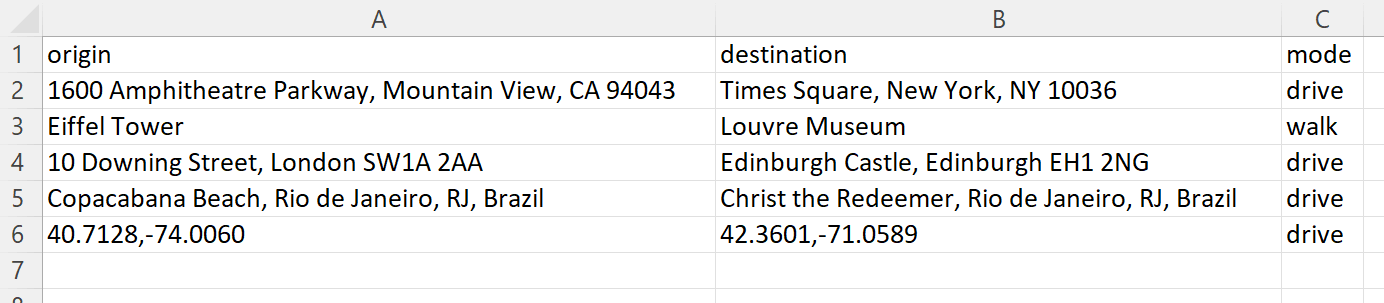
For larger batches, download the CSV template from the tool, fill in your start and end addresses, and upload it. You can also use your own Excel or CSV file as long as it has the right columns. The tool reads the file and populates everything automatically.
Configure your settings
Before calculating, you can adjust a few options:
- Travel mode: driving, walking, cycling, or public transportation
- Distance unit: kilometers or miles
- Time format: hours and minutes, hours only, or minutes only
- Traffic: toggle on to factor in current traffic conditions (driving mode only)
Results and export
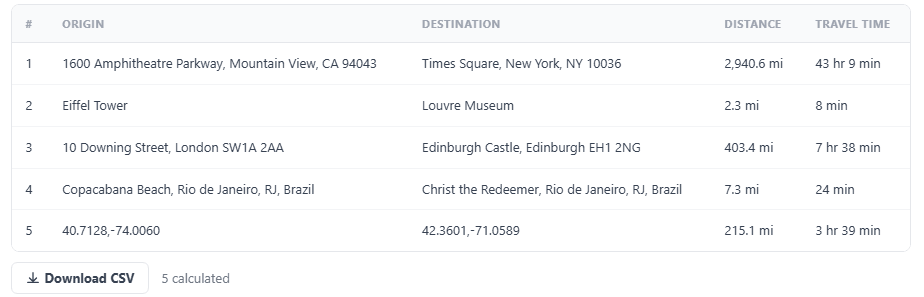
After clicking calculate, a results table shows the distance and travel time for each address pair. You can export the entire table as a CSV file and open it in Excel or Google Sheets for further analysis.
Can I upload a spreadsheet to calculate distances?
Yes. The bulk distance calculator accepts CSV and Excel files. Format your spreadsheet with origin addresses in one column and destination addresses in another, then upload it directly. No formulas or API keys required.
The easiest way to get started is to download the template from the tool page. It already has the correct column headers. Fill in your addresses, save the file, and upload it.
One thing to watch out for: messy or incomplete addresses can cause errors. If your address data has typos, missing zip codes, or inconsistent formatting, the tool may not be able to match them. In that case, it helps to clean your addresses first. I built a free address formatter that standardizes and validates addresses using Google Maps data. Running your list through it before calculating distances reduces errors.
How accurate is a free bulk distance calculator?
The tool uses Google Maps data, so accuracy matches what you would get from Google Maps itself. Results reflect actual road networks, not straight-line distances between two points.
Google Maps accounts for highways, local roads, one-way streets, and turn restrictions. When you enable the traffic toggle, it also factors in real-time traffic conditions for driving estimates.
That said, there are limitations to be aware of. Google Maps coverage varies by region. Rural areas or countries with less detailed mapping data may produce less precise results. Road construction, temporary closures, and seasonal road changes are not always reflected. And travel time estimates are exactly that: estimates. Actual drive times depend on conditions that change by the hour.
For most practical use cases like delivery planning, commute estimates, or territory analysis, the accuracy is more than sufficient. You are getting the same data that powers Google Maps navigation.
How does this compare to other free bulk distance tools?
Most competing tools require paid accounts, charge per route, or limit functionality behind signups. The free distance calculator at pythonandvba.com handles 25 routes per calculation with no account required.
Here is how the main options compare:
| Tool | Free tier | Signup required | Address support |
|---|---|---|---|
| bulk.distance.to | ✘ Paid only (per route) | ✔ Yes | Full addresses |
| Geloky | ✔ Limited free | ✘ Account needed | Full addresses |
| Maply | ✔ Limited free | ✘ Account needed | Full addresses |
| CDX Technologies | ✔ Free | ✔ No | ✘ Zip/postal codes only |
| pythonandvba.com | ✔ 25 routes free | ✔ No | Full addresses, landmarks, coordinates |
The main trade-off is volume. Paid tools handle larger batches. But for one-off tasks or small to medium lists, 25 routes per calculation is enough for most people. And not having to create an account or enter payment details removes a lot of friction.
What other free distance and address tools are available?
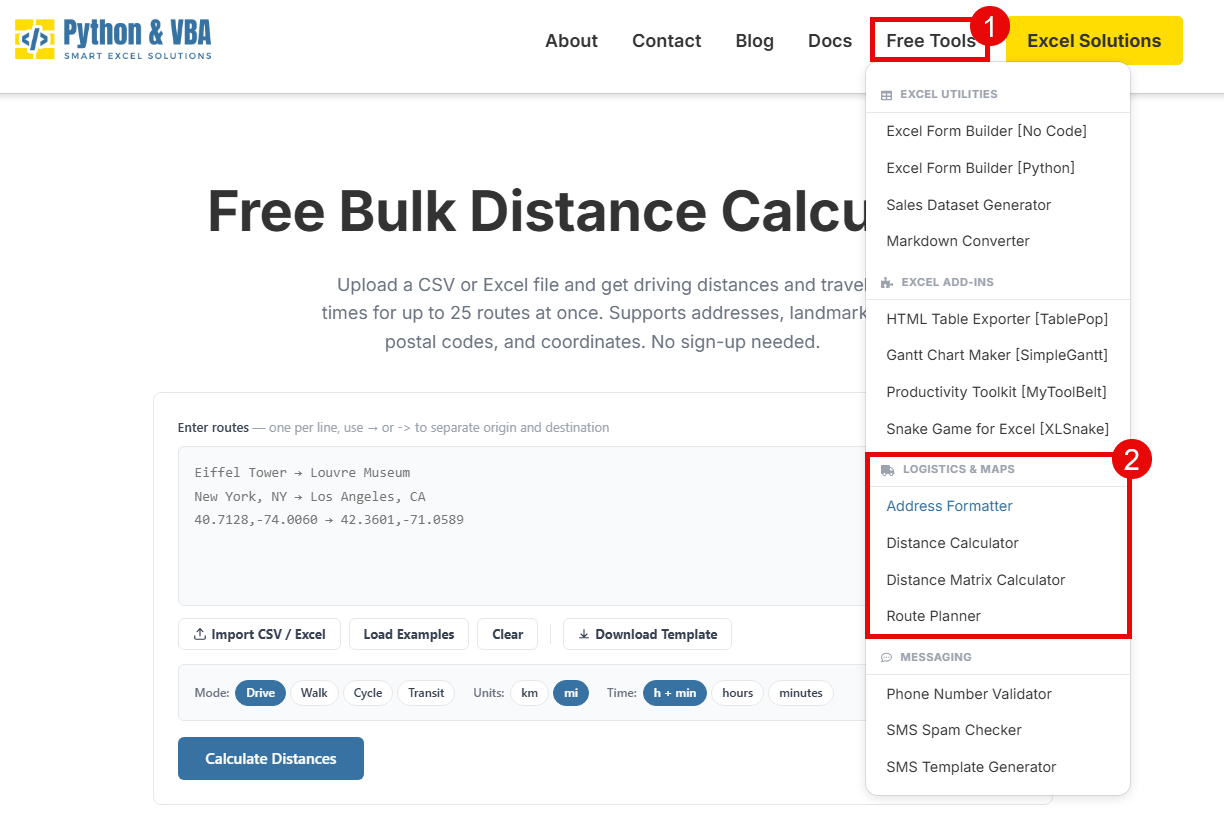
Beyond the bulk distance calculator, there are three other free tools on my site that solve related problems. Each handles a different type of address or distance task.
- Distance matrix calculator – calculates distances from every origin to every destination in a single matrix. Use this when you need all-to-all distances, not just paired routes. Useful for territory planning or finding the closest warehouse to each customer.
- Route planner – finds the optimal order to visit multiple stops. If you have 10 deliveries and want the shortest route through all of them, this is the tool for that.
- Address formatter – cleans and standardizes messy address data. Fixes typos, fills in missing components, and splits addresses into street, city, state, zip, and country. Good to run before any distance calculation to reduce errors.
All three are free with no signup. Same limits apply (25 items per batch). You can find them under the Free Tools menu on the site.
What if I need more than 25 routes?
The free web tool handles 25 routes per calculation. For most one-off tasks, that is plenty. But if you regularly work with larger lists, the Excel Distance Calculator processes unlimited routes directly inside your spreadsheet using your own Google Maps API key.
Google gives you 10,000 distance calculations for free every month with an API key. Setting it up takes about five minutes. If you go over the free tier, additional calculations cost $5 per 1,000 routes. The Excel tool is a one-time purchase, so there is no recurring subscription on top of that.
If you want to try bulk distance calculations first, start with the free online tool and see if the 25-route limit works for your needs.
Up to 25 routes per run, straight in the browser. Paste addresses or upload a CSV, choose a travel mode, and export the distances and travel times.