
Send Bulk SMS From Your Own Number
QuickText sends SMS and picture messages (MMS) through your Android phone. Recipients think you texted them personally. No 10DLC registration. No per-message fees. Set up in minutes.
- Sends from your real number
- Replies go straight to your phone
- Import contacts from Excel, CSV or your phone
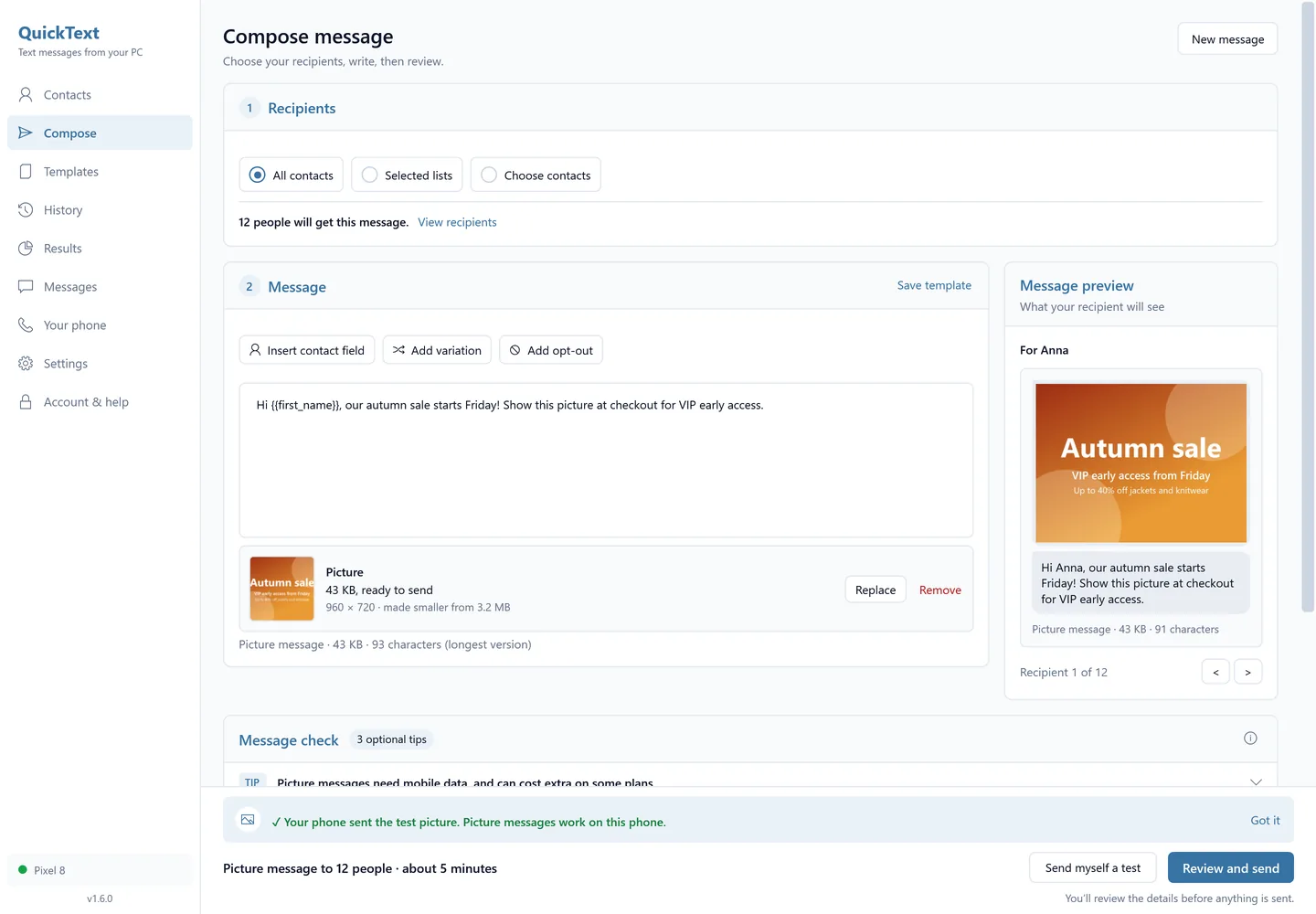
- Send a flyer or photo as an MMS
20 free texts, every feature included.
No credit card. No sign-up.
Via Microsoft Store · Requires an Android phone
See how it works
From setup to your first text, in 7 minutes.
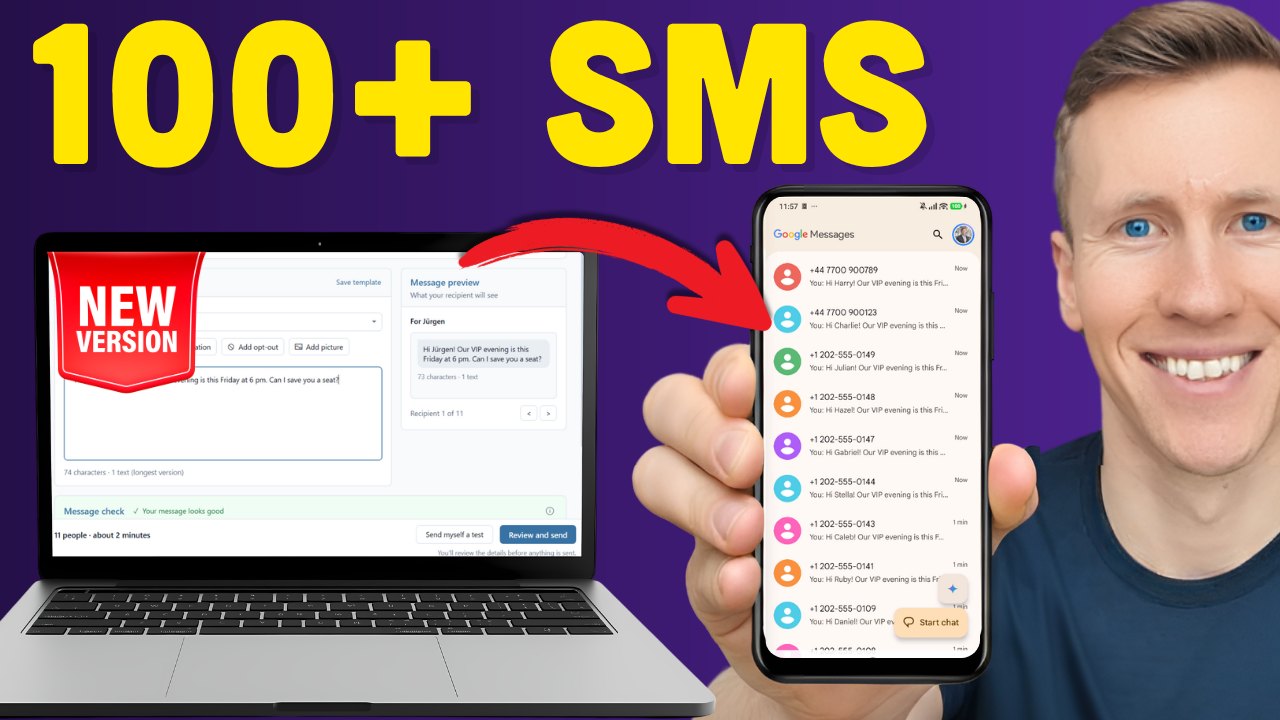
Want the full setup? Watch the 15-minute walkthrough, from install to your first text.
Your number. No registration, no gateway.
SMS platforms give you a stranger's number, a compliance checklist and a bill per text. QuickText gives you the phone you already have.
- 10DLC registration before you can send
- A new number, often shown as "likely spam"
- Monthly fee plus a few cents per text
- Replies sit in a dashboard you have to check
- Your contact list on their servers
- No registration, you text like a person
- Your own number, the one they already know
- Texts come out of your mobile plan, as always
- Replies land on your phone, like any text
- Your contacts never leave your PC
What you need
Does it work in my country? Yes.
QuickText sends through the SIM card in your own Android phone, so it works wherever your phone can send a text. It is texting from your phone, except your PC does the typing and sends to the whole list.
Any carrier with a SIM works; a plan with unlimited texts is ideal. Most "unlimited" plans still have quiet limits for bulk sending, so read Can my carrier block my number? before your first big send.
Not on the list? Any carrier that sells a SIM card works the same way.
What you can do
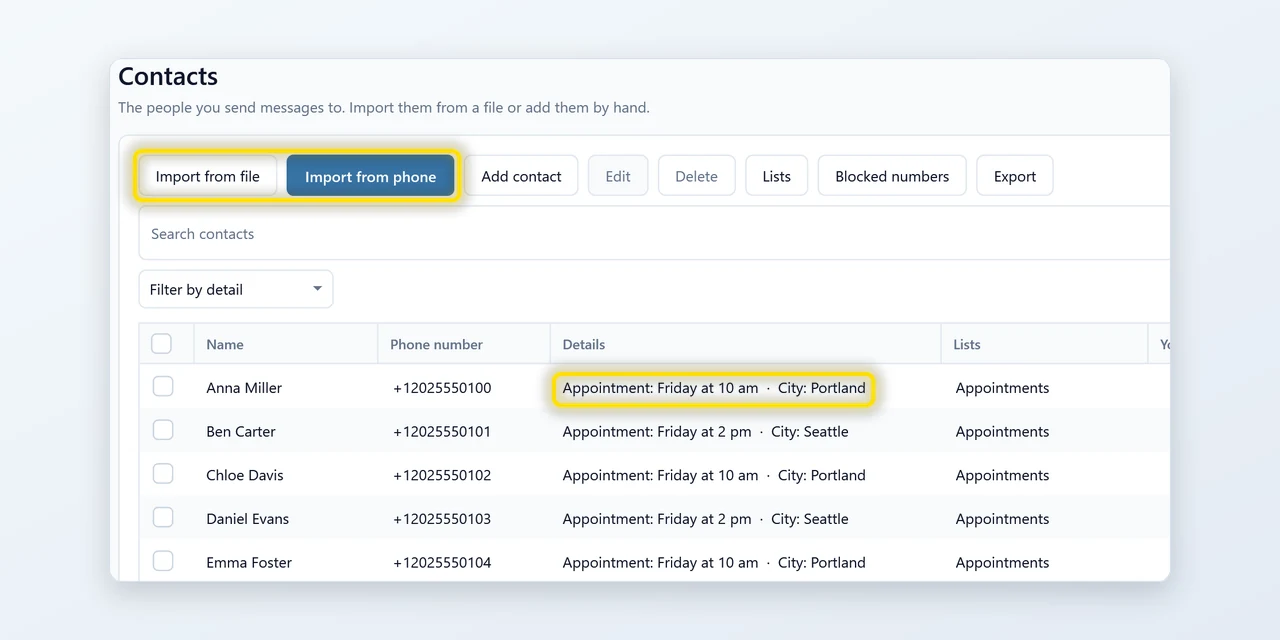
Easily import your contacts
Import from Excel, CSV or vCard, or pull your phone's address book straight in. Duplicates are caught on the way in, numbers are tidied up, and lists keep the groups you text often together. Two contacts with one number? That number gets your message once.
![The Message section of Compose: a Use a saved template box, the Insert contact field, Add variation, Add opt-out and Add picture buttons, and the message [[Hi|Hello]] {{first_name}}, your appointment is {{appointment}}. Does that still work for you? Next to it the preview for Anna reads: Hello Anna, your appointment is Friday at 10 am. Does that still work for you?](https://pythonandvba.com/images/pages/quicktext-desktop/feat-personal-v16.webp)
Make each message personal
Start from a saved template or write a new message, insert contact details and vary your wording. Then preview exactly what each person gets before anything is sent.
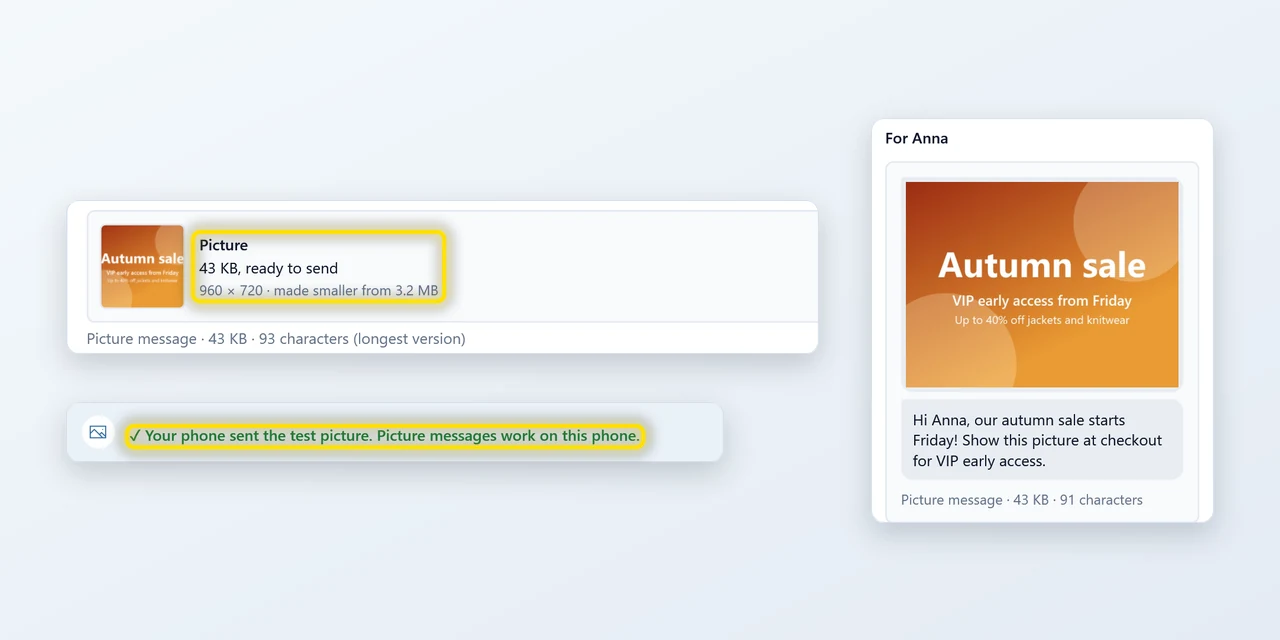
Send picture messages (MMS)
Got a flyer, a menu or a photo? Add it in Compose or in a reply. QuickText makes it small enough to send and removes photo details like location. Before the first one, you send a test picture to your own number, so you know picture messages work on your phone. Needs mobile data and a plan with MMS.
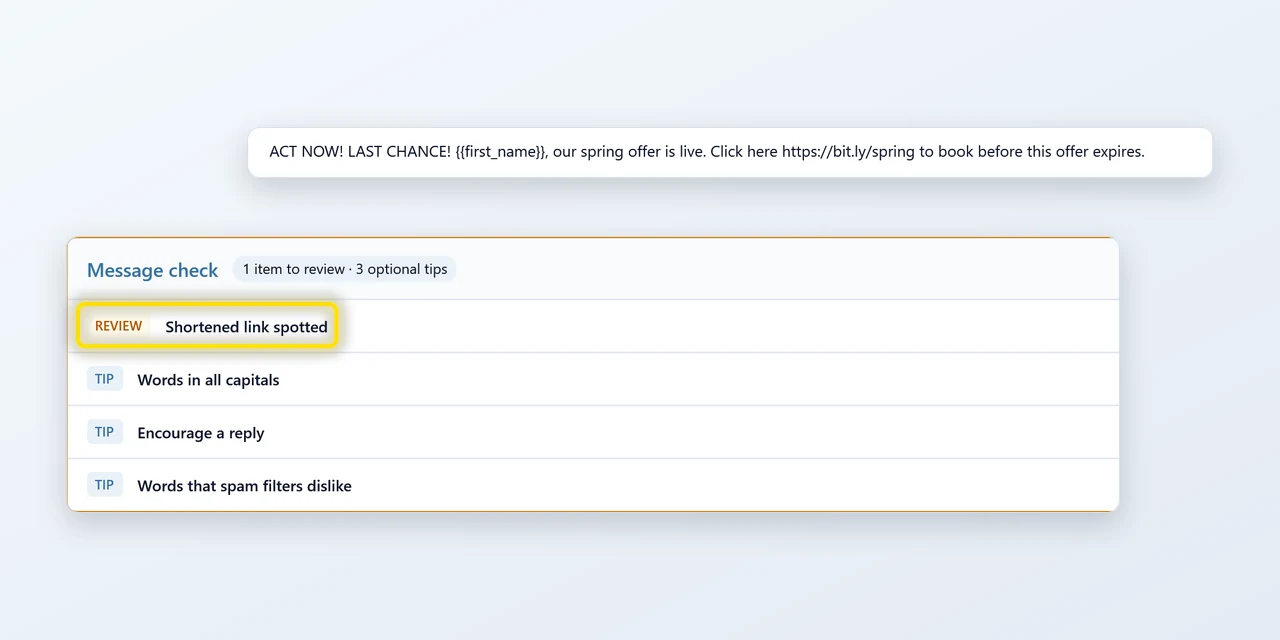
Fix what gets your texts blocked
A quick check runs over your draft: shortened links, shouting capitals, spam phrases, contacts missing a detail you used, a pace that looks automated. Open a finding to read it and fix it. Nothing stops you sending anyway.
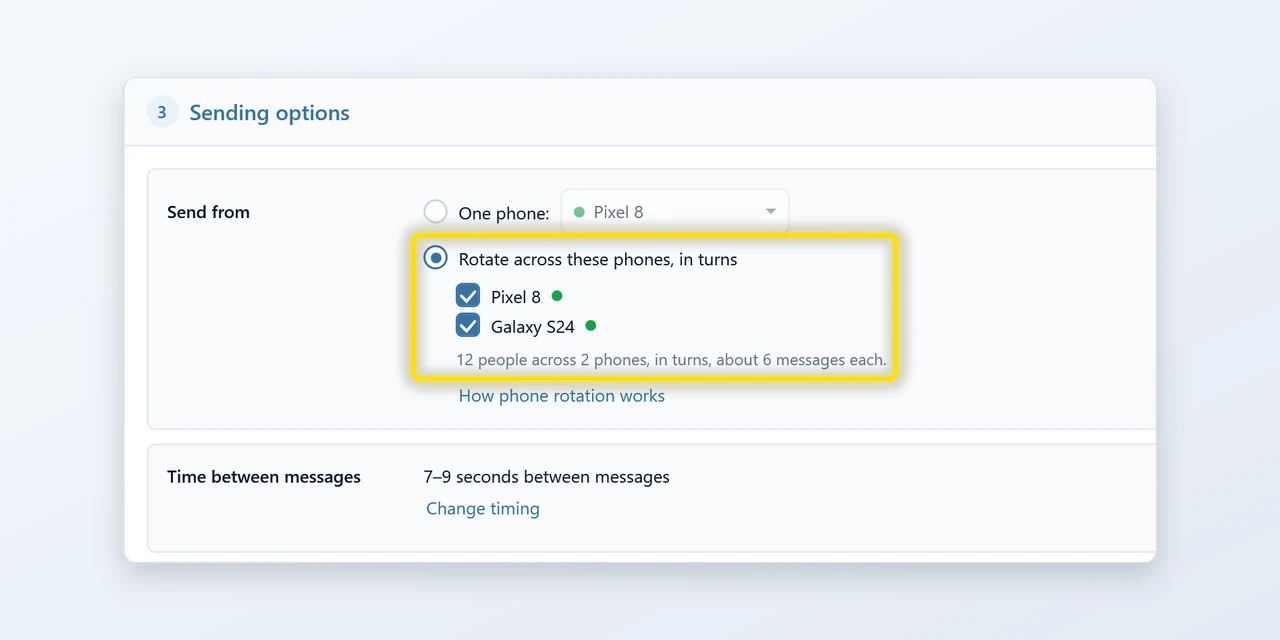
Text more people than one SIM allows
Big list? Tick two or more paired phones and each text goes out through the next one in line. The split is even by itself, every SIM keeps a human pace, and if a phone drops off mid-send the others take over its share.
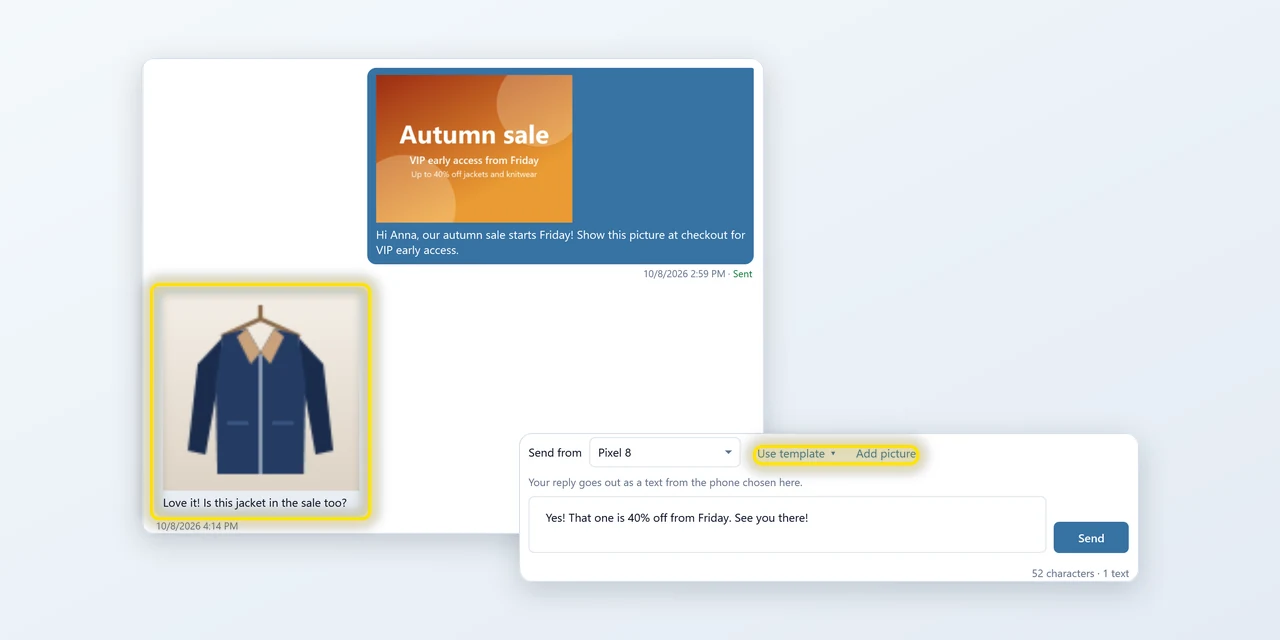
Answer from your PC
Read replies next to what you sent and answer from your keyboard with a text, a saved template or a picture. Pictures people send back show as a small preview. You can also choose to include texts from other conversations on your phone. RCS chats and group messages are not shown.
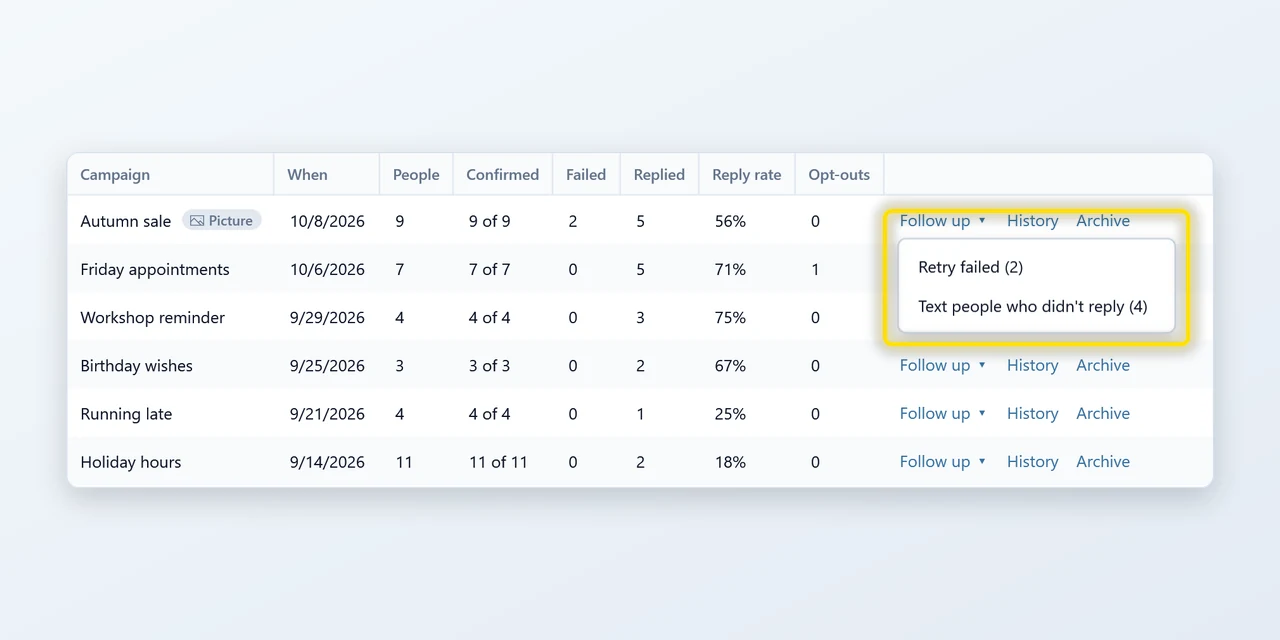
Follow up in two clicks
See who each campaign reached, who replied and who opted out. Then retry the texts that failed, or text everyone who did not reply: Compose opens with exactly those people picked.
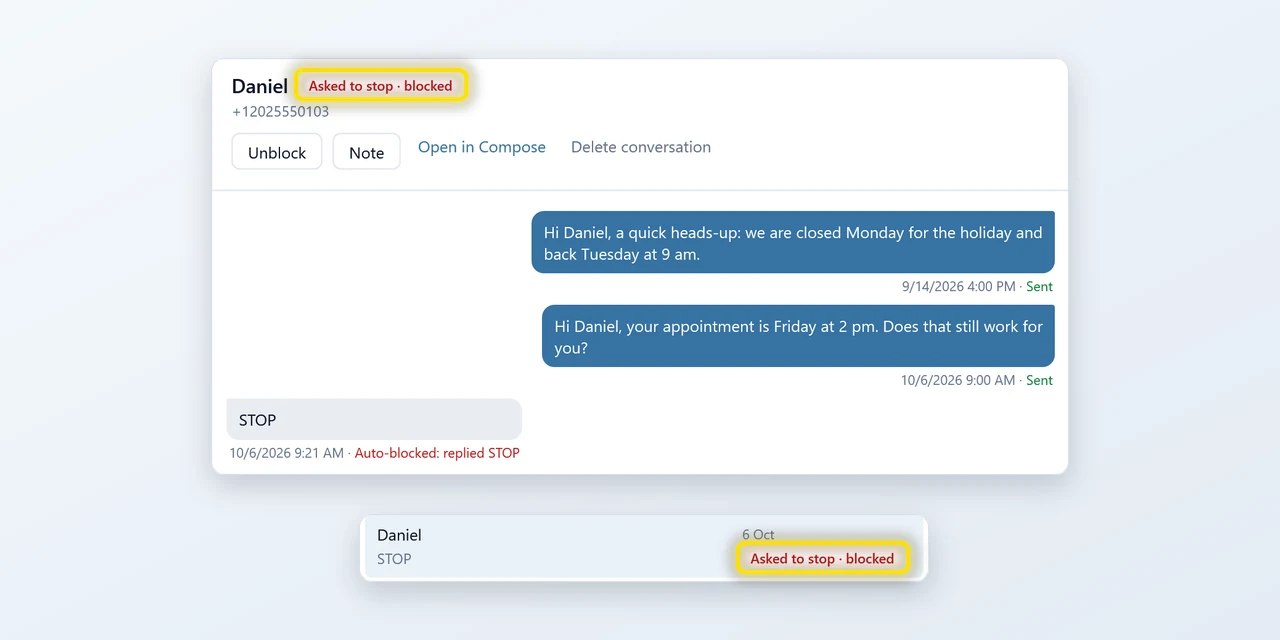
Opt-outs handled for you
Someone replies STOP and they are off your list, even mid-send. Softer answers like “not interested” are only flagged for you, and a block is undone in one click.
Your contacts never leave your PC
Most bulk-SMS tools are websites: you upload your customer list and hope. QuickText is a program on your computer talking to the phone in your pocket. There is no server in between.
Can my carrier block my number?
Yes, if you text like a spammer: the same words to hundreds of strangers, all at once. Any tool that says otherwise is selling you something.
QuickText is built to keep you on the right side of that line, and most users send a few hundred texts a day to people who know them without ever hearing from their carrier.
Honest feedback from real users
“I needed a simple programme/platform that would enable me to send personalised SMS messages to my contacts from my phone. This programme Sven developed is just absolutely brilliant. Simple, no hiccups, it is structured in such a way that it doesn't upset your [phone] provider. All-in-all, great programme. Highly recommend it.”
James Paterson
See review on GoogleGreat tool for teachers
“As a piano teacher, I use this to remind students about lessons and send updates to parents. Type the message once and it goes out to everyone right from my phone. Replies come back like normal texts. Had a setup question and Sven got back to me right away with a helpful answer. Really solid tool if you need something simple and reliable.”
Florian Roeseler
See reviewEasy setup, powerful results
“We needed to send our wedding RSVP link and website link to about 65 contacts and I was dreading doing it manually. QuickText made it really easy. Import the contacts, personalize the messages, and send. Simple but well thought out. The video guides that come with it were also surprisingly good.”
Brant
See reviewSimple and reliable
“Been using QuickText for sending out messages and it just works. Easy to use, and whenever I had a question, Sven replied quickly with helpful answers.”
Hiro Maekawa
See reviewExactly what I needed
“Finally found a way to send bulk texts from my own number. I use it for client updates and reminders and it works really well. Tried other tools before but nothing compared. Exactly what I was looking for.”
Stefan Ruppel
See reviewOutstanding support
“Sven is one of the most dedicated professionals I've dealt with in a long time. He answered every single question I had about his products, fast and thorough. In a time where customer service keeps getting worse, this was a breath of fresh air. Highly recommend.”
Bruno Pisano
See reviewA simple and easy bulk SMS tool
“Really glad I found this. I needed a straightforward way to text many people at once from my own phone number, not some random sender ID. Does exactly that and is very easy to set up.”
Rüdiger Birke
See reviewYour campaigns. One flat price.
All features included. No per-message fees. Prices in USD.
- Unlimited SMS and MMS
- Every feature and every update
- 3 computers, unlimited paired phones
- Priority email support
- Unlimited SMS and MMS
- Every feature and every update
- 3 computers, unlimited paired phones
- Priority email support
— Sven, QuickText developer
Try every feature for free
20 real texts, plus unlimited test texts to yourself.
No credit card. No sign-up.
Frequently asked questions

Still have a question?
I’m Sven, the developer, and I usually reply within a day.
Send your first text in 5 minutes
No registration, no per-message fees, no card. Just your number.
Download free for WindowsQuickText is a Windows app
QuickText installs on a Windows 10 or 11 PC and sends through your Android phone. Copy the download link and send it to your PC to get started.