
One Distance Calculator license covers up to 3 of your own devices. Each computer you activate the key on takes a slot, and when you move to a new machine you can free an old slot yourself.
- Open account.pythonandvba.com and sign in with the email address you bought with, or with your product and license key.
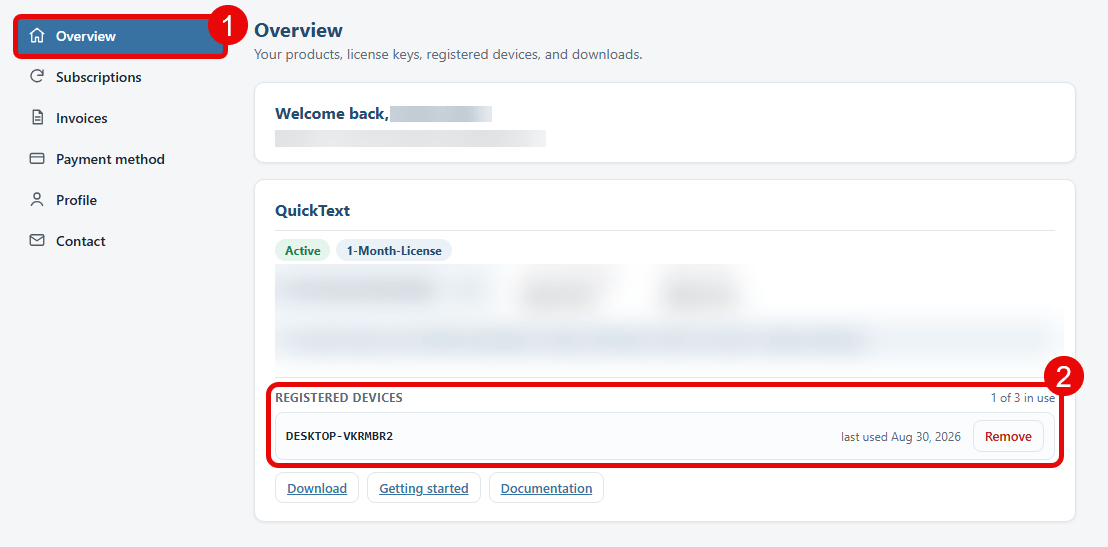
- Stay on the Overview page (1). Each product you own has its own card.
- Find Registered devices on the Distance Calculator card (2). It lists every computer using the key, when each one was last used, and how many slots are in use.
- Click Remove next to a computer you no longer use.
If you need a license for a whole team or company, please get in touch.