If you see this message:
Limit of 5 formulas per sheet reached. To upgrade, visit: https://buy.pythonandvba.com/xllama/xllama-lifetime-deal
That’s not an error. It just means you’ve reached the limit of the free version of XLlama.
What to do
To unlock unlimited usage, you can upgrade to the PRO version:
- Go to this page to buy a license key.
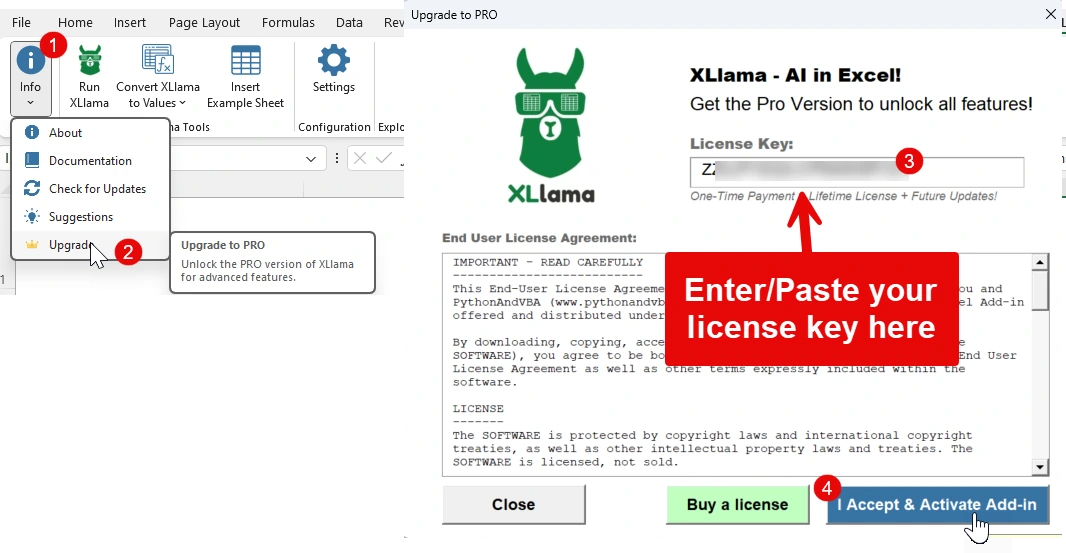
- After purchase, open Excel and go to the XLlama tab.
- Click on Info → Upgrade.
- Enter or paste your license key.
- Click I Accept & Activate Add-in.
Once activated, the limit will be removed and you can use as many formulas as you like.