
Convert Excel Data to JSON. Send It Anywhere.
The Excel to JSON converter that also sends data straight to webhooks. Select any range, pick your format, and export. One click from inside Excel. No copy-pasting, no reformatting, no subscriptions.
- ✓ JSON, clipboard, or file
- ✓ Send to any webhook URL
- ✓ Windows and macOS
See What’s Possible
Three real workflows built with XLPrompt.

Connect Excel to 1,000+ Apps

Turn Excel Data into AI Insights

Sync Excel to Google Sheets
Stop Reformatting. Start Exporting.
Get data out of Excel in the format you actually need.
SPEED
One Click, Clean Output
Select your range and click export. XLPrompt handles the formatting, escaping, and structure. No manual reformatting, no broken characters, no guessing about brackets.
FLEXIBILITY
JSON, Webhook, or Both
Export to clipboard for pasting into AI tools. Save to a .json file. Or send directly to n8n, Make, Zapier, or any custom webhook endpoint. All from the same interface.
VALUE
No Monthly Fees
Automation platforms charge per task and per month. XLPrompt is one payment for unlimited exports, unlimited webhooks, and every future update included.
How it Works
Three steps from install to your first export.
Install the Add-In
Download the file after purchase and follow the setup guide. Takes about two minutes.
Select Your Data
Highlight any range in Excel. Works with tables, named ranges, or any selection of cells.
Pick Your Output
Copy JSON to clipboard, save to a file, or send directly to a webhook. Add custom prompts and context if you want.
Who Uses XLPrompt?
Anyone who needs to get structured data out of Excel without the hassle.
XLPrompt vs. DIY and Automation Tools
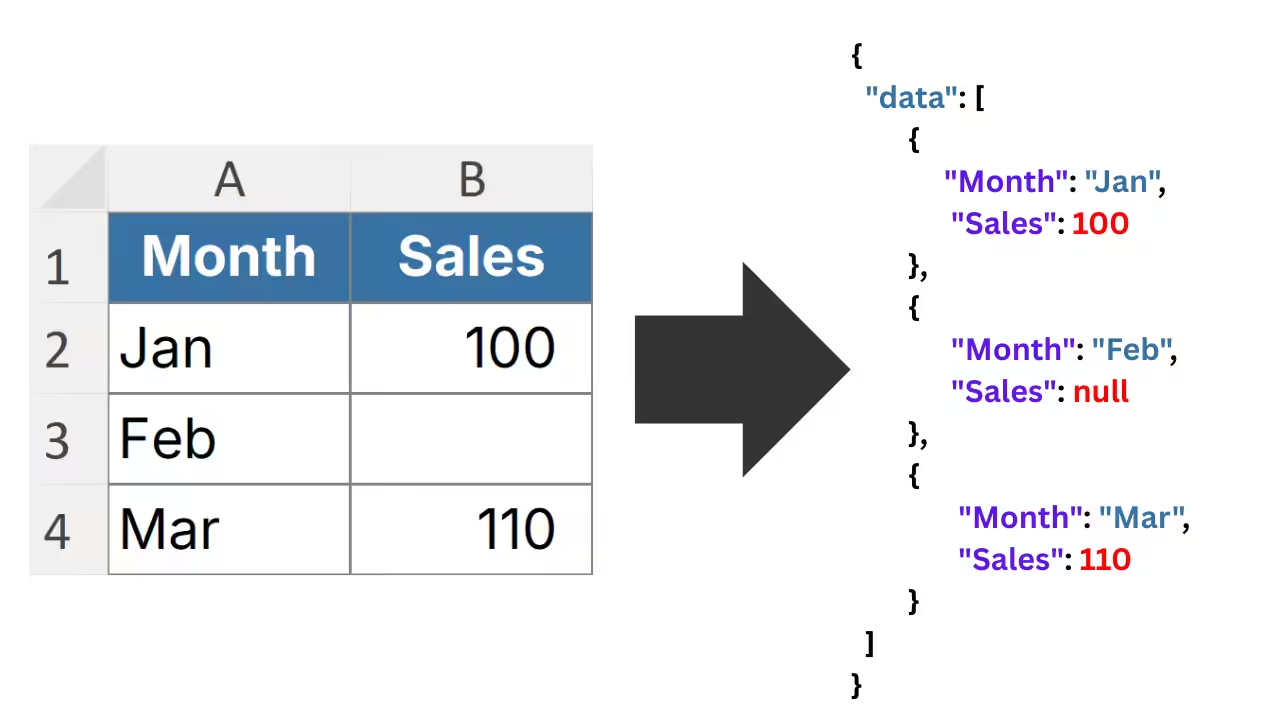
JSON Export
Multiple Formats, One Click
Export as array, object, table, or cell-based JSON. Choose whichever format your downstream tool expects. Copy to clipboard for instant pasting, or save to a .json file with custom naming and versioning.
Webhook Integration
Send Data Straight to External Services
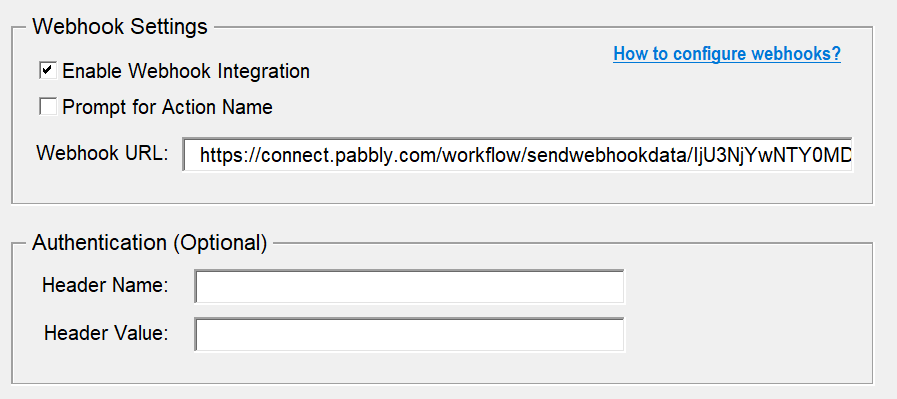
Enter a webhook URL and XLPrompt sends your data as a POST request. Works with n8n, Make, Zapier, custom APIs, or any endpoint that accepts JSON. Choose how to handle the response: show it in a message, write it to a new sheet, or place it in a selected cell.
AI-Ready Output
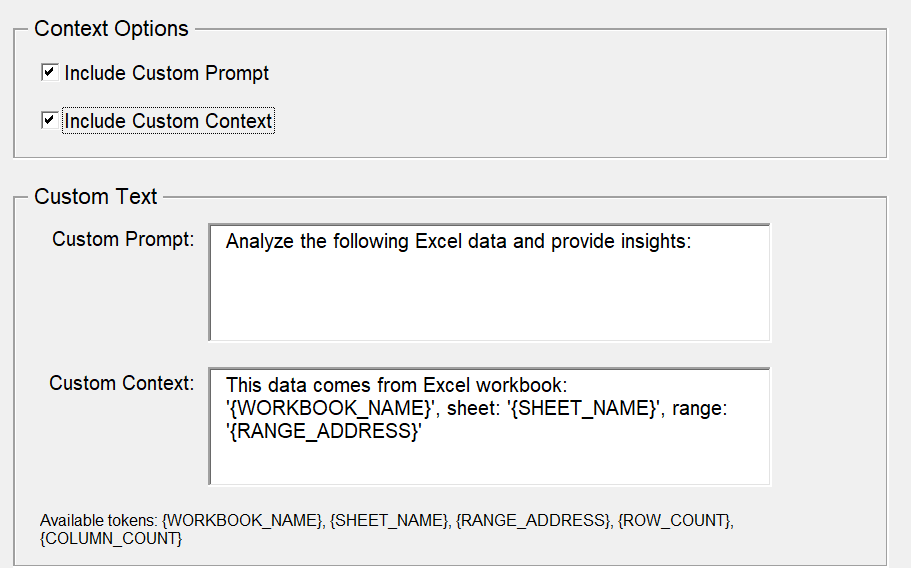
Add Prompts and Context to Your Data
Include custom prompts, context notes, and metadata directly in the JSON output. When you paste it into an LLM, the AI knows exactly what the data is and what you want it to do. No more “here is my data, please analyze it.”
Flexible Structure
Your Data, Your Layout
Headers in the first row? First column? No headers at all? XLPrompt handles all three. It also strips blank cells, preserves Unicode characters, and adds timestamps when you need to track when data was exported.
Honest Feedback from Real Users
Great support
“Reached out with a question and got a helpful reply within hours. Great support and solid tools.”
Awesome add-ins
“Really good Excel add-ins that make daily work faster and more enjoyable. Sven was quick to help whenever I had questions.”
Responsive and open to feedback
“Great products and the developer is very responsive to questions. Also open to suggestions for improvements, which I really appreciate.”
One Price. Yours Forever.
One flat price in USD. No subscriptions. 14-day money-back guarantee.
One-Time-Payment
Lifetime License
One license covers up to 3 personal computers. Need more seats? Get in touch for team pricing.
Frequently Asked Questions
Questions? Get in Touch.
If the FAQs missed a spot, I’m here to help. Ask away and get the answers you need, straight from the source!

Convert Excel to JSON in One Click
Or send it straight to a webhook. No VBA, no subscriptions, no hassle.
