You can use your Grafly license key on up to three personal devices. There are two ways to free one of those slots.
From your account #
This works from any browser, and it is the only option once you no longer have the old machine.
- Open account.pythonandvba.com and sign in with the email address you bought with, or with your product and license key.
- On the Overview page, find Registered devices on the Grafly card. It lists every device using the key and how many slots are in use.
- Click Remove next to the one you no longer use.
On the device itself #
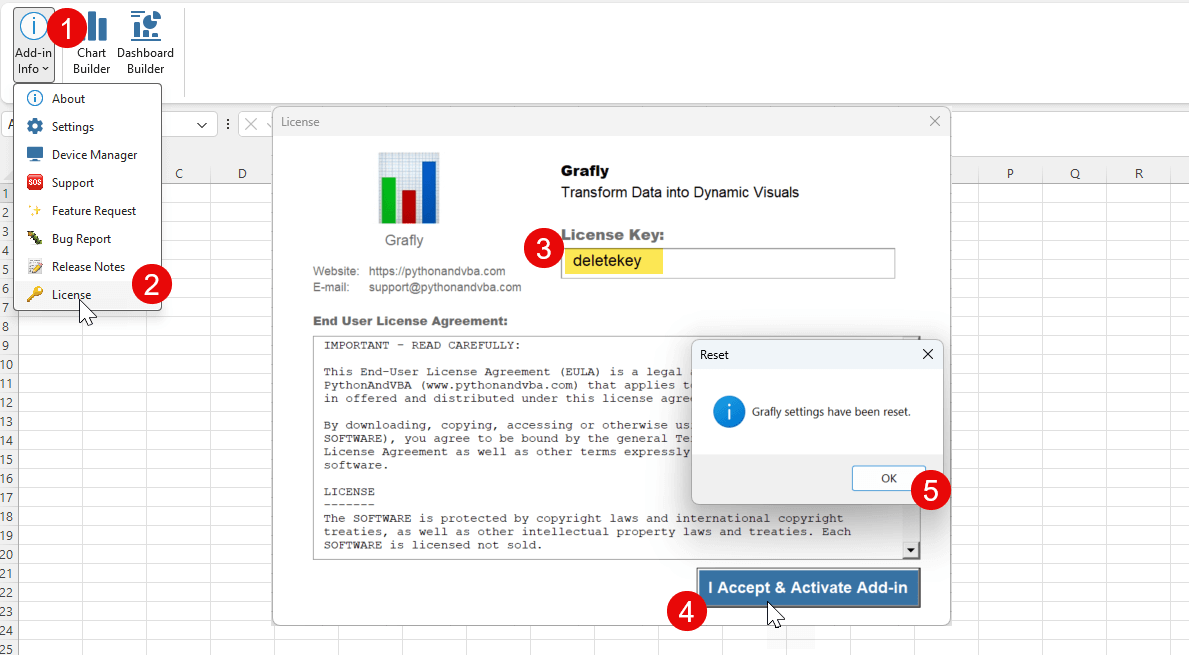
Still sitting at the machine you are retiring? Type deletekey into the license key field, as shown in the image below: