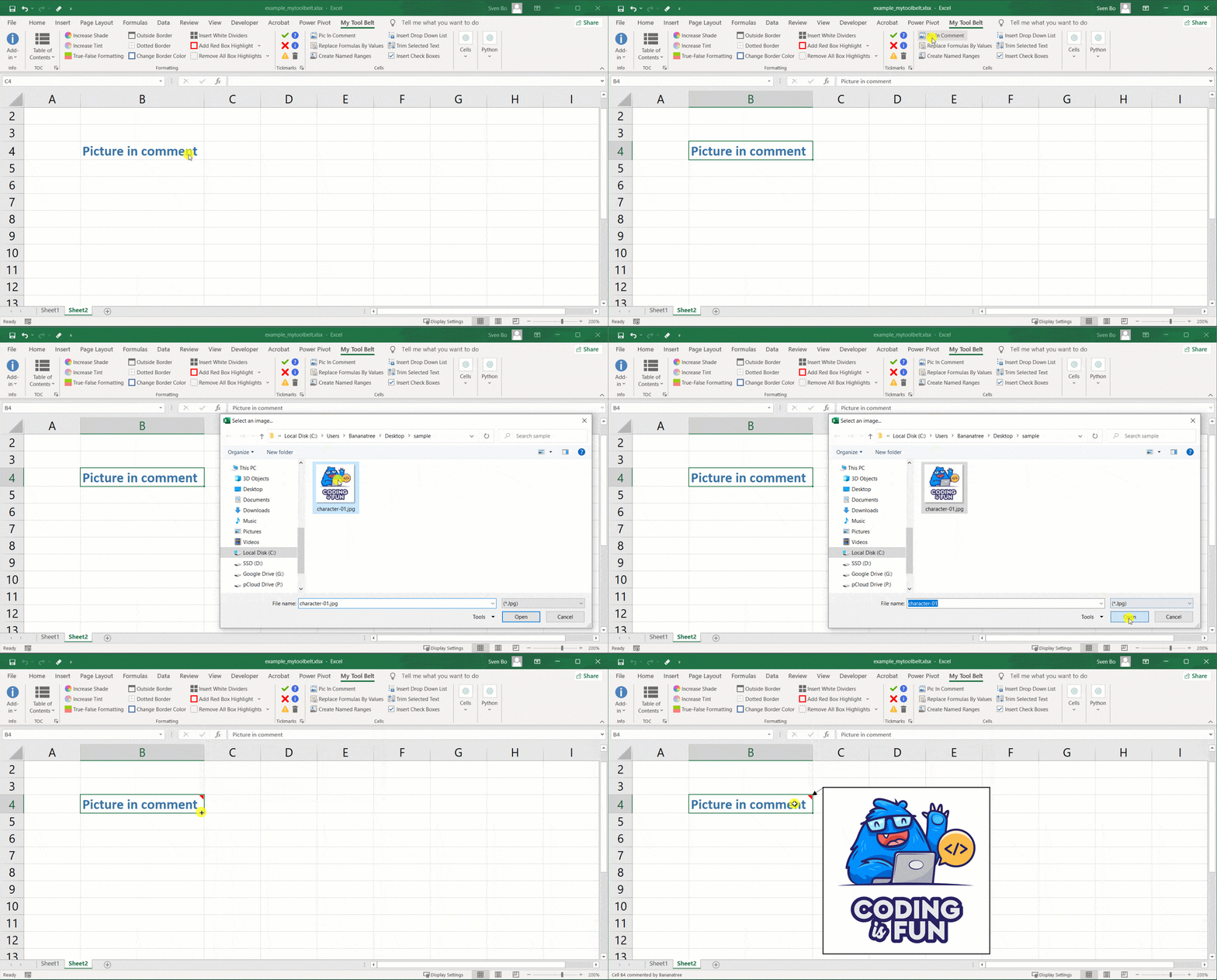
Select a cell, click Pic in Comment, and choose an image. This creates a legacy Excel comment, called a Note in current Microsoft 365; it is not a threaded comment. Set the image scale if needed (100% is the default). Repeat the steps to replace the image.
To delete:
- Right-click the cell containing the picture note.
- Select Delete Note (or Delete Comment in older Excel).
This is great for adding extra details without cluttering your spreadsheet. Keep in mind, however, that images can increase your Excel file size.