
You can cancel your subscription yourself, from your account.
- Open account.pythonandvba.com and sign in with the email address you bought with, or with your product and license key.
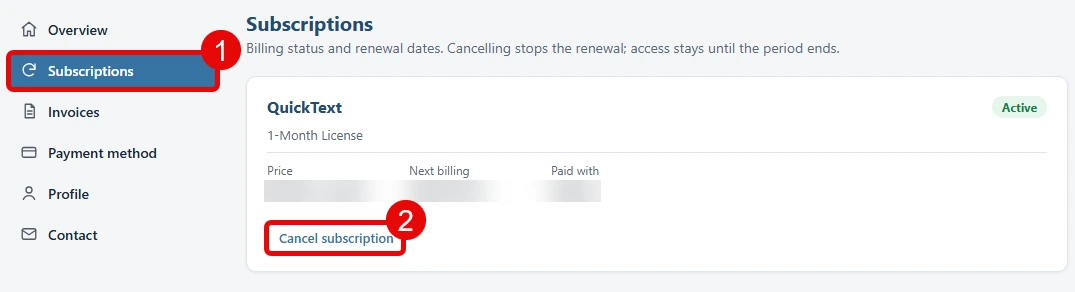
- Click Subscriptions in the left menu (1). Every plan you have is listed with its price and its next billing date.
- Click Cancel subscription under the plan you want to stop (2), then confirm.
That is it. Cancelling stops the renewal, not your access: SMS Blaster keeps working until the end of the period you have already paid for, and you are not charged again.