
You can customize the delay between messages in the Settings.
1. Access the settings #
- Click on Settings in the main menu.
- Navigate to the General tab.
2. Set default delay #
- The Default Delay Between Messages is the time gap (in seconds) between each message.
- You can set it anywhere between 0 seconds (instant sending) and 86,400 seconds (24 hours).
- By default, this is set to 4 seconds.
3. Enable random delay (optional) #
- Turn Random Delay Between Messages ON if you want an additional random delay.
- Set a Min Delay and Max Delay (in seconds).
- This adds a random extra delay on top of the default delay.
Example
With a Default Delay of 5 seconds and a Random Delay range of 2 to 4 seconds, each message waits 7 to 9 seconds.
4. Save your settings #
- Click Save Settings to apply the changes.
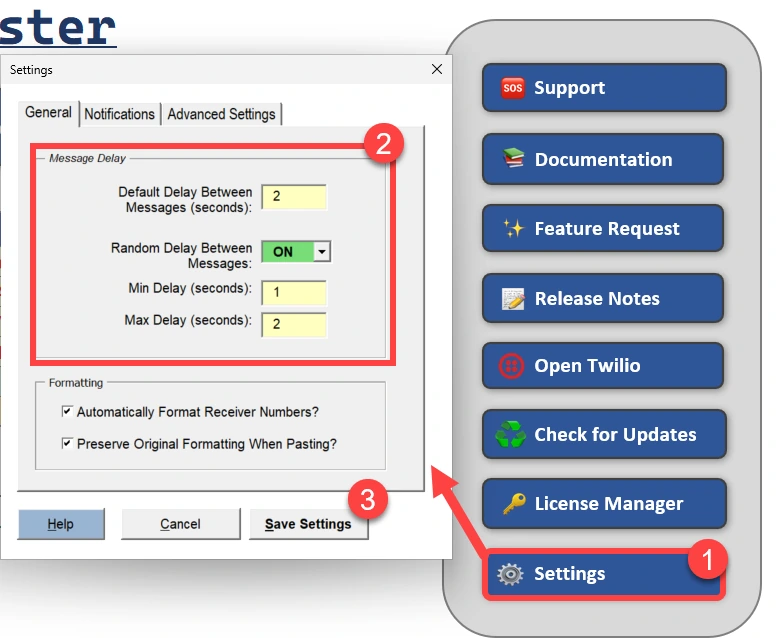
Message Delays