
Dimension Finder copies a PowerPoint object’s position and size into an export row, so you can match an existing slide layout.
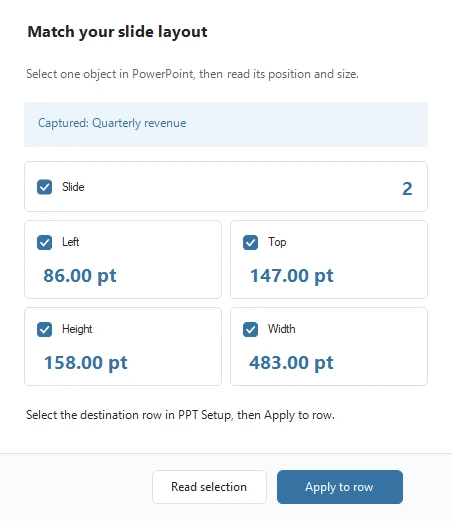
- Open your presentation in PowerPoint and select the object whose placement you want to copy.
- Open Excel2PPT > Dimension Finder in Excel and select Read selection.
- Check the object name and measurements shown in the dialog.
- Return to Excel and select the destination row in PPT Setup.
- Check only the fields you want to copy, then select Apply to row.
- Save the workbook to keep the measurements.
Measurements use PowerPoint points, with 72 points per inch, and are written to two decimal places. Hover over a field for an explanation. Leave fields unchecked to keep their existing setup values.