
You can customize the delay between messages in the Settings.
1. Access the Settings #
- Click on Settings in the main menu.
- Navigate to the General tab.
2. Set Default Delay #
- The Default Delay Between Messages is the time gap (in seconds) between each message.
- You can set it anywhere between 0 seconds (instant sending) and 86,400 seconds (24 hours).
- By default, this is set to 4 seconds.
3. Enable Random Delay (Optional) #
- Turn Random Delay Between Messages ON if you want an additional random delay.
- Set a Min Delay and Max Delay (in seconds).
- This adds a random extra delay on top of the default delay.
Example
If your Default Delay is set to 5 seconds and your Random Delay range is 2 to 4 seconds, each message will be sent after 5 seconds + a random extra delay (between 2 and 4 seconds).
4. Save Your Settings #
- Click Save Settings to apply the changes.
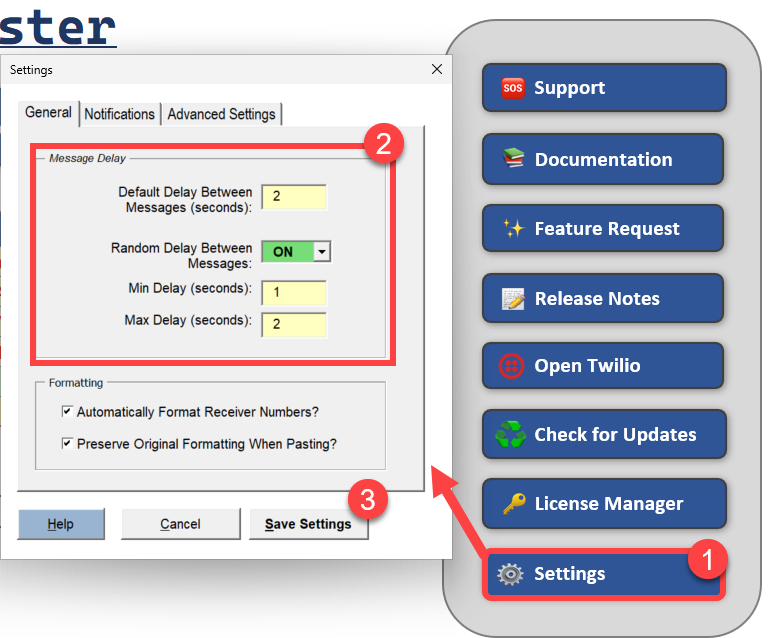
Message Delays
