
About a minute from install to your first comparison. No account and no key: every feature is free for tables of up to 200 rows each.
1. Add Table Compare to Excel #
You need Excel on Windows or Mac with Microsoft 365 or Excel 2021 and later, or Excel on the web. Table Compare is listed on Microsoft Marketplace: add it from the Add-ins menu on the Home tab (More Add-ins, search for Table Compare, Add) and open it with the Table Compare button on the Home tab. The steps are in Install Table Compare.
2. Try the sample data #
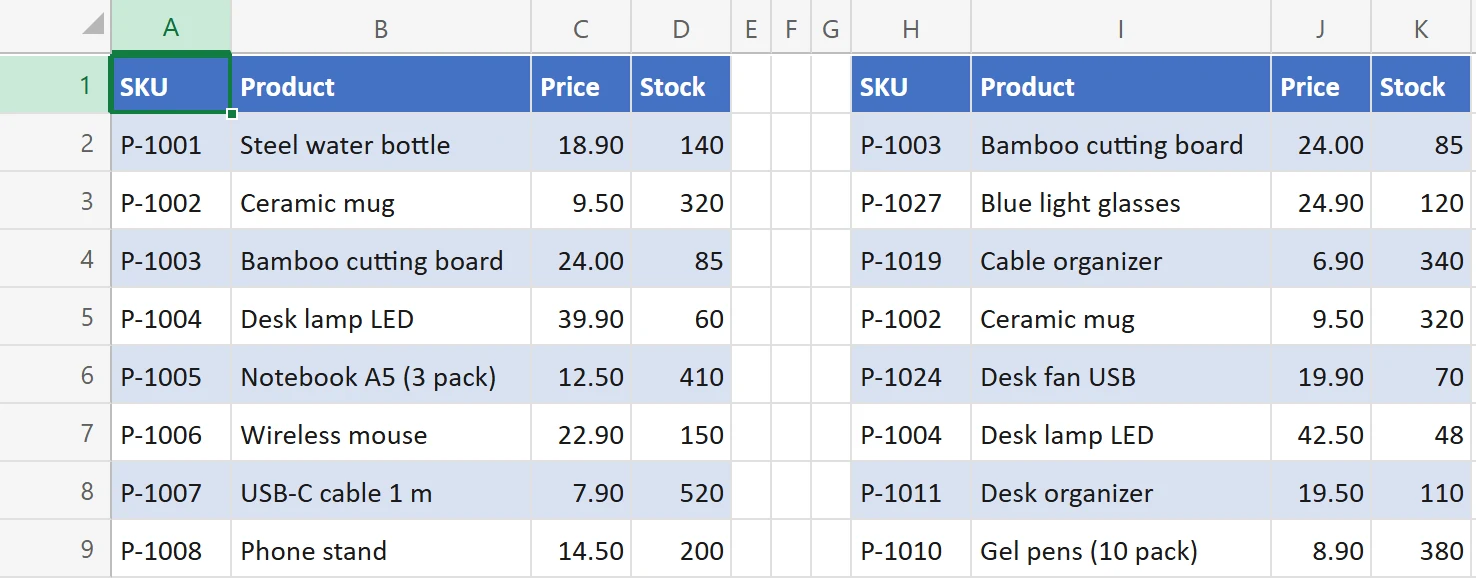
Open the menu at the top left of the pane (the three lines) and choose Price list under Sample data. Table Compare adds a sheet named Table Compare sample with two price lists as Excel tables: Prices_Sep at A1 and Prices_Oct at H1. The October list is sorted by product name, so its rows are in a different order from September. Old and New are filled in for you. The same menu has two more samples: Order lines, where a row is identified by two columns together (Order No and Line), and Customer list, where the new export lost the leading zeros of the IDs and a column was renamed.
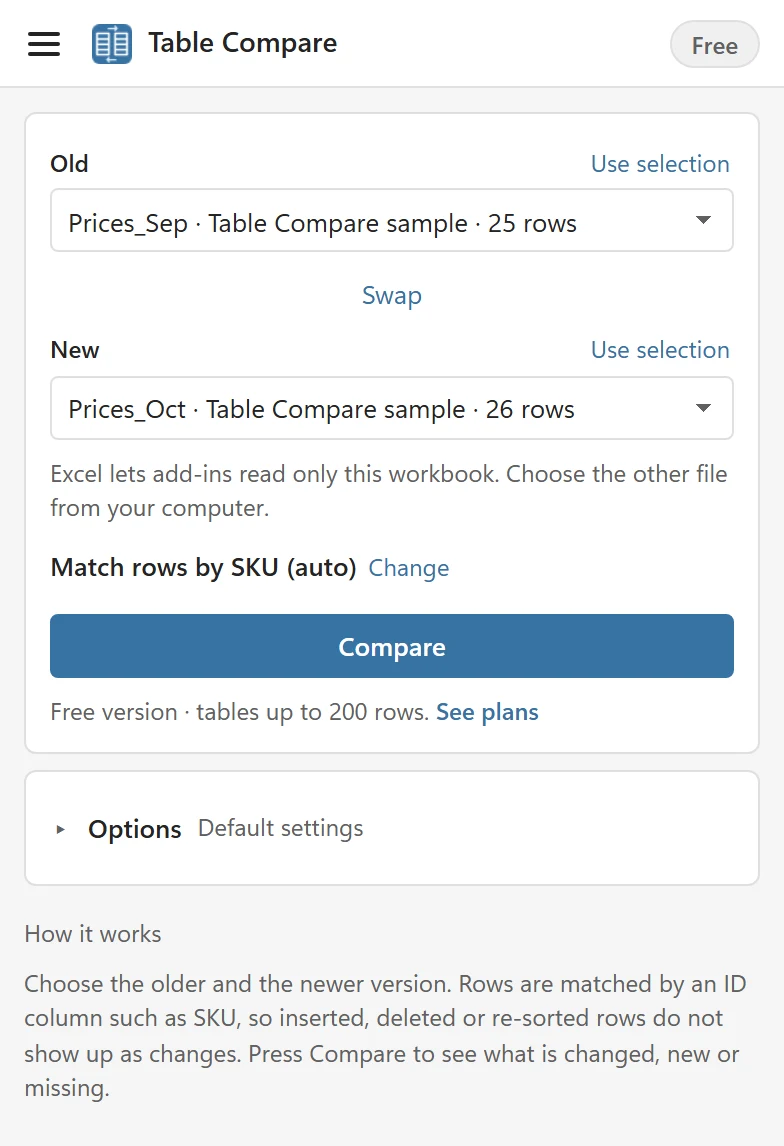
The line Match rows by SKU (auto) tells you how rows will be paired: Table Compare found that SKU is unique in both tables and uses it.
3. Press Compare #
The result shows four tiles and a list. The sample has 2 changed rows (3 changed cells), 2 new rows, 1 missing row and 22 rows that are the same, even though October is sorted differently.
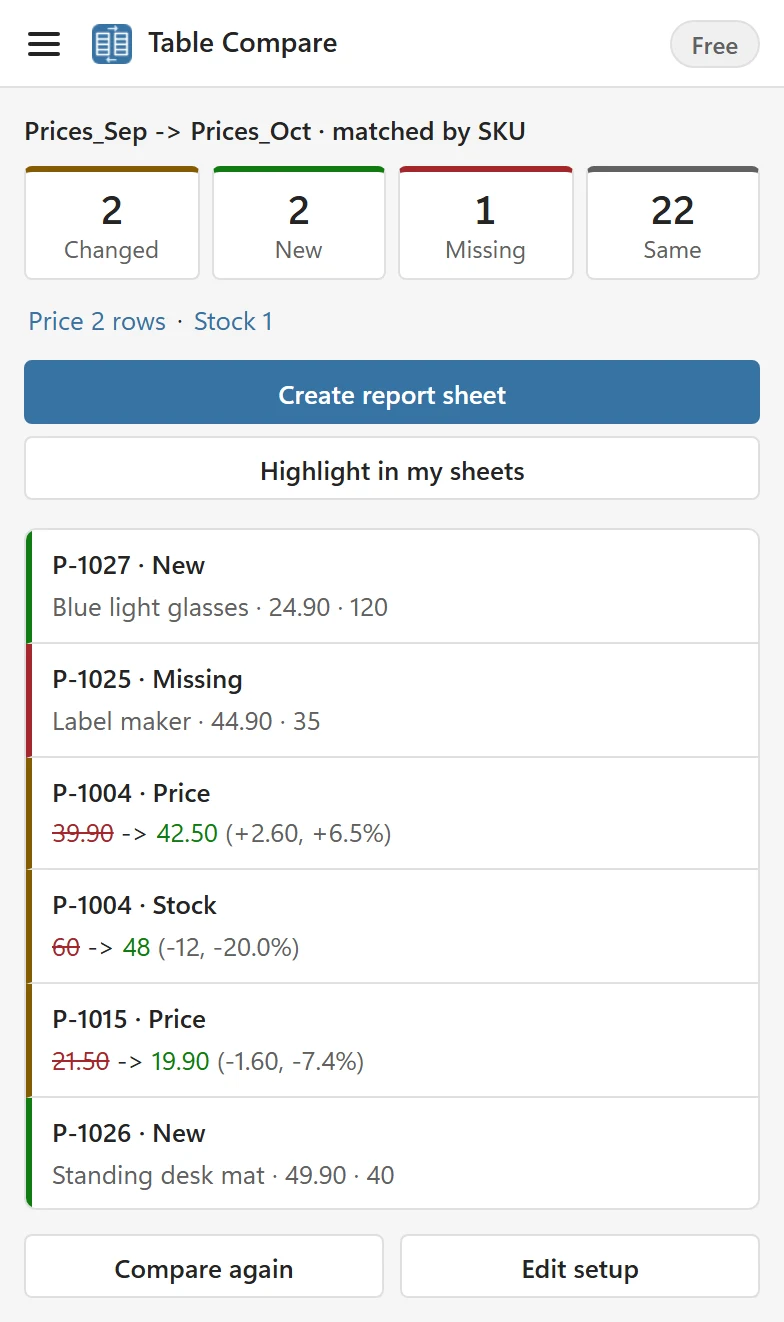
- Changed rows exist in both tables and differ in at least one cell. The list shows every changed cell with the old value struck through, the new value in green and, for numbers, the change.
- New rows are only in the New table. Missing rows are only in the Old table. Same rows match completely.
- A purple Check line appears under the tiles only when some rows need a second look, for example an ID that appears twice. The sample has none.
- Click a list item to select that cell in your workbook. For a missing row, Table Compare selects the row in the Old table.
4. Use your own tables #
The Old and New lists show the Excel tables of your workbook first, then the sheets that hold data. You can also click a cell in your data and choose Use selection, or pick From a file on this computer…. The guide Compare two tables goes through each choice, and Compare with another workbook or file covers files.
5. Keep the result #
Create report sheet writes the result to two new sheets, and Highlight in my sheets colors the differences in your own tables. Both are described in Read the report sheet and Highlight changes in your sheets.
Bigger tables #
The free version has every feature and compares tables of up to 200 rows each. A license removes that limit, up to 100,000 rows each. See Plans and licensing.
Having trouble? #
If every row shows as changed, see Every row shows as changed. For anything else, contact support.