
Table Compare has two states: the free version and a one-time license. Both have every feature. The only difference is the size of the tables. There is no trial, no subscription and no account.
Free version #
- Every feature, for tables of up to 200 rows each, the Old and the New table. Rows are the data rows without the header.
- The result shows in the pane: the four tiles, changes per column, the filterable list, and a click on any item selects the cell in your workbook.
- The report sheet, Highlight in my sheets, Copy these rows to a new sheet, Compare again and Keep a copy in this workbook are all available.
- All options are available: ignore spaces and case, leading zeros, a tolerance for numbers, columns to compare, column pairs and the choice of how rows are matched.
- Sources can be tables, sheets, a selection or a file from your computer.
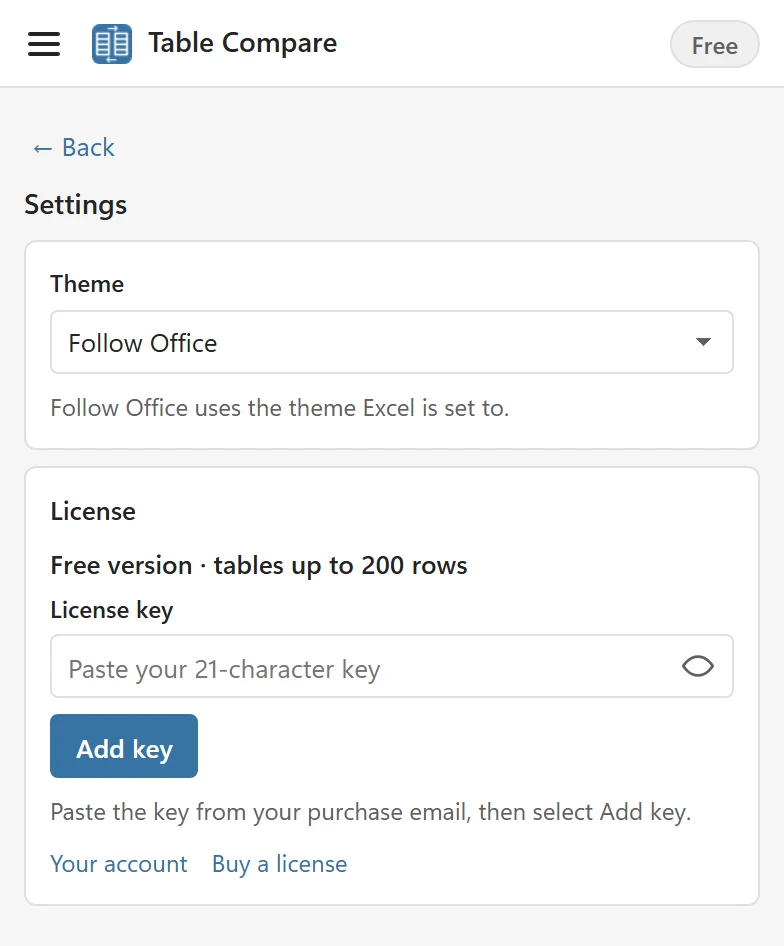
Settings shows which state you are in; in the free version it reads Free version · tables up to 200 rows, and the header of the pane shows a Free badge that opens Settings.
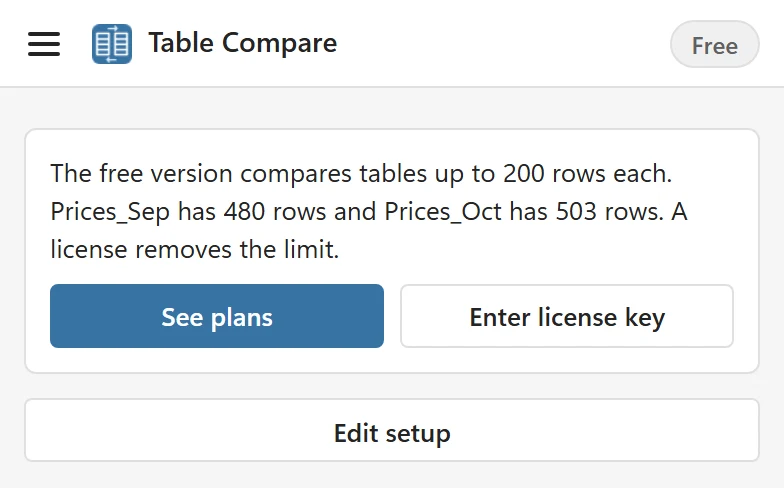
With a table over 200 rows, Compare first looks at the table sizes and tells you which table is too big, with See plans and Enter license key. No partial result is shown. When one table is over the limit the message names it (The free version compares tables up to 200 rows each. Prices_Oct has 503 rows. A license removes the limit.); when both are, it names both (The free version compares tables up to 200 rows each. Prices_Sep has 480 rows and Prices_Oct has 503 rows. A license removes the limit.), as in the picture.
What a license adds #
A license removes the 200-row limit and nothing else changes: you get the same features on bigger tables.
- Tables of up to 100,000 rows and 200 columns per side (2,000,000 cells), and files of up to 50 MB.
- The report sheet with its Cell changes tab lists up to 100,000 differences.
- The header badge reads Pro and Settings shows Pro license with the number of devices of your plan.
License plans #
Both plans are one-time purchases with future updates included:
- Personal: one person on up to 3 devices.
- Team: up to 15 devices.
The current prices are in the pricing section of the Table Compare page. Each device you add the key on uses one slot; you can free slots in your account. How to add the key is in Activate your license.
Reports and highlights stay in your workbook #
The report is made of ordinary Excel sheets and tables, so colleagues can read it without Table Compare and without a license. Highlights are conditional formats in your sheets; they show for everyone who opens the workbook, and Table Compare removes them again with one click.
Refunds #
Every license comes with a 14-day money-back guarantee. Contact support with the email address you bought with. The details are in the Table Compare terms.