
A common job after a comparison is “give me the missing records as a list”: the customers that are no longer in the export, the new items in this month’s price list. One click writes those rows to a new sheet.
Steps #
- Compare two tables.
- Click the New tile to list the rows that are only in New, or Missing for the rows only in Old.
- Click Copy these rows to a new sheet, under the list. The button appears only while New or Missing is the active filter and there are rows to copy.
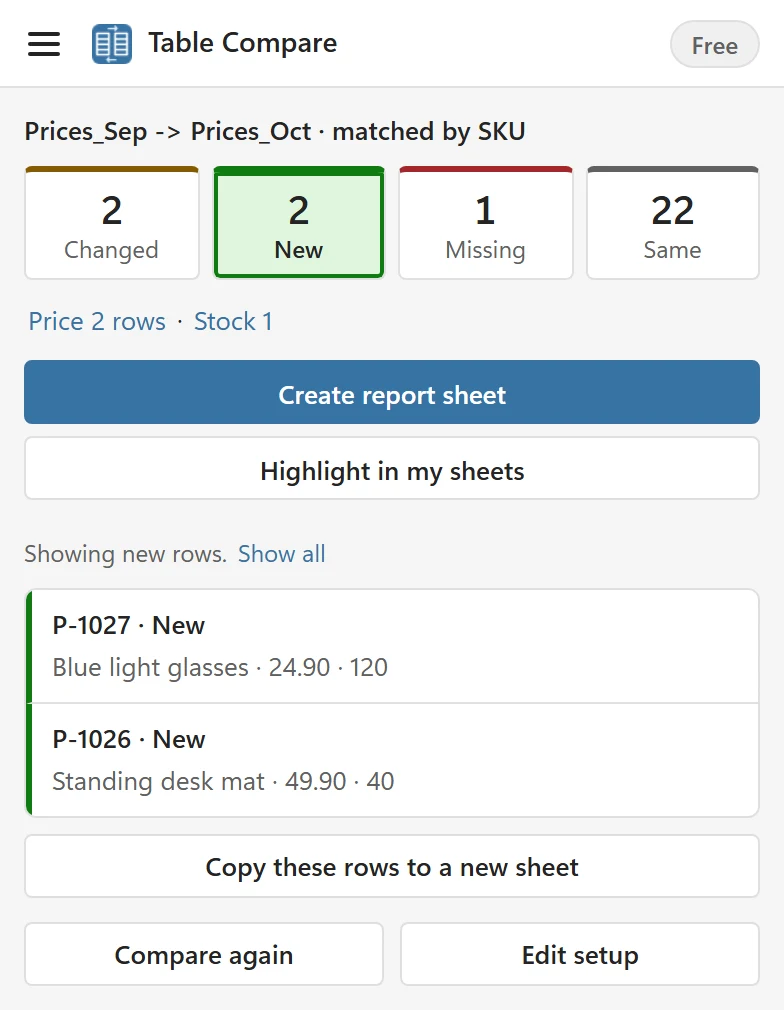
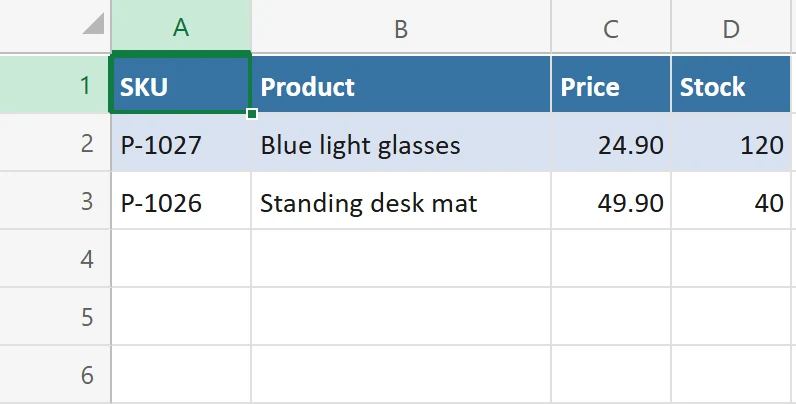
Table Compare writes a sheet named New rows 2 Oct or Missing rows 2 Oct, with today’s date, and opens it. The status line says Copied 2 rows to New rows 2 Oct.
What the sheet contains #
- Every column of the source, not only the compared ones, with the header row, as an Excel table you can filter and sort. New rows come from the New table, missing rows from the Old table.
- Values with the number formats of the source, so prices still look like prices.
- Values only: text that would start a formula is written as text.
It works for file sources too, because the rows come from what Table Compare read. If the sheet name is already taken, Table Compare adds a number in brackets after it.
Sheets that Table Compare wrote are not offered as Old or New in the lists, so your copied rows do not get in the way of the next comparison.