
BarcodePop has two states: the free version and Pro. Pro is a one-time purchase with a lifetime license. There is no trial clock, no subscription and no account, and the free version never expires. The current prices are in the pricing section of the BarcodePop page.
Free and Pro side by side #
The free version limits how many barcodes one workbook holds, not their quality. There is no watermark, and a free barcode is drawn exactly like a Pro one.
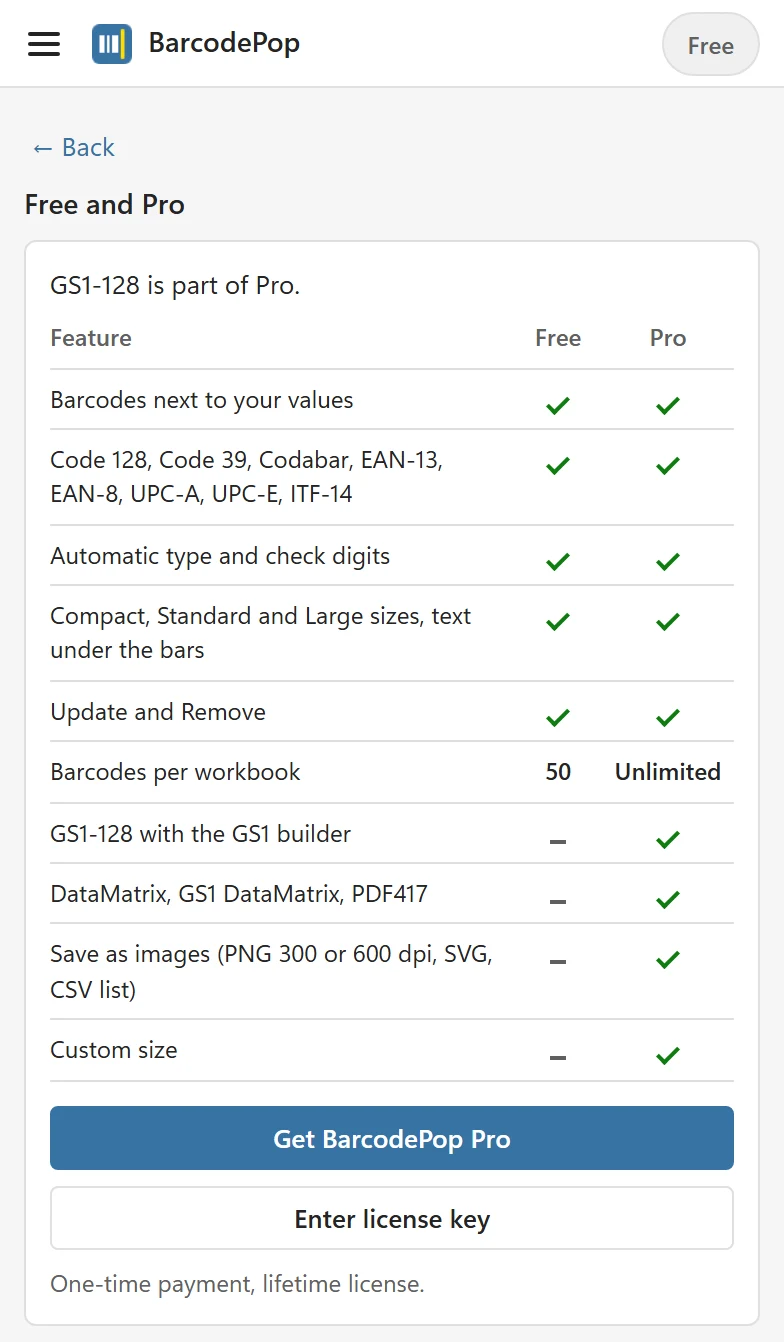
| Feature | Free | Pro |
|---|---|---|
| Barcode pictures next to your values, no font, Windows, Mac and the web | Yes | Yes |
| Code 128, Code 39, Codabar, EAN-13, EAN-8, UPC-A, UPC-E, ITF-14 | Yes | Yes |
| Automatic type, check digits, leading-zero and rounding checks | Yes | Yes |
| Compact, Standard and Large sizes, text under the bars | Yes | Yes |
| Update and Remove | Yes | Yes |
| Barcodes per workbook | 50 | Unlimited (up to 5,000 in one run) |
| GS1-128 with the GS1 builder | No | Yes |
| DataMatrix, GS1 DataMatrix, PDF417 | No | Yes |
| Save as images (PNG at 300 or 600 dpi, SVG, CSV list) | No | Yes |
| Custom size | No | Yes |
Pro barcode types are listed in the Barcode type list with · Pro after the name, for example GS1-128 · Pro, and Pro options carry a Pro badge, never hidden. Picking one on the free version opens the Free and Pro view at the top of the pane. Its first line names what you clicked, for example GS1-128 is part of Pro., followed by the table of what Free and Pro include, Get BarcodePop Pro and Enter license key. Back returns to where you were.
The same view opens from the Free badge in the header, from Free and Pro in the menu, from the Save as images · Pro button, and from See Free and Pro at the foot of the Create card. That foot line also shows how many barcodes the workbook holds, for example Free · 20 of 50 barcodes used in this workbook.
What happens at 50 barcodes #
The free version counts every BarcodePop barcode on every sheet of the workbook. If a run would pass 50, BarcodePop makes what fits, row by row from the top, and the status line says, for example, Created 30 barcodes in column E. 20 left out: Free makes up to 50 per workbook. The foot of the Create card says the same with its See Free and Pro link. If the workbook already holds 50, the Create card says Free makes up to 50 barcodes per workbook. This workbook already has 50.

- Update never counts twice: a barcode that is redrawn because its value changed replaces the old one.
- Remove frees the count of the set you remove.
- Another workbook starts at 0 again.
Pro makes up to 5,000 barcodes in one run. Above 1,000, BarcodePop asks first: This may take a minute. Create 1,200 barcodes? For a longer list, run Create again on the rest.
License plans #
Both plans are one-time purchases with a lifetime license:
- Single User license (shown as Personal on older receipts): one person on up to 3 devices, for example an office PC and a laptop.
- Team license: everyone in one business, up to 15 devices in total, all with one license key. Need more than 15 devices? Contact us for a custom license.
Each device you activate the key on uses one slot. Replaced a computer? Free its slot in the pane (Remove key from this computer) or in your account. How to add the key is in Activate your license.
Colleagues and customers #
Barcodes in a workbook are ordinary pictures, and image files are ordinary PNG or SVG files. Colleagues, customers and print shops can open, print and use them without BarcodePop and without a license. Only the person who creates or updates the barcodes needs the add-in.
Refunds #
Every license comes with a 14-day money-back guarantee. Contact support with the email address you bought with. The details are in the BarcodePop terms.