
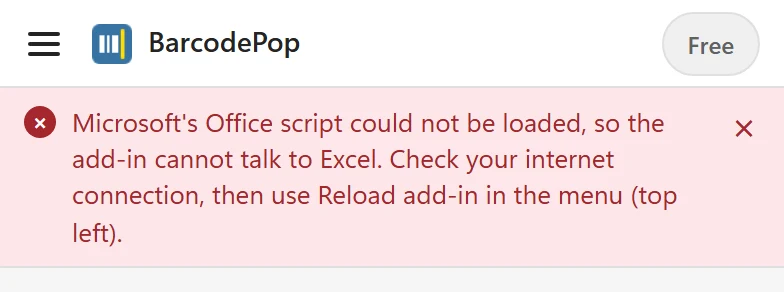
The pane shows a red message #
BarcodePop loads two things from the internet: its own code from addins.pythonandvba.com and Microsoft’s Office script. The pane tells you which one failed:
- Microsoft’s Office script could not be loaded, so the add-in cannot talk to Excel. Check your internet connection, then use Reload add-in in the menu (top left).
- Excel is not responding. Check your internet connection, then use Reload add-in in the menu (top left).
- Not connected to Excel yet. Wait a moment or use Reload add-in in the menu. Wait a few seconds after opening the pane, then try again.
- This add-in runs in Microsoft Excel. BarcodePop was opened outside Excel. Open it from the Home tab in Excel.
- Check the connection. Without internet, the pane cannot start.
- Reload the add-in. The menu at the top left always works. Open it and choose Reload add-in, or close the pane and open it again.
- Update Excel. BarcodePop needs Microsoft 365, Excel 2021 or Excel 2024. Older versions such as Excel 2019 or 2016 cannot run it.
- Company network. A proxy or firewall that blocks addins.pythonandvba.com or appsforoffice.microsoft.com stops every add-in pane. Ask IT to allow both. The license check and Save as images on Windows and Mac also need api.pythonandvba.com.
- Excel on the web. Reload the browser tab. Private windows and strict tracking protection can block the add-in’s storage; try a normal window.
BarcodePop is missing from the Home tab #
- Check that you are signed in to Excel with the account you added BarcodePop with.
- If your admin deployed it, it can take up to 24 hours to appear. Restart Excel.
- If your organization blocks store add-ins, only centrally deployed ones appear. Ask IT to deploy BarcodePop.
- The group is called BarcodePop and has the button BarcodePop. In a narrow window Excel may fold the group into a drop-down.
The pane opens but Create barcodes stays grey #
The line under the button says why, for example Click a cell in a column of values first. or Choose an empty column for the barcodes. Click a cell in your list and wait a moment: the pane reads the column each time the selection changes. If nothing answers, use Reload add-in in the menu. If the problem stays, copy the diagnostic info from About and contact support with your Excel version and platform.
The sheet is protected #
Barcodes cannot be placed on a protected sheet, and the pane says so before anything is drawn. Unprotect the sheet (Review > Unprotect Sheet), create or update the barcodes, then protect it again. A protected workbook also blocks Sample data: The workbook is protected, so no sheet can be added. Unprotect it (Review > Protect Workbook), then try again.