
With WhatsApp Blaster, you can send media files (images, PDFs, etc.) along with a caption in one message. Just enter the file path and add your text in the caption field.
How to do it #
- Enter the file path in the
Textcolumn (e.g.,C:\Users\codin\Desktop\course.pdf). - Set the Type as
DocumentorMedia. - Add a caption in the
Media/Document Captioncolumn. You can use placeholders ({{customer_name}}), emojis, and text.
– Example:Hi {{customer_name}}, here’s the file you requested 📁
Example #
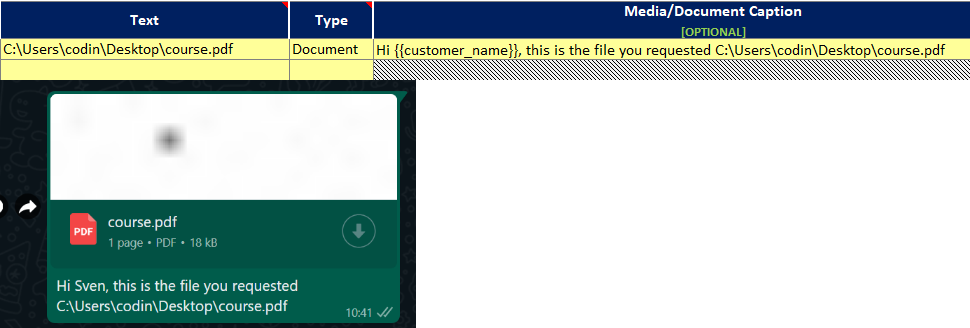
Send media or documents with a caption
