
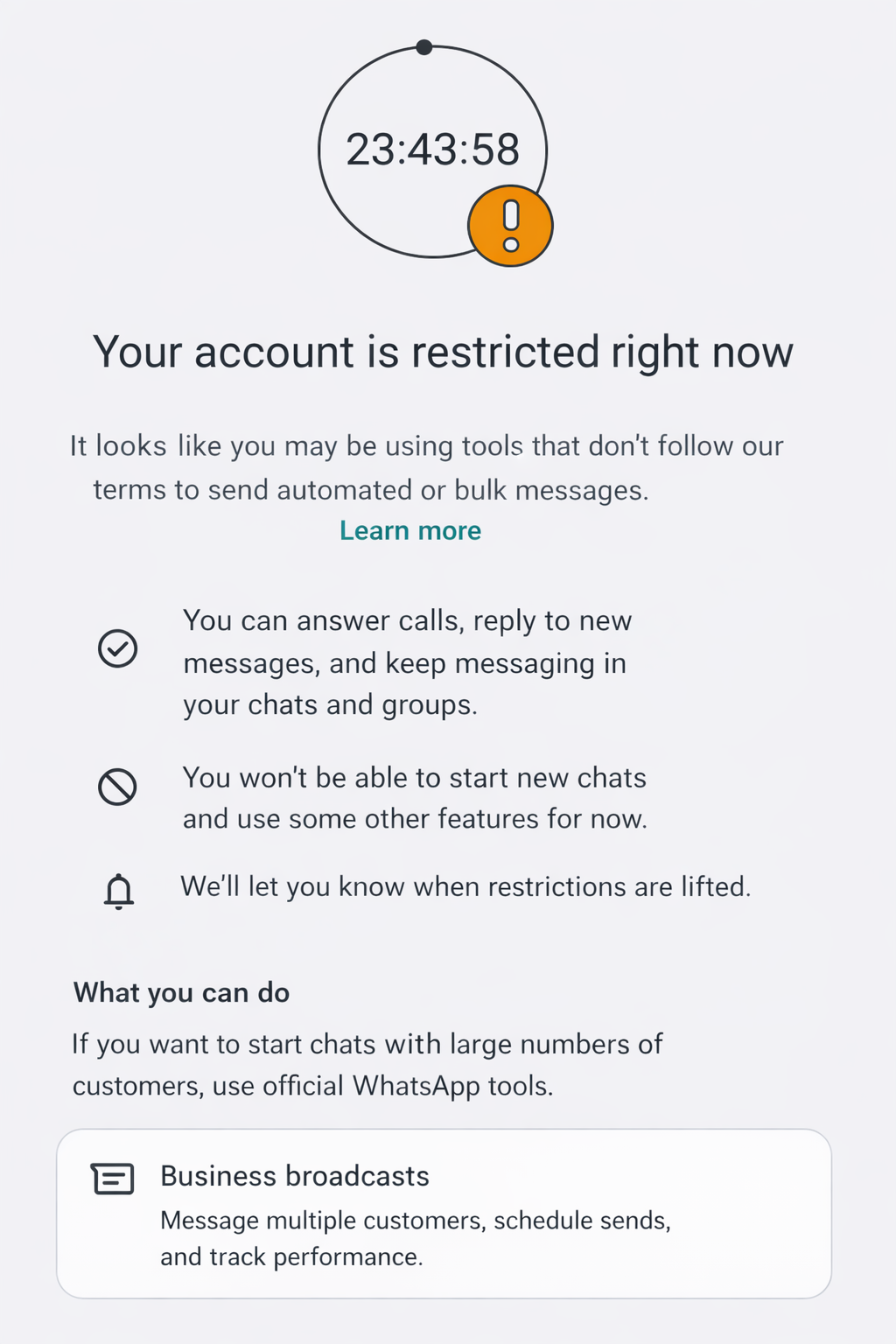
If WhatsApp shows something like “Your account is restricted right now”, WhatsApp has temporarily limited your number.
In most cases:
- You can still reply in existing chats
- You cannot start new chats for a while
- The restriction is lifted automatically after some time
Why this can happen #
This usually happens when WhatsApp detects sending behavior that looks automated, for example:
- Messages sent too fast, with little or no delay
- Too many new chats in a short time, especially to unsaved contacts
- Messages that look very “copy paste”, with no personalization
A lot of the time this comes down to settings. The safest approach is to follow the
best practice guidelines
What I can and cannot do #
I’m the developer of WhatsApp Blaster, but I do not work at WhatsApp or Meta. I do not have access to their systems, so I cannot lift restrictions from my side.
What to do now #
You have two options:
- Wait and let WhatsApp lift it automatically
-
Contact WhatsApp directly from the app
Settings, Help, Contact Us
If you try again, go slow #
Since the account was flagged already, start carefully.
A safe starting point:
- Max 100 messages per day
- Delay 20 to 30 seconds between messages
- Add an addtional random delay, e.g. 5 to 10 seconds
- Prefer sending to saved contacts
- Ask recipients to save your number before you message them
- Encourage a quick reply like “OK” or “Thanks”, so WhatsApp sees two-way communication
- Personalize messages using placeholders, so it looks like a message typed by a human
Alternative option: Official WhatsApp API #
Some users ask about the official WhatsApp Business API. It can be more stable for higher volume, but it has stricter rules and less flexibility.
Example provider info (Twilio):
https://www.twilio.com/en-us/messaging/channels/whatsapp
Key limitations you should know
-
Approval required
You need a WhatsApp Business account and provider approval. -
24-hour messaging window
After a person messages you, you usually have a 24-hour window to reply with normal messages. After that, you typically must use message templates. -
Message templates
Outbound messages that start a conversation, or messages outside the 24-hour window, usually require pre-approved templates. -
Costs
Pricing is per message and depends on country and message type.
Conclusion #
WhatsApp Blaster can still work fine, even after a restriction, but you need to slow things down and send in a way that looks human.
If you stay patient and conservative for a few days, the risk of another restriction drops a lot.
If you try to speed things up again, WhatsApp will usually flag the account again.
