
In a big send, some texts never arrive. Some numbers are landlines, some phones are switched off, and now and then a carrier blocks the message. TextBay sorts every failed number into a few plain groups, skips the numbers that can’t get texts, and lets you try the others again.
After a send: the What happened card #
When a send finishes, the Send page shows how many messages went out and how many arrived. While TextBay is open, it keeps checking delivery in the background for up to 12 hours, so these numbers grow for a while, even when you work on another page. Below the totals, one row per problem says what happened and what you can do about it.
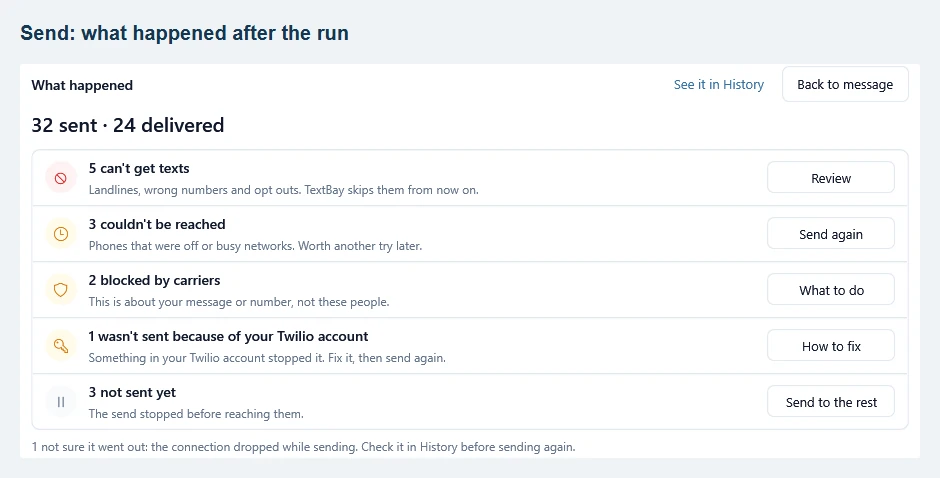
- Can’t get texts: landlines, wrong numbers and people who replied STOP. TextBay puts these numbers on your skipped numbers list, so you stop paying for messages that never arrive. Review shows them.
- Couldn’t be reached: the phone was off or the network was busy. These are worth another try later with Send again.
- Blocked by carriers: the problem is your message or your sending number, not these people. What to do lists the reasons and the fix, such as changing the wording or finishing the registration of your number.
- Weren’t sent because of your Twilio account: something in your Twilio account stopped them, for example a trial account limit or a country that is turned off. How to fix opens the Twilio page.
- Not sent yet: the send stopped before it reached these people. Send to the rest picks up where it stopped.
Rows only appear when they apply. See it in History at the top of the card opens the same campaign in History. If the internet connection dropped during a send, a line under the card says a message is “not sure it went out”. Check it in History before you send it again, so nobody gets the text twice.
Review the numbers that can’t get texts #
Review opens Numbers that can’t get texts. Each number shows its reason in plain words: Landline, Number not in service, Invalid number, Opted out, Blocks your texts or Flagged by Twilio. Click a reason at the top to see only those numbers.
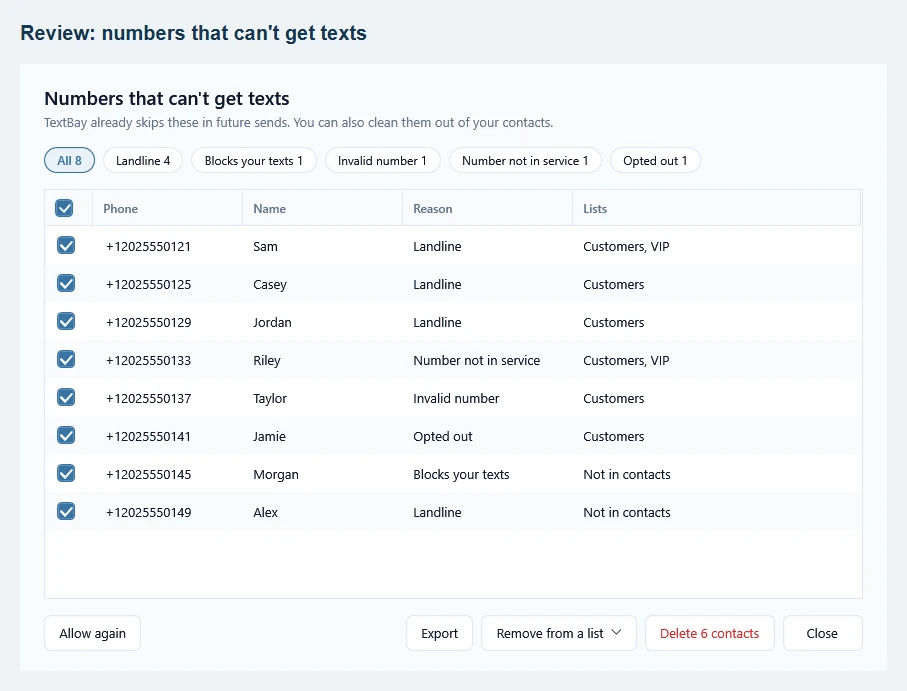
TextBay already skips these numbers in future sends, so you don’t have to do anything. To tidy up your contacts as well, tick the numbers and use Remove from a list or Delete contacts (the button shows how many). Deleted people stay on your skipped numbers list, so they won’t get texts even if you import them again. Export saves the list as a file.
Send again, or send to the rest #
Wait a few hours, then click Send again: a phone that was off is often back on by then. TextBay opens your original message with only the people who couldn’t be reached as the audience. A note above the audience says who gets it. See it in History shows what happened the first time, and Use my usual audience switches back. The campaign name stays the same, so History keeps all results of the campaign together.
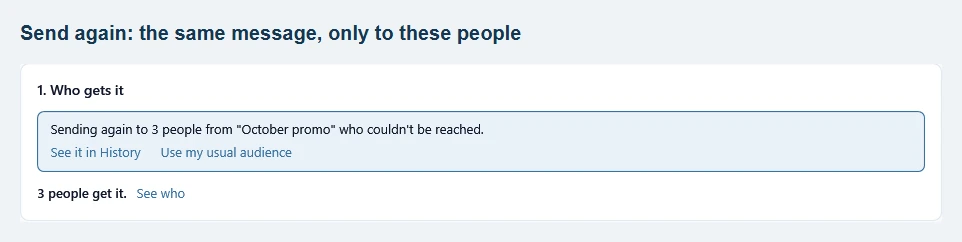
Send to the rest works the same way after a send that stopped early: it picks only the people who haven’t had the message yet. Neither button includes numbers that can’t get texts, or messages that are “not sure it went out”.
Find it again later in History #
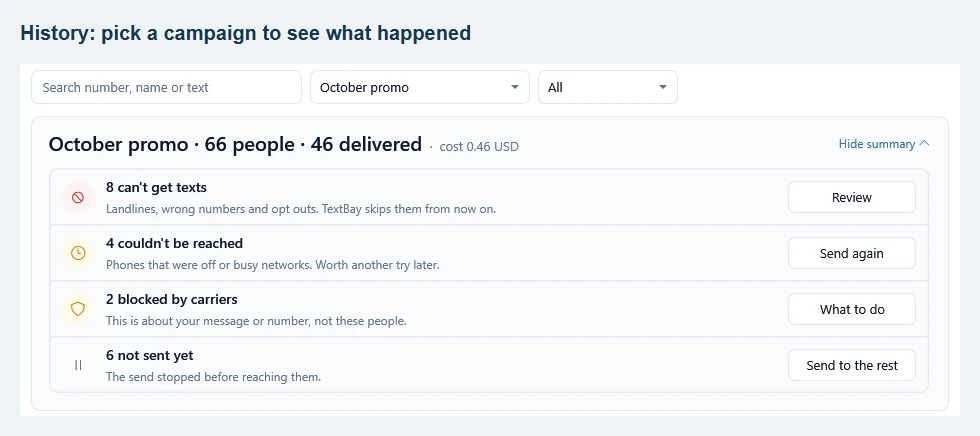
The card goes away when you return to your message, but nothing is lost. In History, pick the campaign (or click See it in History on the Send page) and the same What happened card appears above the list, with the campaign’s totals and cost and the same buttons. Hide summary folds it to one line when you need more room for the list, and Show summary opens it again. If the card says it is still waiting for results, Refresh statuses asks Twilio right away. The What went wrong column explains each failed message: Messages show Failed or Undelivered.
Skipped numbers #
Every number TextBay won’t text is on one list: open Contacts and click Skipped numbers. The list shows why each number is there, when it was added and from which campaign. People who reply STOP are added automatically, and so are numbers that can’t get texts.
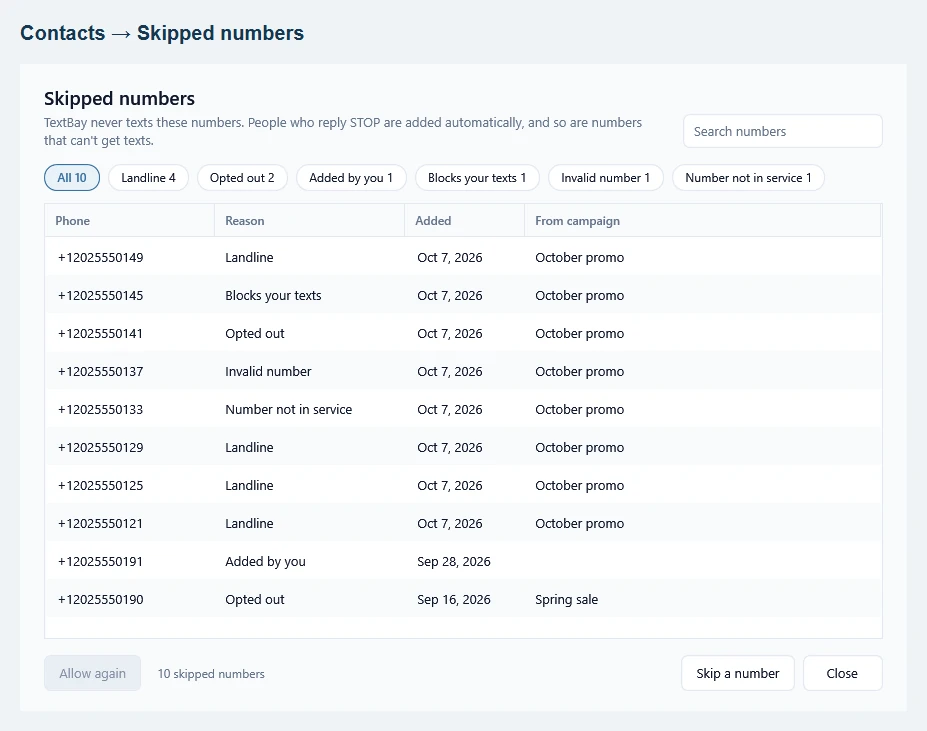
To text someone again, select the number and click Allow again. If they replied STOP, TextBay asks you to confirm first: only allow them again if they asked you to. Skip a number adds a number by hand.
Under Settings, Problem numbers, you can turn off Skip numbers that can’t get texts, and choose after how many failed tries in a row a number that couldn’t be reached is skipped too (3 by default). People who reply STOP are always skipped.
See problem numbers in Contacts #
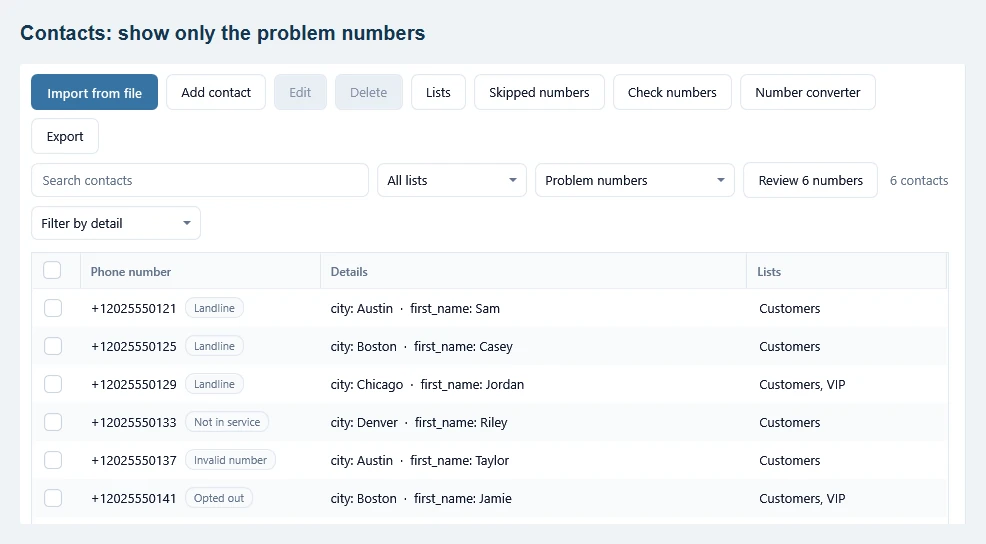
On Contacts, choose Problem numbers in the filter next to the list picker. A small tag after each phone number shows the reason, and the Review button opens the same window as above, so you can clean up in one go. The same filter can also show people whose last text failed or who were never texted.
Optional: check numbers before you send #
Landlines usually show up only after a send. To find them before, tick the contacts you want (or show them with a filter) and click Check numbers. Twilio looks up each number and charges about 0.008 USD per number. TextBay shows the total before anything is charged, and numbers it checked before are not charged again. Landlines and invalid numbers go on your skipped numbers list.
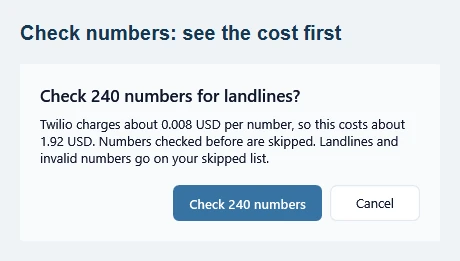
Checking is optional and the lookups are billed by Twilio, so it pays off mostly for large or older lists. Checking Canadian numbers needs Twilio’s approval for your account first.