
A campaign in TextBay is one message, personalized per person, sent to an audience you choose from your contacts. Start with a practice run, then work down the Send page.
Practice without sending #
Open Settings and select Test mode: simulate runs without sending anything under Sending. Changes save immediately. Practice runs produce Test entries in History; they do not send messages or incur message charges.
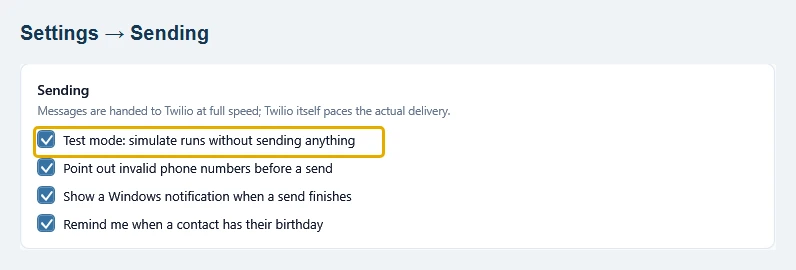
A practice run checks your audience and message workflow. It does not verify Twilio permissions, sender registration or delivery. When ready, turn test mode off and send to yourself before using a larger audience.
1. Who gets it #
Choose the audience: Everyone, Only people on these lists, or People I pick myself. The count under the choice updates live, and See who shows the exact people before anything happens. Numbers on your skipped numbers list, such as people who replied STOP, are left out automatically on every send.
2. Your message #
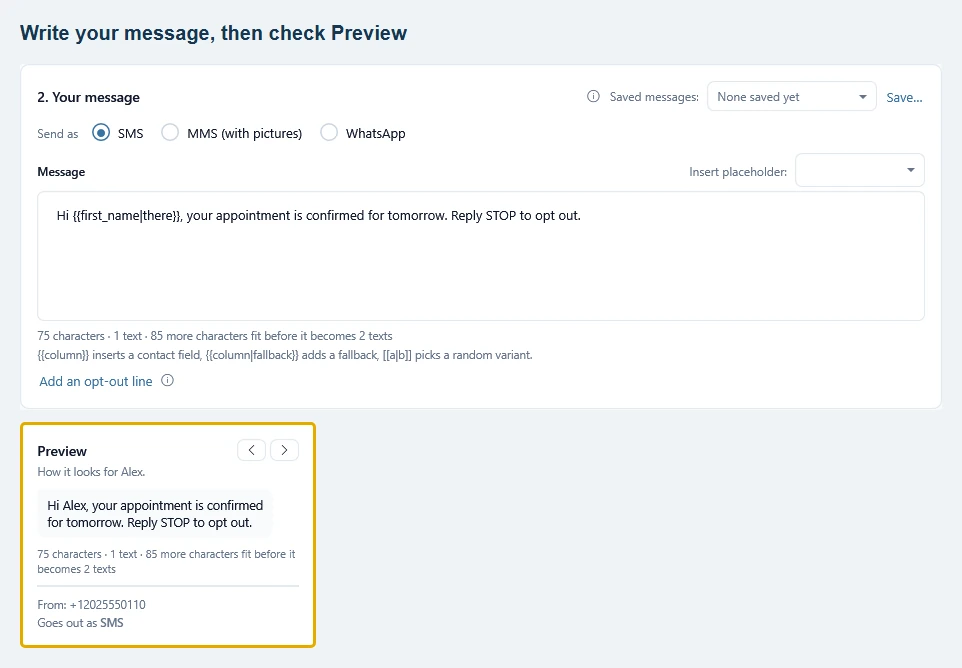
Pick the channel first (SMS, MMS with pictures, or WhatsApp), then write. Two bits of syntax do the personal touch:
{{first_name|there}}inserts a contact detail, with a fallback for people missing it: “Hi Anna”, “Hi there”. Insert placeholder above the message adds one for you.[[a|b|c]]picks one variant at random per person, so a hundred messages don’t all read the same.
The Preview panel on the right shows the message exactly as each person will get it (use the arrows to flip through people) plus a live count of characters and texts, so you can see when a message gets long enough to be billed as two texts. For marketing to the US or Canada, click Add an opt-out line: see Handle opt-outs.
3. Send #
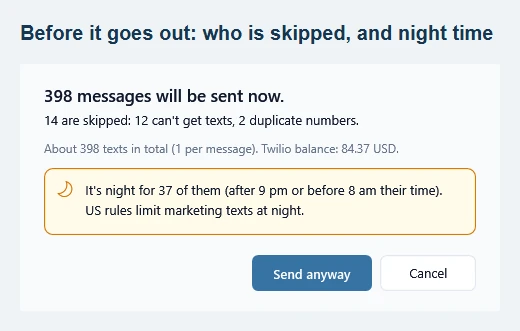
Name the campaign (optional, it tags every history row for filtering), then press Send now. The confirmation dialog says how many messages go out, who is skipped and why, about how many texts that is and your live Twilio balance. The text count is an estimate; Twilio determines the final charges. If it is night where some of your people live (after 9 pm or before 8 am their time), the dialog warns you first, because US rules limit marketing texts at night. You can turn this off under Settings, Problem numbers (Warn me before texting people at night).
During the send, the page shows each person’s status live. When it finishes, a What happened card sums up how many were sent and delivered, and what to do about any that failed; See it in History opens the campaign in History. TextBay keeps checking delivery in the background for hours, even while you work on another page.
Afterwards #
Open History and pick the campaign to see how it went. Sent means Twilio handed the message to the carrier; Delivered means the carrier confirmed it reached the phone. For numbers that failed, follow Handle failed numbers, and for a single failed message, Messages show Failed or Undelivered. Replies land in the Inbox, where you can answer inline. To send later instead of now, use Schedule: Schedule a send.