
TextBay can send WhatsApp messages the same way it sends SMS, but WhatsApp is Meta’s network with Meta’s rulebook. Three rules cover almost everything.
Rule 1: You need a registered sender #
WhatsApp through Twilio needs a one-time sender registration (or Twilio’s sandbox for trying things out). Register in the console: WhatsApp senders; the walkthrough is at Twilio’s WhatsApp self sign-up guide. Once the sender’s status is ONLINE, TextBay’s Twilio page shows it under channel readiness, and the WhatsApp channel on the Send page starts working.
Rule 2: The 24-hour window #
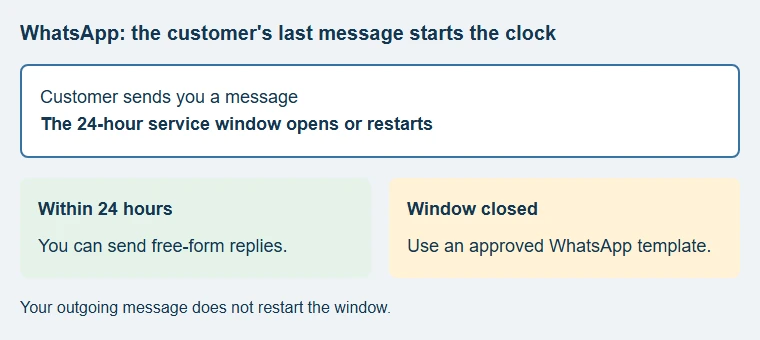
You may send free-form messages to a person only within 24 hours of their last message to you. Outside that window, WhatsApp delivers only templates that Meta has approved in advance.
- In the inbox, every WhatsApp conversation says where the window stands: open (and for how much longer) or closed.
- Business-initiated campaigns to people who have not written recently must use an approved template: TextBay’s Templates page lists your account’s WhatsApp templates with their approval state (approved, pending, rejected with Meta’s reason), ready to fill and send.
Rule 3: Quality is scored #
WhatsApp applies messaging limits and quality checks, with limits managed at the business-portfolio level. Check your current limits and sender status in Twilio or Meta rather than assuming a fixed allowance. TextBay may show the sender information reported by Twilio; it is not a guarantee that a campaign is eligible. The practical advice: message people who expect it, make templates useful, and honour every opt-out.
TextBay’s opt-out-line button is only shown for SMS and MMS, but its inbox can detect opt-out keywords on WhatsApp too. Twilio’s Advanced Opt-Out may also apply through your Messaging Service. Honour a request to stop regardless of how it arrives: Handle opt-outs.
See Twilio’s WhatsApp overview for the current window and template requirements.