
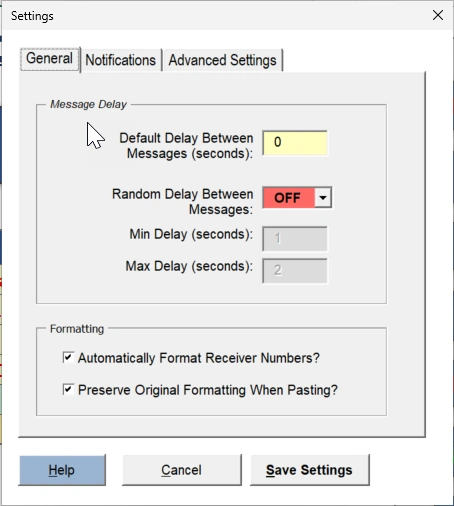
The settings menu in QuickText lets you customize formatting, notifications, and advanced options. The message delay settings are explained here: How to set custom delays between messages
1. Formatting #
- When copying and pasting values into QuickText, the original formatting is kept to ensure a tidy structure.
- If you prefer, you can disable this option.
- When entering phone numbers in the Receiver column, a plus sign (+) is automatically added to format numbers correctly. You can disable this if needed.
2. Notifications #
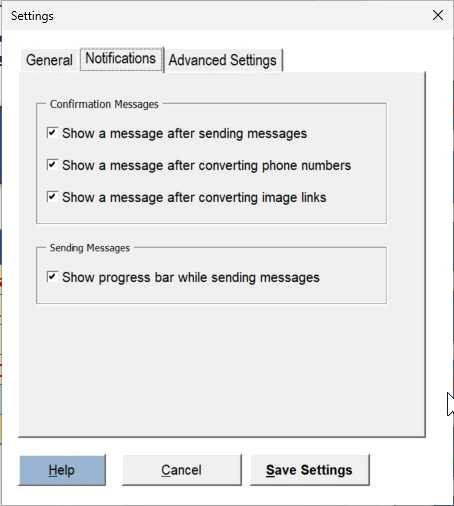
- You can enable or disable confirmation messages for:
- Sent messages
- Converted phone numbers
- Converted image links
- There is also an option to show a progress bar while sending messages.
3. Advanced settings #
- This section contains technical configurations, such as Connection Mode.
- Most users do not need to change these settings unless specifically instructed.
Make adjustments as needed and click Save Settings to apply your changes.