
The free version of DatePop is a complete date picker with printable calendars, and it has no time limit, no account and no key. It includes:
- The date picker in the pane, which follows your selection and writes true Excel dates that keep the cell’s format. Columns are widened when a date would not fit, and never made narrower.
- Month, year and decade navigation, Today, Insert today (button, ribbon and keyboard shortcut) and full keyboard control. Keyboard shortcuts in the menu lists the keys.
- Date and time in one click, with quick time slots.
- ISO or US week numbers, the first day of the week, five languages (English, German, Spanish, French and Portuguese for Brazil), a light and a dark theme.
- The same date into many selected cells, and the selection moving down or right after each pick.
- Undo last date and Clear.
- A calendar for any month and year on a new sheet, and a year at a glance with twelve months on one sheet, both in the Clean style and printable on one page. On month calendars, Rows per day (1 to 5) is free: by default each day has its date and two rows to write in.
- Picking dates into the date fields of a workbook made by someone with Pro, with all of their rules.
- A preview of the events calendar and of the .ics file, and the preview of every Pro calendar layout.
- Windows, Mac and Excel on the web.
What needs Pro #
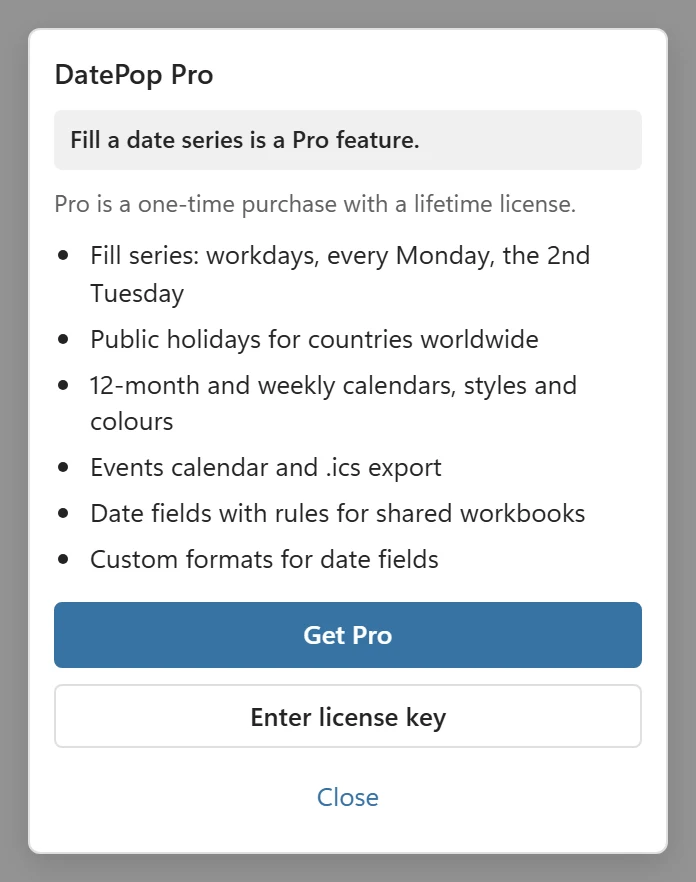
Pro is a one-time purchase with a lifetime license, with a 14-day money-back guarantee. It adds:
- Fill series: workdays, every Monday, the second Tuesday and more, with optional skipping of holidays.
- Public holidays for 207 countries, in the picker and in calendars.
- Twelve-month and weekly planner calendars, the styles (Bold, Minimal, Ink saver), accent colours, a notes area and calendar languages other than the pane language.
- An events calendar made from a table, colour-coded and refreshable, and the .ics export to Outlook and Google Calendar.
- Making and editing date fields with rules for shared workbooks, with custom formats for the fields. A custom default format in Settings stays free.
Pro features are visible in the free version with a Pro badge. Clicking one opens a short card that says what Pro includes, with Get Pro and Enter license key. You can preview a Pro calendar, the events calendar and the .ics events in the pane before you buy; nothing is added to your workbook and nothing is watermarked in it.
For the details, plans and devices, see Plans and licensing.
Only need a date picker or a calendar to print? #
The free version covers it. A month or a whole year at a glance prints from the free version, and so does a date and time in a cell. Pro is for holidays, planners and styles, events calendars, fill series and date fields.