
DatePop has two states: the free version and Pro. Pro is a one-time purchase with a lifetime license. There is no trial, no subscription and no account, and the free version never expires. Every Pro feature is visible in the pane, and you can preview the Pro calendars, the events calendar and the .ics file before you buy (see below). The current prices are in the pricing section of the DatePop page.
Free and Pro side by side #
| Feature | Free | Pro |
|---|---|---|
| Date picker in the pane that follows your selection | Yes | Yes |
| True Excel dates that keep the cell’s format | Yes | Yes |
| Month, year and decade navigation, Today, keyboard control | Yes | Yes |
| ISO or US week numbers, first day of the week, five languages | Yes | Yes |
| Same date into many cells, selection moves down or right | Yes | Yes |
| Insert today (button, ribbon, shortcut), Undo last date, Clear, the Keyboard shortcuts list | Yes | Yes |
| Date and time in one click | Yes | Yes |
| Columns widened to fit dates (never narrower) | Yes | Yes |
| Preview of an events calendar and of the .ics file | Yes | Yes |
| Light and dark theme, Windows, Mac and Excel on the web | Yes | Yes |
| Month calendar (1 to 5 rows per day) and year at a glance, Clean style | Yes | Yes |
| Picking into date fields made by someone else | Yes | Yes |
| Fill a date series (workdays, every Monday, the second Tuesday) | No | Yes |
| Public holidays for 207 countries in the picker and calendars | No | Yes |
| Twelve-month and weekly planner calendars, styles, accent colour, notes area, other calendar languages | No | Yes |
| Events calendar from a table, colour-coded, with Refresh | No | Yes |
| .ics export to Outlook and Google Calendar | No | Yes |
| Making and editing date fields, custom formats for them | No | Yes |
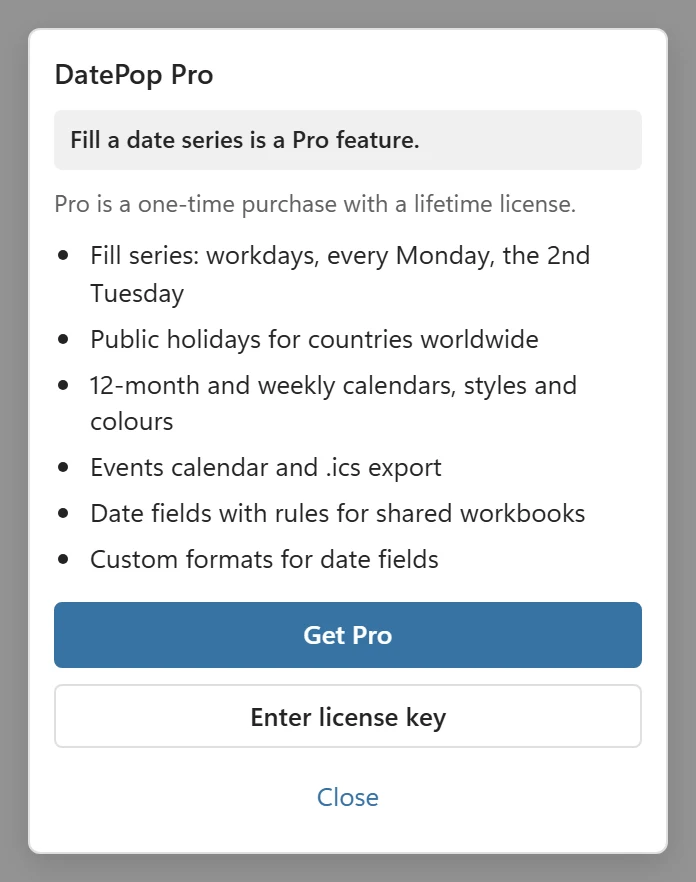
Pro features are visible in the free version with a Pro badge, never hidden. Clicking a locked one opens a short card that lists what Pro includes, with Get Pro and Enter license key.
The badge in the header of the pane says Free or Pro and opens the License settings.
Look before you buy #
There is no trial, but you can see what Pro does without a key:
- Choose a Pro calendar (twelve months, weekly planner, a style, holidays or a notes area) on the Calendars tab. The pane shows the calendar with a Pro preview mark, and the button reads Get Pro to insert. Nothing is written to your workbook.
- For an events calendar, Use the selected table reads your table and shows the calendar preview and the columns it found. Making the calendar is Pro.
- For the .ics file, the Export to Outlook or Google card lists the first five events as they will be exported, with the number of events and files and the time zone. Saving the file is Pro.
Every license also has a 14-day money-back guarantee: if Pro is not for you, email me within 14 days and you get your money back.
License plans #
Both plans are one-time purchases with a lifetime license:
- Personal License: one person on up to 3 devices.
- Team License: up to 15 devices.
Each device you activate the key on uses one slot. You can release a slot in the pane or in your account. How to add the key is in Activate your license.
Colleagues and shared workbooks #
Everything DatePop makes is ordinary cells, sheets, number formats and data validation, so colleagues can open and edit it without DatePop and without a license. A colleague with the free version can also pick dates into the date fields you made, and the rules apply to them. Only making and editing fields, and the other Pro features, need a key on their own computer.
Refunds #
Every license comes with a 14-day money-back guarantee. Contact support with the email address you bought with. The details are in the DatePop terms.