
DatePop writes a true Excel date: a serial number plus a date format. Almost every problem with a date that looks wrong comes from the cell’s format, a date that is really text, or the workbook’s date system. Find your symptom below.
The cell shows a number such as 46334 #
The value is right and only the format is missing. Select the cell, open the number format list on the Home tab and choose Short Date or Long Date. DatePop normally sets a date format itself. It leaves the format alone in two cases:
- The sheet is protected and does not allow formatting cells. DatePop writes the date and says Date written. The sheet protection does not allow changing the cell format. Unprotect the sheet (Review > Unprotect Sheet), set the format and protect it again, or protect it with Format cells allowed.
- The cell already has a date format that you do not like. DatePop keeps a cell’s own date format on purpose. Change the format in Excel, or pick the cells again after clearing their format.
The cell shows #### #
The column is too narrow for the date. Double-click the right edge of the column header to widen it. Dates show #### when they do not fit.
The date is text, not a date #
A text date, such as one pasted from another program, is left-aligned, does not sort by date and may have a small green triangle. When you select a single cell like that, DatePop offers to fix it.
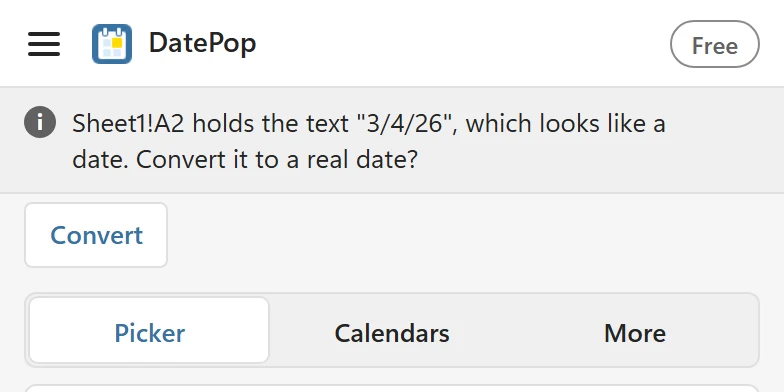
Click Convert and the cell becomes a real date. DatePop reads the text with the date order of your regional settings (day first in most of Europe, month first in the US), so check the result for dates like 3/4/26. A column of prices or other numbers is never offered for conversion. To convert many cells, use Excel’s Data > Text to Columns with the Date option, or DATEVALUE.
The dates are four years off after copying between workbooks #
Excel has two date systems. The default counts from 1 January 1900; the other, used by some old Mac workbooks, counts from 1 January 1904 and is switched on under File > Options > Advanced > Use 1904 date system. DatePop checks which system a workbook uses and writes the correct date for it. Dates that you paste between workbooks with different systems arrive 1,462 days (four years and one day) off, because Excel copies the number, not the date. Switch both workbooks to the same system, or add or subtract 1,462 on the pasted cells.
The date went into another cell #
After every pick, DatePop moves the selection, so the next click goes to the next cell. Look at the line above the calendar (The next click writes to) before you click. If a date landed in the wrong place, click Undo last date within about 10 seconds. In Settings, After picking a date, move can be set to Right or Off.
A date before 1900 or after 9999 cannot be written #
Excel dates run from 1 January 1900 to 31 December 9999. A date outside that range cannot be written: Excel dates run from 1 January 1900 to 31 December 9999.
The date format is not the one I want #
For cells without a date format, DatePop uses Default date format in Settings, which is your system’s short date unless you changed it. Choose ISO 8601, a long date or a custom format there. See Change language and week settings.
Still unsure? Contact support and paste the diagnostic info from About.