
PinPop has two states: the free version and Pro. Pro is a one-time purchase with a lifetime license. There is no trial clock, no subscription and no account, and the free version never expires. The current prices are in the pricing section of the PinPop page.
Free and Pro side by side #
| Feature | Free | Pro |
|---|---|---|
| Live map on the sheet, follows edits and filters, click a pin to select its row | Yes | Yes |
| Finds address or coordinate columns, looks up coordinates with your Google key | First 50 rows | All rows |
| Color by a column, popups, legend | Yes | Yes |
| Group nearby pins (switches on above 500 pins in view) | On, but a free map has at most 50 pins | Yes |
| Road, Light, Dark, Satellite and Satellite with labels base maps | Yes | Yes |
| Pins per map | 50 | 50,000 |
| Maps per workbook | 1 | Unlimited |
| Heat map | No | Yes |
| Radius circles | No | Yes |
| Download PNG | With a small “Made with PinPop” badge | Clean |
| Place picture in sheet | No | Yes |
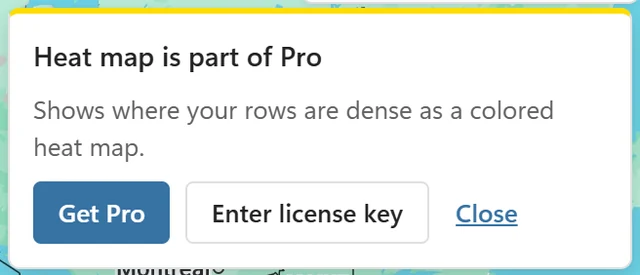
The live map never carries a watermark. Pro features are shown in the menus with a Pro badge, never hidden. Clicking one on the free version opens a short card, for example Heat map is part of Pro, with what the feature does and the buttons Get Pro, Enter license key and Close.
What happens at 50 pins #
A free map shows the first 50 rows of the table, in table order, and looks up coordinates only for those rows. A banner says, for example, Showing 50 of 1,240 rows. Pro shows all. with Get Pro. The rows over the limit are listed in More options > Issues.

- Sorting or filtering the table does not move the window: a filter hides pins among those 50 rows, it does not bring later rows in.
- Rows that already have coordinates count toward the 50, so free lookups never go past the limit.
One map per workbook #
The free version shows one map per workbook. If you insert a second map, it says This workbook already has a map and offers Show this map instead: the new frame becomes the workbook’s one map, and the other frame shows the same card. Pro adds as many maps as you like, and maps made with Pro never count toward the free map.
License plans #
Both plans are one-time purchases with a lifetime license and unlock every Pro feature:
- Single User license (shown as Personal on older receipts): one person on up to 3 devices, for example an office PC and a laptop.
- Team license: everyone in one business, up to 15 devices in total, all with one license key. Need more than 15 devices? Contact us for a custom license.
Each device you activate the key on uses one slot; each browser for Excel on the web counts as one device. Replaced a computer? Free its slot in the map (More options > License > Remove license key from this device) or in your account. How to add the key is in Activate your license.
The license covers PinPop only. Google bills your use of the Maps APIs to your own Google Cloud project; see Is the Google Maps key free?
Colleagues #
A colleague never needs a license to view a map you made with Pro: the map keeps the Pro features it was made with. To see the live map they need their own Google Maps key; without one they see the last saved picture. See Share a workbook with a map.
Refunds #
Every license comes with a 14-day money-back guarantee. Contact support with the email address you bought with. The details are in the PinPop terms.